
In my latest YouTube video, I unbox an Android powered point-of-sale screen that I’m planning to use as a Home Assistant control panel.
I’ve been running Home Assistant for a few years now, but something I always wanted to add was a control panel.
This was always going to be an iPad or Android tablet. I even went as far as buying a ethernet to lightening adapter, so I could get internet and power to an iPad. However, I was never 100% comfortable with the idea of a battery powered device being plugged in all the time.
At the start of the year, I came across Android powered displays. These are typically used in restaurants and kitchens to provide incoming orders from apps like Deliveroo.
They are designed to operate almost nonstop, have no battery and, best of all, have PoE (Power over Ethernet) built it.
Once I knew what to search for, I found lots of people were using them as control panels! Bingo.
I wanted to buy one from a company in the UK, rather than have one shipped from China (economics and CO2) After lots of looking, I found https://www.goeducation.co.uk who sell all kinds of digital signage. The have a few different offerings, but I settled on their 15″ POS display. https://www.goeducation.co.uk/15-POS-Android-Advertising-Display-p/dgs-pos-aad-pos15hd7b.htm
It was more than I’d planned to spend, but as it had everything I wanted, I purchased one.
Here are some of my initial thoughts on the device itself:
- It’s thicker than I expected.
- The display is clear and bright.
- It’s PoE, so won’t require a power brick. Power consumption is about 20W, so it won’t cost the earth to keep running.
- It’s running Android, so I’ll have access to Kiosk style apps and screensaver functionality.
- It has colour changing bars along the side, which I’m going to try and take advantage of. Red for something needs attention, green for everything is okay.
- It’s only running Android 8, which isn’t great since it no longer gets security updates.
I haven’t installed it yet, but I have a spot available on my kitchen wall, where I’ve had an Ethernet cable installed just for a control panel.
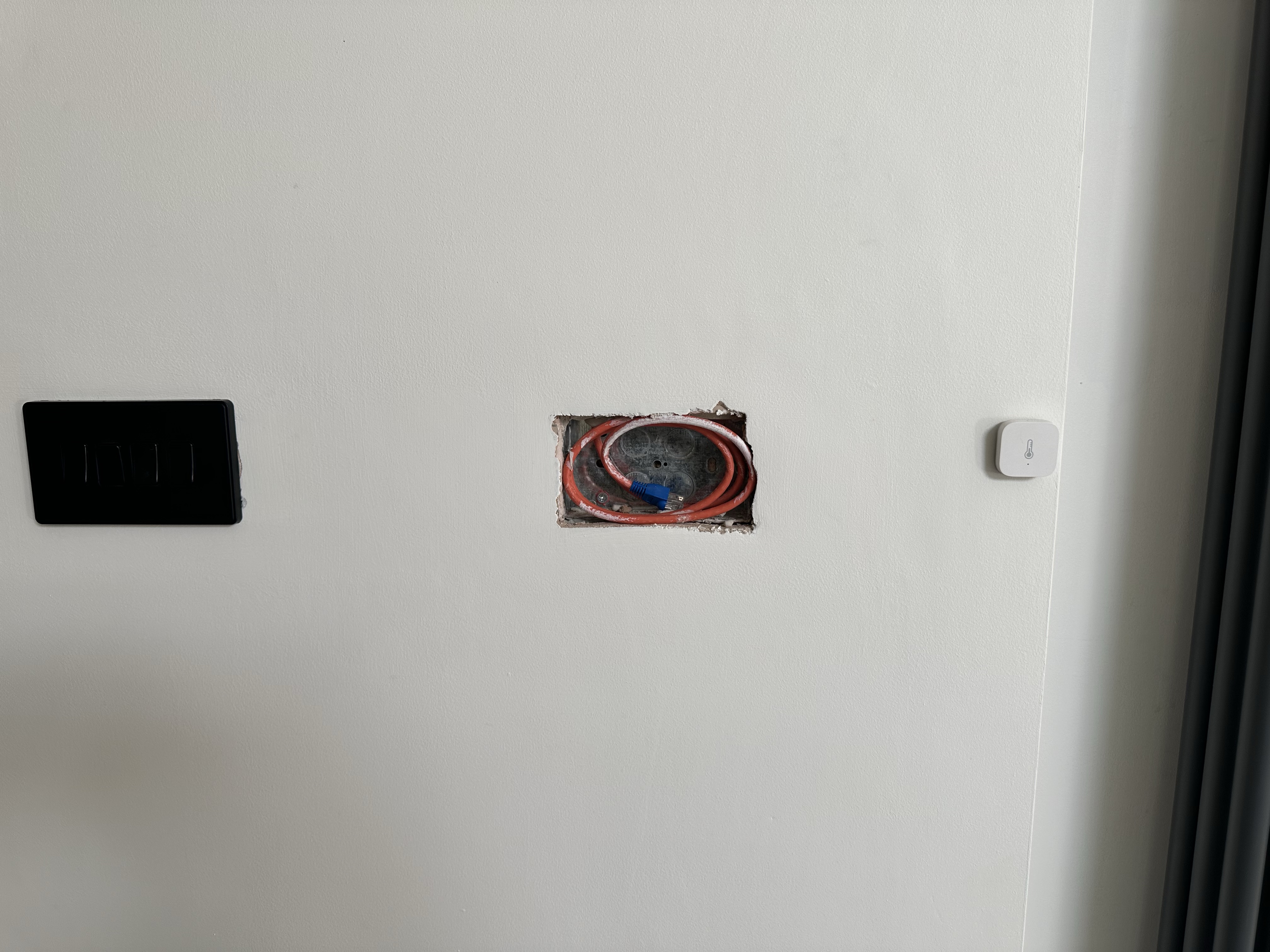
As the device is about 1″ thick and keeping my wife in mind, I’m going to have to recess the device into the wall. Thankfully, it’s dot and dab plasterboard on blocks, so by cutting out a rectangle of plasterboard, I’ll have a deep recess for it. I’ll mount it to the block wall and then probably build a small frame to hide the exposed plasterboard.
I will do another YouTube video when I’m installing it, so if you’re interested, be sure to subscribe to my YouTube channel or bookmark this post.
Update
As promised, the installation video up on YouTube.


 @tomasmcguinness
Leave a comment