
Whilst I waited for the arrival of my new PCBs from Aisler.net, I continued to work on the code for my Zigbee Sensor.
Next item on my list was the addition of battery reporting. When running a device on battery, giving the user some idea of remaining battery life is very important!
How does Zigbee do it?
Zigbee has battery reporting baked into the specification in the form of the Power Configuration cluster. This supports mains power and battery power, allowing a variety of attributes to be read and reported.
I defined a simple struct to capture what I was interested in.
typedef struct {
  zb_uint8_t voltage;
  zb_uint8_t percentage;
  zb_uint8_t quantity;
  enum zb_zcl_power_config_battery_size_e size;
} zb_zcl_power_config_battery_attrs_t;
Next, I needed to add this cluster into one of the endpoints.
I wrote a custom macro, to declare a separate endpoint, one that would hold the Power Configuration cluster.
ZB_ZCL_DECLARE_FART_SENSOR_CLUSTER_LIST()I still chuckle when I use FART.
When I added the device to Home Assistant, everything appeared except the battery information. Since I didn’t fully understand what I was doing with the custom macro, I figured it was my definition. Attempting to reconfigure the device showed the same issue I saw when I started this project: reporting failure.

Custom Macros
I decided to go back to basics and try and make a sensor that just reporting the battery configuration. This would be one endpoint with the basic cluster, the identity cluster and the power configuration cluster.
This kinda worked!
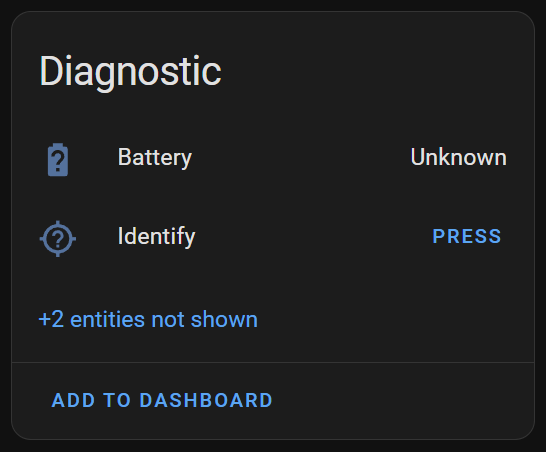
I tinkered a little more and then it vanished. Home Assistant just wasn’t showing the power configuration as one of the clusters 😦

I believe there is caching happening within the ZHA integration or the Zigbee Radio. This impacts the configuration of the sensor.
I removed the device from HA, restarted ZHA and performed a device reset. On the next attempt, success!
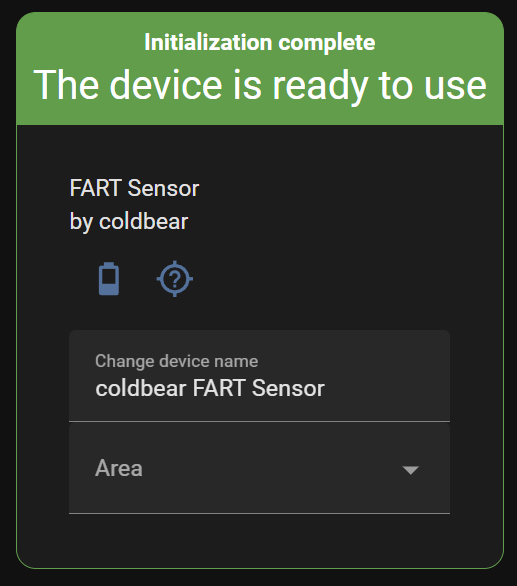
In my code, I initialized the battery percentage to a value of 50
dev_ctx.power_config_attrs.percentage = 50;but HA showed it as 25%.
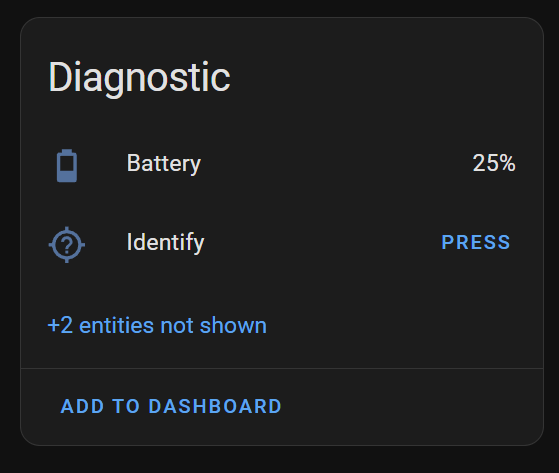
Checking the Zigbee spec, shows this is deliberate as it works in half percentage steps i.e 200 is 100% and in my case 50 is 25%.

Adding Temperature Clusters back in
With my cluster working (I clicked “identify”) it was time to add back in my temperature measurement clusters. I removed the reporting context from each endpoint to avoid any complexity at this stage.

Home Assistant picked up the two temperature sensors and the battery measurement, but reporting showed warnings as expected.
One interesting thing to note is that both battery_voltage and battery_percentage_remaining appeared under reporting. I wasn’t setting battery voltage in my code, but the cluster must expose it anyway.
I added the reporting context back in and got mixed results.
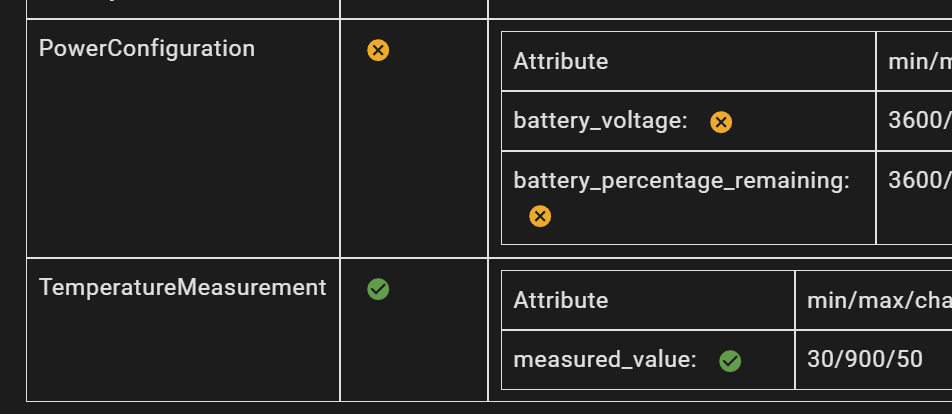
In the end, I just erased the device completely and added it back in. I turned the pot and the temperatures updates!
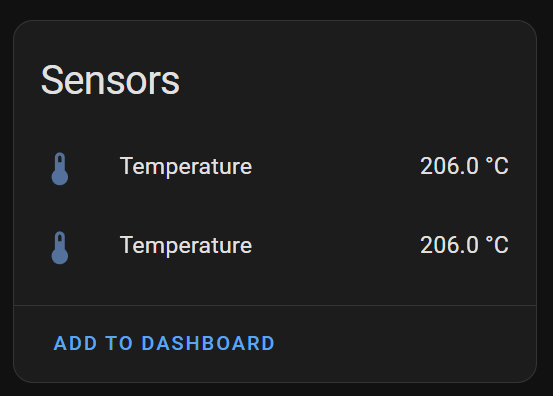
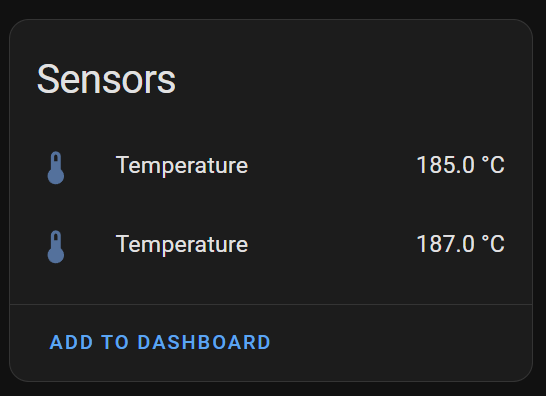
This mean that at the least the temperature clusters were working correctly.
I checked the Reconfiguration result and it showed success for both the measured_value and battery_remaining_percentage attributes. Battery_voltage still showed an error. As I haven’t even set a value for that in code, I figured it was okay to ignore for now.

I now needed a way to actually take the battery measurement!
Reading Battery Voltage on the XIAO nRF52840
Thankfully, this appeared to be straightforward as the XIAO was built with battery power in mind.
I knew the basic operation would be to read a particular ADC (analog-to-digtal conversion) and convert that into a percentage. I started reading some of the documentation and forums and came across this in the XIAO schematic:

It took me a while to figure out, but it’s just a voltage divider! You can see the battery is connected through two resistors to P0.14. Between the resistors, P0.31 is connected. You set P0.14 to ground and then read P0.31!
The resistors on the divider are 1MΩ and 510kΩ, so it will divide the voltage by about 3.
To test the code, I can use my Power Profile Kit to move the voltage to simulate the battery. Battery voltage drops as the battery discharges. For a 3.7V LiPO, this means you get a range from 4.2V down to about 3.3V. If we take 3.7 as nominal, anything about that is 100% charged. The percentage then drops as the battery moves from 3.7 to about 3.3.
ZBOSS fatal error occurred
As I started my testing to ensure the battery level changed, I noticed nothing was changing. I enabled all the logging I could and spotted this horrible message:

If the device was added to the network it would work, sending temperature updates and responding to Identify commands. But once I hit the boot button or powered down/up, it would enter a restart loop. Hardly ideal.
I felt that the addition of the Power Config Cluster was causing this, as the existing Temperature Clusters worked. I’d read some forum posts about how ZBOSS loads data from NVRAM (Non-Volatile RAM) on startup. I guessed that maybe there was invalid data being saved, causing a crash on load.
My existing code did use a lot of NULL values for attributes I wasn’t interested in. I’d cobbled this together from documentation and Github code and it looked like this.
ZB_ZCL_DECLARE_POWER_CONFIG_BATTERY_ATTRIB_LIST_EXT(power_config_attr_list,
													NULL,
													&dev_ctx.power_config_attrs.size,
													&dev_ctx.power_config_attrs.quantity,
													NULL,
													NULL,
													NULL,
													&dev_ctx.power_config_attrs.percentage,
													NULL,
													NULL,
													NULL,
													NULL,
													NULL,
													NULL,
													NULL,
													NULL);
Instead of all these NULL values, I decided to fully populate the attribute list. NULL is usually the culprit for software crashes so why not this one?
ZB_ZCL_DECLARE_POWER_CONFIG_BATTERY_ATTRIB_LIST_EXT(power_config_attr_list,
													&dev_ctx.power_config_attrs.battery_voltage,
													&dev_ctx.power_config_attrs.battery_size,
													&dev_ctx.power_config_attrs.battery_quantity,
													&dev_ctx.power_config_attrs.battery_rated_voltage,
													&dev_ctx.power_config_attrs.battery_alarm_mask,
													&dev_ctx.power_config_attrs.battery_voltage_min_threshold,
													&dev_ctx.power_config_attrs.battery_percentage_remaining,
													&dev_ctx.power_config_attrs.battery_voltage_threshold1,
													&dev_ctx.power_config_attrs.battery_voltage_threshold2,
													&dev_ctx.power_config_attrs.battery_voltage_threshold3,
													&dev_ctx.power_config_attrs.battery_percentage_min_threshold,
													&dev_ctx.power_config_attrs.battery_percentage_threshold1,
													&dev_ctx.power_config_attrs.battery_percentage_threshold2,
													&dev_ctx.power_config_attrs.battery_percentage_threshold3,
													&dev_ctx.power_config_attrs.battery_alarm_state);
I then erased, flashed and added the device to the network. Powering down/up and hitting boot all worked. The problem was gone!!! Thank *goodness* for that.
However, the reporting wasn’t working anymore. Only one of the temperatures changed.
Out of desperation and frustration, I just upped the REPORTED_ATTR count to 20
#define ZB_REPORTING_ATTR_COUNT 20Lo and behold, the temperatures started changing again. This count is the *maximum* number of attributes that can report. I need to refine this value so it matches what’s in the code, but it will do for now.
Battery Percentage not changing??
The temperatures changed every 30 seconds as expected, but the battery percentage remained steadfast.

I started at this a long while, until I realised that the battery only reports at most once an *hour*. Either it hadn’t reported yet, or my code wasn’t working. Time for breakfast 🙂

After checking in a while later, the percentage had changed!
Success!!!
Reading the *actual* battery voltage…
With the Zigbee side of things finally working, it was now time to *actually* read the voltage of the battery. No point in having spent all that time with Zigbee clusters if the right value is never sent.
As ever, there was a helpful sample in the NCS to get me started: ncs\v2.9.0\zephyr\samples\boards\nordic\battery
I lifted the battery.c and battery.h files into my own project and cleaned them up.
The sample used Zephyr’s “voltage-divider” to take measurements. This is a special device that you can declare in the overlay. I didn’t know that at the start of this exploration – it was something I came across.
https://docs.zephyrproject.org/latest/samples/boards/nordic/battery/README.html
The documentation indicates that if the board supports a voltage divider, it will be defined as “vbatt”. As mentioned, the XIAO board does have a voltage divider, but overlay didn’t define it, so I added one.
/ {

vbatt {
  compatible = "voltage-divider";
  label = "Voltage divider";
  io-channels = <&adc 2>;
  output-ohms = <510000>;
  full-ohms =  <1510000>;
  power-gpios = <&gpio0 14 0>;
};

&adc {
  // Omit other ADC
  channel@2 {
    reg = <2>;
    zephyr,gain = "ADC_GAIN_1_3";
    zephyr,reference = "ADC_REF_INTERNAL";
    zephyr,acquisition-time = <ADC_ACQ_TIME_DEFAULT>;
    zephyr,input-positive = <NRF_SAADC_AIN7>;
    zephyr,resolution = <12>;
    zephyr,oversampling = <8>;
   };
};
First, I defined ADC channel 2. This points to AIN7, which is pin 0.31 on the schematic. The vbatt then defines a voltage divider. The ohms are set to the values of the resistors in the divider. The power-gpios is P0.14 and it’s set LOW, which makes it act as the ground on the other side of the voltage divider.
With everything in place, I tried to compile, and this got this horrible error:
G:/ncs/v2.9.0/zephyr/include/zephyr/logging/log_output.h:207: undefined reference to `__device_dts_ord_129'The Zephyr guide says this happens when a device is requested in code, but not defined.
First place to look is in the generated file
build\Zigbee\zephyr\include\generated\zephyr\devicetree_generated.h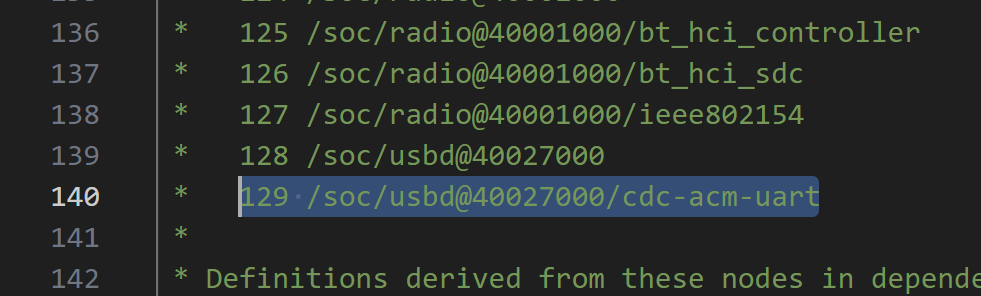
At entry 129, we see cdc-acm-uart. What the hell is cdc-acm-uart? Centre for Disease Control??
I realised that this error wasn’t caused by anything I’d added recently – it was a probelmy xiao_ble_nrf52840.overlay file 😦 The code in my battery branch just didn’t compile for that device, but compiled for the nRF52840DK.
After a lot of diagnosis by elimination, the problem was this
CONFIG_UART_CONSOLE=ySwitched it to “n” and the compilation went away. I made a note to investigate that one!
Stay On Target!
After that unwelcome distraction, I put back in all the battery code and compiled without issue!
I modified the Nordic sample, being sure to update the battery percentage attribute.
Of course, it didn’t work.
I got various errors at different parts of the divider code. After a few hours of experimentation, I just abandoned the vbatt voltage-divider approach and fell back to simple ADC.
I just defined a basic ADC channel, like I did with the temperature probes and got that working very quickly.
Don’t know why I didn’t take that road the first time around 🙂
With the ADC reading AIN7 and accounting for the voltage divider, a percentage started to appear in the Home Assistant!

As before, I forgot I needed to convert from a percentage to a Zigbee percentage! Nevertheless, all working!
Next Steps
I think the last thing that needs tweaking is the conversion from mV to the % remaining. In the code, I took the Nordic sample, which uses a curve from an Adafruit 2000mAh LiPO battery.
I will need to perform the same breakdown for an 18650 battery as that’s my intended supply.
I’m also going to return to the voltage divider device approach. If I can make it work, it would work for the temperature probes too. I’m not sure if it would clean up the code much, but it probably would be cleaner.
Summary
That was a longer post than I expected, but I had a few challenges along the way.
My Zigbee sensor now has a battery level indicator and two temperatures!
I’m very close now to a Version 1 of this device.
 @tomasmcguinness
Leave a comment