

In Part 1, I managed to add support for the Level Control Step Command to the esp-matter light_switch example. Whilst it worked, it didn’t quite work as expected, so in this post I show how I finally figured it out.
The problem was that the BUTTON_LONG_PRESS_HOLD events were being generated too quickly, overwhelming the Light Bulb
The events are generated by the esp-iot-button component. I have some experience with the using the iot-button component from time spent on the generic_switch example project. This light_switch examples uses it in a different way; via the esp-bsp component.
Going back to the iot-button
I’m not familiar with the esp-bsp component, so I’m going to just remove it from the project. I will use the iot-button component directly. It’s no harm at this stage to start clearing out all the example code I’m *not* using anyway.
This involved updating the idf_component.yml file
dependencies:
  espressif/button: "^3.5.0"
And the updating the app_driver_switch_init function. GPIO_NUM_9 is the boot button of my ESP32-H2 devkit and active_level is set to 0 as this button is pulled high by default (meaning it’s at 1 when not pushed)
button_config_t config;
memset(&config, 0, sizeof(button_config_t));

config.type = BUTTON_TYPE_GPIO;
config.gpio_button_config.gpio_num = GPIO_NUM_9;
config.gpio_button_config.active_level = 0;

button_handle_t handle = iot_button_create(&config);

ESP_ERROR_CHECK(iot_button_register_cb(handle, BUTTON_PRESS_UP, app_driver_button_toggle_cb, NULL));
ESP_ERROR_CHECK(iot_button_register_cb(handle, BUTTON_LONG_PRESS_HOLD, app_driver_button_dimming_cb, NULL));
With the iot-button in place, next I looked at how to change the interval between the repeated BUTTON_LONG_PRESS_HOLD event. The documentation for the button seemed to indicate I could change this value BUTTON_LONG_PRESS_HOLD_SERIAL_TIME_MS:

but try as I might, I couldn’t find this in the menuconfig or the iot-button API.
What I did spot in the iot_button.h file was this: iot_button_get_long_press_hold_cnt. My initial thoughts: this count would jump by 1 for each BUTTON_LONG_PRESS_HOLD event that was generated. I gave that a try.
This worked as expected.
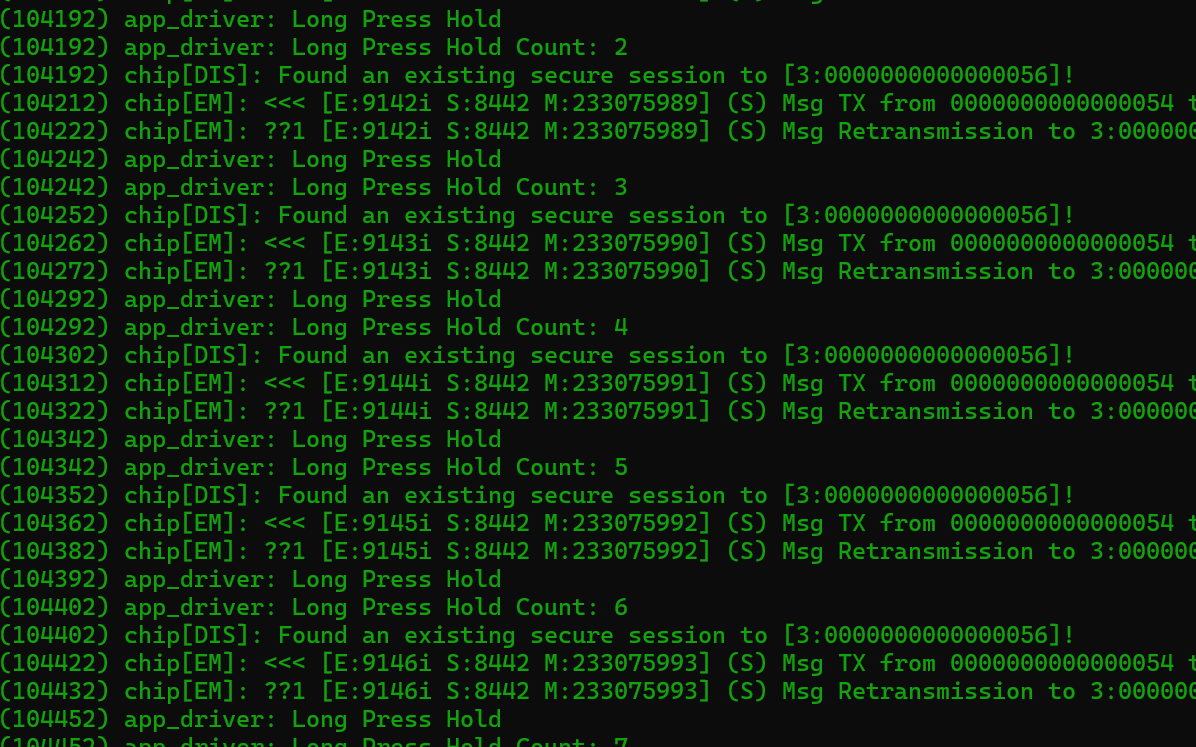
I added another logging statement to show the time between each event

A minuscule 20ms! I wondered if this was configured anywhere, so I fired up menuconfig again

I bumped BUTTON_SERIAL_TIME to 250
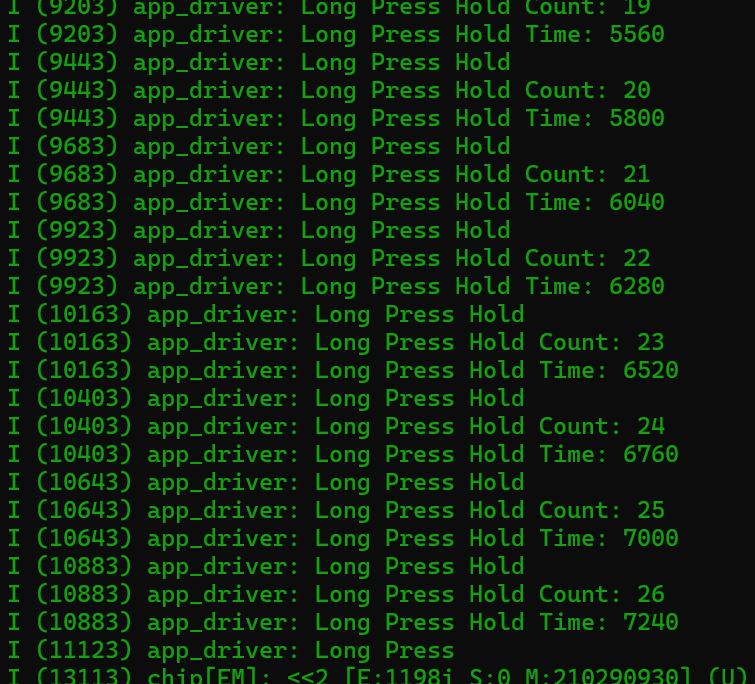
Works, but not very smooth
After some restarting (something about session errors?) my Light Switch adjusted the brightness upwards, whilst I held down the button!
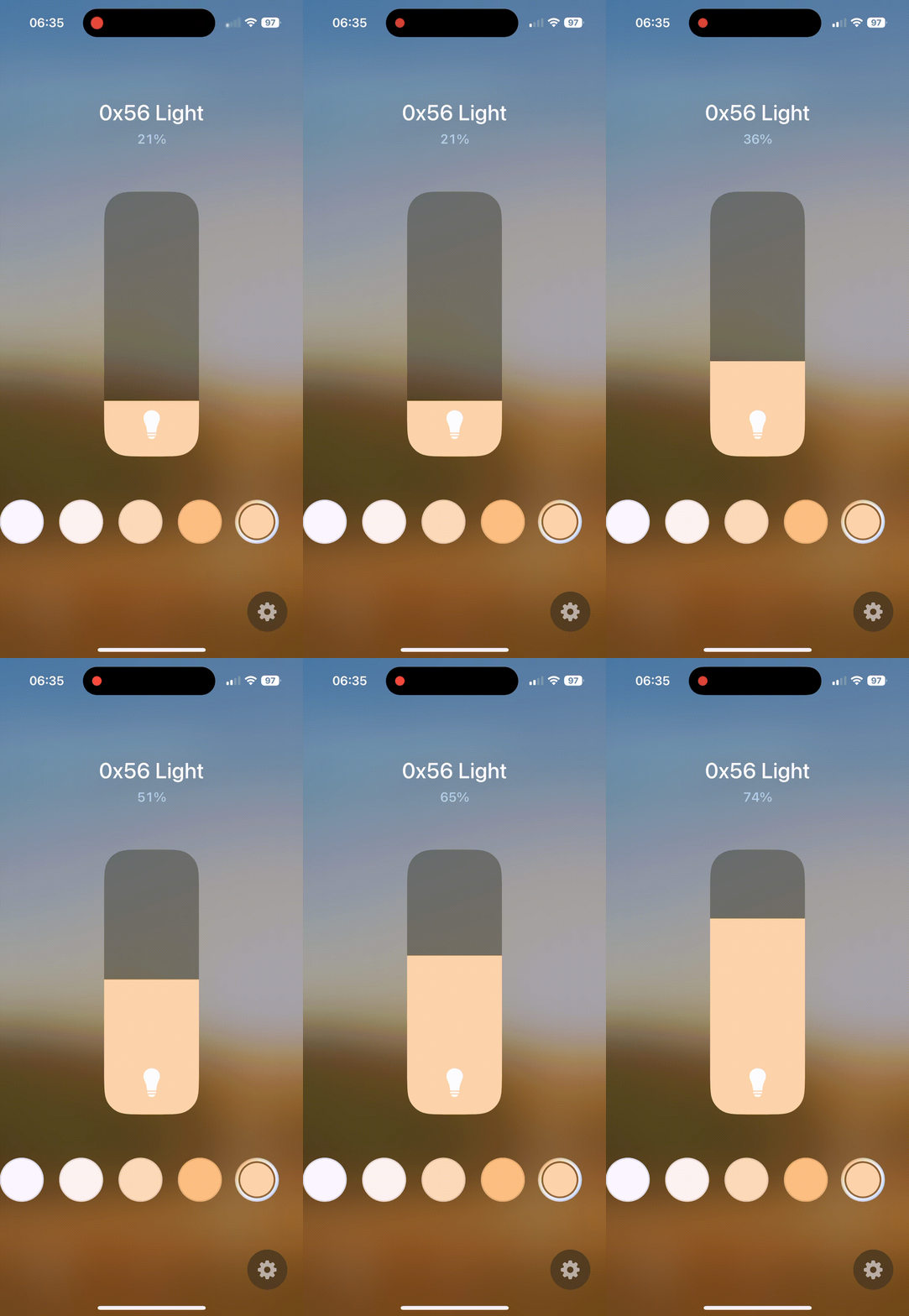
I decided to set the step size to 12, which is about 5% a jump.
That was even worse. It jumped in lumps of 20% or 25%. I feel like this poor behavior is the light example, rather than my switch code. Of course, there is another explanation. iOS just doesn’t see the changes as quickly as I’m sending them.
Looking at the light‘s output

It’s only after a little period of time that this value get persisted:

Does that mean my light would be smoothly increasing in brightness (5% steps probably not that smooth), but iOS doesn’t get told about it until the value is persisted?
Dimming!
With the raising of the light’s brightness now basically working, I wanted to look at operating in the opposite direction.
As I mentioned somewhere, the desired behavior is this: If you long press, the bulb would initially brighten. If you release and long press again, it would start to dim.
This requires the switch to maintain some the off the current direction.
LevelControl::StepModeEnum current_step_direction = LevelControl::StepModeEnum::kUp;Testing with an Actual Smart Bulb
Following on from my post on controlling a real smart bulb, I decided to try and use my Light Switch!
I commissioned a Nanoleaf Essentials bulb with a NodeId of 0x60.
As I did in part 1, I must first grant access to my Switch. I do that by using the accesscontrol command. My Light Switch has a NodeId of 0x55, which is 84 in decimal.
chip-tool accesscontrol write acl '[{"privilege": 5, "authMode": 2, "subjects": [ 112233, 84 ], "targets": null}]' 0x60 0x0Once access is granted, I can now bind my Switch to the Light. In this command, the Light’s NodeId of 0x60 is 96 in decimal.
chip-tool binding write binding '[{"node":96, "endpoint":1, "cluster":6}]' 0x54 0x1Once bound, we can click Boot once to toggle the light!
As the LevelControl needed for dimming is on another cluster, we need to bind that too. As the write binding will overwrite what we have, we just add another element to the array.
chip-tool binding write binding '[{"node":96, "endpoint":1, "cluster":6},{"node":96, "endpoint":1, "cluster":8}]' 0x54 0x1We have now added bindings for clusters 0x6 and 0x8.
If we then hold down the boot button (with the light on) it will dim and brighten. It’s slow, due to the small step size, but it is smooth. This means my assumption about the jagged nature of the LevelControl was correct!
Damn TLV JSON
The part of this that I still don’t get is how we go from a command like
LevelControl::Commands::Step::Type stepCommand;to JSON like
"{\"0:U8\": 0, \"1:U8\": 12, \"2:U16\": 0, \"3:U8\": 0, \"4:U8\": 0}"The esp-matter SDK must provide something to perform this serialization, but damned if I can find it.
Summary
After some further tinkering, I got my dimmer code working and even controlled a real bulb!
Next, I want to introduce the capacitive breakout board into mix and use that instead of the boot button.
The code for this project is available at https://github.com/tomasmcguinness/matter-esp32-touch-dimmer-switch


Leave a comment