
I am building my own .Net Matter Controller.
I’m writing these posts as I go, figuring the stuff out and blogging how and what I’m doing.
In my previous post, I got my controller to the point where it would connect to a single commissioned Node when it started. I also made some progress on a UI for the controller.
At this point, I now want to start adding some functionality. In order to understand what a commissioned node is or does, we need to ask it.
Descriptors
Like Zigbee before it, Matter allows a device to describe its composition and its behaviour. Matter devices are built from a series of attributes, clusters and endpoints. Clusters contain attributes and endpoints contain clusters.
Common things like Lights, Refrigerators, Water Heaters etc. are defined as DeviceTypes. The different DeviceTypes are defined in the Matter specification with their composition described.
To help me understand how this hangs together, I decided to start by building a simple Fetch() method to get back the description of the RootNode. That’s at Endpoint 0 in every Matter node. I figured I could try and dynamically generate a simple UI to visualize the node.
I started with a Read request for the Descriptor cluster 0x1D on endpoint 0.

Clearly that wasn’t the right approach…
As I was new to this particular descriptor, I decided to try a Read command I knew worked – the one to fetch the vendor name. I had used this during development of the commissioning code, so I knew it worked.
Much to my disappointment, that didn’t work either

This mean that my code to re-establish the connection must be missing something.
With some help from the Matter Discord, my mistake was pointed out. I was including a NodeId in my Read request, which is wrong 🙂 I was sending a value of 0x01 for this, so the UnsupportedNode error made sense. Once I removed that, my Descriptor node response came back.
Structure {
  1 => Array {
    Structure {
      1 => Structure {
        0 => Unsigned Int (32bit) (3676970145|0xDB2A1CA1)
        1 => List {
          0 => Boolean (False)
          2 => Unsigned Int (8bit) (0|0x00)
          3 => Unsigned Int (8bit) (29|0x1D)
          4 => Unsigned Int (8bit) (0|0x00)
          }
        2 => Array {
          Structure {
            0 => Unsigned Int (8bit) (22|0x16)
            1 => Unsigned Int (8bit) (3|0x03)
            }
          }
        }
      }
    }
  4 => Boolean (True)
  255 => Unsigned Int (8bit) (12|0x0C)
  }
The Array with a Tag id of two is of a DeviceTypeStruct.
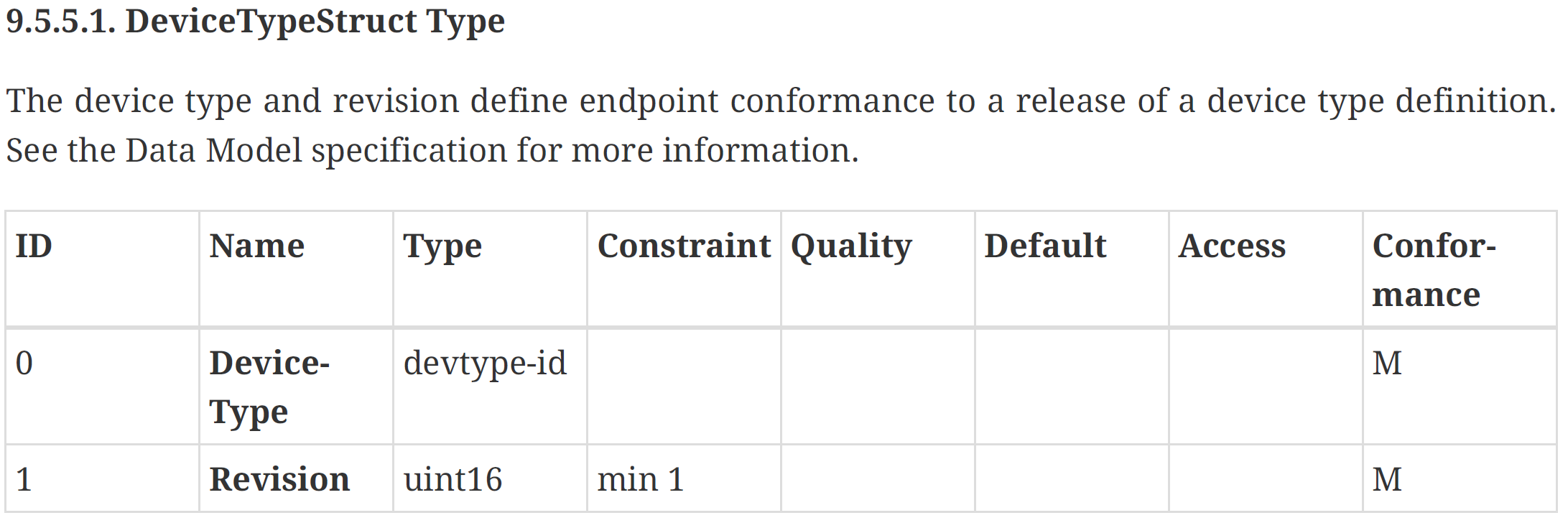
This means that I have a DeviceType of 0x16 with a Revision of 0x03. Searching the Matter Device Library leads me to this

This is exactly what I would expect for Endpoint 0.
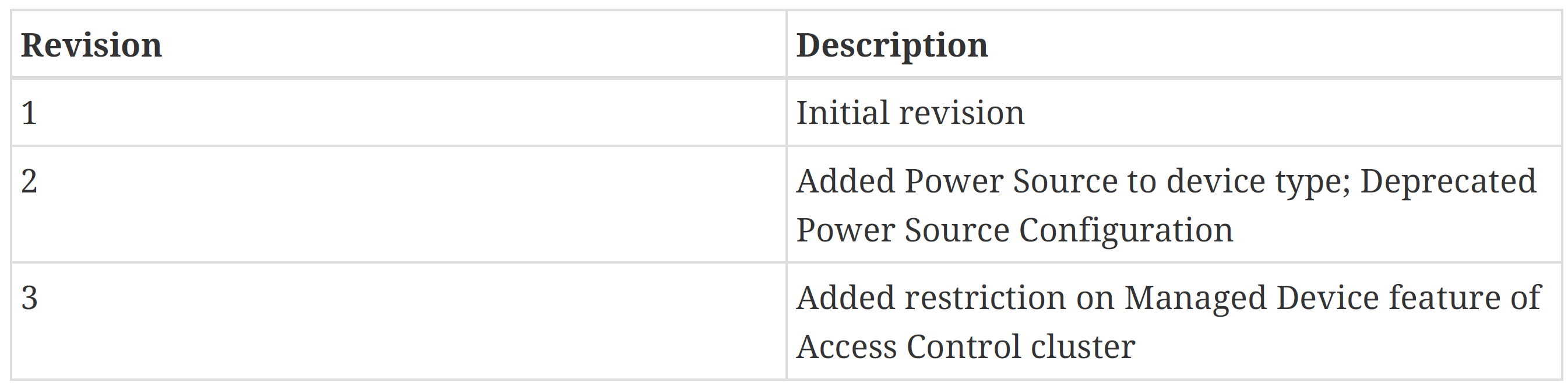
The Revision of 3 also matches the expected value!
So far, so good!
Moar Endpoints
Whilst it’s nice getting back info about the Root Node, it doesn’t actually do anything. I want to get back more!
Initially, I thought I’d have to fire off multiple requests to try and build up a full picture of the Node, but the Read Request (8.4.2) supports wildcards, so I tried that.
In my request, I indicate I want attribute 0x00 (DeviceTypeList) from cluster 0x1D (Descriptor)
 readCluster.AddList();
 readCluster.AddUInt32(tagNumber: 3, 0x1D); // ClusterId 0x1D - Description
 readCluster.AddUInt32(tagNumber: 4, 0x00); // Attribute 0x00 - DeviceTypeList
 readCluster.EndContainer();
This worked and returned this response:
Structure {
  1 => Array {
    Structure {
      1 => Structure {
        0 => Unsigned Int (32bit) (3676970145|0xDB2A1CA1)
        1 => List {
          0 => Boolean (False)
          3 => Unsigned Int (8bit) (29|0x1D)
          4 => Unsigned Int (8bit) (0|0x00)
          2 => Unsigned Int (8bit) (0|0x00)
          }
        2 => Array {
          Structure {
            0 => Unsigned Int (8bit) (22|0x16)
            1 => Unsigned Int (8bit) (3|0x03)
            }
          }
        }
      }
    Structure {
      1 => Structure {
        0 => Unsigned Int (32bit) (459989009|0x1B6AE011)
        1 => List {
          0 => Boolean (False)
          3 => Unsigned Int (8bit) (29|0x1D)
          4 => Unsigned Int (8bit) (0|0x00)
          2 => Unsigned Int (8bit) (1|0x01)
          }
        2 => Array {
          Structure {
            0 => Unsigned Int (16bit) (256|0x100)
            1 => Unsigned Int (8bit) (3|0x03)
            }
          }
        }
      }
    }
  4 => Boolean (True)
  255 => Unsigned Int (8bit) (12|0x0C)
  }
This is a ReportDataMessage, which is returned in response to my Read. Its structure is this:

I’m interested in the AttributeReports, since I made an AttributeRequest. Each AttributeReport is a structure and you can see the Array with Tag 1. The first is the RootNode (0x16) that was saw already. The second has a DeviceType of 0x100, which corresponds perfectly to:

The exact value I would expect from the matterjs matter-device sample!
Improved TLV Parser
I now encountered another challenge; my TLV parser wasn’t really designed for dynamic responses e.g. an Array with a different number of elements. Up to this point, I had only ever processed payloads with a fixed response structure.
I started by creating a concrete class for the ReportDataMessage and passing the TLV into it.
 var tlv = resultPayload.ApplicationPayload;

 var reportData = new ReportDataAction(tlv);
The constructor is then responsible for parsing the data.
public ReportDataAction(MatterTLV payload)
{
    payload.OpenStructure();

    if (payload.IsNextTag(0))
    {
        SubscriptionId = payload.GetUnsignedInt32(0);
    }

    if (payload.IsNextTag(1))
    {
        payload.OpenArray(1);

        while (!payload.IsEndContainerNext())
        {
            AttributeReports.Add(new AttributeReportIB(payload));
        }

        payload.CloseContainer(); // Close the array.
    }

    payload.CloseContainer();
}
The first change I made was adding an IsNextTag() method. This lets me check if the next tag value is expected. I need this because not all tags are mandatory. As you see, SubscriptionId at tag 0 is optional in the definition. In this case, it can be skipped.
The AttributeReports are also optional, so I check for tag 1. Then I basically had to work out how to move through the Array. After a few iterations, I arrived at a while loop. I open the Array and then keep processing until the array is closed. I added an IsEndContainerNext() method to tell me that.
In the constructor of the AttributeReportIB I do something similar.
public AttributeReportIB(MatterTLV payload)
{
    payload.OpenStructure();

    if (payload.IsNextTag(0))
    {
        AttributeStatus = new AttributeStatusIB(0, payload);
    }

    if (payload.IsNextTag(1))
    {
        AttributeData = new AttributeDataIB(1, payload);
    }

    payload.CloseContainer();
}
And so on down the chain. This was going really well until I hit the AttributeDataIB. It’s defined like this.

DataVersion and Path were easy, leaving Data. Which is Variable. Variable. This meant I needed a way to pull out all the tags, without knowing what they might be!!!
I decided to start with something specific. I was requesting the DeviceTypeList, so it made sense to try and parse that.

Aw, Jeez, Rick. Couldn’t be a simple thing like a number….I had to parse a List of a complex type
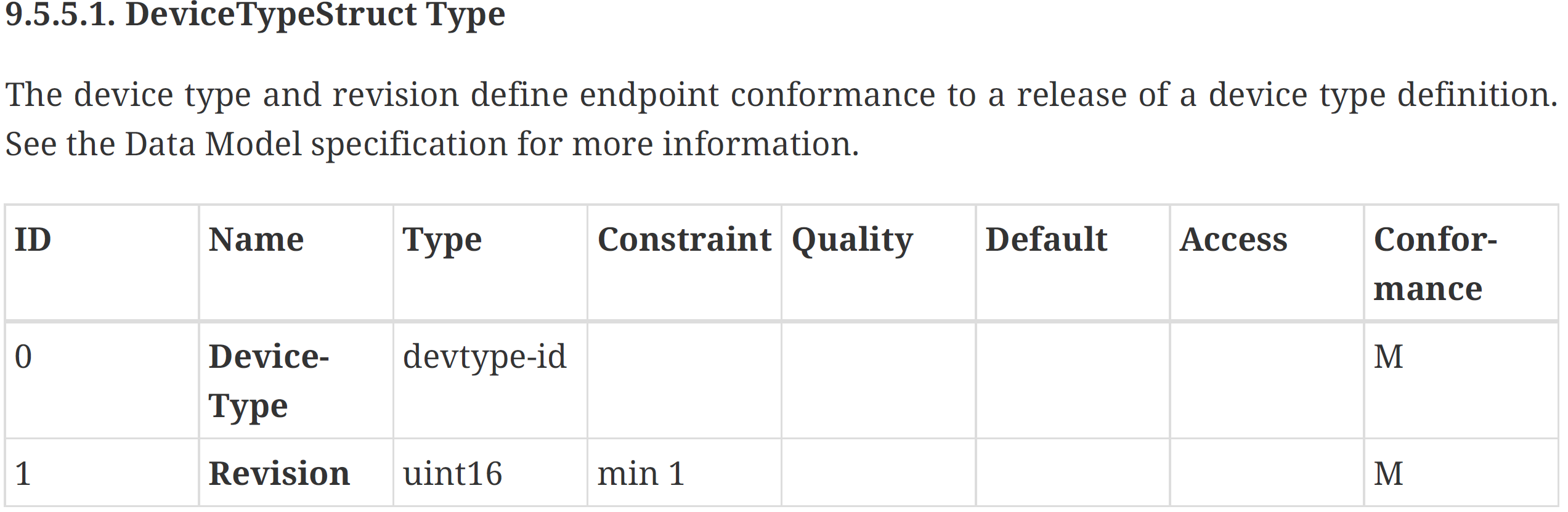
For reference, the devtype-id is a uint32.
I had a list of structs comprised of two numbers. I guessed I could represent that as a List<object> of List<object>?
On my first try, I ran into a different problem and I noticed another issue in my code. Trying to fetch ClusterId was failing.
if (payload.IsNextTag(3))
{
    ClusterId = payload.GetUnsignedInt32(3);
}
Under the AttributePathIB, we see the 32bits. I figured that was length, but it’s actually Range.

This means the ClusterId can be anything from a byte to a uint.
This means my GetUnsignedInt32 fail as the TLV type was only 1 byte long, instead of the 4 I expected. I needed a new method that was more flexible. As I dug into this, it started getting way more complex than I expected!
I really needed to be able to read each tag in two ways; Where I knew the tag number and where I didn’t know the tag number. This required a refactor to my MatterTLV class, which turned out to be pretty straight forward to get this call working. I just had to ignore the tag ids.
I added a new GetData() method that would just recursively walk the tags, building up List<object> instances. I made enough change to support this DeviceType call and managed, after some tweaking, to get something usable. To start, I just populated a list of Endpoints.
var reportData = new ReportDataAction(tlv);

foreach (var attributeReport in reportData.AttributeReports)
{
    Endpoint endpoint = new Endpoint(attributeReport.AttributeData.Path.EndpointId);
    Endpoints.Add(endpoint);
}
I then rendered them in my Blazor app:

After a little more tinkering, I pulled out the DeviceTypeList values and viola, I had the endpoints showing their names.

Summary
Another solid lump of progress I think. My foundational code is still holding pretty steady, but it’s clear that I have lots of cleanup and improve. I am, however, getting closer to my first simple milestone of turning on a light from my controller!
My next milestone is being able to add a light and a switch and binding them together using my UI. If I can make that work with an Nanoleaf light bulb and one of my ESP32 switches, I’ll have make significant progress indeed!
You can find the code up at https://github.com/tomasmcguinness/dotnet-matter. I’ve tagged this with v0.2.
My controller code is also available to browse at tomasmcguinness/dotnet-matter-controller
 @tomasmcguinness
Leave a comment