
I’m building my own .Net Matter Controller.
I’m writing these posts as I go, figuring the stuff out and blogging how and what I’m doing.
TL;DR;
This post describes the manual pairing code and how I extract the discriminator and passcode values from it.
The Manual Pairing Code
There seems to be a few ways to do this, but the one most people use is the QR code. You can scan this and pull out enough information to find the device (IDEA! Show a QR code on my Tiny Dishwasher).
Another way is to use a Manual Pairing Code, which is a specially encoded number. It typically looks like this: 3497-011-2332. I’m going to concentrate on the manual pairing code for now.
Both of these methods yield two pieces of information; the discriminator and the passcode. The discriminator helps you find the target device in a sea of other devices. The passcode allows you to establish a PASE session with the device to commission it.
You’ll find the QR and manual pairing code on any Matter device that you buy. When you put an existing Matter device into pairing mode, you’ll typically see a manual pairing code, like in iOS Home

Getting the data from the Manual Pairing Code
Essentially, this pairing code is just a long number and we ready a few different blocks of bytes. The pairing code comes in two different forms; one with vendor and product information and one without. I’m using the latter and they are 11 characters long (excluding the hyphens)
public CommissioningPayload ParseManualSetupCode(string manualSetupCode)
{
    manualSetupCode = manualSetupCode.Replace("-", "");

    if (manualSetupCode.Length != 11)
    {
        throw new ArgumentException("Manual setup code must be 11 digits long.");
    }

    var isValid = Verhoeff.validateVerhoeff(manualSetupCode);

    if(!isValid)
    {
        throw new ArgumentException("Manual setup code failed checksum.");
    }

    byte byte1 = byte.Parse(manualSetupCode.Substring(0, 1));

    ushort discriminator = (ushort)(byte1 << 10);

    ushort byte2to6 = ushort.Parse(manualSetupCode.Substring(1, 5));

    discriminator |= (ushort)((byte2to6 & 0xC000) >> 6);

    uint passcode = (uint)(byte2to6 & 0x3FFF);

    ushort byte7to10 = ushort.Parse(manualSetupCode.Substring(6, 4));

    passcode |= (uint)(byte7to10 << 14);

    return new CommissioningPayload()
    {
        Discriminator = discriminator,
        Passcode = passcode
    };
}
First, we strip out the hyphen. Then we check the checksum. I’ve no idea what this does as I’m using Nuget package to do it. Then we parse the bytes and build up the discriminator and the passcode. When then need to pass these values into the commissioner.
Commissioning
The ICommissioner interface I had created was only expecting a discriminator, so this was the first thing I needed to change.
Task CommissionNodeAsync(int discriminator);I refactored that to
Task CommissionNodeAsync(CommissioningPayload payload);The implementation of CommissionNodeAsync also needed a lot of change!
public async Task CommissionNodeAsync(CommissioningPayload commissioningPayload)
{
    ...

    // Assume a fixed address & port until we have discovery in place.
    //
    System.Net.IPAddress address = System.Net.IPAddress.Parse("127.0.0.1");
    ushort port = 5540;
It was built assuming we’d find the device on local host!
The first thing I needed to do was find the device’s IP address. As mentioned, I was concentrating on device that were already on-network. When an on-network device is open for commissioning, it will advertise itself using mDNS.
This is where the discriminator comes in. Out of the sea of devices that are advertising themselves, you can find the one you want using the discriminator!
I modified my NodeRegister to look for devices open for commissioning. When the MatterController is started, it will listen for any Matter related mDNS announcements. I expanded this to include the _matterc._udp.local service. That’s the service used for devices that want to be commissioned. If I find any nodes ready for commissioning, I’d add them to the NodeRegister.
_mDNSService.ServiceDiscovered += (object sender, ServiceDetails args) =>
{
    if (args.Name.Contains("_matter._tcp.local"))
    {
        _nodeRegister.AddCommissionedNode(.., ""), args.Addresses);
    }
    else if (args.Name.Contains("_matterc._udp.local"))
    {
        _nodeRegister.AddCommissionableNode(..., ""), args.Addresses);
    }
};
This worked well, but I didn’t have enough to identify the device I wanted. I needed to get the discriminator value too. This value is included as a TXT record in the mDNS announcement.
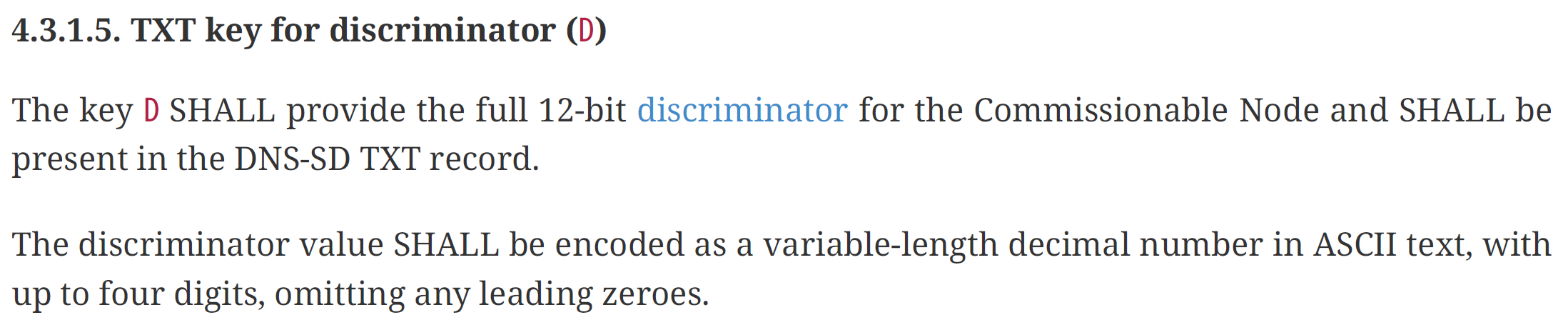
I changed the handling to pull this value out
else if (args.Name.Contains("_matterc._udp.local"))
{
    args.TxtValues.TryGetValue("D", out string? discriminator);
    _nodeRegister.AddCommissionableNode(..., discriminator, args.Addresses);
}
I now have the Discriminator and the IP Addresses of the commissionable nodes on my network!
Next Steps
I now have a way to parse any manual pairing code provided for a Matter device.
I’ll be using this when I get to adding new nodes via my Matter Controller!
Stay Tuned and subscribe so you don’t miss a post!


Leave a comment