

As part of my efforts to port my Zigbee Dual Temperature Sensor (FART) over to Matter, I found myself hitting the same problems with power consumption.
I had already investigated lowering the power on the DK with some success. However, after that post, I had even more success with the XIAO nRF52840, getting down to tiny amperage! I wanted to try and replicate that with the DK before I continued with the Matter code. I really want to drive these sensors from a coin battery.
Starting with Blinky
As ever, I returned to the basic blinky sample that’s provided by Zephyr. It turns an LED on and off every second.
I wired up the nRF52840DK to my Power Profiler Kit II using the Source arrangement. This means connecting to the External Power pins and using the PPKII in Source mode. I am supplying 3.3V. I am using nRF Connect SDK 3.0.2,
Flashing the sample and running it without any changes shows massive power consumption!

By default, this consumption includes all the peripherals and debugging chips. The power for the LED itself can also be seen.
On the DK, there is a switch called SW6 and it lets you disconnect all the peripherals from the external power. This allows you to measure the nRF52840’s power without LEDs and UART. You can switch between DEFAULT and nRF ONLY.

Turning this to nRF ONLY makes a huge difference!

Much lower, but still *very* high for code that is doing nothing!
Turn it all off!
The next thing we can do is to turn off all the features of the nRF that we’re not using. ADC, UART, I2C etc.
We do this by setting all these peripherals as disabled in the overlay file. OOB the DK doesn’t have an overlay, so we can just add one to the boards folder. It’s called nrf52840dk_nrf52840.overlay and contains the following:
/* Copyright (c) 2021 Nordic Semiconductor ASA
 *
 * SPDX-License-Identifier: LicenseRef-Nordic-5-Clause
 */

/* Disable unused peripherals to reduce power consumption */
&adc {
	status = "disabled";
};
&uart1 {
	status = "disabled";
};
&i2c0 {
	status = "disabled";
};
&pwm0 {
	status = "disabled";
};
&usbd {
	status = "disabled";
};
&qspi {
	status = "disabled";
};
&spi0 {
	status = "disabled";
};
&spi1 {
	status = "disabled";
};
&spi2 {
	status = "disabled";
};
&spi3 {
	status = "disabled";
};
This by itself has no noticable impact on the power consumption, which stayed around 527µA

I wasn’t expecting that!
Next up, I turned off the Serial communication by adding CONFIG_SERIAL=n to the prj.conf file.
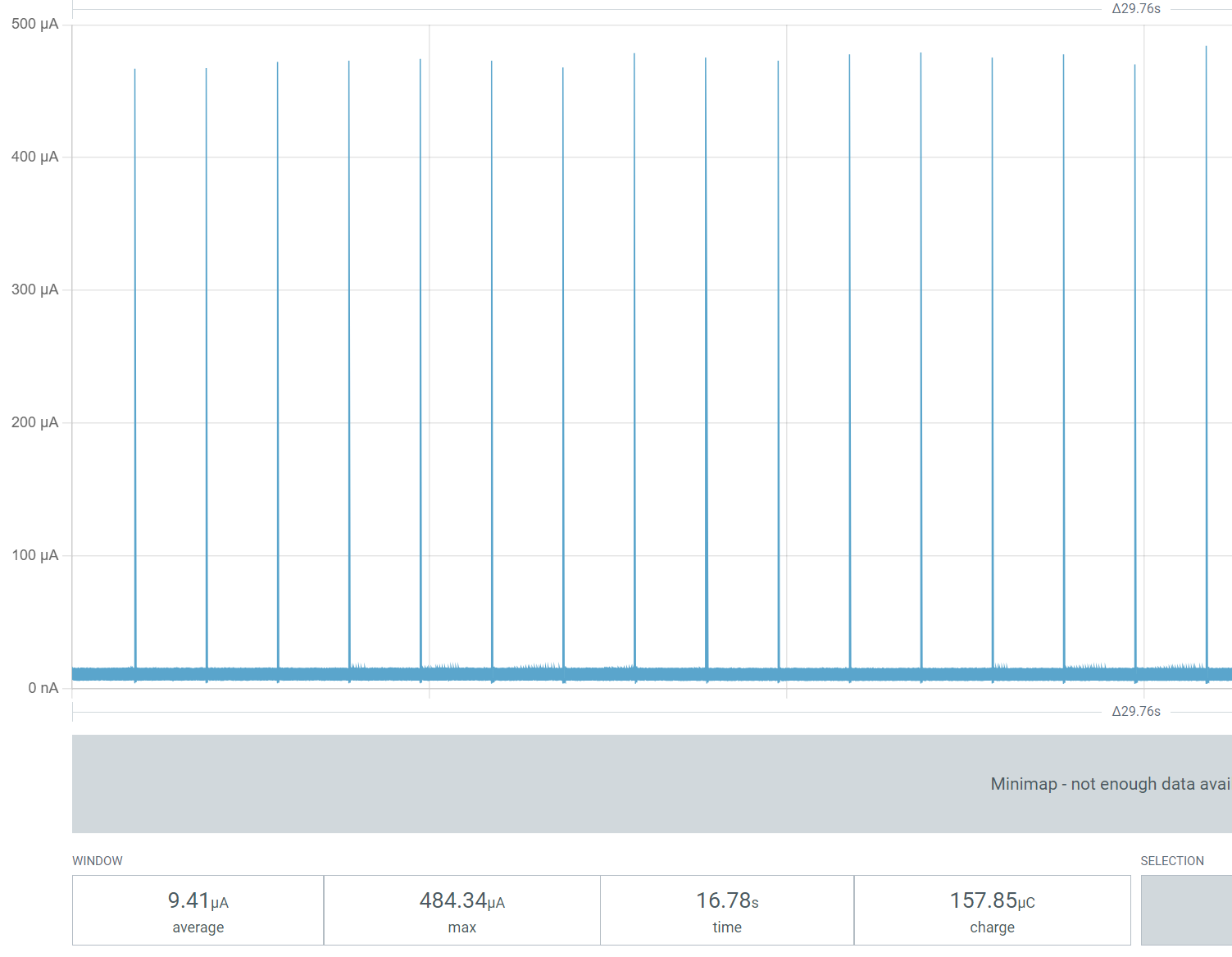
This seemed to have a massive impact, dropping consumption to a little under 9.5µA.
I switch SW6 back to Default to make sure the LED was still blinking, and it was. It also slowed a slight reduction in power consumption.

Summary
With a few tweaks, it was possible to get the simply Blinky sample down to under 10µA (excluding the LED), which is very impressive. A 220mAh CR2032 could run this code for about two and a half years.
The CONFIG_SERIAL had the most impact on energy consumption.
I know have a good idea of what the what the baseline is for the nRF52840-DK and I hope you do too!
 @tomasmcguinness
Leave a comment