
In a previous post, I tried to use Matter Scheduling in an ESP32 Thermostat project.
I was amazed to find there was no support for this in the Matter CHIP SDK. I decided to have a go myself. It’s an open source project after all.
TL;DR
I spent time trying to implement the new Matter Schedule feature of the Thermostat. I setup the repo and learned how to run the examples and tests locally. I then learned about Atomic Writes before raising a small PR.
An existing PR
During my investigations, I found that there was an existing PR for this feature, which appeared to be abandoned. I knew I had something to reference at least, but I decided to try myself to begin with.
I cloned the connectedhomeip repo and pulled it down onto my PC (I use WSL)
git clone --recurse-submodules https://github.com/tomasmcguinness/connectedhomeip.gitI then ran the following command
source scripts/activate.sh
When that completed, I compiled it
gn gen out/host
ninja -C out/host
I started by looking at the existing Presets code in the file src/app/clusters/thermostat-server/thermostat-server.cpp. This appears to be where the Thermostat server code is implemented.
Schedule Types
I started with the ScheduleTypes attribute.
Currently, the code returns an empty array.
return aEncoder.EncodeList([](const auto & encoder) -> CHIP_ERROR { return CHIP_NO_ERROR; }); Using PresetTypes::Id as I guide, I added this
case ScheduleTypes::Id: {
    auto delegate = GetDelegate(aPath.mEndpointId);
    VerifyOrReturnError(delegate != nullptr, CHIP_ERROR_INCORRECT_STATE, ChipLogError(Zcl, "Delegate is null"));

    return aEncoder.EncodeList([delegate](const auto & encoder) -> CHIP_ERROR {
        for (uint8_t i = 0; true; i++)
        {
            ScheduleTypeStruct::Type scheduleType;
            auto err = delegate->GetScheduleTypeAtIndex(i, scheduleType);
            if (err == CHIP_ERROR_PROVIDER_LIST_EXHAUSTED)
            {
                return CHIP_NO_ERROR;
            }
            ReturnErrorOnFailure(err);
            ReturnErrorOnFailure(encoder.Encode(scheduleType));
        }
    });
}
This method will find the appropriate delegate and then call GetScheduleTypeAtIndex over and over, encoding the results. It does that until it gets a CHIP_ERROR_PROVIDER_LIST_EXHAUSTED, which tells it there are no more types. I’d seen this pattern when implementing OperationalState and DishwasherModes in my Tiny Dishwasher.
C++ is such a scary syntax sometimes, but it all boils down to simple code usually.
I then added a delegate function definition to thermostat-delegate.h
virtual CHIP_ERROR GetScheduleTypeAtIndex(size_t index, Structs::ScheduleTypeStruct::Type & scheduleType) = 0;At this point, the code all compiled.
Testing it
With ScheduleTypes in place, I now needed a way to actually test it worked. I found this section of the documentation:
I started with
./scripts/build_python.sh -i out/python_envAmazingly, that worked first time!

Next up was
source out/python_env/bin/activateAn example test to run was given like this
./scripts/tests/run_python_test.py --factory-reset --app ./out/linux-x64-light-no-ble/chip-lighting-app --app-args "--trace-to json:log" --script src/python_testing/TC_ACE_1_2.py --script-args "--commissioning-method on-network --qr-code MT:-24J0AFN00KA0648G00"This returned an error

I guessed there was no “chip-lighting-app” to test against. After more digging, I found out how to compile it.
./scripts/build/build_examples.py --target linux-x64-light-no-ble buildWith that compiled, I ran the python_test script again and it failed
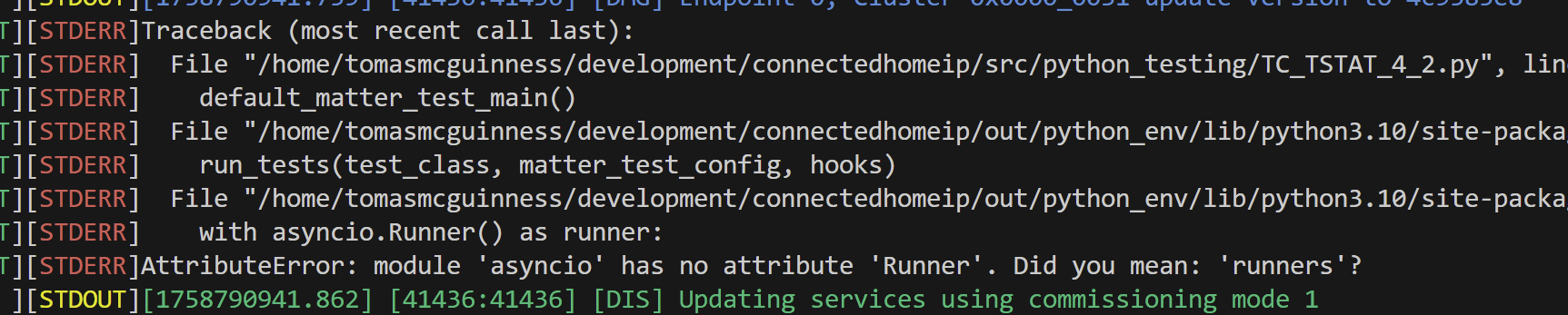
After yet more reading, I discovered my python version was most likely the problem. I was on 3.10 and asyncio.Runner() needed 3.11 (According to DeepSeek at any rate)
After more than a few hours of trying to update Python, I eventually just updated Ubuntu to 24.04.
After recreating environments and recompiling stuff, I got some tests to execute! Amazing.

This meant I’d be able to run some tests against a thermostat example to ensure my changes were working.
Adding thermostat tests!
Similar to the light example, there is a thermostat example, so I tried to compile this. I knew it would fail, since I’d already added a new delegate method. I kicked off compilation using this command:
./scripts/build/build_examples.py --target linux-x64-thermostat-no-ble buildI think there is a patter to the target name, but I just guessed.
As expected, it error’d out.

To implement this method, I turned to the thermostat-common folder under the thermostat example.
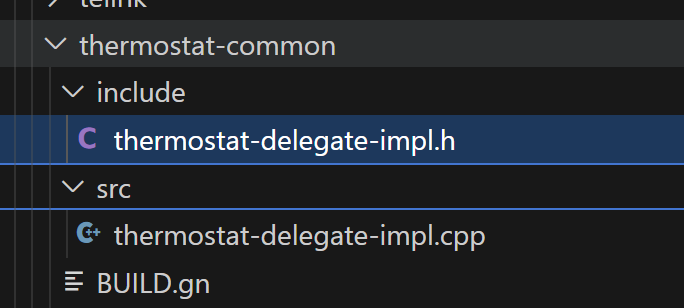
I added a simple implementation

This then fixed the failing compilation. I now had a compiled thermostat.
With something compiled, I copied one of the existing test cases and added a simple test to it. A test that should fail, since it expects two values.

To run it, I amended the runner
./scripts/tests/run_python_test.py --factory-reset --app ./out/linux-x64-thermostat-no-ble/thermostat-app --app-args "--trace-to json:log" --script src/python_testing/TC_TSTAT_4_4.py --script-args "--commissioning-method on-network --qr-code MT:-24J0AFN00KA0648G00"The python script executed, but it looked like it didn’t run my test. It appeared to skip it.
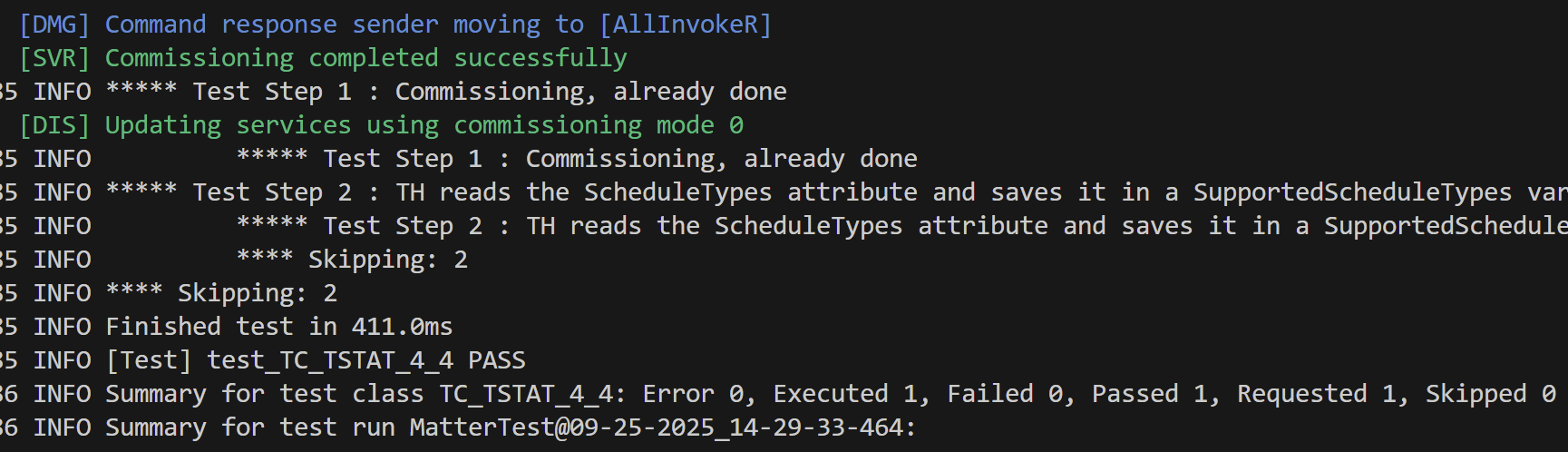
I commented out this line
if self.pics_guard(self.check_pics("TSTAT.S.F0a")):and ran the script again
This time I got 2 executed, with 1 pass and 1 fail. Progress!

At this point, I realised that I probably didn’t have my thermostat setup with the Scheduling feature enabled.
Hmmm, how the hell did that all work??
Adding the new attributes
Since I was completely in the dark about how the ZAP thing worked, I referred to the existing Pull Request for some clues.
Searching the thermostat.zap file yielded results for “Presets” but nothing for schedules. I copied the value across from the PR.
{
   "name": "ScheduleTypes",
   "code": 73,
   "mfgCode": null,
   "side": "server",
   "type": "array",
   "included": 1,
   "storageOption": "External",
   "singleton": 0,
   "bounded": 0,
   "defaultValue": null,
   "reportable": 1,
   "minInterval": 1,
   "maxInterval": 65534,
   "reportableChange": 0
},
This yielded better errors.
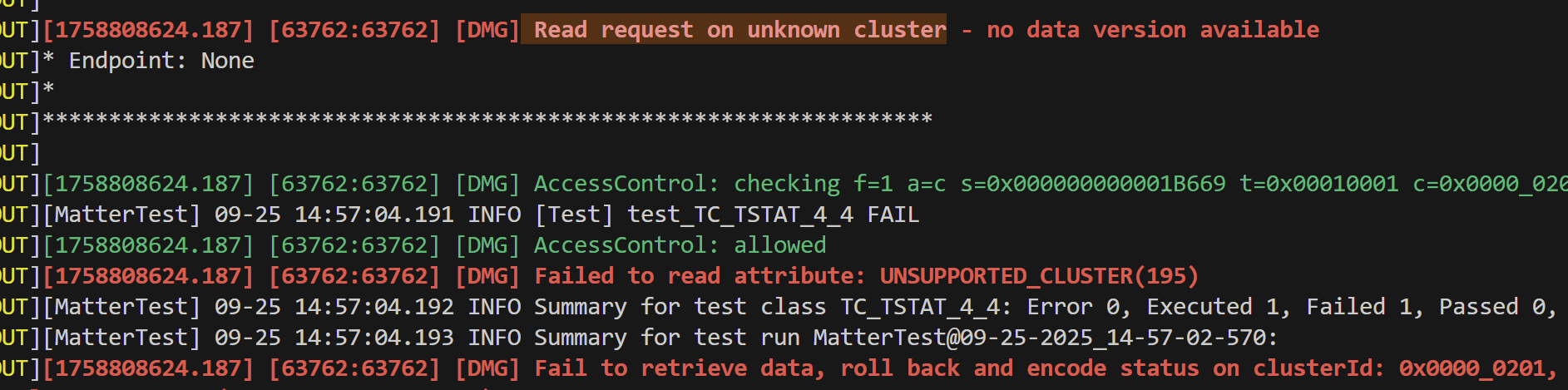
Looking through the stack, this jumped out:
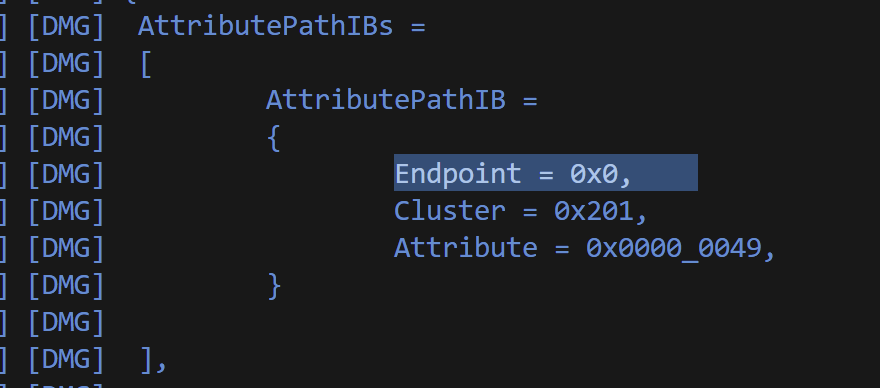
It was requesting endpoint 0x0, which is usually reserved from the Root Endpoint.
I hard-coded the endpoint to 1 in my test and ran it again. It failed, but this time no cluster errors! I amended the delegate implementation to return two schedule types
static ScheduleTypeStruct::Type scheduleTypes[] = {
        { .systemMode           = SystemModeEnum::kHeat,
          .numberOfSchedules    = 1,
          .scheduleTypeFeatures = to_underlying(ScheduleTypeFeaturesBitmap::kSupportsSetpoints) },
        { .systemMode           = SystemModeEnum::kCool,
          .numberOfSchedules    = 1,
          .scheduleTypeFeatures = to_underlying(ScheduleTypeFeaturesBitmap::kSupportsSetpoints) },
    };
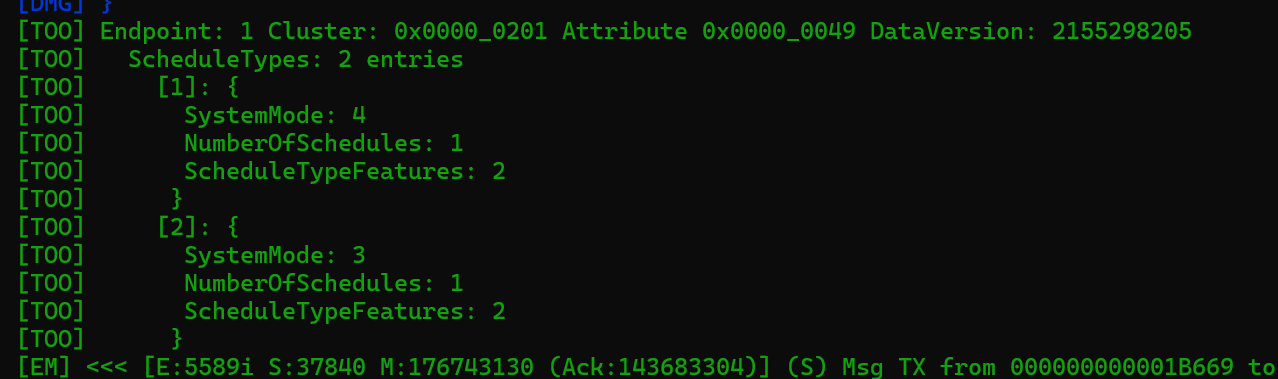
and BOOM! Two passing tests.

With my tests working, I decided to go a step further. I started the example thermostat app and then paired it first with my iPhone and then the chip-tool running on an RPi.
I executed the “read” on the schedule types and bingo
Schedules
With my confidence growing, I returned the thermostat-server and started adding more properties to support schedules.
I added NumberOfSchedules to the delegate
uint8_t GetMaxAllowedNumberOfSchedules() = 0;
and an index method for schedules!
CHIP_ERROR GetScheduleAtIndex(size_t index, Structs::ScheduleStruct::Type & scheduleType) = 0;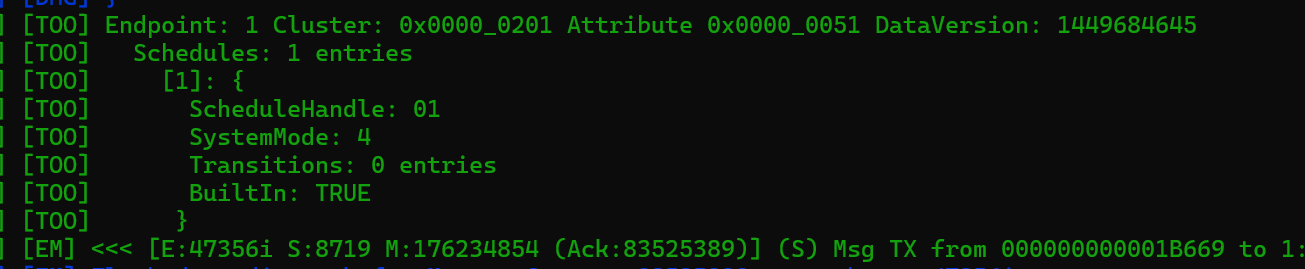
With my bog standard “Read” appearing to work, it was time to move onto “Write” and I knew this wasn’t going to be easy.
I started by taking a copy of the Preset Write. This was doing what I wanted to do.
What followed was a lesson in how Matter hangs together 🤣
It started with this;

From what I could understand, the TLV decoder wasn’t able to work on the ScheduleStruct.
After first spending about a half editor editing the wrong SchedulStruct (I was editing a copy under an example), I found something.
Unlike some of the other structs, which did this:
using DecodableType = Type;ScheduleStruct declares its own DecodableType. Hmmm. I updated ScheduleStruct to mirror PresetStruct and the error changed

Ah, that was why it had its own DecodableType. Because it needs to use the DecodableType of the ScheduleTransitionStruct. I tinkered with the Write method a little more and that got it compiling.

I recompiled the thermostat example and tried to write to the schedules using chip-tool. I got another *different* error response.

The cause of this error appears to come from this

The source of that error, I guessed, was this:

What the hell was an AtomicWrite?
Atomic Batteries to Power
So, it turns out, Atomic Writes are a part of the Matter Specification (Section 7.15).
You can start an Atomic Write, make several changes and then commit those changes. I didn’t even know this was a thing in Matter.
For starters, how would I know from the specification that Schedules is atomic? The quality column lists NT as the values.

This turns out to be two things

and, you guessed it….

I’m so glad I abandoned any efforts to build a .Net version of Matter. This spec is so dense!!
This chart helps explain it further
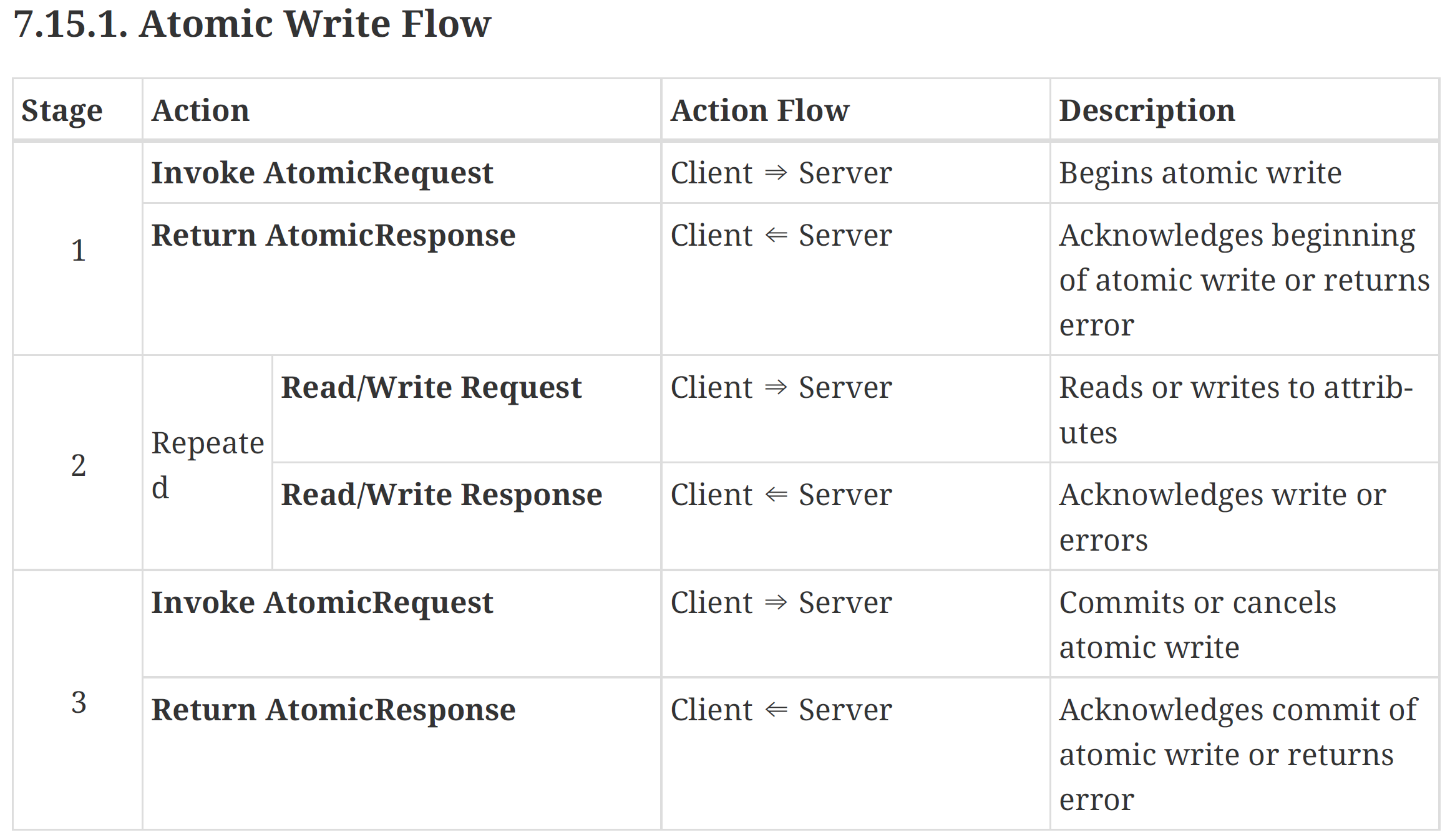
We start a request, make a few changes and then commit them. This explains why Presets have delegate methods like CommitPendingPresets and ClearPendingPresetList. Another penny drops.
After more reading and more logging, I got this command to work
chip-tool thermostat atomic-request 0 [81] 0x11 0x1 --Timeout 9000This starts an atomic request for attribute 81 (0x51 which is schedules). To end the atomic request, we call it with 1 instead of 0 (CommitWrite vs BeginWrite).
chip-tool thermostat atomic-request 1 [81] 0x11 0x1When CommitWrite is received, it will perform CommitPendingSchedules (which is empty right now). There is also a RollbackWrite (2), which would revert anything pending. This is making sense to me now.
With in the TC_TSTAT_4_2.py test file, the additional methods like check_atomic_response and send_atomic_request_begin_command also made sense. I was able to use these to write more tests.
Another mistake I spotted was that in the ThermostatAttrAccess::Read method, I was using the GetScheduleAtIndex delegate method twice. I needed a GetPendingScheduleAtIndex method to support the atomic write. It all fell into place now.
Starting Small
At this point, I had made a large number of changes and I had only scratched the surface.
The first rule of a good PR is that’s its as small as possible, to make the reviewer’s life easy. If I wanted any hope of getting my code into the CHIP SDK, I needed to small, well formed PR!
I created a new branch and added enough code for the ScheduleTypes attribute.
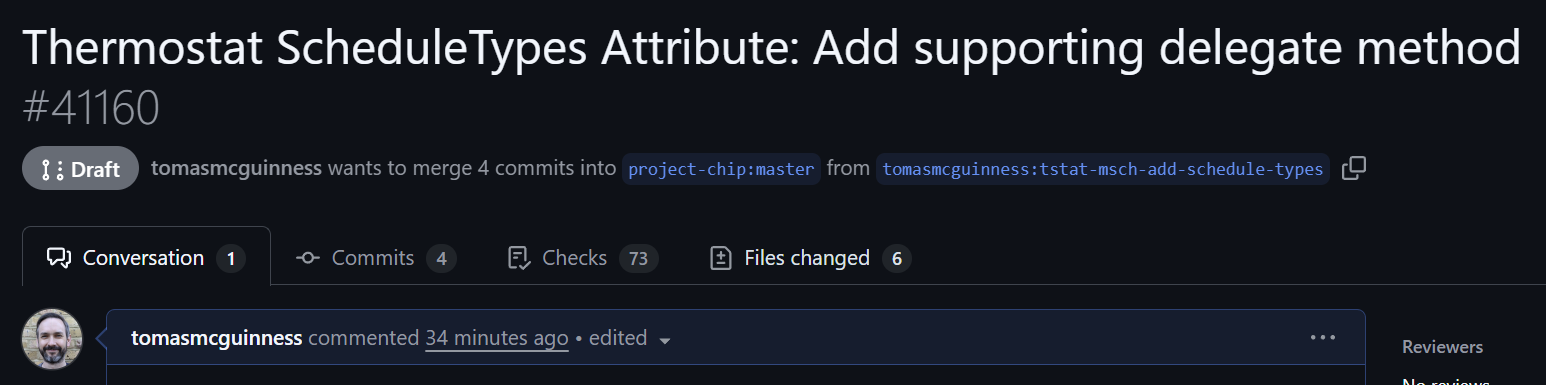
Let’s see how I get on!
It would be a nice feather in my cap if I could get some code into Matter 1.5 release.
UPDATE: A few hours later
I never updated the ZAP file to enable the Matter Schedule feature. This file lives in the thermostat-common folder
I did this by first launching the ZAP tool, which is a UI
../../../scripts/tools/zap/run_zaptool.sh thermostat.zapI then navigated to the Thermostat cluster and switched on the MatterScheduleConfiguration (MSCH) feature
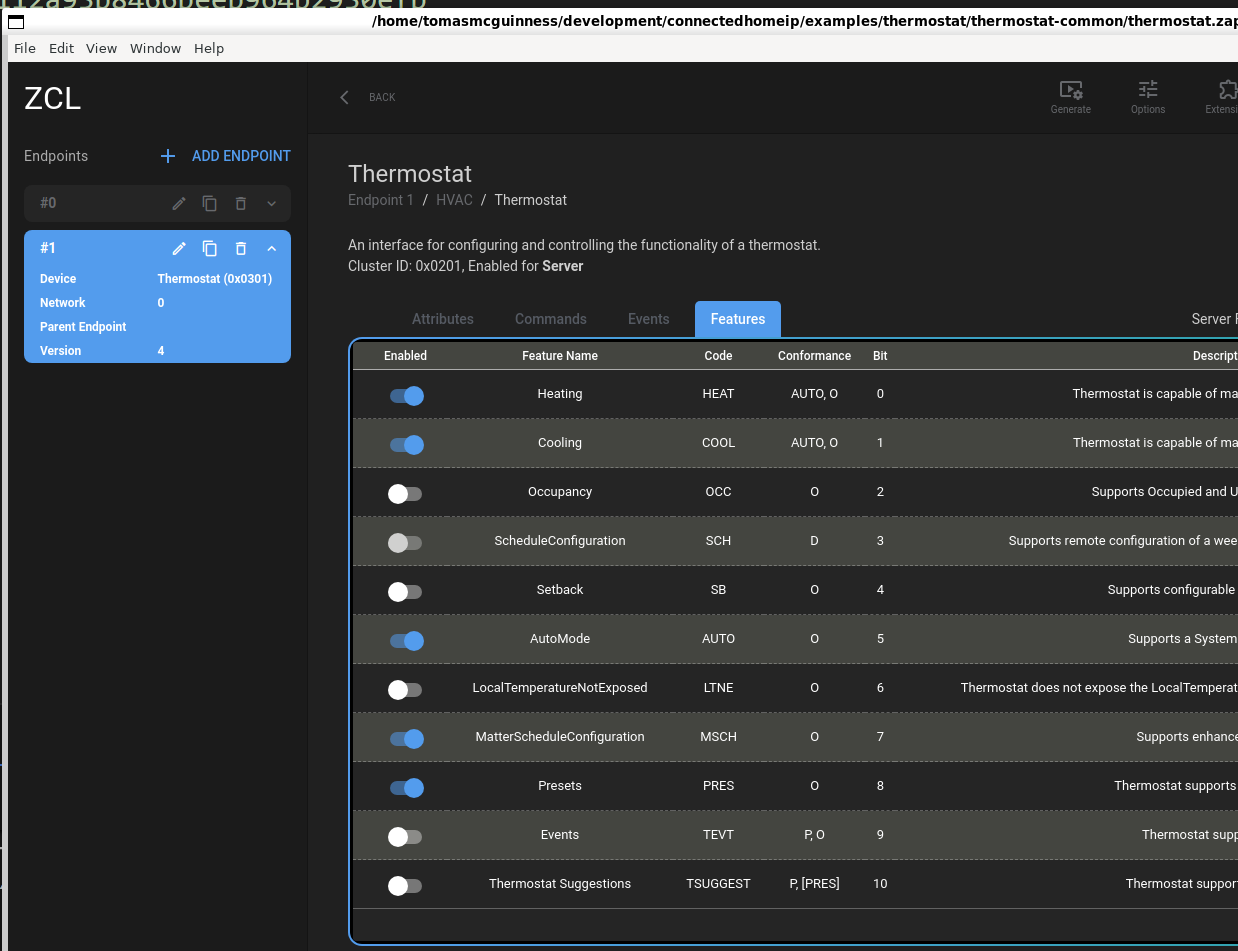
When prompted to turn on the attributes and commands, I said yes. After getting some advice, I should have said no!
Under the “Attributes” tab, I enabled only ScheduleTypes, which is the attribute is implemented. All the others had a warning. These are mandatory features, but I hadn’t implemented them, so I think they stay off.
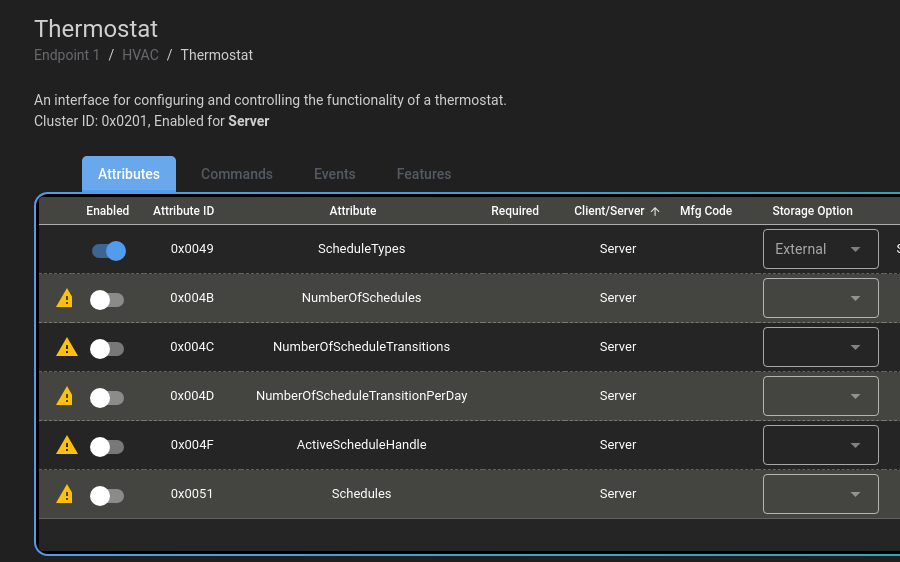
I then ran this command to generate all the code and configuration. For some reason, you need to run this generate from the root folder.
scripts/tools/zap/generate.py ~/development/connectedhomeip/examples/thermostat/thermostat-common/thermostat.zap Committed and pushed and after many, many hours, and an update from master, all the build actions in the PR completed.
https://github.com/project-chip/connectedhomeip/pull/41160
UPDATE: 9th October 2025
The PR got it first approval It’s need two before it can be merged.
UPDATE: 28th October 2025
It has been merged! That’s quite a significant personal milestone for me I think. I have code in the official Matter SDK. Now I can start work on another one of the attributes. At this rate it will take it six months 🤣
Did you like reading this post?
If you found this blog post useful and want to say thanks, you’re welcome to buy me a coffee. Better yet, why not subscribe to my Patreon so I can continue making tinkering and sharing.
Be sure to check out my YouTube Channel too – https://youtube.com/tomasmcguinness
Thanks, Tom!


Leave a comment