
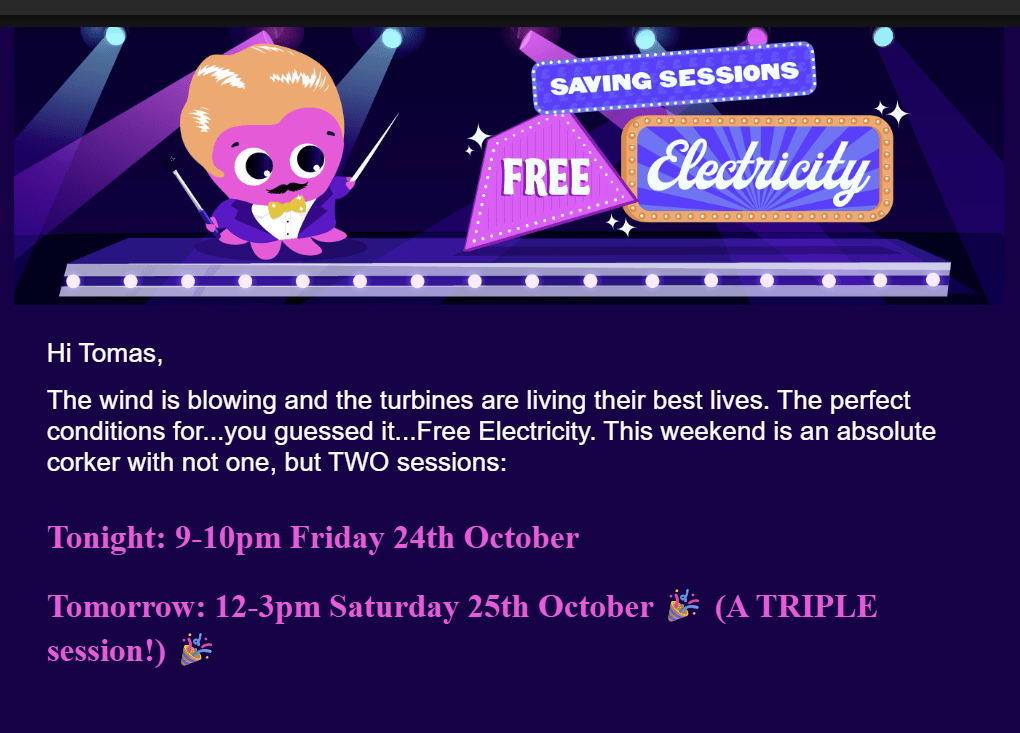
Who doesn’t love free electricity? And if you’re an Octopus Energy customer, you’ve probably had a few emails like this over the past year.
These sessions are great! But, if I’m honest, I often forget about them. Family, work and hobbies take up a lot of space in my head.
As my house uses Home Assistant and has lots of gadgets hooked up, I’ve always wanted to automate my response. I just never got around to it.
Recently, however, I’ve had my head back into the energy space, so I’ve taken another look.
Demand Side Response
In recent weeks, I’ve been exploring something called OpenADR (Open Automated Demand Response). This is a protocol that energy provides can use to provide information about Demand Response. Octopus’ Free Energy Sessions are an example of Demand Side Response.
In the case of Octopus, these free events typically occur when there is too much wind energy available. Rather than turning the turbines off, they try to get people to use more power. The opposite occurs when there isn’t enough power. Octopus will have a Saver Session to encourage people to use less power.
I built my own Energy Manager a few weeks ago and I’m trying to add OpenADR, to better understand it. This seemed like an ideal opportunity to review the Octopus API.
There are Home Assistant integrations that will provide this information, so it has been done before. As I want to use my own Energy Manager, I needed to explore the API myself.
Octopus API
Thankfully, Octopus not only *have* an API, it also has pretty good documentation. The starting point is here: https://docs.octopus.energy
To get info about the Free Electricity sessions, I need to use the GraphQL variant of their API.
https://docs.octopus.energy/graphql/guides/basics
Executing GraphQL requests
You can use a library to send GraphQL requests, but Octopus offers a playground too. This is a web page that lets you execute queries from your browser. Very handy when exploring the API.
You can find that playground here: https://api.octopus.energy/v1/graphql/
GraphQL is a pretty useful protocol. I won’t get into the details here.
Authenticating
To access the data, you need to authenticate to Kraken (I love that name) using the ObtainKrakenToken mutation. This is sent with a POST verb.
mutation ObtainKrakenToken($input: ObtainJSONWebTokenInput!) {
  obtainKrakenToken(input: $input) {
    token
    payload
    refreshToken
    refreshExpiresIn
  }
}
In the variables, you can use your Octopus account details. There are other options available, but this seemed like the easiest.
{
  "input": {
    "email": "<email>",
    "password":"<password>"
  }
}
On execution of this request, you will receive a response like this
{
  "data": {
    "obtainKrakenToken": {
      "token": "<authorization token>",
      "payload": {
        "sub": "<account info>",
        "gty": "EMAIL-AND-PASSWORD",
        "email": <email>",
        "tokenUse": "access",
        "iss": "https://api.octopus.energy/v1/graphql/",
        "iat": 1762107925,
        "exp": 1762111525,
        "origIat": 1762107925
      },
      "refreshToken": "<refresh token>",
      "refreshExpiresIn": 1762712725
    }
  }
}
Grab the <authorization token> value. We’ll use this for the next requests.
Free Electricity Sessions
To get a list of the free electricity sessions, we need to query customerFlexibilityCampaignEvents. To perform this query, you’ll need your account number and supply point identifier. You can find both of these on the Octopus Homepage after you’ve logged in.
You’ll find your account number here (where the big white box is!)

Further down the home page, you’ll find your meter details. The supplyPointIdentifier will be where the red box is.
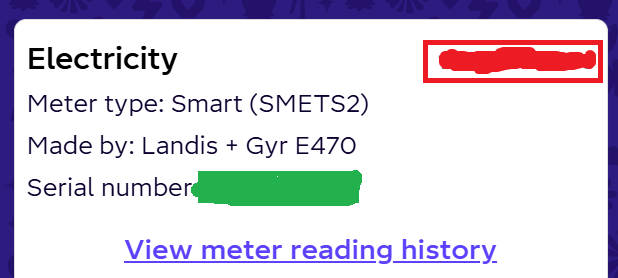
With both of these values, you will need a query that looks like this. I’ve asked for the first 10 results.
query FreeElectrityEventsQuery {
  customerFlexibilityCampaignEvents(
    accountNumber: "<account number>"
    campaignSlug: "free_electricity"
    supplyPointIdentifier: "<supply point identifier>"
    first: 10
  ) {
    edges {
      node {
        name
        code
        startAt
        endAt
      }
    }
    edgeCount
  }
}
You should get back a list of edges
{
  "data": {
    "customerFlexibilityCampaignEvents": {
      "edges": [
        {
          "node": {
            "name": "Free Electricity '24 Event 15 25/10/25",
            "code": "FREE_ELECTRICITY_EVENT_15_251025",
            "startAt": "2025-10-25T11:00:00+00:00",
            "endAt": "2025-10-25T14:00:00+00:00"
          }
        },
        {
          "node": {
            "name": "Free Electricity '24 Event 14 24/10/25",
            "code": "FREE_ELECTRICITY_EVENT_14_241025",
            "startAt": "2025-10-24T20:00:00+00:00",
            "endAt": "2025-10-24T21:00:00+00:00"
          }
        },
        {
          "node": {
            "name": "Free Electricity '24 Event 13 05/10/25",
            "code": "FREE_ELECTRICITY_EVENT_13_051025",
            "startAt": "2025-10-05T10:00:00+00:00",
            "endAt": "2025-10-05T11:00:00+00:00"
          }
        },
...truncated
}
The most recent session you can see was on the 25th of October, from 11am to 2pm.
These are the two sessions from the email screenshot at the start of this post. The time is in UTC, which is why it’s one hour behind (BST).
Next Steps
That’s it. Not much to it in the end 🙂
I’m going to look at how I will integrate this API into my OpenADR experiments. I would love to see how free electricity is communicated.
OpenADR is incredibly rich and has been around for a few years. I don’t think it’s been widely adopted in the domestic setting, but it seems really suitable. The UK government are even looking into it.
Did you like reading this post?
If you found this blog post useful and want to say thanks, you’re welcome to buy me a coffee. Better yet, why not subscribe to my Patreon so I can continue making tinkering and sharing.
Be sure to check out my YouTube Channel too – https://youtube.com/tomasmcguinness
Thanks, Tom!
 @tomasmcguinness
Leave a comment