
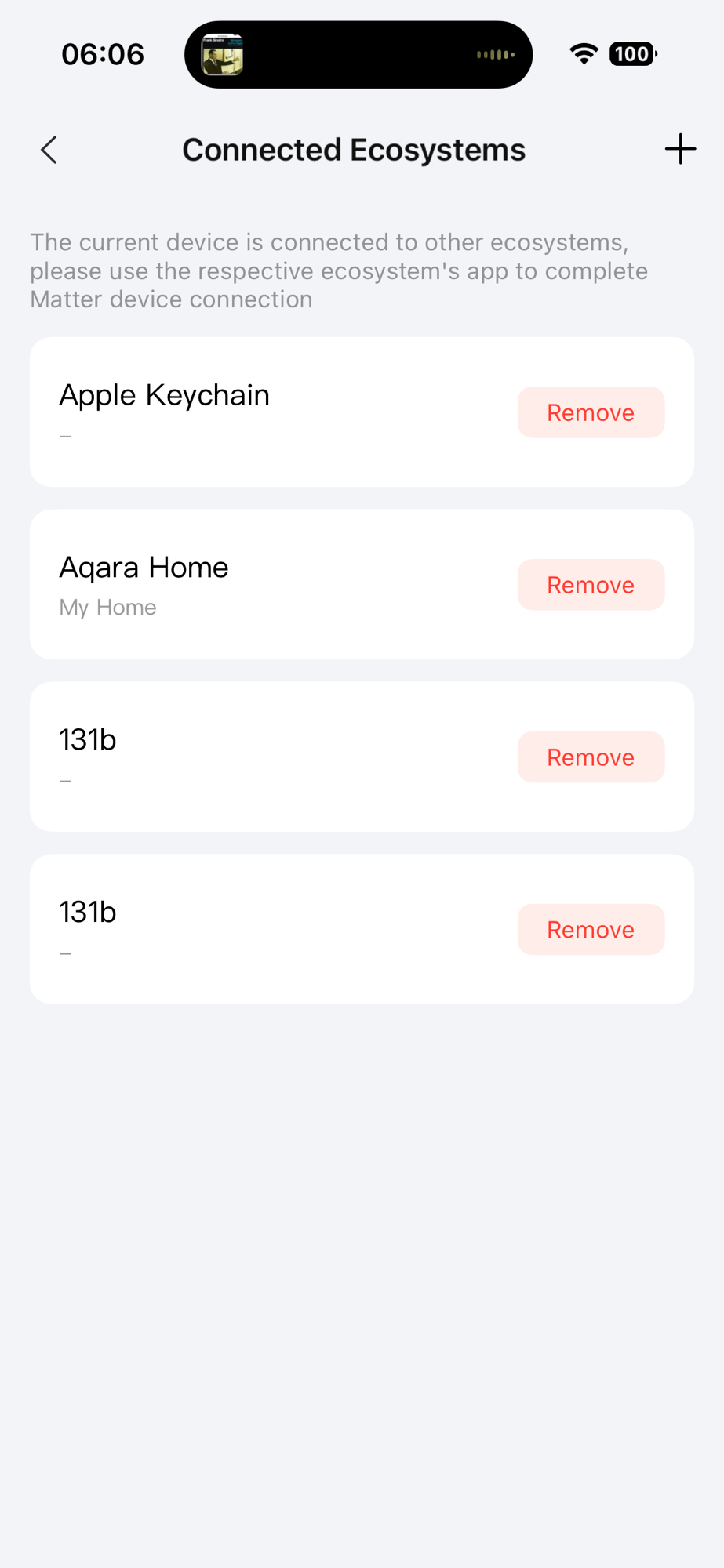
Whilst working on my Heating Monitor, I hit a strange issue whilst commissioning devices.
I was not able to commission devices, even after resetting them. This happened for new devices or ones already on network.
The Commissioning Complete command kept failing, with the commissionee responding with error 3

When I looked into the logs of my Nordic Temperature sensor, it appeared that all the commissioning steps were working. Network provisioning was also working.
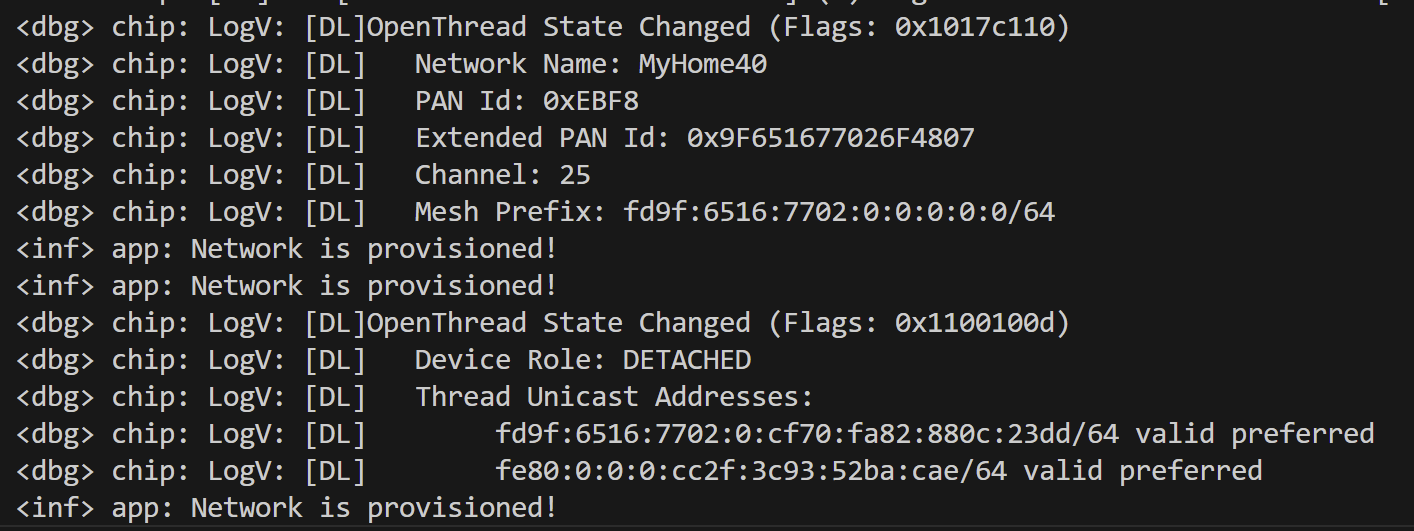
The only error in the logs was this

I couldn’t figure this out at all.
My only clue was the SRP failure. SRP is Service Registration Protocol. It’s used in the Thread network system so devices can register their services for mDNS. After some detective, using the Discovery app on my iPhone, I could see my network’s nodes, starting E9AF. These _matter._tcp. records are used to find the address of commissioned Matter nodes.
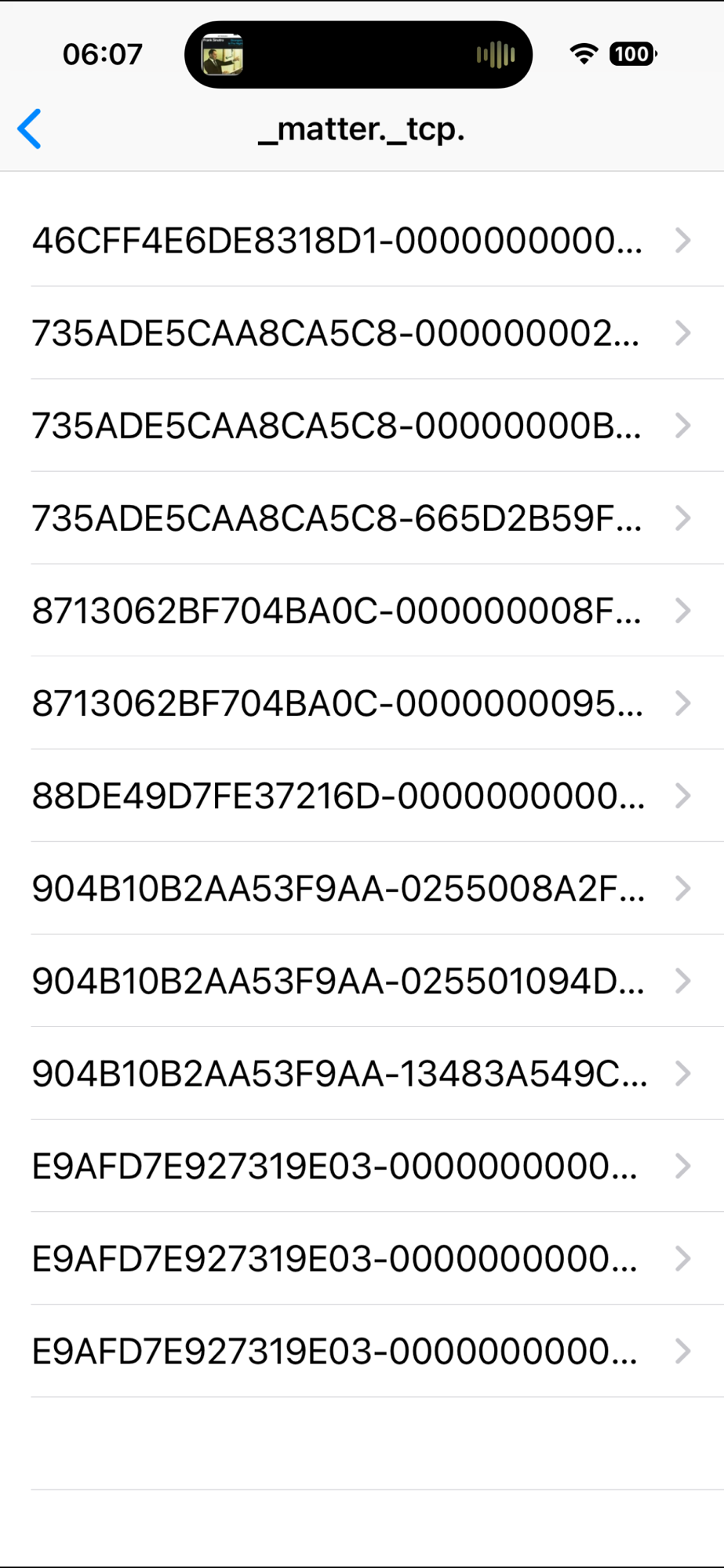
One of the nodes present on the list was this one
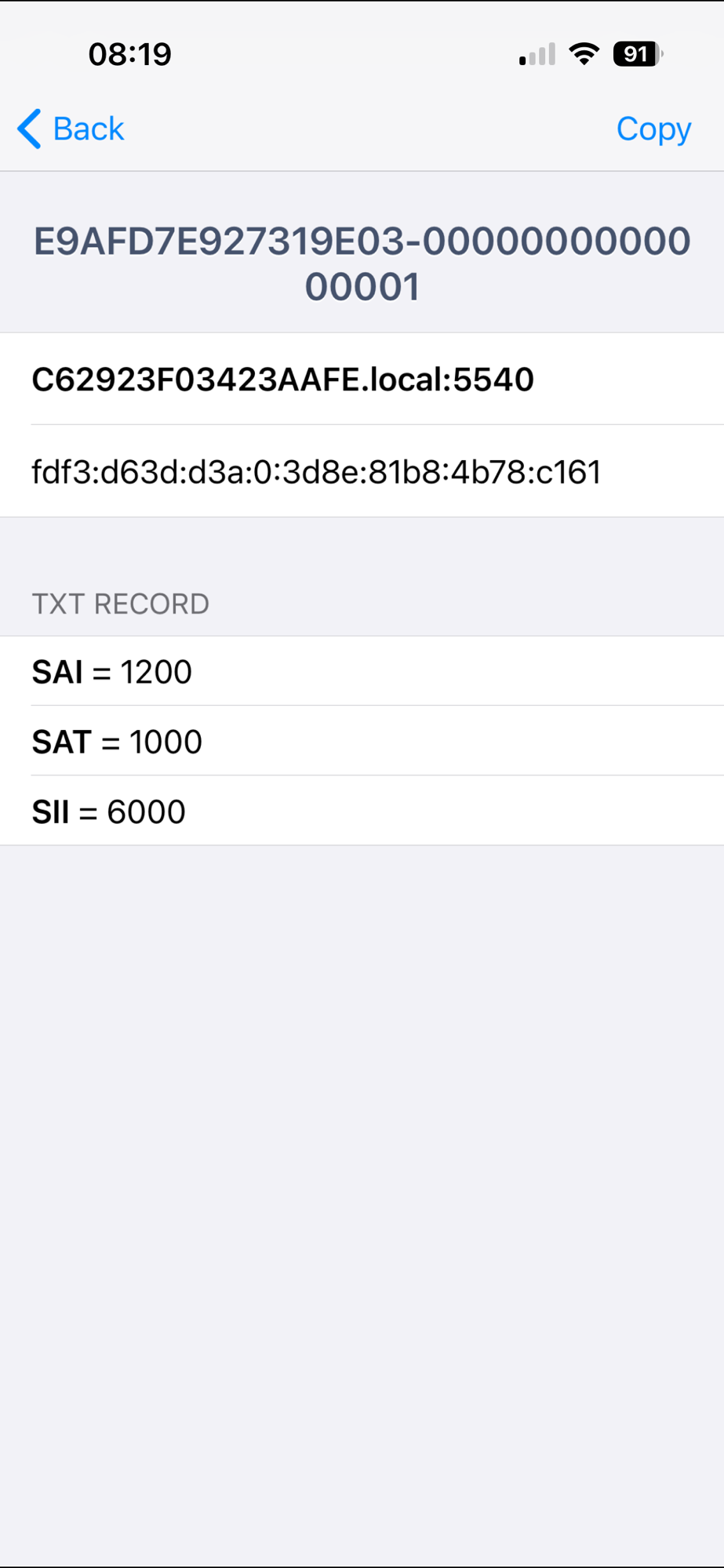
And this was the problem!
A node was already advertising itself as Node 0001 in my Heating Monitor’s fabric! This prevented my new node from advertising with the same address.
I could simply *remove* the device from specific Ecosystems. I tapped remove beside both of the 0x131b nodes. Lo and behold, node 0001 vanished from the Discovery app.
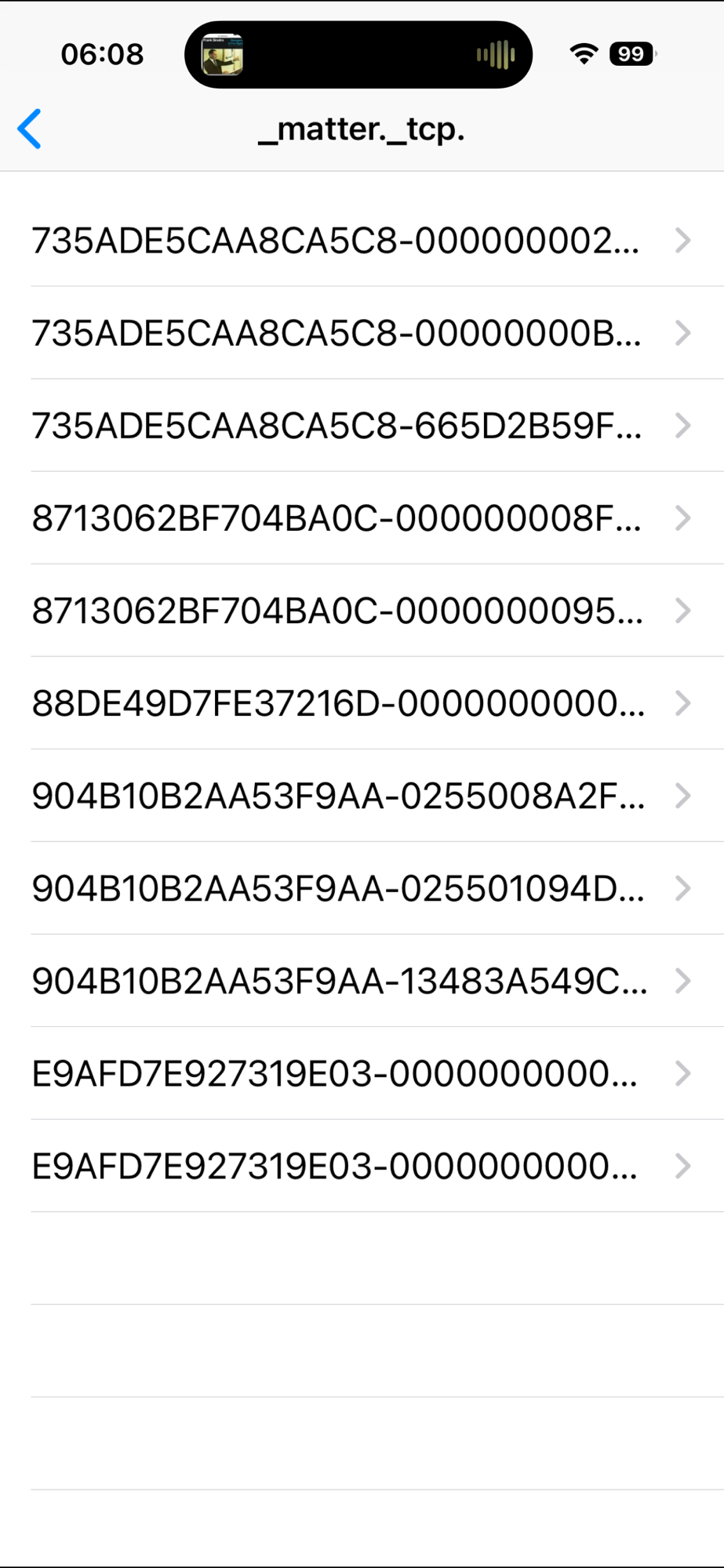
With the 0001 record gone, I was able to add my W100 again

Summary
I ran into a problem where an existing Matter node id prevented me from commissioning a device.
The solution was to hunt down the device and remove it from my Fabric, freeing up the node id.
In reality, with 18446744073709551615 addresses to choose from, I’d be better off picking a random node id. That makes debugging harder, but I would have avoided this issue.
That said, I understand the protocol just that little bit better now.
Did you like reading this post?
If you found this blog post useful and want to say thanks, you’re welcome to buy me a coffee. Better yet, why not subscribe to my Patreon so I can continue making tinkering and sharing.
Be sure to check out my YouTube Channel too – https://youtube.com/tomasmcguinness
Thanks, Tom!
 @tomasmcguinness
Leave a comment