
As I continued to build my Heating Monitor, I ran into a tricky situation: Identifying Devices
After I’ve paired a few devices, I’m left with this table of data. The W100 sensor is easy, since it’s unique and mounted beside my desk.
I render all of these devices in a table like this
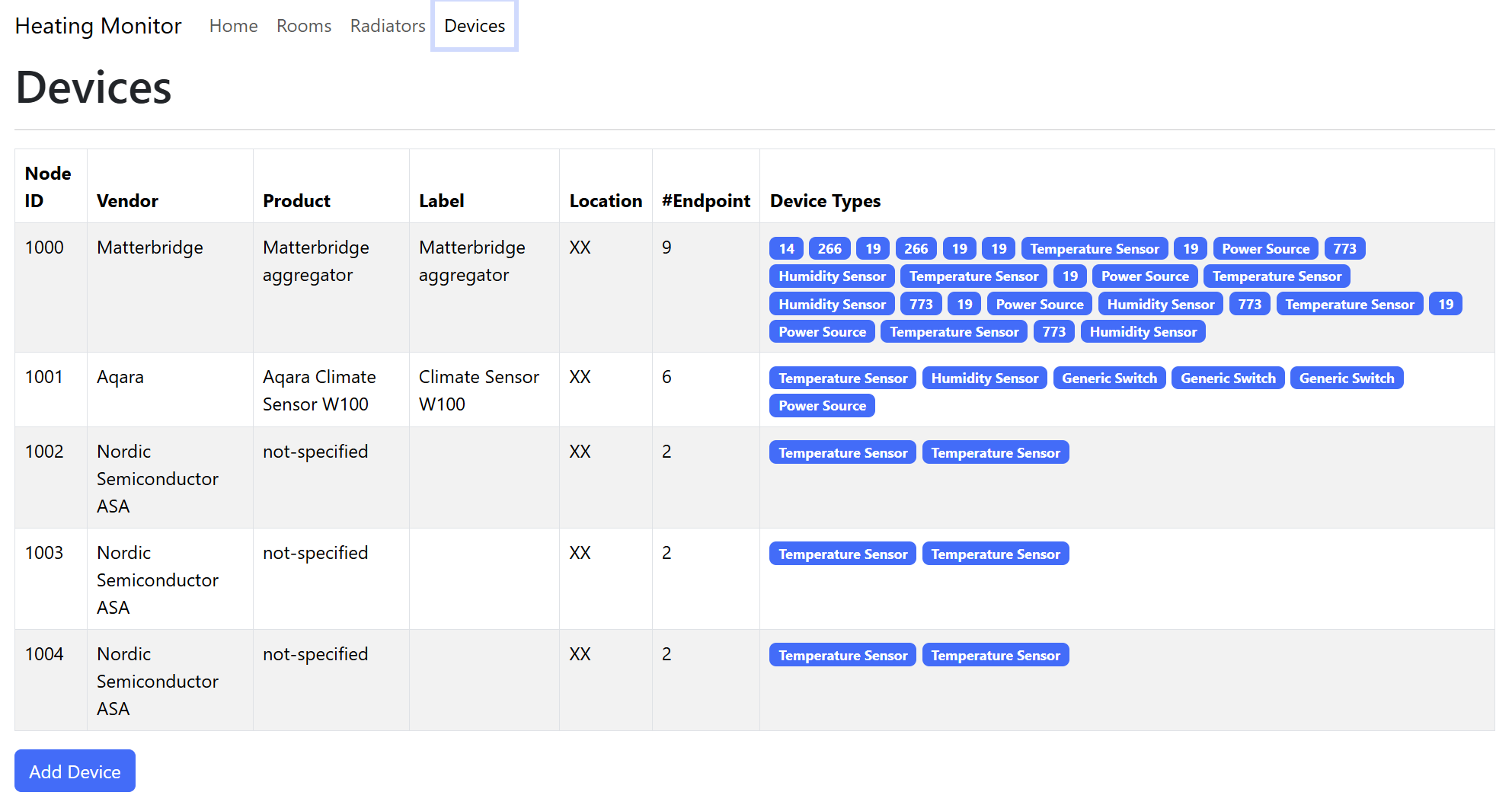
Let’s ignore everything but the Nordic Semiconductor ASA devices.
These are my Dual Temperature Sensor devices. The Vendor and product details are provided as default values by Nordic. I will write up a separate blog post on how to change these values.
Looking at the same rows, you can see are two endpoints in each of these devices. These are the Temperature Sensors.
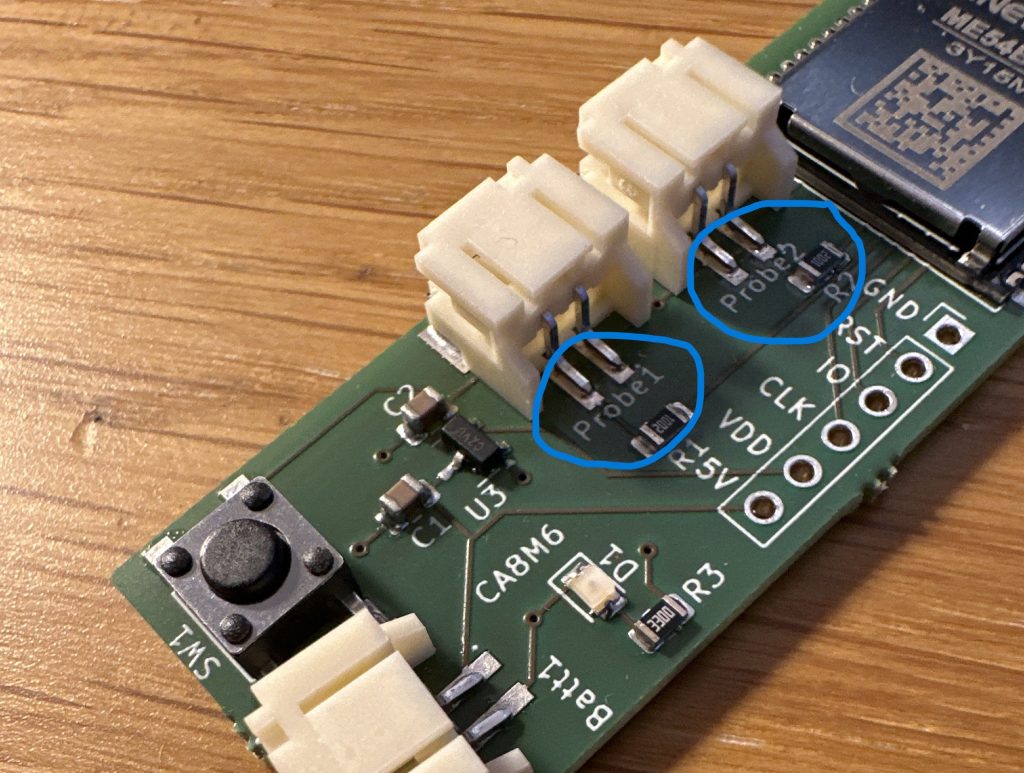
If we look at my device, there are two inputs for temperature probes, labeled Probe 1 and Probe 2.
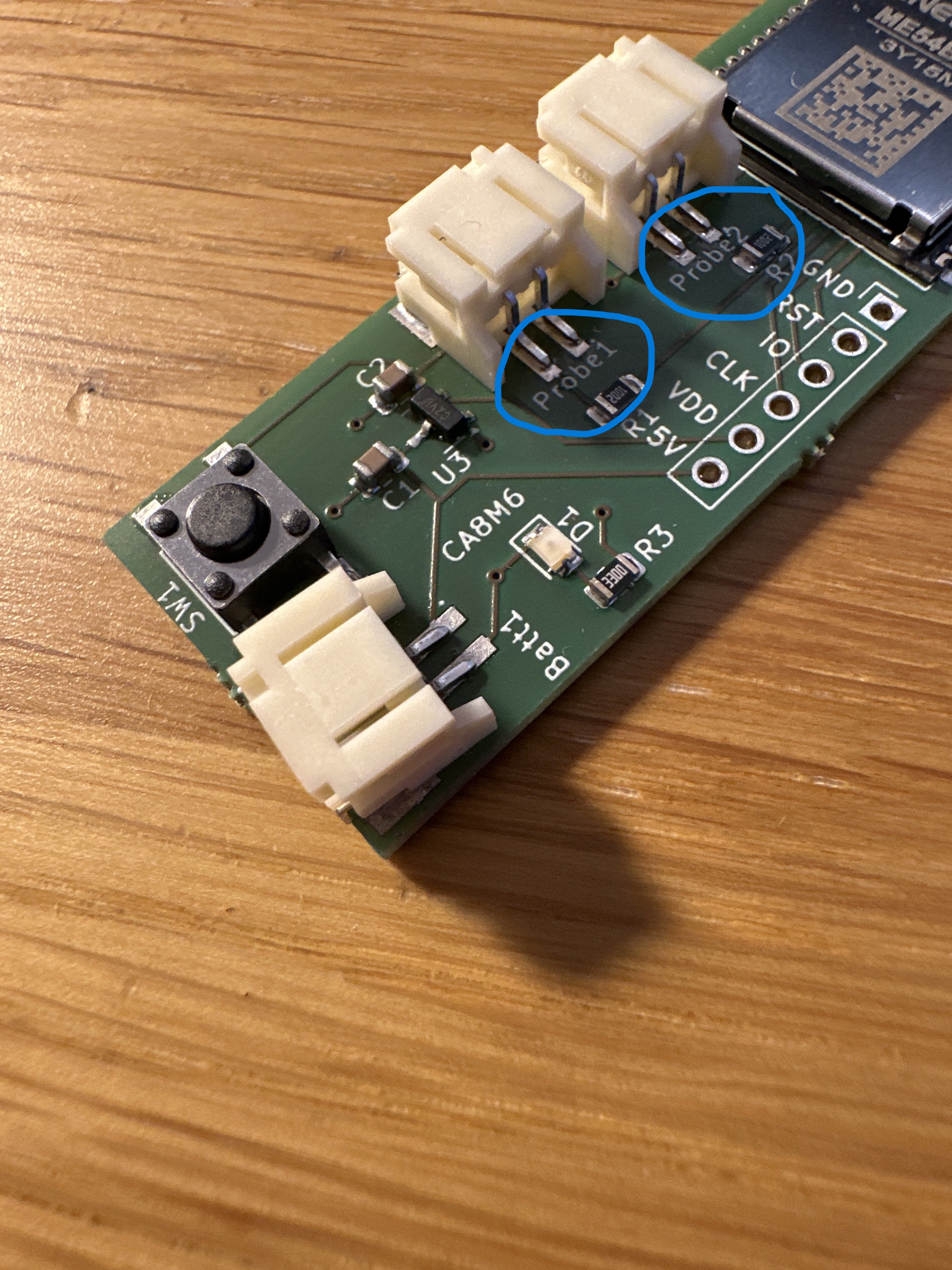
I think it would nice to include Probe 1 and Probe 2 in the endpoint details.
FixedLabel and UserLabel clusters
Matter does, thankfully, provide some support to Name endpoints, but providing the FixedLabel and UserLabel clusters.
FixedLabel clusters are read only and defined by the device. The use case for this is to allow a user to differentiate between multiple endpoints. Imagine a device with three switches. It would have three endpoints of type OnOff switch. How would a user know which was which? The FixedLabel cluster would have an indicator of which was which.
The UserLabel cluster is the same as the FixedLabel in structure, but it can be modified. This is to allow a user to provide their own information.
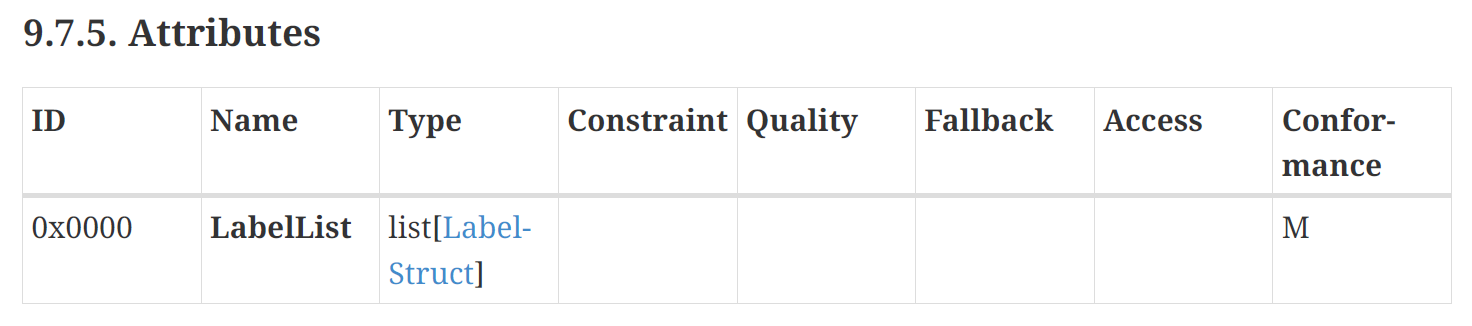
The term “Label” is a little misleading, since these clusters actually support multiple Label/Value pairs via the Attribute LabelList.
Nobody supports these clusters yet – they are ignored by iOS Home and Google Home. If I run my code against my Aqara W100 (with three push buttons!) I get this response:

Even it doesn’t support FixedLabel or UserLabel clusters. FixedLabel would make a lot of sense on its three buttons on the switch endpoints 🤷🏼♂
The big players might not support these clusters, but I will!
Adding Support to my Sensor
For my needs, FixedLabel was the only choice as Probe 1 and Probe 2 would never change.
To begin with, I repeated the W100 test against my sensors. I go the same result

Like I did with the Temperature Sensors, I used the ZAP-GUI tool to add the Fixed Label cluster to both endpoints.
west zap-guiStarting with Endpoint #1, I located the FixedLabel cluster and switched on Server support.
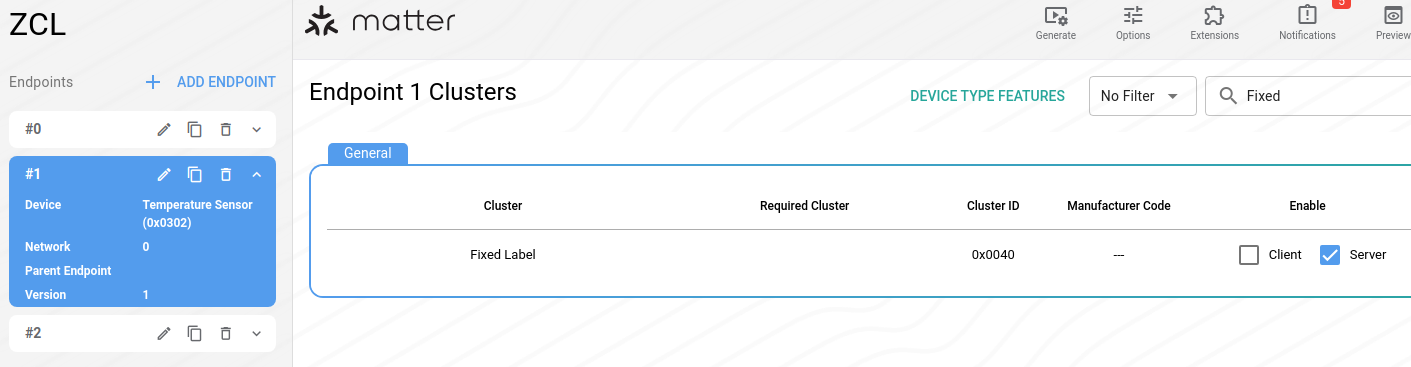
Opening the configuration for the cluster revealed three attributes, all enabled.
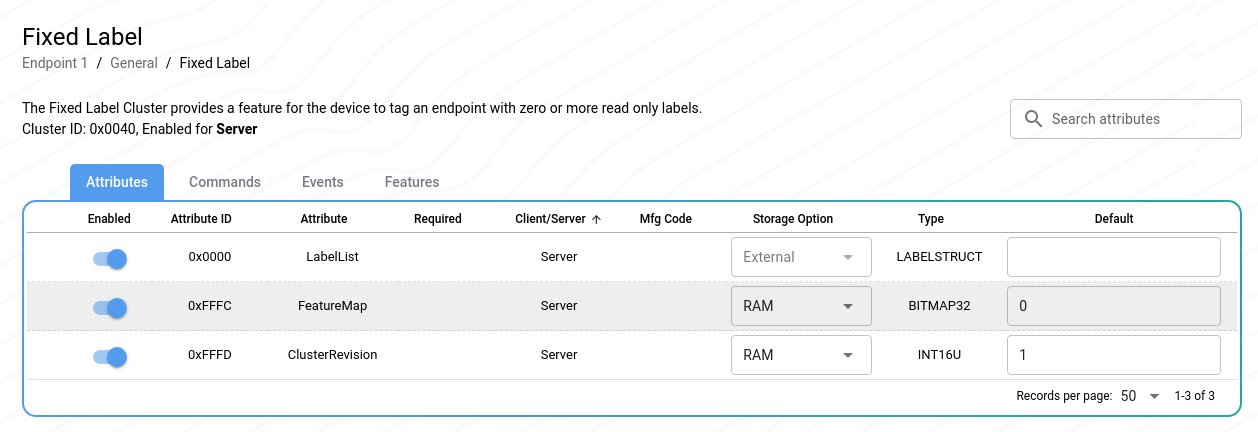
Note that the LabelList is marked with an External storage option.
This means it must be provided by my code.
I saved the changes to Endpoint 1 and regenerated my ZAP configuration.
west zap-generateProviding the LabelList
This took a lot of poking around, but I eventually figured it out. Not a lot of documentation available 🙂
The class in the CHIP SDK that is responsible for the FixedLabel and UserLabel clusters is called DeviceInfoProvider.
I found an example of this in the samples, DeviceInfoProviderImpl, and I copied it across into my own project.
There were two functions that looked relevant
size_t DeviceInfoProviderImpl::FixedLabelIteratorImpl::Count()
{
    // A hardcoded labelList on all endpoints.
    return 4;
}
and
bool DeviceInfoProviderImpl::FixedLabelIteratorImpl::Next(FixedLabelType & output)The Next function had a case statement inside it, which returned four labels.
switch (mIndex)
{
case 0:
    labelPtr = "room";
    valuePtr = "bedroom 2";
    break;
case 1:
    labelPtr = "orientation";
    valuePtr = "North";
    break;
case 2:
    labelPtr = "floor";
    valuePtr = "2";
    break;
case 3:
    labelPtr = "direction";
    valuePtr = "up";
    break;
default:
    err = CHIP_ERROR_PERSISTED_STORAGE_VALUE_NOT_FOUND;
    break;
}
I then needed to tell my code where to find this DeviceInfoProviderImpl class.
Thankfully, this was straight-forward. I just passed in the instance to the PrepareServer function!
Nrf::Matter::PrepareServer(Nrf::Matter::InitData{
    .mDeviceInfoProvider =   &DeviceInfoProviderImpl::GetDefaultInstance()
}));
Testing it out
With this in place, I interviewed the Node again.
Amazingly, the data was returned to my Controller!
app_main: FixedLabel Attribute Value received
chip[TOO]: Endpoint: 1 Cluster: 0x0000_0040 Attribute 0x0000_0000
chip[TOO]:   LabelList: 4 entries
chip[TOO]:     [1]: {
chip[TOO]:       Label: room
chip[TOO]:       Value: bedroom 2
chip[TOO]:      }
chip[TOO]:     [2]: {
chip[TOO]:       Label: orientation
chip[TOO]:       Value: North
chip[TOO]:      }
chip[TOO]:     [3]: {
chip[TOO]:       Label: floor
chip[TOO]:       Value: 2
chip[TOO]:      }
chip[TOO]:     [4]: {
chip[TOO]:       Label: direction
chip[TOO]:       Value: up
chip[TOO]:      }
Ha!
The 2nd endpoint still reported the 0x05C3 error as I hadn’t enabled that in the ZAP configuration.
read_command: Response Failure: Error IM:0x000005C3Returning the Probe Names
To finish this change, I needed to return the probe names, rather than floor and room information.
I first changed the Count to 1.
size_t DeviceInfoProviderImpl::FixedLabelIteratorImpl::Count()
{
    return 1;
}
I tweaked the Next() function to return Probe 1 or Probe 2.
if (mIndex == 0)
{
    labelPtr = "name";
    if (mEndpoint == 1)
    {
         valuePtr = "Probe 1";
    }
    else
    {
        valuePtr = "Probe 2";
    }
}
else
{
    err = CHIP_ERROR_PERSISTED_STORAGE_VALUE_NOT_FOUND;
}
This worked like a charm
I (1861091) app_main: FixedLabel Attribute Value received
I (1861091) chip[TOO]: Endpoint: 2 Cluster: 0x0000_0040 Attribute 0x0000_0000 DataVersion: 34109651
I (1861091) chip[TOO]:   LabelList: 1 entries
I (1861091) chip[TOO]:     [1]: {
I (1861091) chip[TOO]:       Label: name
I (1861101) chip[TOO]:       Value: Probe 2
I (1861101) chip[TOO]:      }
All that remains is taking advantage of these Labels when I’m commissioning my sensors, but that’s beyond this blog post!
Summary
In this post I run through the FixedLabel and UserLabel clusters and how they work. I then add support to my Nordic powered Dual Temperature Sensor.
I suspect the process of using the DeviceInfoProvider would be the same on the ESP32 platform, but I haven’t tried.
I’ll explore the Manufacturer data, vendor name and product name, in a future post.
Did you like reading this post?
If you found this blog post useful and want to say thanks, you’re welcome to buy me a coffee. Better yet, why not subscribe to my Patreon so I can continue making tinkering and sharing.
Be sure to check out my YouTube Channel too – https://youtube.com/tomasmcguinness
Thanks, Tom!
 @tomasmcguinness
Leave a comment