
One of the goals of my Matter Dual Temperature Sensor project was long battery life. I wanted my sensor to run for at least six-eight months without intervention.
This was one of the reasons I choose the Nordic nRF54 over the ESP32.
In this post, I got power consumption down to just 30µA by using the Intermittent Connect Device (ICD) support. Some things remained unresolved, like the high sleep current. The device’s radio was also chattier than expected.
Since 30µA gave me the battery life I needed, I left it there. Perfect is the enemy of good and all that.
The case of the Missing Cluster
Whilst debugging a completely different issue, I noticed this in the logs of my Temperature Sensor
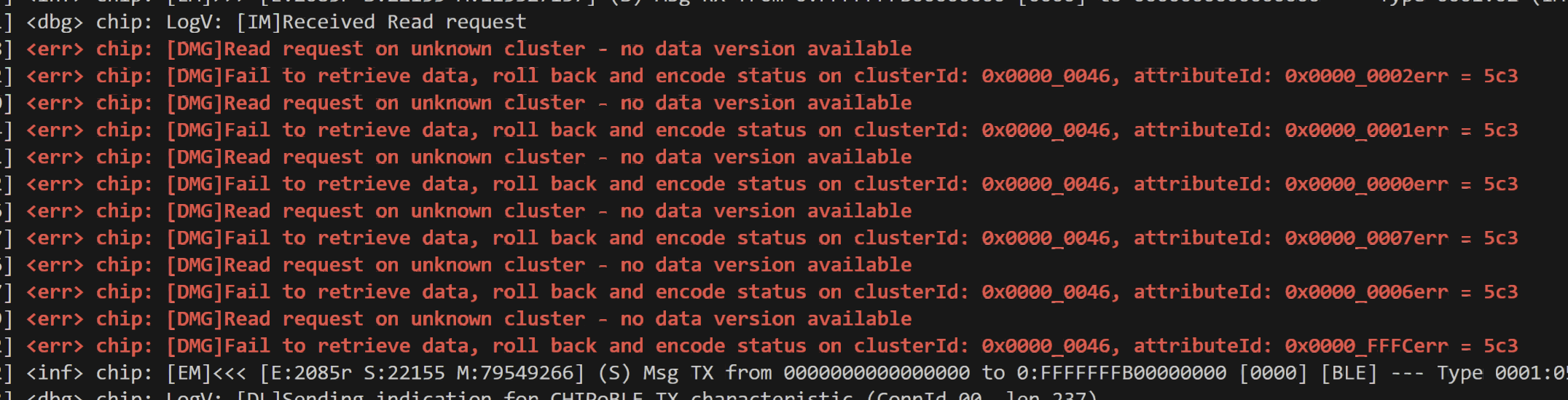
Cluster 0x0046 is the ICD Management Cluster and it was missing (5C3 = UnsupportedCluster).
My ESP32 Heating Monitor code did include mention of ICD Registration.
commissioning_params.SetICDRegistrationStrategy(pairing_command::get_instance().m_icd_registration_strategy) .SetICDClientType(app::Clusters::IcdManagement::ClientTypeEnum::kPermanent) .SetICDCheckInNodeId(commissioner_node_id) .SetICDMonitoredSubject(commissioner_node_id) .SetICDSymmetricKey(pairing_command::get_instance().m_icd_symmetric_key);
I had followed the instructions from Nordic on how to enable ICD support.
# Switch Minimal Thread Device onCONFIG_OPENTHREAD_MTD=yCONFIG_OPENTHREAD_NORDIC_LIBRARY_MTD=y# Set Matter as Intermittant Connected DeviceCONFIG_CHIP_ENABLE_ICD_SUPPORT=yCONFIG_CHIP_ICD_LIT_SUPPORT=y
What I missed, however, were the zap file changes.
You see, written in Nordic’s Smoke Alarm sample was this:
To enable it, set the :kconfig:option:`CONFIG_CHIP_ICD_DSLS_SUPPORT` Kconfig option to ``y`` and enable the feature support in the ICD Management cluster's feature map, by setting it to ``0xf`` in the sample's :file:`.zap` file.Regenerate the source files after modifying the :file:`.zap` file.
It seemed that using CONFIG_CHIP_ENABLE_ICD_SUPPORT by itself wasn’t enough!
I launched the zap-tool and navigated to the ICD Management Cluster, switching it on.

All of the Attributes were marked as External, meaning they would be managed in code. My assumption was that the CHIP code would handle everything.
Trying It Again
With my cluster added and my zap code regenerated, I tried again. The bulk of the errors went away, but a new one appeared.
[00:01:18.710,790] <err> chip: [DMG]Fail to retrieve data, roll back and encode status on clusterId: 0x0000_0046, attributeId: 0x0000_0007err = 586[00:01:18.711,725] <err> chip: [DMG]Fail to retrieve data, roll back and encode status on clusterId: 0x0000_0046, attributeId: 0x0000_0006err = 586
This was mirrored on the ESP32 side – an error related to an attribute called UserActiveModeTrigger.

Now, things got more interesting at this point.
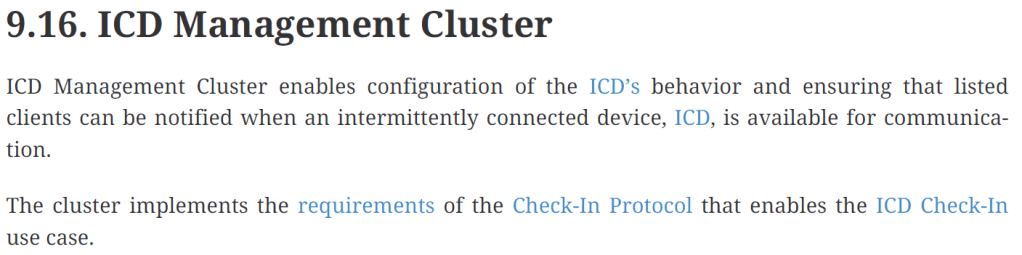
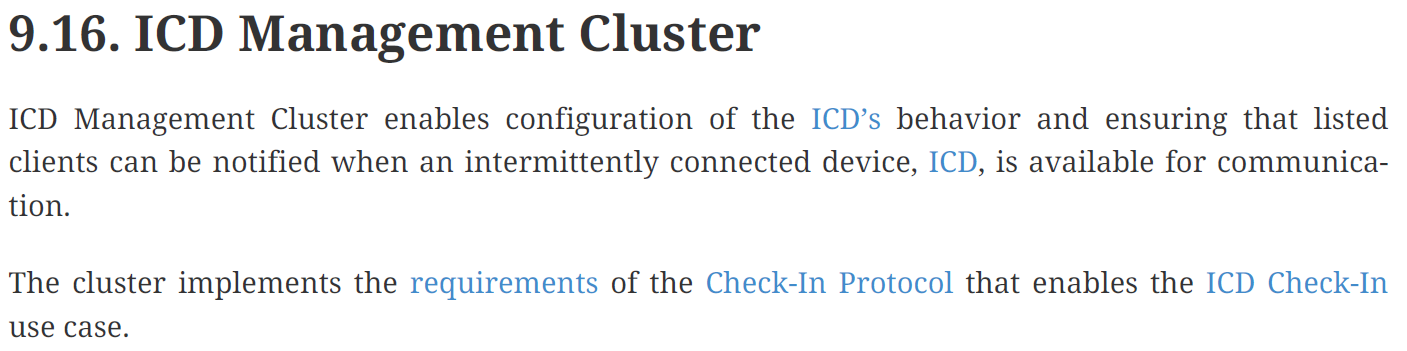
UserActiveModeTrigger is an optional Feature of the ICD Management cluster. I wasn’t sure what this feature was, until I read this:

My device was configured as LIT (CONFIG_CHIP_ICD_LIT_SUPPORT=y), so the CIP and UAT features are required.
At that point, the penny dropped!
SIT vs LIT
Let me try and explain. With Matter’s ICD, devices can operation with a Short Idle Time (SIT) or Long Idle Time (LIT). The “Idle” refers to the time the device is asleep. When a device is asleep, it’s radio is switched off.
The choice of SIT or LIT comes down to the device requirements. Fundamentally, does the device need to be awake to receive commands? Let’s take a Door Lock, for example. It would need to respond to an Unlock Command within a few seconds. This means that the lock needs to switch its radio on every few seconds.
For a device like my radiator sensor, I don’t have any expectation that I would send it a command. Beyond the “Identify” command, it only sends data.
Other devices, like rain sensors, could go weeks without ever needing to send data.
Whilst this is all good for battery life, it does mean the device will *never* be available. If I wanted to open its commissioning window, I wouldn’t be able to. The device would never be awake to receive the command.
To work around this, the UserActiveModeTrigger exists. It provides information on *HOW* a device can be made active. Think of it as an instruction to the user. Here are the first few options:
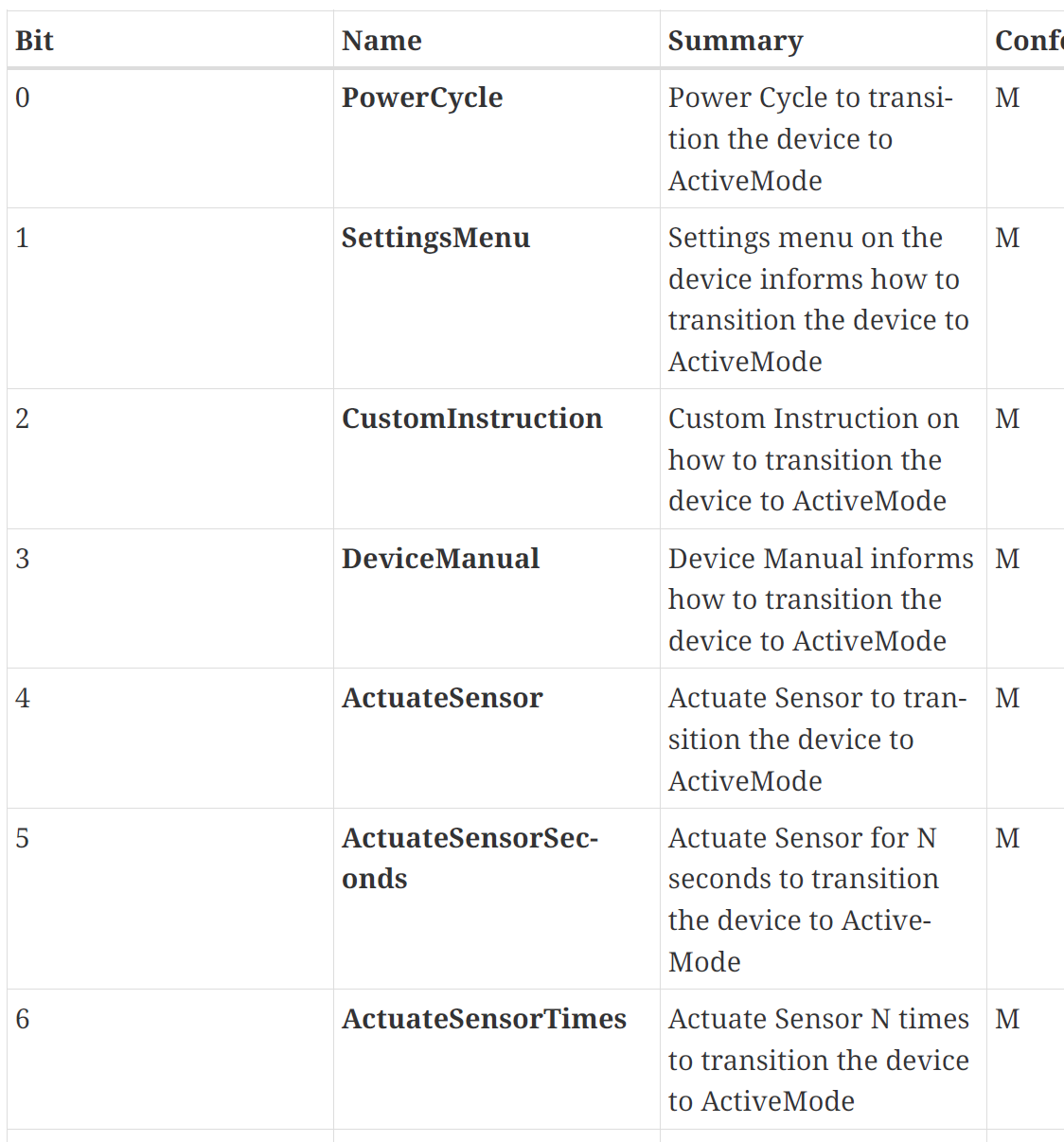
PowerCycle indicates that the user would need to power the device off and on. ActuateSensor covers a physical interaction – perhaps manually moving a blind would wake the device.
For my Dual Temperature Sensor, the Reset Button seemed like the best option:

This says that the user has to click the reset button to wake the device. If they want to open the commissioning window, the reset button must be clicked to make the device active!
Setting this up
Now that I know what the UserActiveModeTrigger is, I enabled the attribute in the ZAP file and set it to 257.

Why 257? That enables the PowerCycle and ResetButton options (bits 0 and 8). I generated my ZAP file and tried to pair.
Unfortunately, my commissioning attempt failed

This time, it was a command Error

This is the command in question, 0x00:

Checking the zap file showed none of the commands were enabled, so I turned them all on
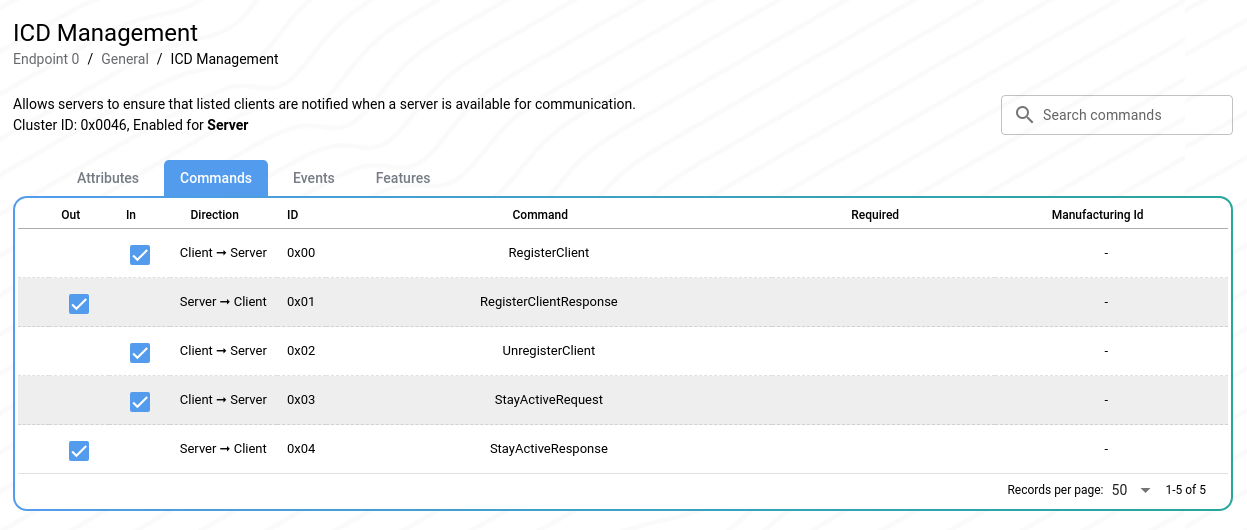
With those changes made, I successfully commissioned my device!
I even got some confirmation in my ESP32 logs

Triggering ActiveMode!
After all that, the last thing to figure out was how to actually trigger active mode! Thankfully, the Smoke Alarm example showed this.
#ifdef CONFIG_CHIP_ICD_UAT_SUPPORT if ((UAT_BUTTON_MASK & state & hasChanged)) { LOG_INF("ICD UserActiveMode has been triggered."); Server::GetInstance().GetICDManager().OnNetworkActivity(); }#endif
I modified my reset button handler accordingly.
Sadly, this resulted in a horrific error when I clicked the button.
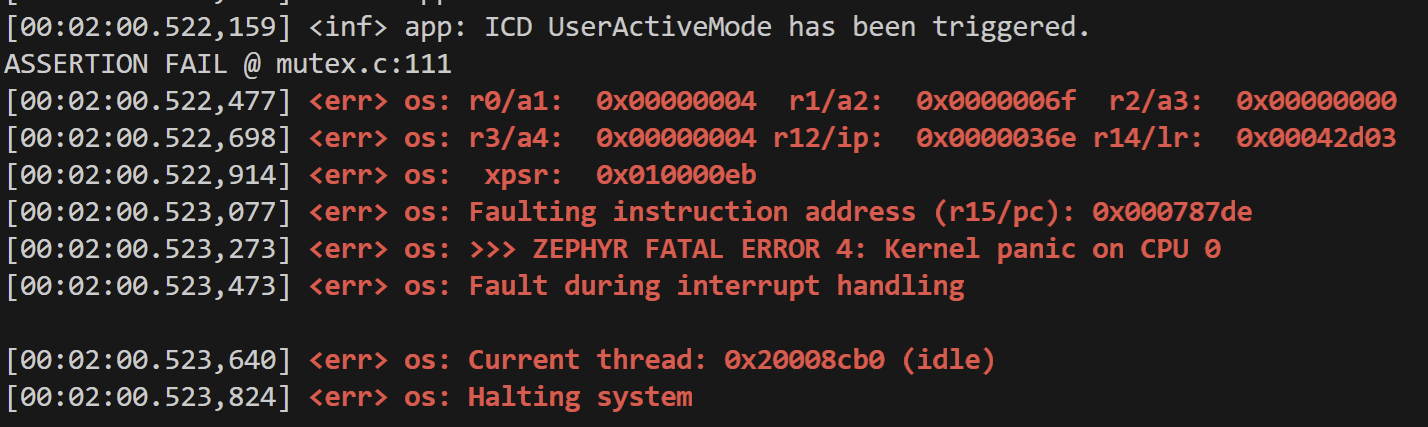
I quickly commented that code out and raised an issue on the Nordic DevZone. I await their reply
Subscription Issues
No sooner had a *real* ICD support implemented, then I found my subscription mechanism no longer worked.
I had no issue pairing the devices, but the temperature data just didn’t flow properly from my devices.
My subscription strategy was simple. When a device was commissioned, it would send a subscribe command for each Measurement Sensor device it found.
auto *cmd = chip::Platform::New<esp_matter::controller::subscribe_command>( std::get<0>(*args), std::move(attr_paths), std::move(event_paths), min_interval, max_interval, true, // <--- Keep Subscriptions attribute_data_cb, nullptr, subscribe_done, subscribe_failed, false); // <-- Delete any existing subscriptions
My command enabled persistent subscriptions, so the event of a restart, subscriptions should be restored. The second important flag was the last one. This indicates that this subscription command replaces any previous commands.
I discovered two problems with my subscriptions.
Leap Frog
The first was the constant creation of subscriptions:

Followed by liveness failures. Liveness is a mechanism that ensures a subscription is actually alive. When a subscription is created, ReportData results are sent periodically. If the subscriber doesn’t get a ReportData within a period of time, the subscription is assumed to be dead.

I got constant “Subscription established” and “Subscription Liveness timeout” messages. Over and over.
I eventually figured this one out. My code was subscribing *twice*
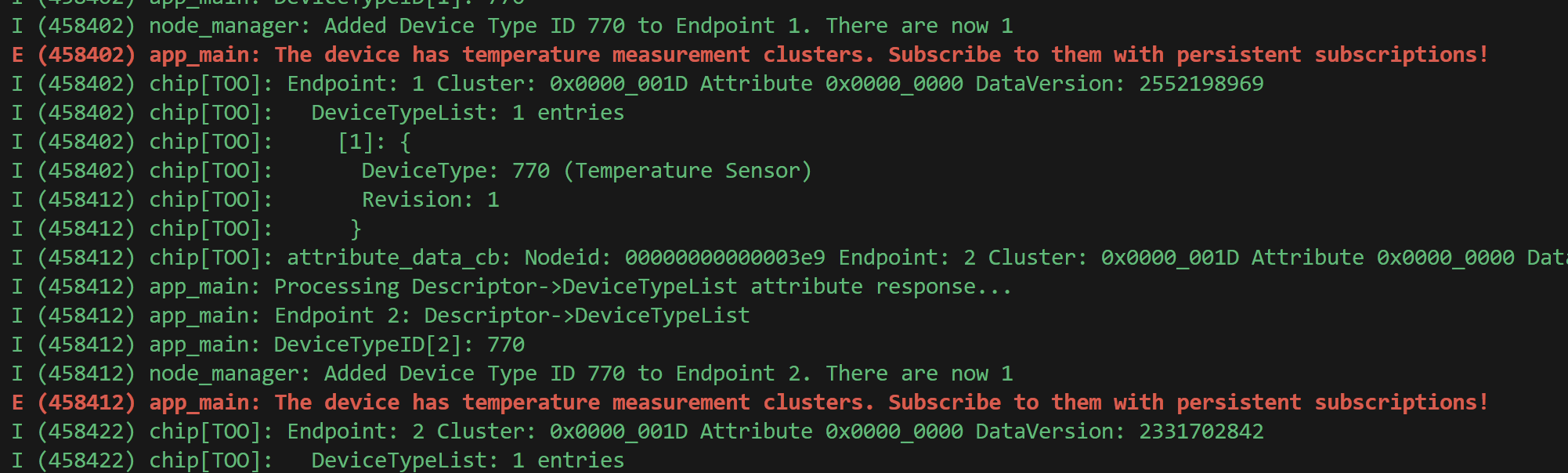
This caused a problem, because the receipt of one Subscription Command deletes any existing subscriptions. This is due to the parameter I pass to the subscribe command.
So, in my Dual Temperature sensor, I see this

However, my ESP code thought it has *two* subscriptions active!
Since subscription #1 was replace by subscription #2, my device would never send a ReportData for it. This then caused subscription #1 to fail the liveness test. That resulted in subscription #3 being created, which replaced subscription #2. Subscription #2 eventually failed liveness which resulted in subscription #4 being created. Round and round it went, each subscription leap frogging over the next.
This was a problem regardless of ICD. I wasn’t doing subscriptions very well 😦
Forgotton Subscriptions
This second problem was also unrelated to ICD and took a longer to discover.
We’ve already seen how subscriptions have a `liveness` check.

We’ve also seen what happens when a lineness check fails: The subscriber will try and establish another subscription. But what happens if it can’t?
That’s the issue I encountered!
You see, when I was setting up my temperature sensors, I commissioned when at my desk. I checked everything was okay, before unplugging them. The idea was to configure several and then install them.
My Heating Monitor didn’t like this! You see, the liveness tests were failing, as expected.
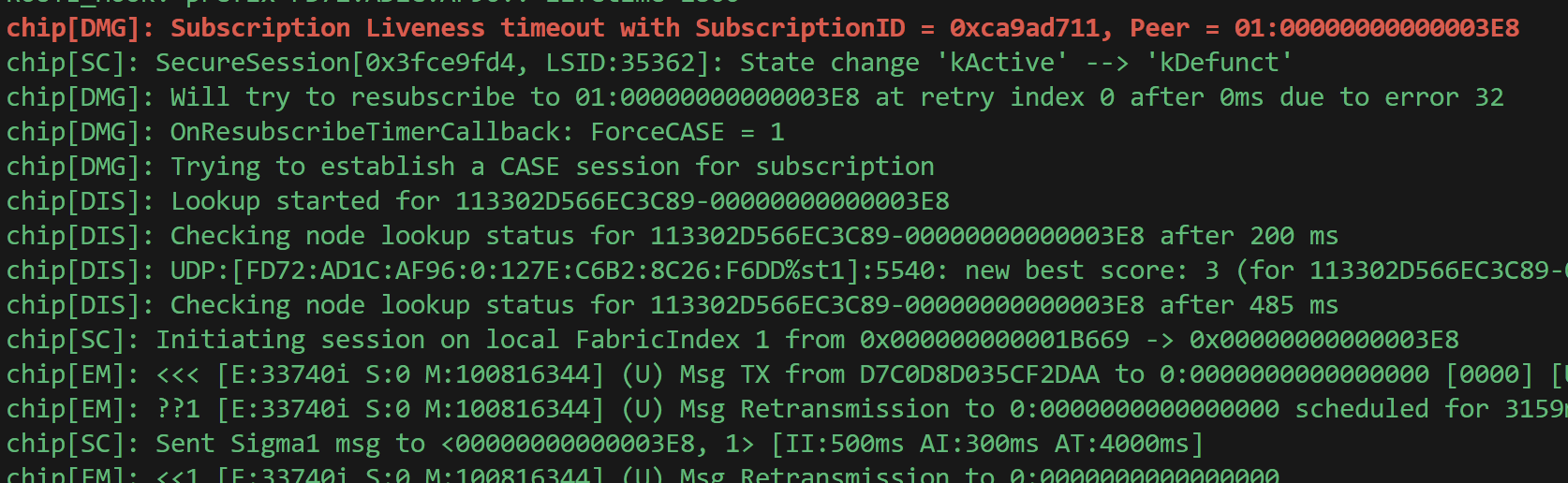
However, since my device was unplugged, there was zero change of establishing a new subscription!

After a few attempts, my Heating Monitor gave up!

Even if I plugged my device in, the controller wouldn’t try and establish the subscription. It had given up.
When I turned the device on, it established communication with the controller. The controller then told it the subscription was no longer valid.

My device was now sat there, taking temperature readings, but not sending them anywhere 😦
Resolving these problems?
The first problem was easy enough to resolve. Instead of sending two subscribe commands, I altered my code so it only sent one. This fixed the leap-frog.
The second problem left me stumped. I understood the circumstances, but not how to resolve it. It didn’t seem like a *Matter Protocol* problem, rather a Tom’s Heating Monitor problem.
Essentially, I needed to ensure that there always was an active subscription. I mean, I could mitigate this issue by not leaving my devices switched off, but that’s not really a solution.
This was going to take some digging!
In the meantime, I’ve resorted to a more blunt approach:

I’ve simply added a button to the UI.
Once I get an answer from Nordic on the Active Mode Trigger, I will be able to manually manage subscriptions. Not ideal, but workable.
Summary
This post is a bit of a mixed bag!
I finally got proper Intermittent Connected Device support configured. I haven’t measured power consumption, but I’m confident it will still be very low. I also made improved my understanding of ICD, SIT and LIT.
Matter subscriptions are also something I understand a lot better. Yes, I still have problem with subscriptions being torn down, but at least I understand the mechanism.
I now understand why Matter devices were so unreliable in the early days. There is a lot to understand and work out!
Did you like reading this post?
If you found this blog post useful and want to say thanks, you’re welcome to buy me a coffee. Better yet, why not subscribe to my Patreon so I can continue making tinkering and sharing.
Be sure to check out my YouTube Channel too – https://youtube.com/tomasmcguinness
Thanks, Tom!
 @tomasmcguinness
Leave a comment