

I’m trying to build my own .Net Matter controller.
In my previous posts, I looked at discovering a Matter device via Bluetooth. I then established a communication channel to the device.
I’m now about to get into the weeds of it as I have to start establishing a secure pairing and that will involve cryptography and certificates.
The next step in the Commissioning flow is to use PASE.
PASE
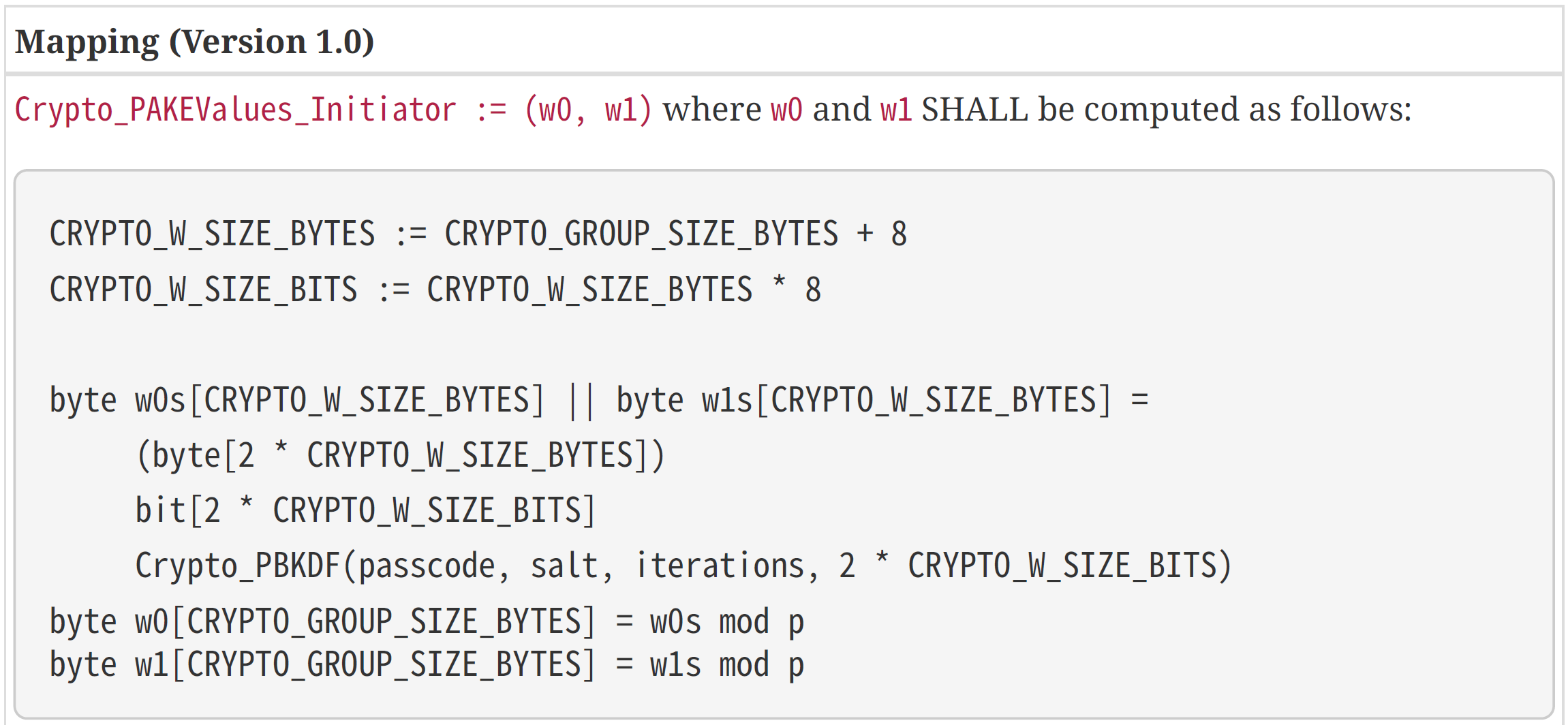
PASE stands for Passcode-Authenticated Session Establishment. It’s rather a mouth full. Basically, it’s a mechanism where a passcode is used to generate shared keys. You’ll remember that one of the pieces of data with have with a Matter device is a passcode. This is the common piece of information shared between me and the device.
Looking at the specification, this is gobbledygook to me! I’m really starting to move out of my comfort zone.
How do we eat a whale? One bite at a time. This is the flow for the session establishment.
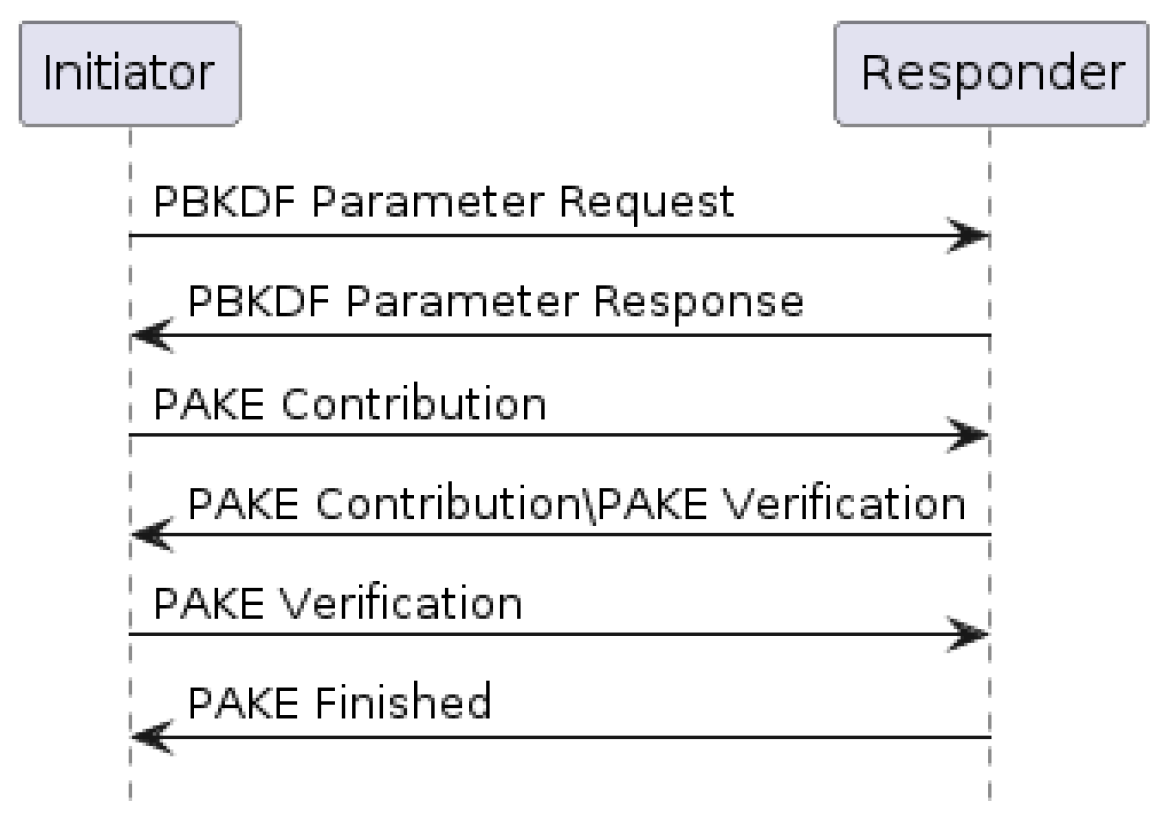
Let’s start with trying to send a PBKDF request. PBKDF stands for Password-Based Key Derivation Function. The passcode is used as the password.
Before I even get to the cryptography, I need to be able to send these messages.
The initiator SHALL send a message with the appropriate Protocol Id and Protocol Opcode from
Table 18, “Secure Channel Protocol Opcodes” whose payload is the TLV-encoded pbkdfparamreq-
struct PBKDFParamRequest with an anonymous tag for the outermost struct.
What the hell does all that mean?
It seems I need to construct a PBKDFParamRequest and then encode it using TLV (type-length-value) before sending.
Few bits to unpack. Firstly, I need to encode the data, which should be okay. Secondly, how do I send the payload?? BTP?
If I think back to my OSI networking, I’d have guessed that the Matter Messages use BTP. Of course, it’s always a case of RTFM 🙂

Matter Messages
I had a read through section 4.4 of the Matter Specification (1.4) and this kinda makes sense. It’s just another byte[] (isn’t everything).
I’m going to try and construct one message that includes the PBKDFParamRequest data and get that over to the ESP32-C6 and see what it says 🙂
This means starting with the PBKDFParamRequest, which means starting with this whole TLV thing. I actually had some TLV code from an Apple related project I did a few years back. I pulled that in and started changing it.
This is the TLV schema I need for the request
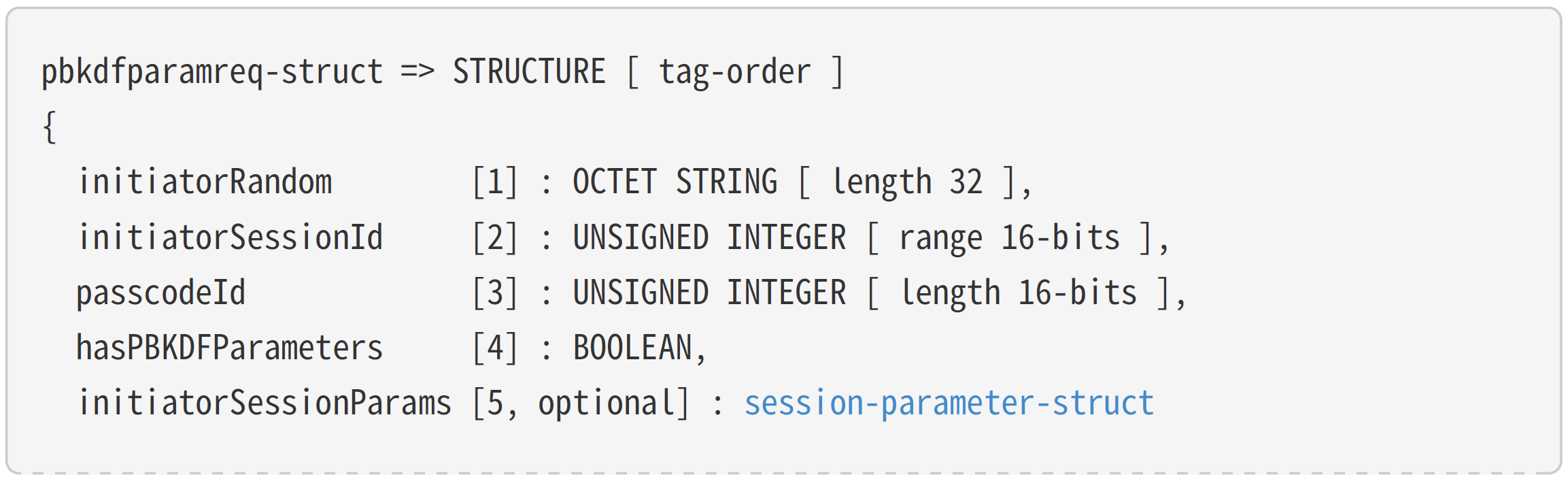
I will create a structure and then add four tags into it.
Each tag looks something like this

The Control Octet is then specified like this (not the full list)
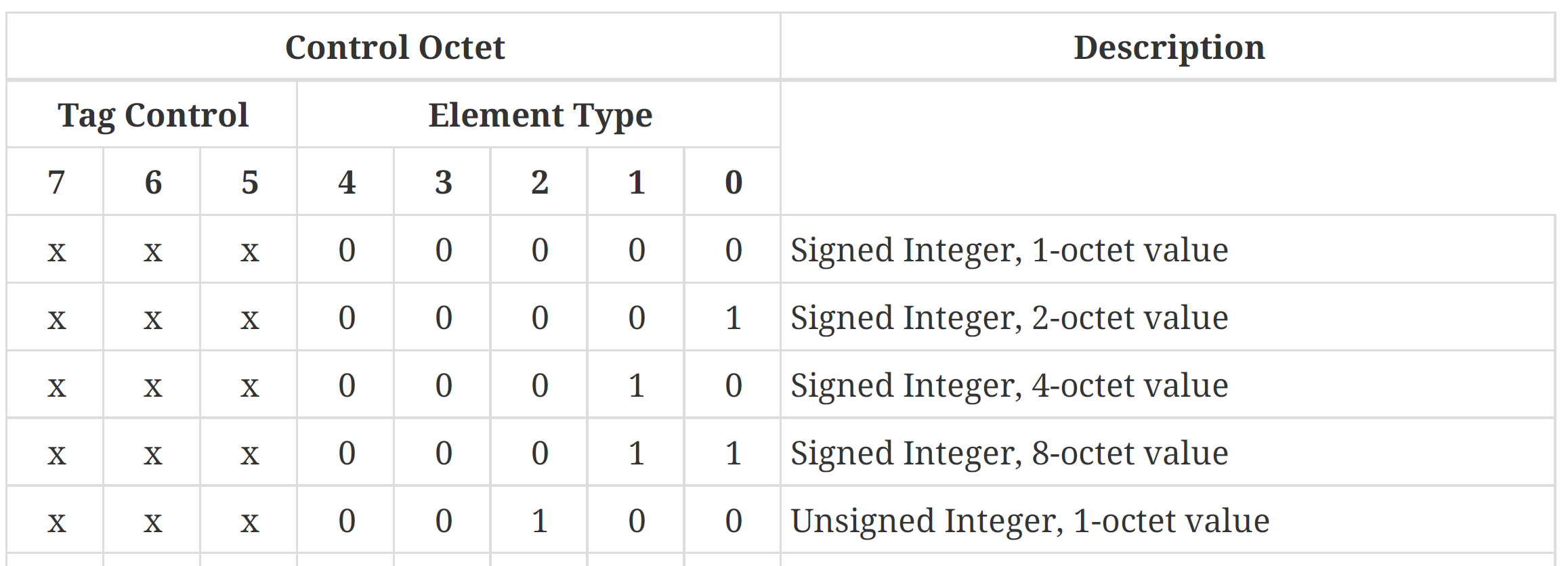
So that means, in my case, the OCTET STRING (4 bytes) is defined like this:

After reading and re-reading this, I decided I’d try and send an empty structure to begin with!
This would involve create a Matter Message and then sending that over the BTP Session.
The Rabbit Hole
This turned into an epic rabbit hole.
I added enough code to create what I thought I was a bare bones set of messages. They did get received by my ESP32, but it just spat this out:
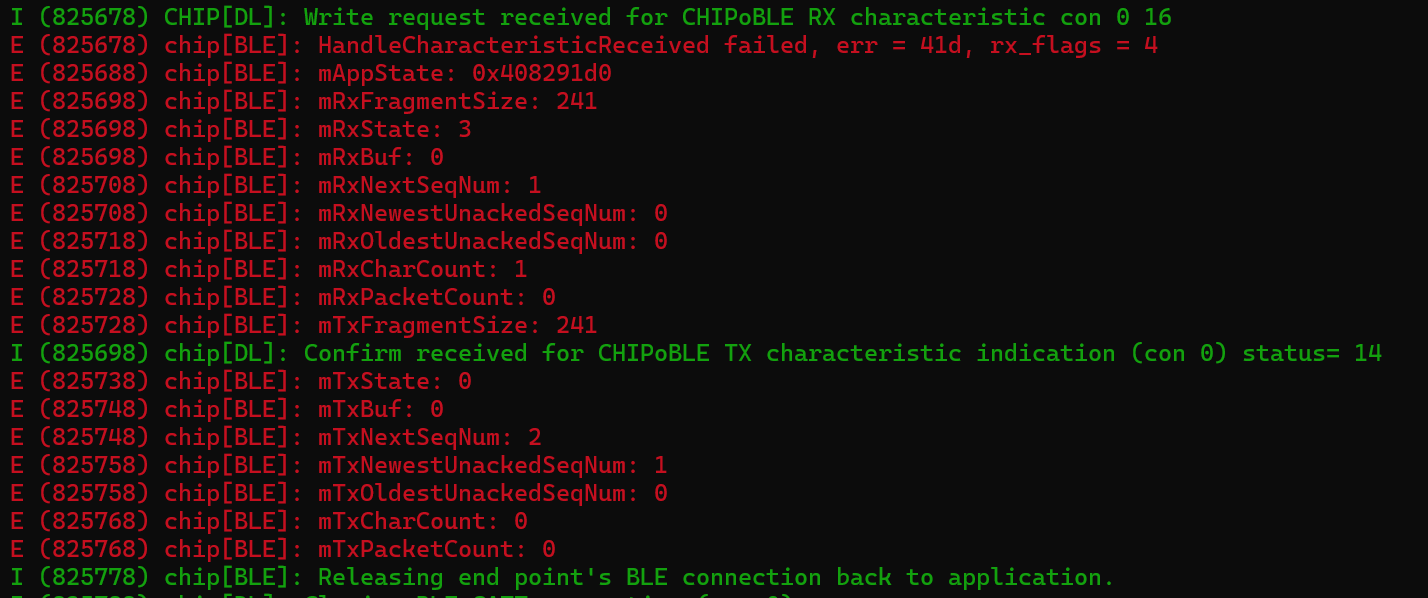
I have a lot more work to do in figuring out BTP and Matter Messages
One of the first things I realised I needed was an Exchange. It’s not enough to just pass messages back and forth. You need to actually exchange messages. This explains the Exchange ID in the Protocol message definition.

I need to create an Exchange and then use the BTPSession I created to send the messages. The Exchange is a higher-level concept. Man, I could really do with a few more diagrams 🙂
I added an Exchange class and, as part of that, added a Message Counter. This is needed by the Message Frame. We’re not “secure” at this early stage, so the counter is global.
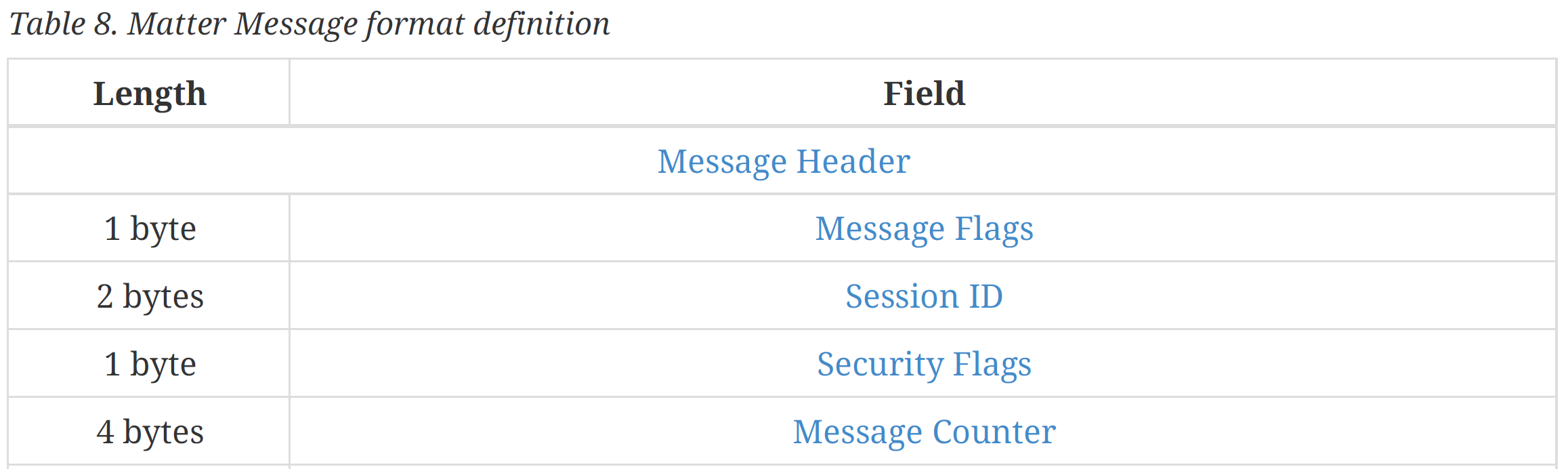
There was a definite sense of structure emerging now, with some of my classes matching up.
Aside from the obvious TLV support, I needed a way to serialize my classes. This is best done with a Writer pattern. Each part of the MessageFrame can use the write to record its bytes. I added a Serialize method to my MatterFrame class.
I had a feeling that endianness would be a massive headache for me, so having a special writer means I can handle that on a type-by-type basis.
internal void Serialize(MatterMessageWriter writer)
{
    writer.Write(Flags);
    writer.Write(SessionID);
    writer.Write(Security);
    writer.Write(Counter);

    MessagePayload.Serialize(writer);
}
Have written enough code to ensure all the parts of the MatterMessage are serialized, I tried again.
This time, however, something odd was happening
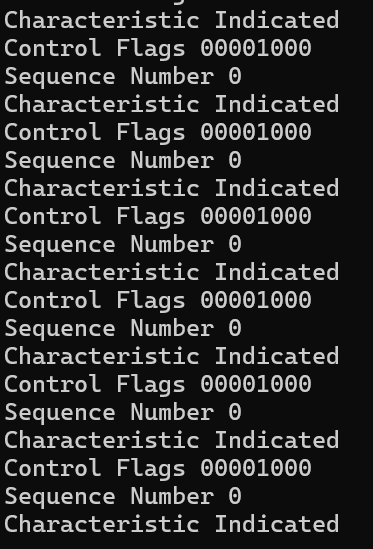
After the handshake was completed, the Read characteristic (C2) just Indicating. This wasn’t expected. The ESP32-H2 logs reflect what I’m seeing. It’s just constantly trying to Indicate.

To remove the noise, I tell it to stop Indicating as soon as the handshake is done.
await _readCharacteristic.WriteClientCharacteristicConfigurationDescriptorAsync(GattClientCharacteristicConfigurationDescriptorValue.None);After some time away from the problem, I returned and found the reason for the indications:
Idle Connection State
When neither side of a BTP session has data to send, BTP packets will still be exchanged every sendacknowledgement
interval…
Idle Connections
The sending of acknowledgment packets because the connection is idle may explain what’s going on! According to the Specification, as soon as the connect goes idle, packets start being exchanged.

To try and support this, I setup a Timer that ticks every 1 second.
_acknowledgementTimer = new Timer(SendStandaloneAcknowledgement, null, 2000, 1000);I also added a WriteLock to ensure we don’t try attempt to write to the characteristic simultaneously.
private async void SendStandaloneAcknowledgement(object? state)
{
    if (!_isConnected)
    {
        return;
    }

    await _writeCharacteristicLock.WaitAsync();

    try
    {
        BTPFrame acknowledgementFrame = new BTPFrame();
        acknowledgementFrame.Sequence = _sentSequenceNumber++;
        acknowledgementFrame.ControlFlags = BTPControlFlags.Acknowledge;

        if (_acknowledgedSequenceCount != _receivedSequenceCount)
        {
            _acknowledgedSequenceCount = _receivedSequenceCount;
            acknowledgementFrame.AcknowledgeNumber = _receivedSequenceCount;
        }

        var writer = new MatterMessageWriter();
        acknowledgementFrame.Serialize(writer);

        await _writeCharacteristic.WriteValueWithResultAsync(writer.GetBytes().AsBuffer());
    }
    finally
    {
        _writeCharacteristicLock.Release();
    }
}
This code says that if we haven’t acknowledged all the packets we received, send an BTP back with the acknowledgment Flag set.
With this timer working, the connection should, in theory, stay open after I perform the handshake. To be sure that’s the case, I commented out the PBKDFParamRequest send and ran it.
The ESP32 still dropped the connection, but I see something in the logs that’s new “With rx’d ack”.

The spew of indications from the ESP32 still has me thinking we need to acknowledge the actual handshake packet. I had another read of the documentation and this popped out:
The sequence
number of the first packet sent by the client after completion of the BTP session handshake SHALL
be zero
At this point, I feel like I’m missing something really obvious. The BTP handshake doesn’t show acknowledgment as part of the exchange. Another thing I don’t understand is why it’s sending me so many bloody messages.
Window Sizes
When the ESP32-H2 responds to the Handshake, it tells me that its window size is 2. I think this means that I can only have two messages outstanding at any one time. For example, if I sent it 10 BTP messages, it wouldn’t handle it. This is for managing memory.
When I did the BTP handshake, I didn’t understand this, but I do kinda do now. I looked back at my code (Building a .Net Matter Controller – Commissioning Flow – @tomasmcguinness) and saw that I’d made a message on my end.
handshakePayload[3] = 0x00;
handshakePayload[6] = 0x00;
handshakePayload[6] = 0x00;
handshakePayload[6] = 244;
244 is in the wrong place and I’m not evening setting the window size!
I updated my BTP Handshake
 handshakePayload[0] = 0x65; // Handshake flag set.
 handshakePayload[1] = 0x6C;
 handshakePayload[2] = 0x04;
 handshakePayload[3] = 0x00;
 handshakePayload[4] = 0x00;
 handshakePayload[3] = 0x00;
 handshakePayload[6] = 0x00;
 handshakePayload[7] = 0x00;
 handshakePayload[8] = 0x02;// Only accept two packets at a time!
The last byte is now 2, which indicates the client (the ESP32-H2) will only ever send me two packets at the start. As I acknowledge each packet, it should send me another.
Running that was better! I didn’t get spammed with new messages.
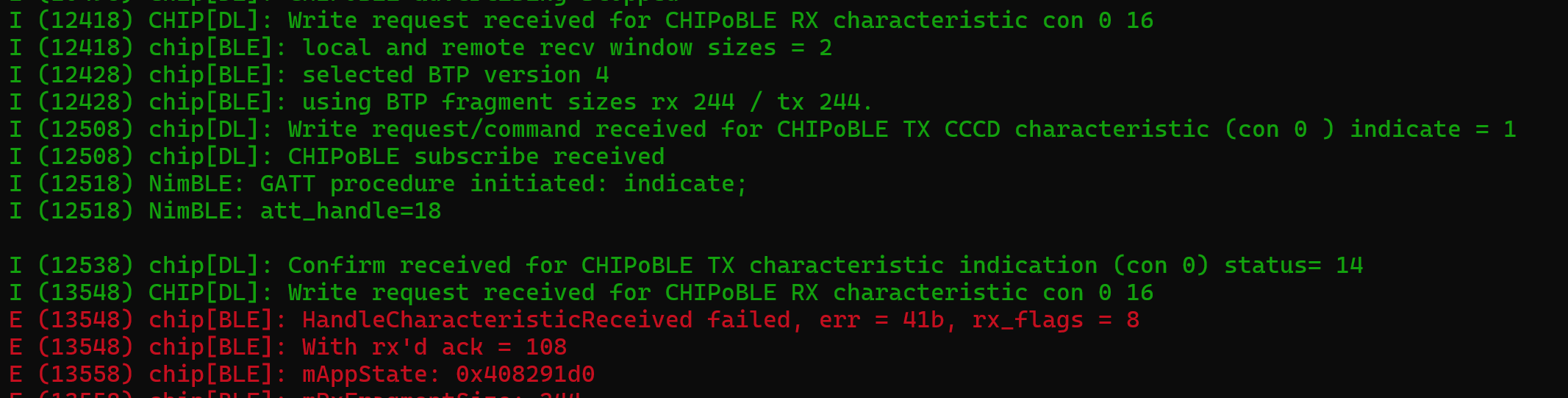
Instead, it just failed really quickly, but that’s probably because I’m trying to acknowledge sequence 108.
The Handshake result indicated its sequence was 108, so my code was wrong.
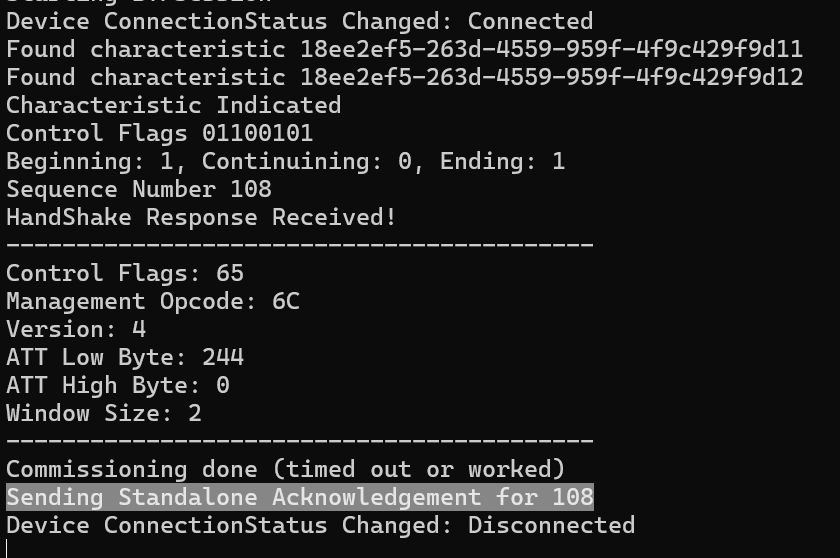
Ah! I’m expecting it to be in the same position, but for a handshake, the structure is completely different.
A tweak to the code to ensure that the sequence numbers start at zero and BINGO!
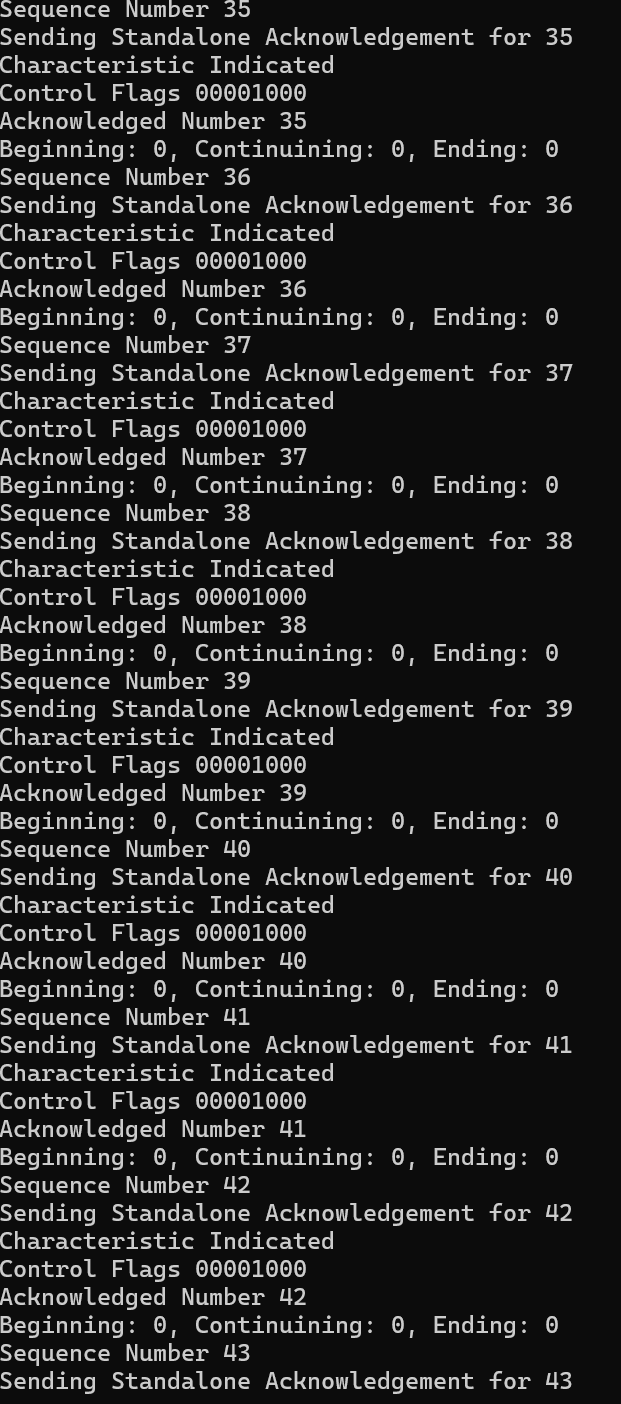
My BTP Session is now receiving and sending packets quite happily with the ESP32-H2!
The sequence numbers from the ESP32 should also roll over at 255….
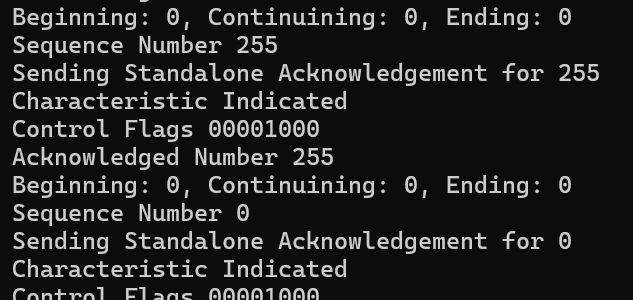
…and they did! Awesome!
Back to PASE
With the confidence in my hideous BTP code rising, I returned to my PASE messages. BTP is at the bottom end of the stack, so I have higher layer issues still.
I also have no way to manage the window on my other side. Like the ESP32 won’t sent me more than 2, there shouldn’t send it more than 5 unacknowledged at a time.
It was at this point I noticed my code to split messages into multiple BTPFrame didn’t work. It worked, it just got stuck in an infinite loop :(. Turns out you have to record stuff and update variables. Who knew.
After fixing up my code, I moved forward. Different messages is a log. In this game, different is progress!

The messages with the “>>>” are what I see when using the official chip-tool, so I know I’m moving forward!
At this point, I *think* I’m sending the MessageFrame. Of course, it’s just gibberish at the moment. I need to go back to my TLV encoding!
After another pass at encoding and a few tweaks to my BTP segmenting code, I tried again

This time, I got a different error again. According to DeepSeek, 70 maps to CHIP_ERROR_INVALID_MESSAGE_LENGTH. This means either my BTP packets are wrong or there might be an issue with my TLV encoding.
More tweaking at the MessageFrame level and I can see some familar stuff appearing in the Logs.

EM, I think refers to Exchange Manager? It has a value of 22, which matches my Exchange ID!
var exchangeId = (ushort)22; // TODO Make random!
var exchange = new MessageExchange(exchangeId, _btpSession);
At the end, I can also see the words PBKDFParamRequest!!!! This means it has at least recognized that I’m trying to send it. It’s still throwing an error, but I’m really beginning to get somewhere!
Summary
This post is getting quite long. Whilst I haven’t completed the PASE steps, I’m really making progress!
I have enough of a MessageFrame that my ESP32 knows what sort of message I’m sending. It doesn’t like its contents, but it knows what it is. This is huge!
I’ll focus my efforts on the TLV encoding now, which I feel is what’s letting me down. More to come!
All code can be found at https://github.com/tomasmcguinness/dotnet-matter


Leave a comment