

I am building my own .Net Matter Controller.
I’m writing these posts as I go, figuring the stuff out and blogging how and what I’m doing.
In my previous post, I successfully established a PASE session and send an encrypted request. This resulted in the receipt of the vendor-name data. The next major piece is the establishment of the more permanent CASE session (Certificate Authenticated Session Establishment)
TL;DR
In this post, I start by trying to perform the CASE steps before realising that there are several steps in the commissioning process that must be done first. These steps involved generating and install certificates in the device to establish a Fabric. CASE can only be performed once the device is on the network and that needs a Fabric. I learned a little about the Fabric, more cryptography and improved my TLV debugger.
I need a Fabric
The CASE flow involves more permanent authentication in the form of certificates. It allows the controller to make connections to a device even after it has been commissioned. This isn’t possible using PASE.
Once the initial session has been established, the CASE flow allows a session to be resumed. This is to reduce the amount of processing that a low power client has to use. In this post, I’ll be focusing on just establishing the initial session.
The first step is understanding how a node identifies itself. This appears to be covered by section 6.4. Node Operational Credentials Specification. This introduces the concept of the Fabric, which is a collection of nodes (devices).
I think of a Fabric as a bunch of devices commissioned by a single device. If you add a device using your iPhone that gets added to the Fabric created by the iOS device. Add the same device to Android and it will be part of two fabrics.
In code, matter.js creates a Fabric like this:
const fabricBuilder = new FabricBuilder()
                .setRootCert(ca.rootCert)
                .setRootNodeId(controllerNodeId)
                .setIdentityProtectionKey(ipkValue)
                .setRootVendorId(adminVendorId ?? DEFAULT_ADMIN_VENDOR_ID)
                .setLabel(adminFabricLabel);
fabricBuilder.setOperationalCert(                 ca.generateNoc(fabricBuilder.publicKey, adminFabricId, controllerNodeId, caseAuthenticatedTags),
            );
const fabric = await fabricBuilder.build(adminFabricIndex);
This Fabric is then used in the construction of the controller.
First step is getting our hands on a root certificate (setRootCert(ca.rootCert)). Oh joy. Certificates 🤣 From what I can gather, we’re basically a CA certificate.
I found this GIST to me started – https://gist.github.com/tmarkovski/9fc008fc034511bbbee93a5c4cd1a99a
What’s note worthy here is that it uses the same elliptical curve used during the PASE
ECNamedCurveTable.GetByName("secp256k1")To generate the certificate, I put this together, trying to follow the matter.js code as best I could
var keyPair = GenerateKeyPair();

var privateKey = keyPair.Private as ECPrivateKeyParameters;
var publicKey = keyPair.Public as ECPublicKeyParameters;

var rootCertId = new BigInteger("0");

var rootKeyIdentifier = SHA256.HashData(publicKey.Q.GetEncoded()).AsSpan().Slice(0, 20).ToArray();

var certificateGenerator = new X509V3CertificateGenerator();
certificateGenerator.SetSerialNumber(rootCertId);
certificateGenerator.SetPublicKey(publicKey);
certificateGenerator.SetSubjectDN(new X509Name("CN=RootCA"));
certificateGenerator.SetIssuerDN(new X509Name("CN=RootCA"));
certificateGenerator.SetNotBefore(DateTime.UtcNow.AddYears(-1));
certificateGenerator.SetNotAfter(DateTime.UtcNow.AddYears(10));
certificateGenerator.AddExtension(X509Extensions.BasicConstraints, true, new BasicConstraints(true));
certificateGenerator.AddExtension(X509Extensions.KeyUsage, true, new KeyUsage(KeyUsage.KeyCertSign));
certificateGenerator.AddExtension(X509Extensions.KeyUsage, true, new KeyUsage(KeyUsage.CrlSign));
certificateGenerator.AddExtension(X509Extensions.SubjectKeyIdentifier, true, new SubjectKeyIdentifier(rootKeyIdentifier));
certificateGenerator.AddExtension(X509Extensions.AuthorityKeyIdentifier, true, new AuthorityKeyIdentifier(rootKeyIdentifier));

ISignatureFactory signatureFactory = new Asn1SignatureFactory("SHA256WITHECDSA", privateKey);

var rootCertificate = certificateGenerator.Generate(signatureFactory);
Unfortunately, the rootCertId of 0 wasn’t liked, throwing a System.ArgumentException
serial number must be a positive integer (Parameter 'serialNumber')It also didn’t like my KeyUsage calls. Seems this can only be called once, so I changed it to
certificateGenerator.AddExtension(X509Extensions.KeyUsage, true, new KeyUsage(KeyUsage.KeyCertSign | KeyUsage.CrlSign)); This seemed to run.
With a Root CA certificate generated for the Fabric, I decided to move onto the first CASE message, knowing I’d need to come back and add more to the Fabric.
Building the Sigma1 Message
The first message to be exchanged in CASE is the Sigma1. Similar to the PASE message, it includes some key and random values.
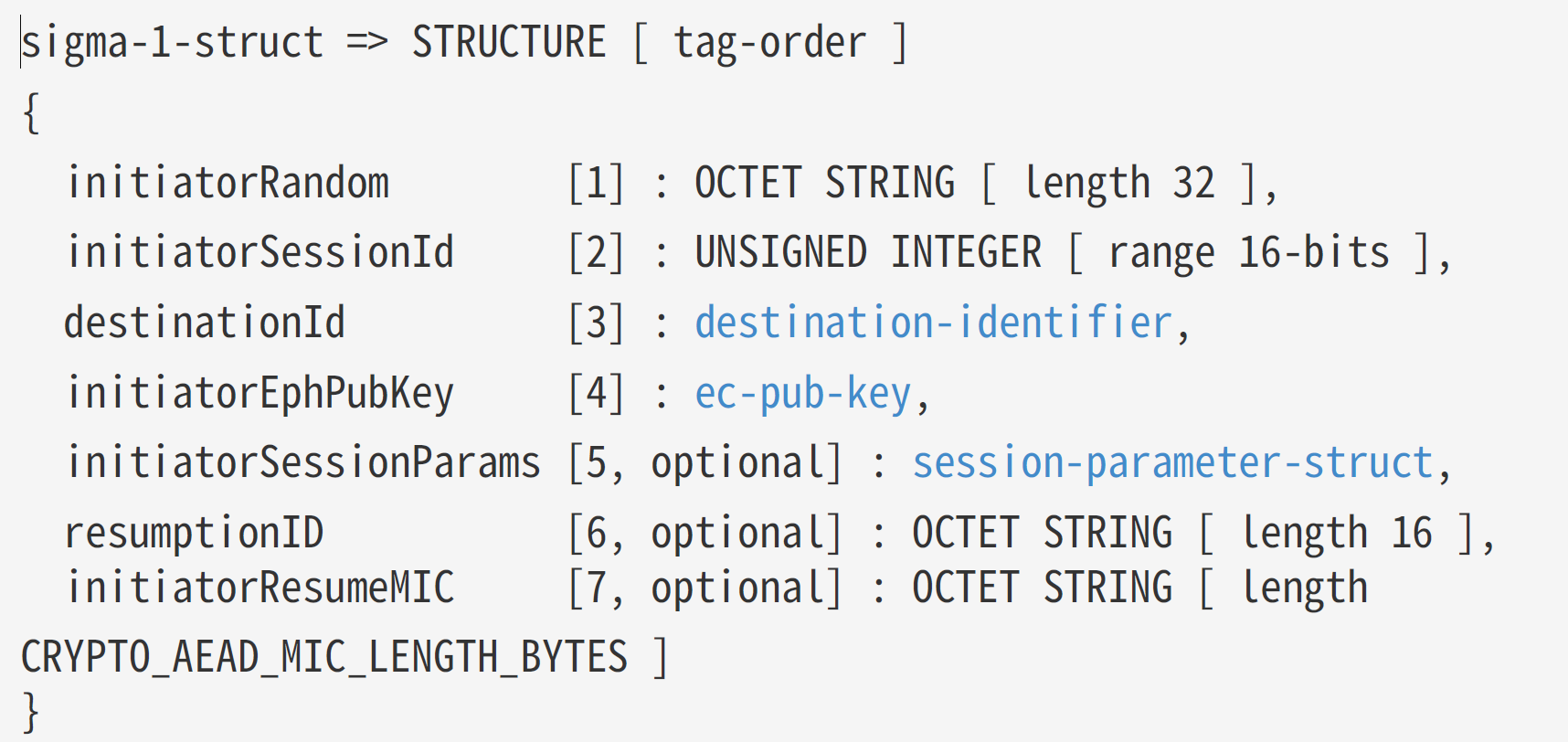
The first two values are random (ish)
sigma1Payload.Add4OctetString(1, spake1InitiatorRandomBytes);
sigma1Payload.AddUInt16(2, BitConverter.ToUInt16(spake1SessionId));
The destinationId field looks way more complicated! It’s outlined in 4.14.2.4. Field Descriptions. It’s described as this:

This type of text becomes less and less intimidating the more I look at it.
We have the initiatorRandom and the rootPublicKey. I don’t have a fabricId or nodeId.
NodeId looks like this in matter.js
const controllerNodeId = rootNodeId ?? NodeId.randomOperationalNodeId();I just picked some random values.
var fabricId = new BigInteger("123");
var nodeId = (long)66;
I turned this into a byte[]
MemoryStream ms = new MemoryStream();
BinaryWriter writer = new BinaryWriter(ms);
writer.Write(spake1InitiatorRandomBytes);
writer.Write(spake1SessionId);
writer.Write(fabricId.ToByteArray());
writer.Write(nodeId);

var destinationId = ms.ToArray();
For the EphPubKey, I just reused the KeyPairGenerator I used for the CA
var keyPair = CertificateAuthority.GenerateKeyPair();After some more tinkering, I ended up with this
var sigma1Payload = new MatterTLV();
sigma1Payload.AddStructure();

sigma1Payload.Add4OctetString(1, spake1InitiatorRandomBytes); sigma1Payload.AddUInt16(2, BitConverter.ToUInt16(spake1SessionId));
sigma1Payload.Add2OctetString(3, destinationId);
sigma1Payload.Add2OctetString(4, publicKeyBytes);

sigma1Payload.EndContainer();
I immediately fired this at the matter.js device.

This was really unexpected. It was expecting the InteractionModel protocol, not the SecureChannel, which I didn’t expect at all.
One thing I spotted in the logs from matter.js

When a new exchange channel is created, it indicates it has a particular protocol…I wondered if each Message Exchange instance wasn’t limited to a particular Protocol.
This section of the specification seems to indicate that

Perhaps once I send an Interaction Model request, it changes things? I tried creating a new exchange and bingo. The Sigma1 message was received.
Horrible exception, of course, but it was received
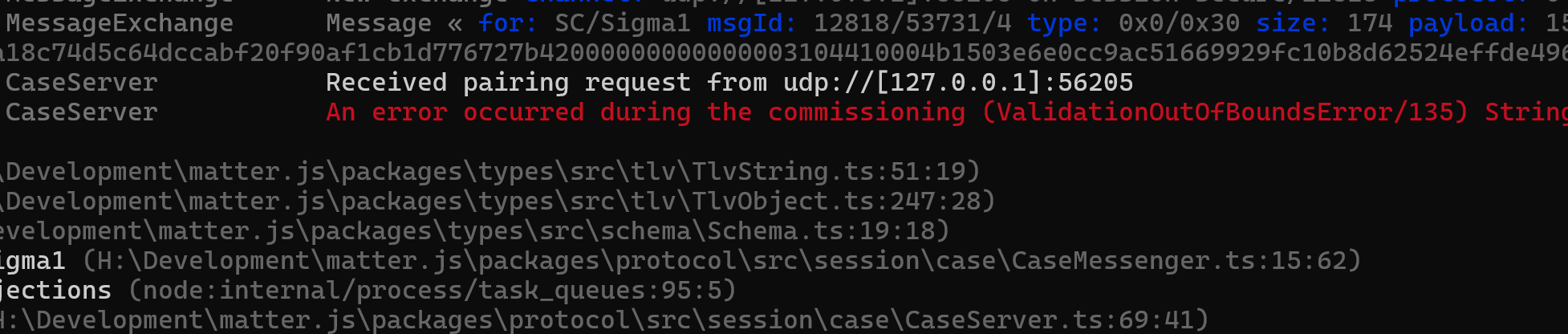
My Sigma1 message needed some work 🙂
Hello? Anyone in there, McFly?
My destinationId was the problem. I wasn’t hashing it 🤣
To do that, I needed something called “operationalIdentityProtectionKey”. Back to my Fabric code!
This is set by this call
.setIdentityProtectionKey(ipkValue)The ipkValue appears to be a 16byte random number. Easy enough!
Once I’d hashed the DestinationId, I tried again.

I dug into the matter.js code and found it has no fabrics configured. I felt like I was missing a pretty important step somewhere between PASE and CASE.
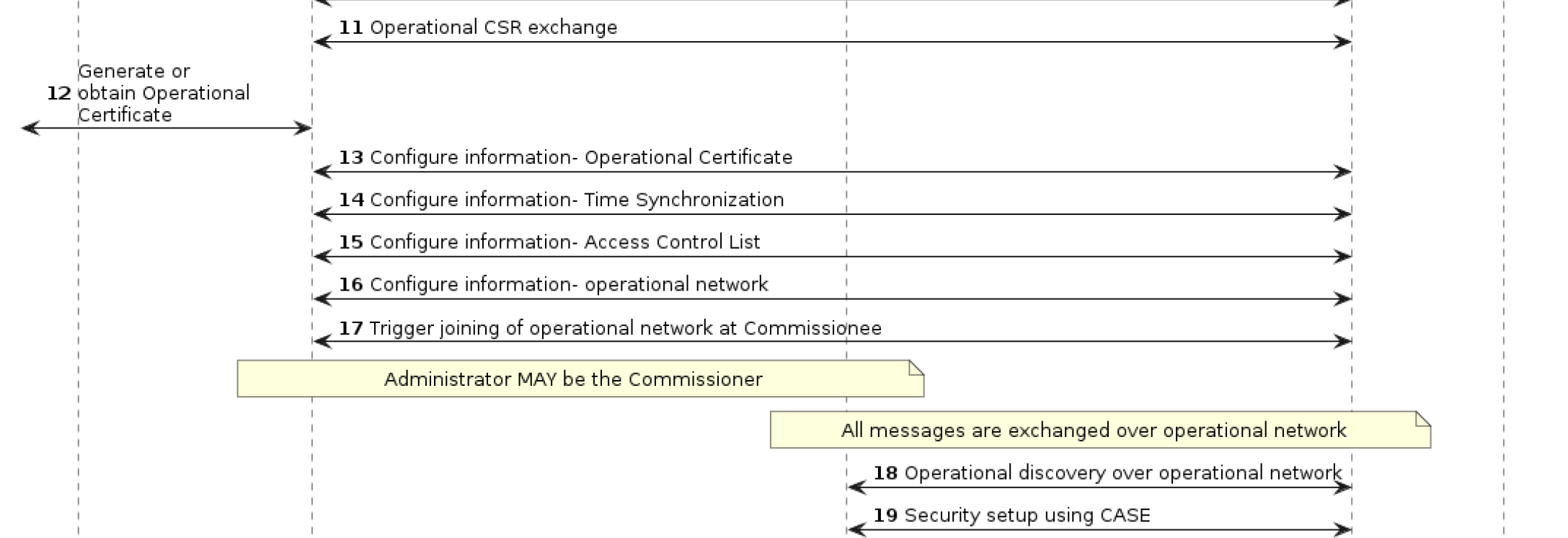
It seemed that steps 11 through to 17 were more important than I expected. Who knew.
I confirmed this in the matter.js code.
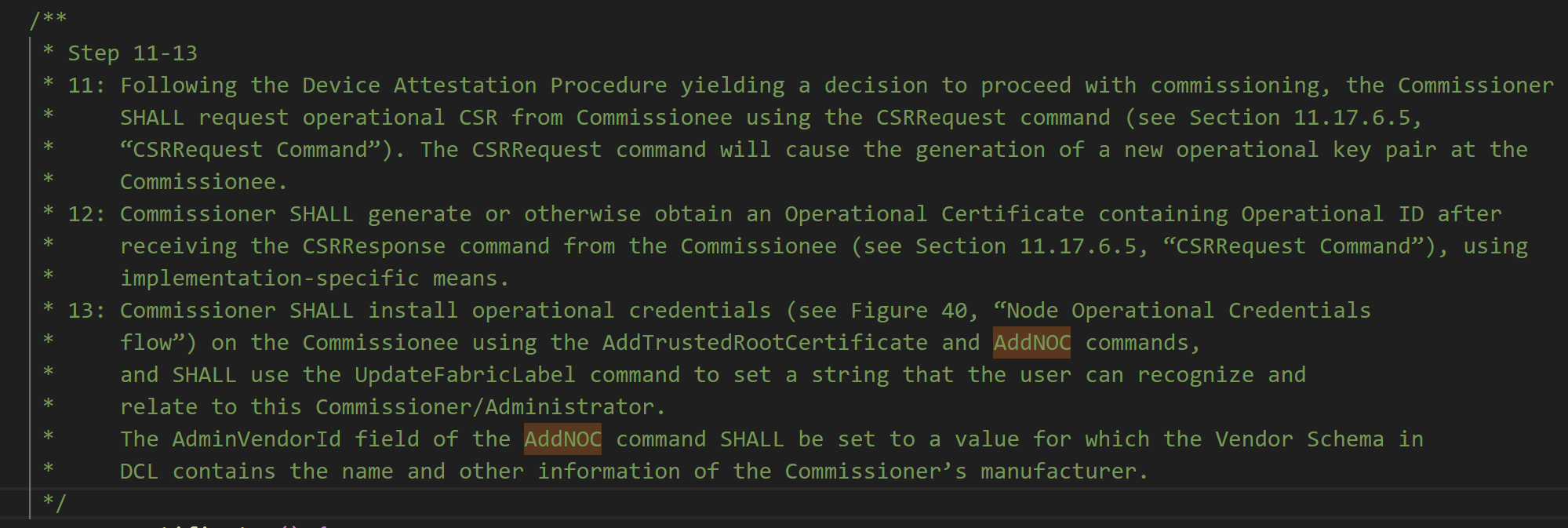
I’ve already managed to send an InteractionModel request. I modified it to send a CSRRequest, which was step 11.
var csrRequest = new MatterTLV();
csrRequest.AddStructure();

csrRequest.AddArray(tagNumber: 2);

csrRequest.AddList();

csrRequest.AddStructure();

csrRequest.AddUInt16(tagNumber: 0, 0x00); // Endpoint 0x00
csrRequest.AddUInt32(tagNumber: 1, 0x3E); // ClusterId 0x3E - Operational Credentials
csrRequest.AddUInt16(tagNumber: 2, 0x04); // 11.18.6. Commands CSRRequest
csrRequest.EndContainer(); // Close the list

csrRequest.AddStructure(); // Close the structure

csrRequest.EndContainer(); // Close the array

csrRequest.EndContainer(); // Close the structure
Error 128 (0x80) means INVALID_ACTION, meaning I was missing some data.
In fact, I was missing the entire payload!!! This was supposed to go into a Structure as part of the CommandFields tag. I generated the require nonce and included it.
csrRequest.AddStructure(1); // CommandFields

var csrNonceBytes = RandomNumberGenerator.GetBytes(32);

csrRequest.Add4OctetString(0, csrNonceBytes); // CSRNonce

csrRequest.EndContainer(); // Close the CommandFields
Once I cleaned up the code a little, I tried it again.
It seemed to like that a lot more!

The response came back and after updating my TLV debug code, it looked like this:
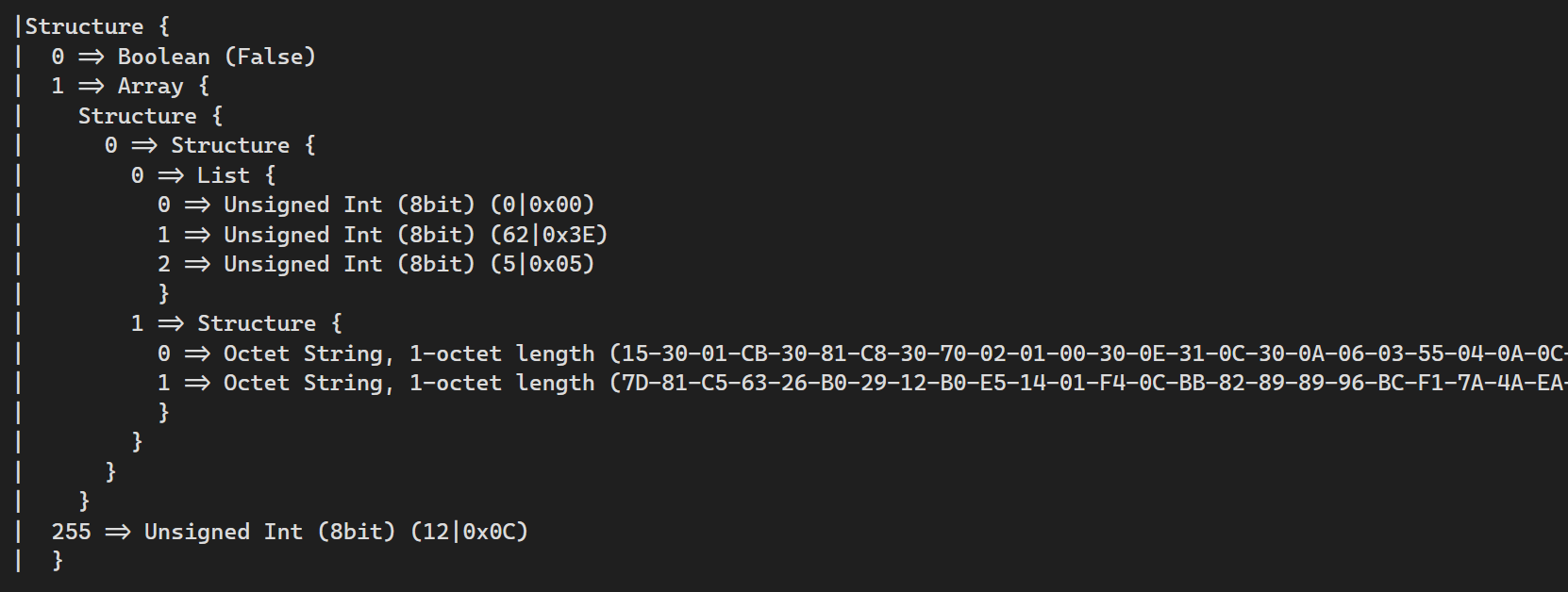
Which *perfectly* matched up with the InvokeReponse and CSRResponse payloads! The 0x05 in the List refers to the CSRResponse command. At this stage, I didn’t know if the two long Octet Strings were correct, but damn if this didn’t make feel smug 🙂
Glossing over step 12, which involves using the CSR response to create an actual certificate, I moved to step 13.
Step 13 seemed to have multiple Commands:
- AddTrustedCertificate
- AddNOC
- UpdateFabricLabel
I fired in the AddTrustedCertificate, but oddly, matter.js didn’t respond. Nor did it generate an error.
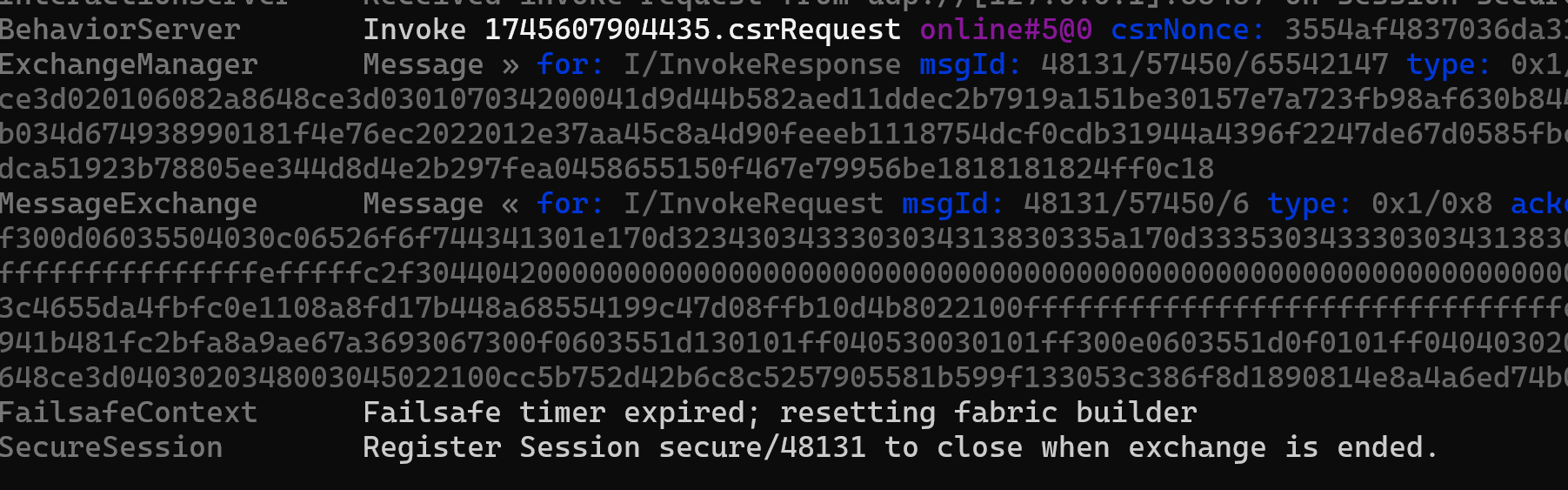
Can’t say I expected that.
Checking the specification, it implies there is a response (the Y), but it’s not a specific type.

This might just be a Reliable message response (MRP). I haven’t implemented that on my side of things yet, so I decided to just move forward and try an AddNOC. Of course, this meant I needed to use the CSR.
The flow here, as best I understand it, is that we use the CSR to create something called a NOC. This is a Node Operational Certificate.
Building the NOC
NOC makes me think of the first Mission Impossible movie 🙂
The TLV responses were getting more complex now, so extracting the bytes for the CSR looked like this:
var csrPayload = csrResponseMessageFrame.MessagePayload.Payload;

csrPayload.OpenStructure();
csrPayload.GetBoolean(0);
csrPayload.OpenArray(1);

csrPayload.OpenStructure();
csrPayload.OpenStructure(0);

csrPayload.OpenList(0);
csrPayload.GetUnsignedInt8(0);
csrPayload.GetUnsignedInt8(1);
csrPayload.GetUnsignedInt8(2);
csrPayload.CloseContainer(); // Close list.

csrPayload.OpenStructure(1);
var nocsrBytes = csrPayload.GetOctetString(0);
I clearly need a better system for parsing the payloads, but that’s a job for another day.
At this stage I had the CSR bytes, but like a mule with a spinning wheel, I was damned if I knew how to use it.
The matter.js code did have this though:
const { certSigningRequest } = TlvCertSigningRequest.decode(nocsrElements);It appeared like the CSR was in a TLV format, so I just ran the bytes into my MatterTLV class. Interesting that worked and I got two Tags

From my limited experience, CSRs are usually encoded in PEM or DER. One is ASCII and one is raw binary. I searched the document and found this in appendix F3.

The first two bytes matched, so I figured I’d try that
var test = new MatterTLV(nocsrBytes);

test.OpenStructure();
var derBytes = test.GetOctetString(1);

var certificateRequest = new Pkcs10CertificationRequest(derBytes);
Amazingly, this worked, and I ended up with a BouncyCastle Pkcs10CertificationRequest!
Turning this into an actual certificate was done with the help of this post https://medium.com/@stivendrak666/c-electronic-signature-and-bouncycastle-library-8e21870716e5
 var certificateRequest = new Pkcs10CertificationRequest(derBytes);

 // Create a self signed certificate!
 //
 var csrInfo = certificateRequest.GetCertificationRequestInfo();
 var certGenerator = new X509V3CertificateGenerator();
 var randomGenerator = new CryptoApiRandomGenerator();
 var random = new SecureRandom(randomGenerator);
 var serialNumber = BigIntegers.CreateRandomInRange(BigInteger.One, BigInteger.ValueOf(long.MaxValue), random);

 certGenerator.SetSerialNumber(serialNumber);
 certGenerator.SetIssuerDN(csrInfo.Subject);
 certGenerator.SetNotBefore(DateTime.UtcNow);
 certGenerator.SetNotAfter(DateTime.UtcNow.AddYears(10));
 certGenerator.SetSubjectDN(csrInfo.Subject);
 certGenerator.SetPublicKey(certificateRequest.GetPublicKey());

 // Add the BasicConstraints and SubjectKeyIdentifier extensions
 certGenerator.AddExtension(X509Extensions.BasicConstraints, true, new BasicConstraints(false));
 certGenerator.AddExtension(X509Extensions.SubjectKeyIdentifier, false, new SubjectKeyIdentifierStructure(certificateRequest.GetPublicKey()));

 // Create a signature factory for the specified algorithm and private key
 ISignatureFactory signatureFactory = new Asn1SignatureFactory("SHA256WITHECDSA", _fabric.KeyPair.Private as ECPrivateKeyParameters);

 // Sign the certificate with the specified signature algorithm
 var noc = certGenerator.Generate(signatureFactory);

 noc.CheckValidity();
At this point, I’m sure that I’ll be missing some extensions, like the ones I added to the Root Certificate, but no matter. I have a certificate!
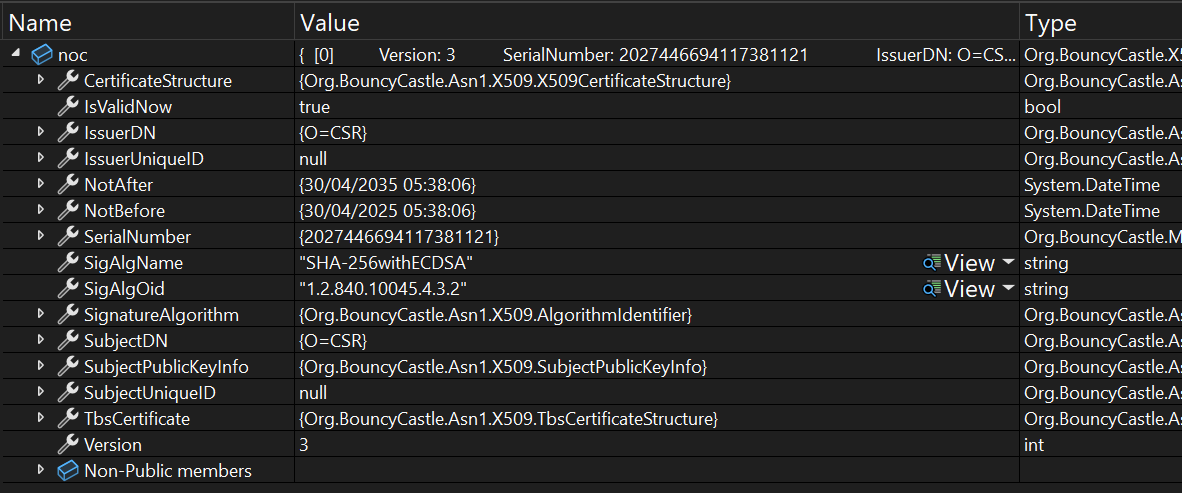
The final call in this trio is the AddNOC, which will attempt to install this certificate in the device.
And I’ll leave that for the next post!
Summary
This post took a bit of a zigzag through Matter. I had started with the intention of performing the CASE steps, but it turned out I was jumping the gun.
I ended with NOC (Node Operational Certificate) and in the next post, I’ll attempt to install this. Once that’s installed, I think I will have a working Fabric. I can then attempt to execute the CASE steps. Getting ever close to my primary goal of turning on a light switch.
I made some good progress here, getting a better understanding of how to invoke commands. The pieces are certainly starting to click together!
Stay Tuned!


Leave a comment