

I am building my own .Net Matter Controller.
I’m writing these posts as I go, figuring the stuff out and blogging how and what I’m doing.
In my previous post, I finally managed to get the necessary root certificates generated and added to a matter.js example device.
TL;DR
In this post, I complete the exchange of CASE messages. This involves sending Sigma1, using the Sigma2 response to generated a shared secret, before confirming with Sigma3. CASE turned out to be very similar to PASE and I worked through this part relatively quickly
Sending SIGMA1
In this previous post, I started looking at how to generate the Sigma1 message, the first in the CASE (Certificate Authenticate Session Establishment) exchange.
I then took a detour, going down the certificate route as I needed to establish a fabric. As I now have a fabric, it’s time to return to my Sigma1 message.
At present, this is the error I’m getting from matter.js

There is something wrong with the destinationId I’m sending. From what I can tell, when you send a CASE message, it tries to find the fabric the node belongs to.
I dumped the values

and compared them to what my code was generating

The DestinationId was correct. The hash was not.
The hash is derived using an Identity Protection Key (IPK). I sent my IPK along with the AddNOC command. I guess my IPK isn’t just a random value?
Back to the specification and matter.js

and

What the hell are EPOCH KEYS? 4.17. Group Key Management should have the answers.
The first step, it seems, is to generate an OperationalGroupKey
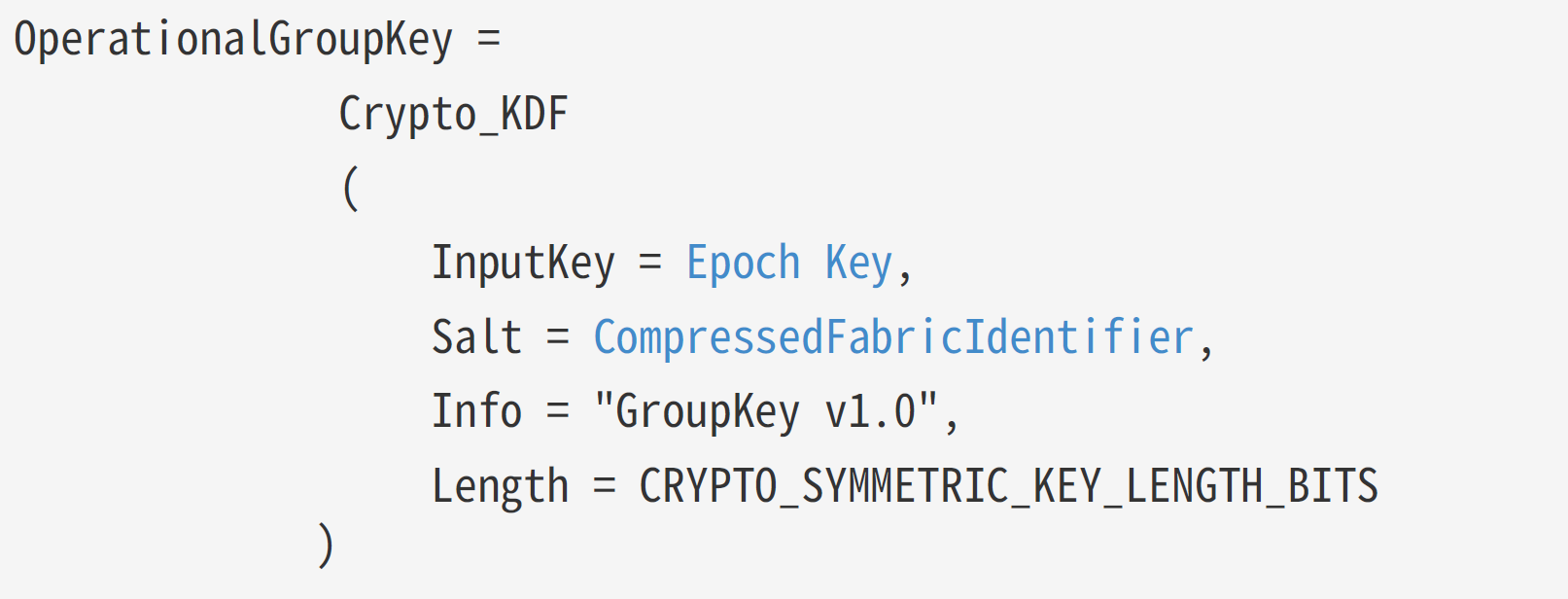
This requires an Epoch Key, which is

In C#
var epochKey = RandomNumberGenerator.GetBytes(16);The OperationalGroupKey also needs a CompressedFabricIdentifier, which comes from this function
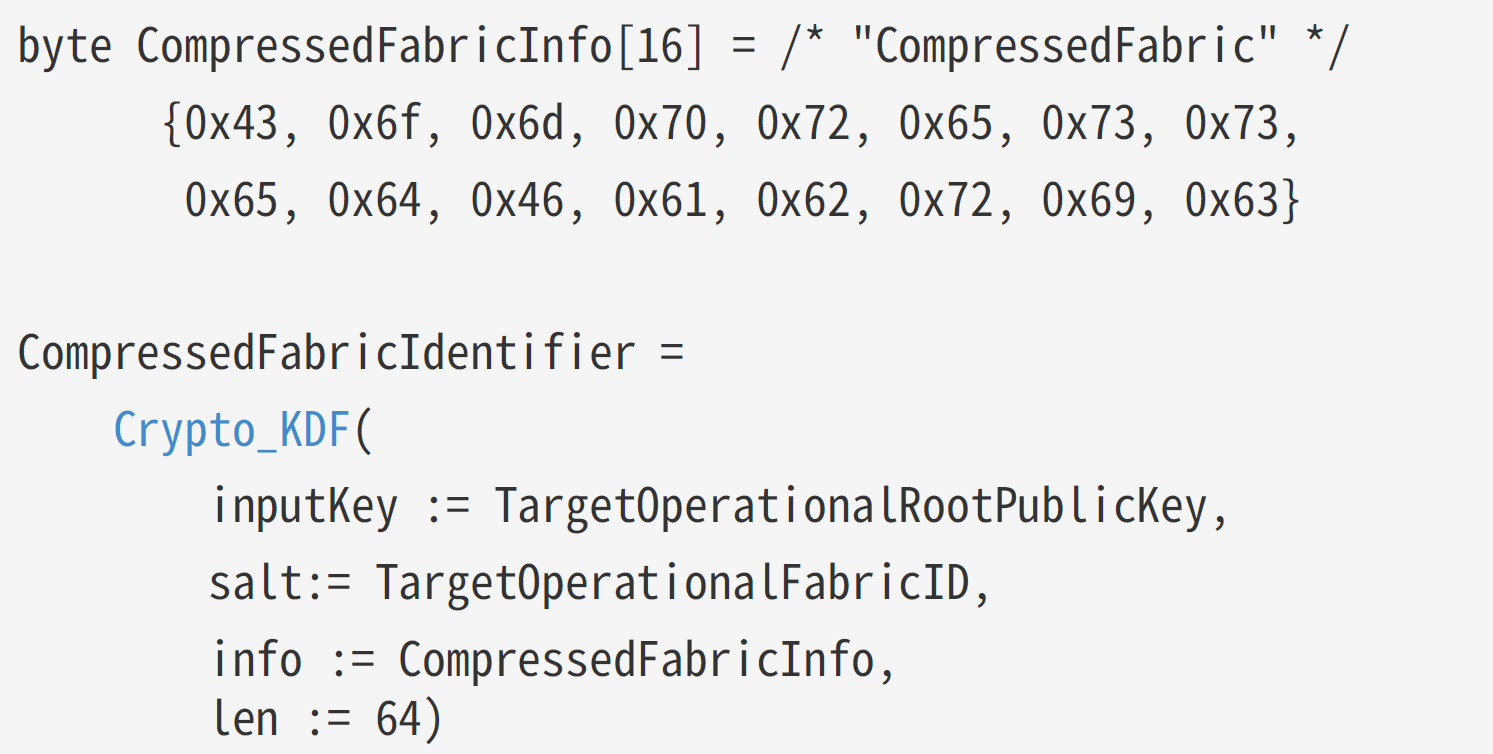
This is a little tricker. My first pass looked like this:
// Set a fabric index of 1.
//
ulong fabricIndex = 1;
var fabricIndexBytes = BitConverter.GetBytes(fabricIndex);
var hkdf = new HkdfBytesGenerator(new Sha256Digest());
hkdf.Init(new HkdfParameters(publicKey.Q.GetEncoded(), fabricIndexBytes, compressedFabricInfo));
var compressedFabricIdentifier = new byte[8];
hkdf.GenerateBytes(compressedFabricIdentifier, 0, 8);
I then used this code to generate an OperationalGroupKey
byte[] groupKey = Encoding.ASCII.GetBytes("Group Key v1.0");
hkdf.Init(new HkdfParameters(epochKey, compressedFabricIdentifier, groupKey));
var operationalGroupKey = new byte[16];
hkdf.GenerateBytes(operationalGroupKey, 0, 16);
Sadly, none of that worked 😦
I started my process of comparing the values in matter.js with the values I was generation. Turns out I was using FabricIndex and not FabricId. I corrected this and a matching CompressedFabricIdentifier value!


Even with the right values, my OperationalGroupKey was wrong. It took me a while to spot the issue. I’ll leave it as an exercise to the reader:
Mine:

matter.js

The result is now a matching operationalGroupKey, which matter.js called an OperationaldentityProtectionKey

Amazingly, the next few steps worked matter.js was able to validate my hashedDestinationId and process my Sigma1 message, sending a Sigma2.

SIGMA2 + Diffie-Hellman
As I got deeper into the weeds, I was getting irritated by all the logging messages coming out of my console application. The matter.js example was retrying message after message, leaving lots of debugging and duplicated TLV payloads on my screen.
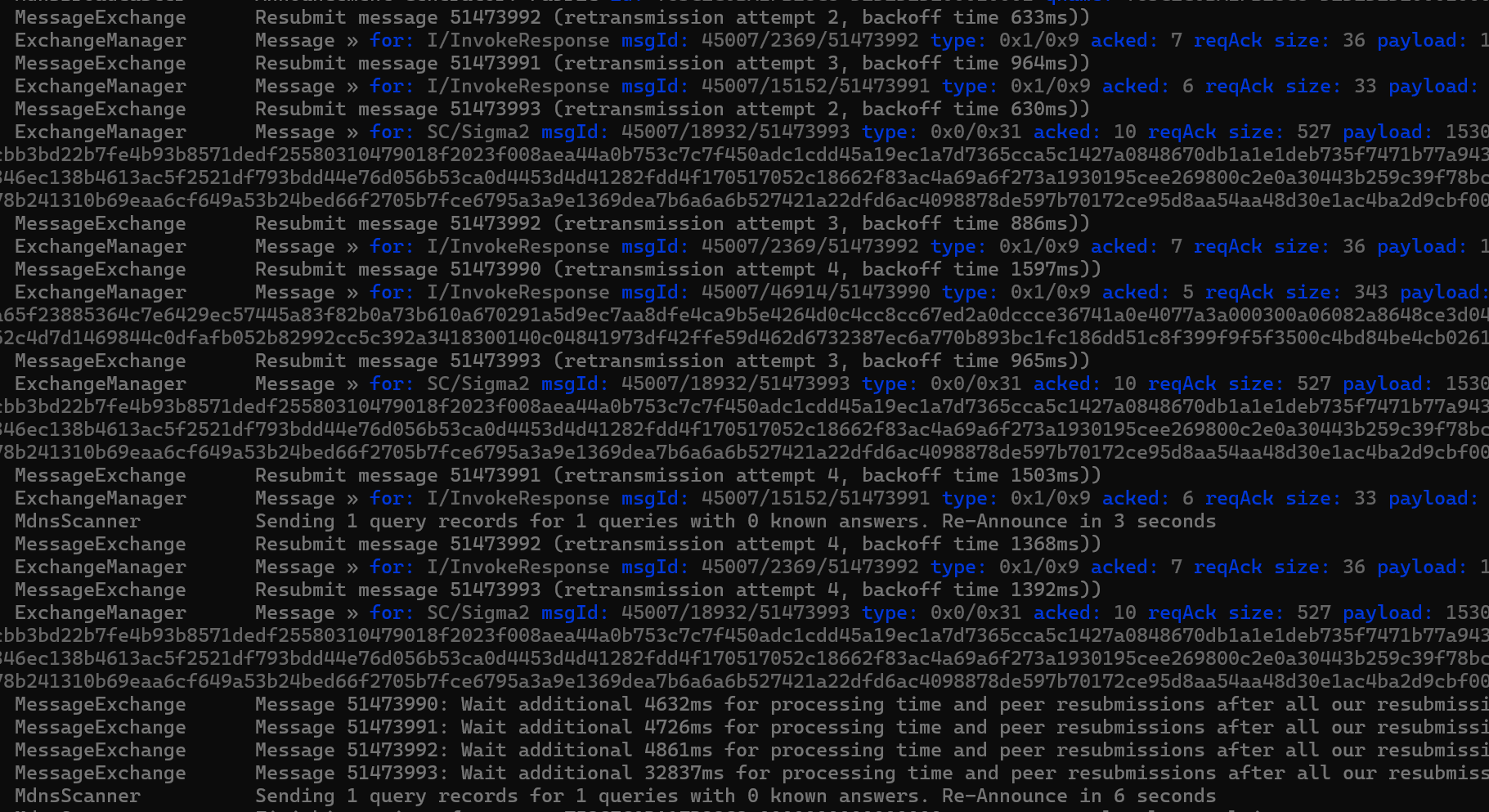
I spend some time cleaning up my own logging (multiple statements into single Console.Writeline). I also looked at how my acknowledgement code. I realised that because I was creating new PASE Exchanges for each message, I needed to ack the last received message using a standalone ack. This was because a message on a new exchange didn’t appear to ack one from a different stream. Which makes sense since a message is identified by sessionId/exchangeId/messageId.
Doing this cleanup reduced the noise enormously. I could finally see the SIGMA2 response!
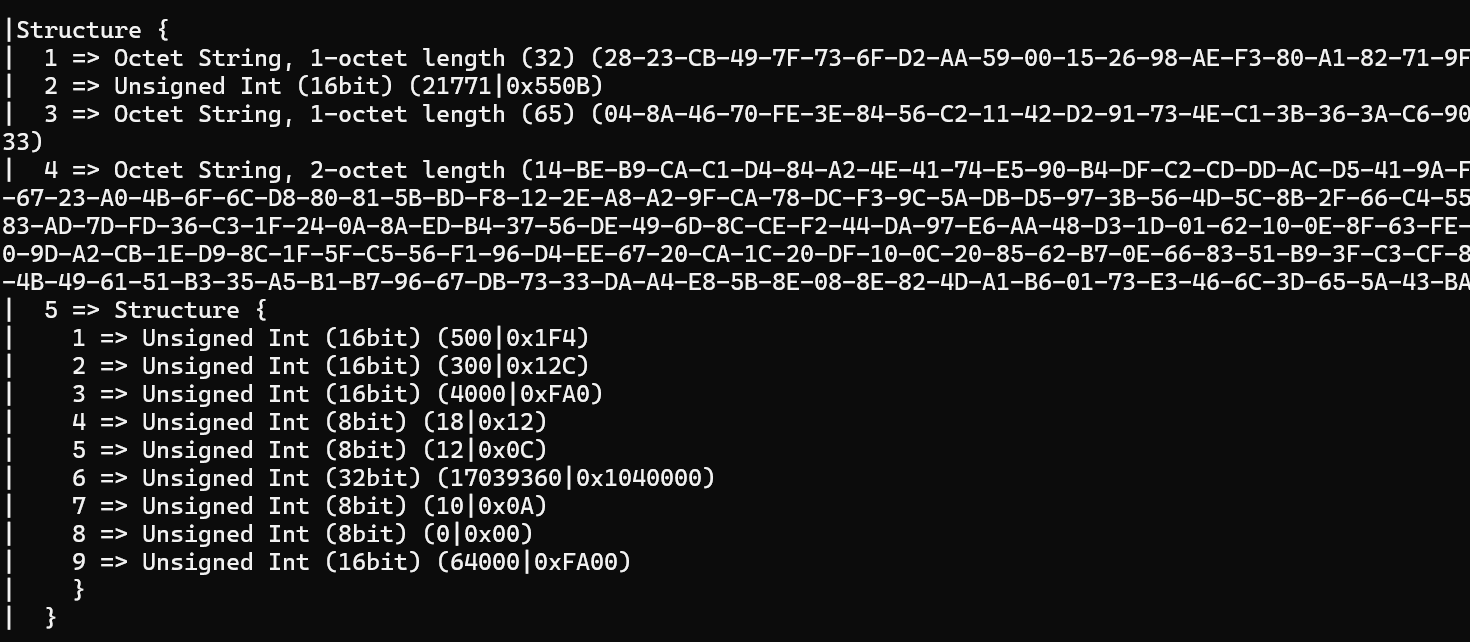
I had more cryptographic work to do now. The fun never ends.
The process for Sigma2 is to generate a shared secret using the keys exchanged and then to decode Tag 4 and use the data in there for *stuff*. This required using Diffie-Hellman. I made a note to try and learn a rudimentary understanding of this stuff.
For now, I need to understand how to turn the OctetString in the Sigma2 response into a BouncyCastle PublicKey!
I had a vague idea how to do that already, since I did some of this stuff during the PASE. It required taking the Byte[] from the Sigma2 message and turning it into a point on the elliptic curve. A key is then generated using this point.
 var curve = ECNamedCurveTable.GetByName("P-256");
 var ecPoint = curve.Curve.DecodePoint(sigma2ResponderEphPublicKey);
 var ephPublicKey = new ECPublicKeyParameters(ecPoint, new ECDomainParameters(curve));
To generate the shared secret, I then take the epheremal private key I created. BouncyCastle has an AgreementUtilities to help. I basically say I want an ECDH – Elliptic Curve Diffie Hellman.
 var sigmaKeyAgreement = AgreementUtilities.GetBasicAgreement("ECDH");
 sigmaKeyAgreement.Init(ephermeralPrivateKey);
I then get the shared secret (ignore the sill
var sharedSecret = sigmaKeyAgreement.CalculateAgreement(ephPublicKey);Amazingly, this worked *first time*. I’m clearly beginning to gain some soft of understanding of this stuff. MatterJS threw out this

and my C# generated a match

I still can’t believe it worked first time. Next up is generating the shared key called the S2K. This involves a TranscriptHash and using the KDF. Again, very similar to the PASE!
TranscriptHash is up first
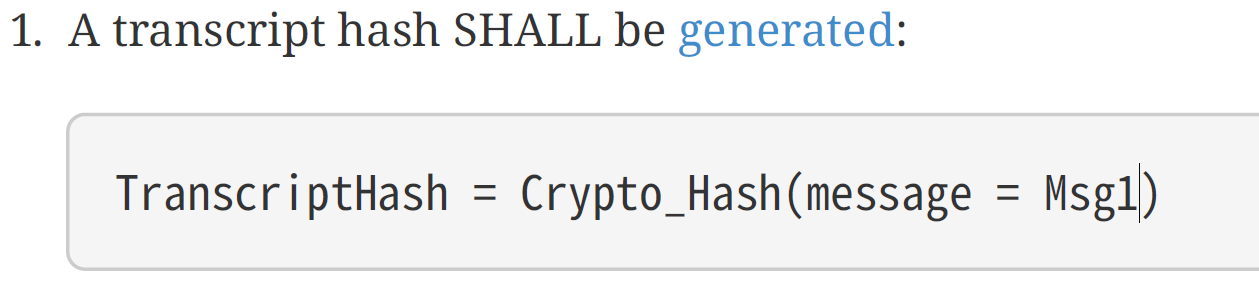
This looks like this in C#, where I take the TLV payload and simply hash it.
var transcriptHash = SHA256.HashData(sigma1Payload.GetBytes());The Key is then done using the KDF and that requires a salt.

This looks like this:
ms = new MemoryStream();
BinaryWriter saltWriter = new BinaryWriter(ms);
saltWriter.Write(fabric.IPK);
saltWriter.Write(sigma2ResponderRandom);
saltWriter.Write(sigma2ResponderEphPublicKey);
saltWriter.Write(transcriptHash);
salt = ms.ToArray();
Finally, the KDF
info = Encoding.ASCII.GetBytes("Sigma2");
hkdf = new HkdfBytesGenerator(new Sha256Digest());
hkdf.Init(new HkdfParameters(sharedSecret.ToByteArrayUnsigned(), salt, info));
var sigma2Key = new byte[16];
hkdf.GenerateBytes(sigma2Key, 0, 16);
Disappointingly, this *didn’t* work first time 🤣
However, the mistake was tiny. I was using the IPK in the Salt, rather than the OperationalIPK! Quick fix and Shazam, the computed shared secret matched!
c5bf93e374ed8294ad1205a13dfae37d == C5BF93E374ED8294AD1205A13DFAE37DWith the shared secret calculated, we can now use that to decrypt part of the Sigma2 response.
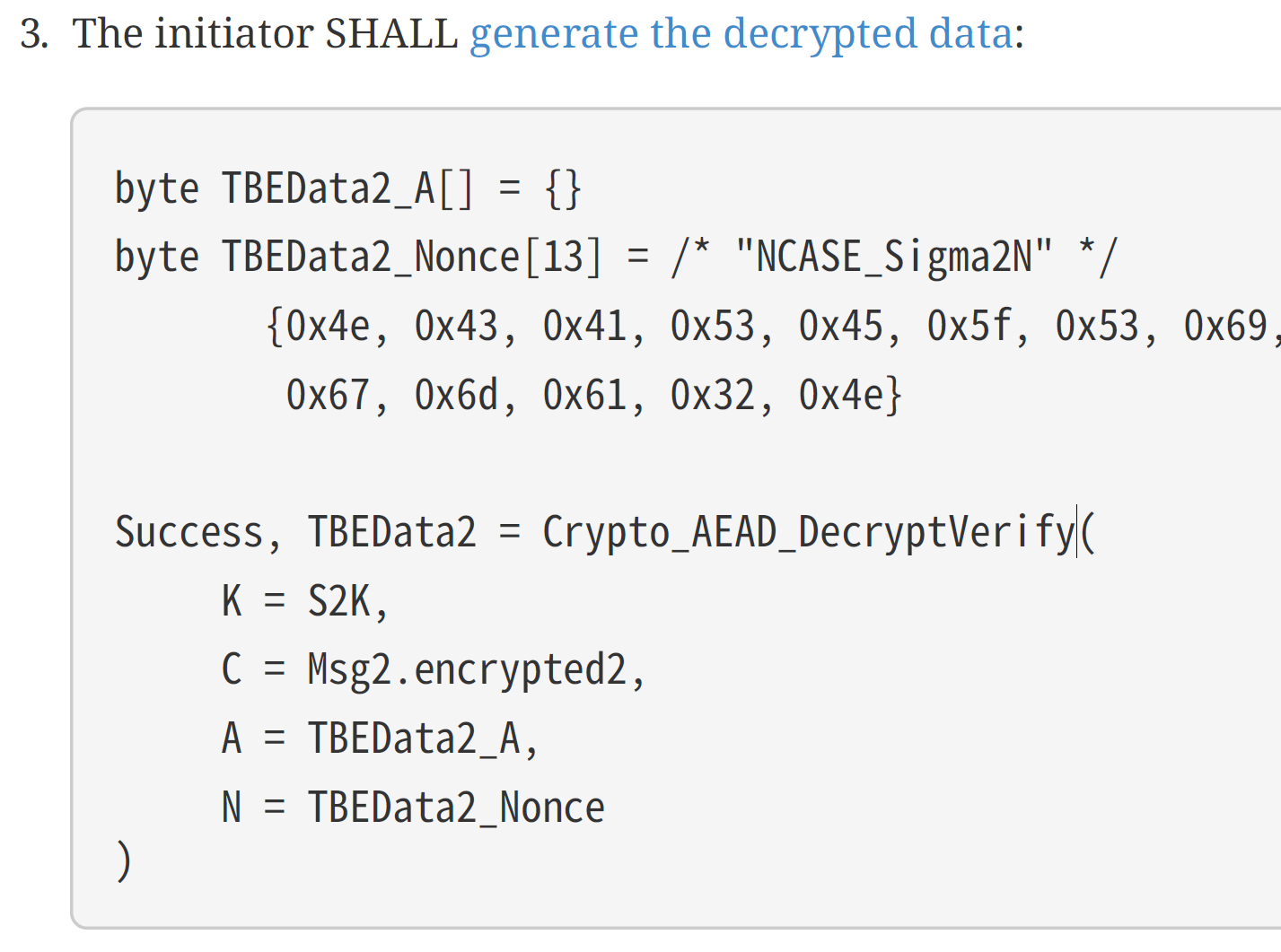
After a log of Googling, I wrote this code.
var nonce = Encoding.ASCII.GetBytes("NCASE_Sigma2N");
IBlockCipher cipher = new AesEngine();
int macSize = 8 * cipher.GetBlockSize();
AeadParameters keyParamAead = new AeadParameters(new KeyParameter(sigma2Key), macSize, nonce);
CcmBlockCipher cipherMode = new CcmBlockCipher(cipher);
cipherMode.Init(true, keyParamAead);
var outputSize = cipherMode.GetOutputSize(sigma2EncryptedPayload.Length);
var plainTextData = new byte[outputSize];
var result = cipherMode.ProcessBytes(sigma2EncryptedPayload, 0, sigma2EncryptedPayload.Length, plainTextData, 0);
cipherMode.DoFinal(plainTextData, result);
var TBEData2 = new MatterTLV(plainTextData);
Console.WriteLine(TBEData2);
Quite surprisingly, this code ran 2nd time (I was passing the wrong value for the nonce) and results in what looked like
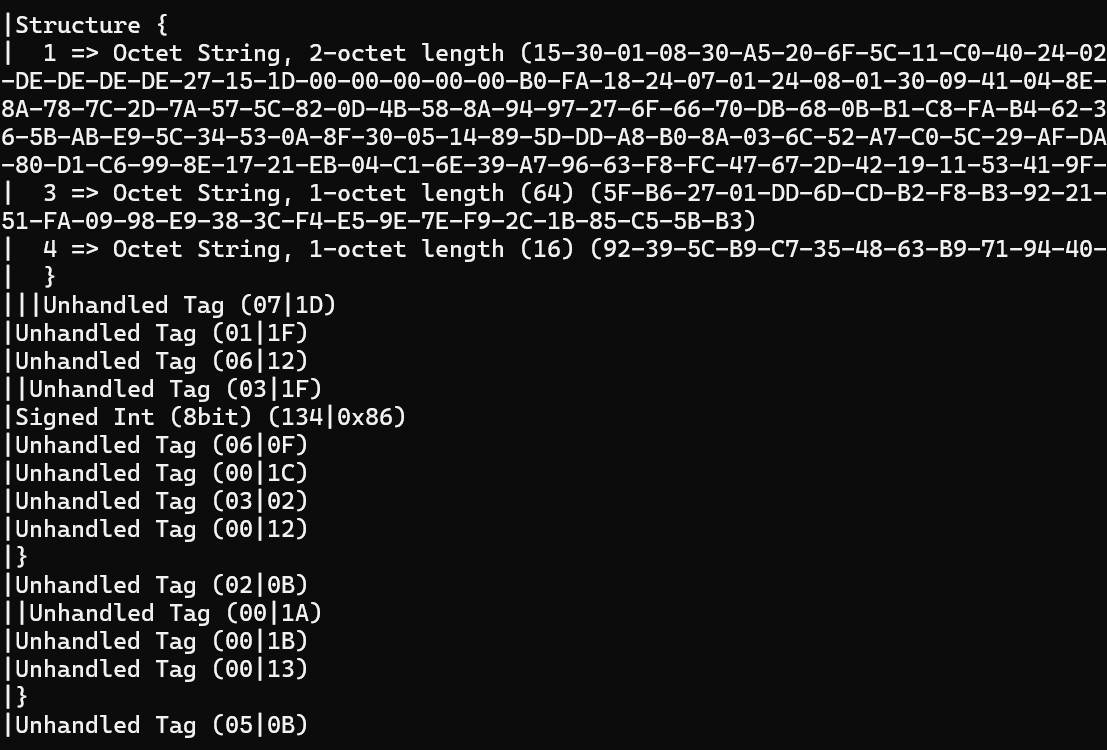
It looks like there is a load of unhandled stuff after it successfully reads 4 tags and that sort of lines up with this:
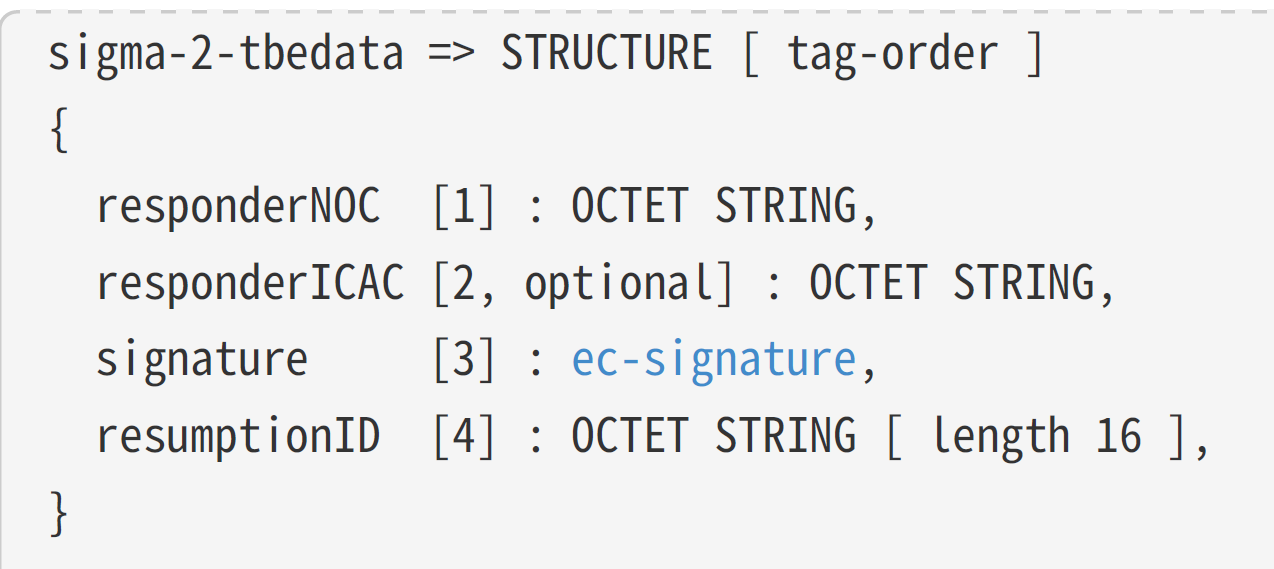
I think the extra bytes after the well-formed TLV are the signature.
My code is supposed to validate a lot of stuff inside the responderNOC and check the signature, but I’m going to skip all that. I just want to complete a basic commissioning!
Sending SIGMA3
With the Sigma2 message barely handled, I moved onto generating and sending a Sigma3. The payload looks like this
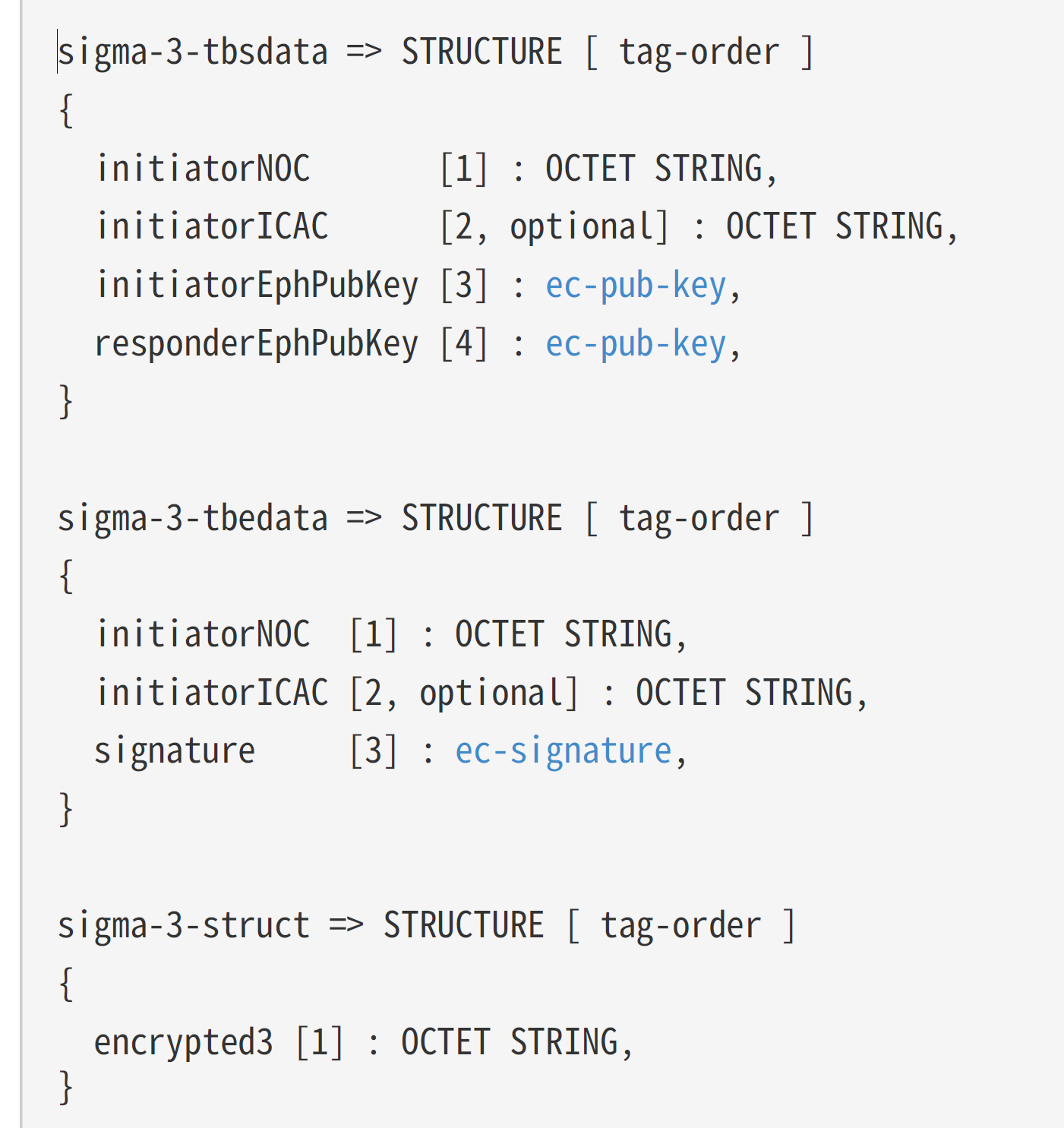
I started by building up the sigma-3-tbsdata
var sigma3tbs = new MatterTLV();
sigma3tbs.AddStructure();
sigma3tbs.AddOctetString(1, encodedRootCertificate.GetBytes()); // initiatorNOC
sigma3tbs.AddOctetString(3, ephermeralPublicKeysBytes); // initiatorEphPubKey
sigma3tbs.AddOctetString(4, sigma2ResponderEphPublicKey); // responderEphPubKey
sigma3tbs.EndContainer();
I then have to generate a signature for this payload.
 var signer = SignerUtilities.GetSigner("SHA256WITHECDSA");
 signer.Init(true, fabric.KeyPair.Private as ECPrivateKeyParameters);
 signer.BlockUpdate(sigma3tbsBytes, 0, sigma3tbsBytes.Length);
 byte[] sigma3tbsSignature = signer.GenerateSignature();
I then put the signature into a sigma-3-tbedata structure
var sigma3tbe = new MatterTLV();
sigma3tbe.AddStructure();
sigma3tbe.AddOctetString(1, encodedRootCertificate.GetBytes());
sigma3tbe.AddOctetString(3, sigma3tbsSignature);
sigma3tbe.EndContainer();
I then encrypt that in a similar fashion as I did with to decrypt the Sigma2 payload. After some tweaking, everything matched up on the matter.js side, but I got this error:

It seemed the signature I was computing is the wrong length….
I knew I’d seen that before and it too a took a while before it clicked. The signature is ASN.1 encoded and that’s no good. Like I did with the TrustedRootCertificate, the signature needs to be in a TLV format!
AsnDecoder.ReadSequence(sigma3tbsSignature.AsSpan(), AsnEncodingRules.DER, out var offset, out var length, out _);
var source = sigma3tbsSignature.AsSpan().Slice(offset, length).ToArray();
var r = AsnDecoder.ReadInteger(source, AsnEncodingRules.DER, out var bytesConsumed);
var s = AsnDecoder.ReadInteger(source.AsSpan().Slice(bytesConsumed), AsnEncodingRules.DER, out bytesConsumed);
var sig = r.ToByteArray(isUnsigned: true, isBigEndian: true).Concat(s.ToByteArray(isUnsigned: true, isBigEndian: true)).ToArray();
That moved things along:

Question was – missing from where?
I tried adding a nodeId to the root certificate.

The only certificate that had a nodeId was the NOC that I generated. I used that in my Sigma3 message and made progress.

Another crypto error?? FFS.
Wrong signature. Again.
As I sending the wrong certificate, I believed I was probably using the wrong key to sign the sigma-3-tbs payload.
I had a NOC, but that was generated the CSR I received from the matter.js device, so I had no private key. I then wondered if I shouldn’t have my own NOC! My C# code was acting as a commissioner after all. Maybe I should have my own certificate to identify me?? I thought that was the Root Certificate, but that’s a Certificate Authority. Had I got this all wrong??
I added a NOC to the Fabric. I don’t know if Fabric is the right place, but it doesn’t matter at this stage.
OperationalCertificate = GenerateNOC(rootKeyIdentifier)The generation was identical to the one I used to create the NOC for the matter.js device.
After updating my Sigma3 calls to use my NOC instead of the Peer NOC, the error simply changed.

It didn’t like something about how my certificate was encoded. Dumping the certificate on my end yielded this structure:
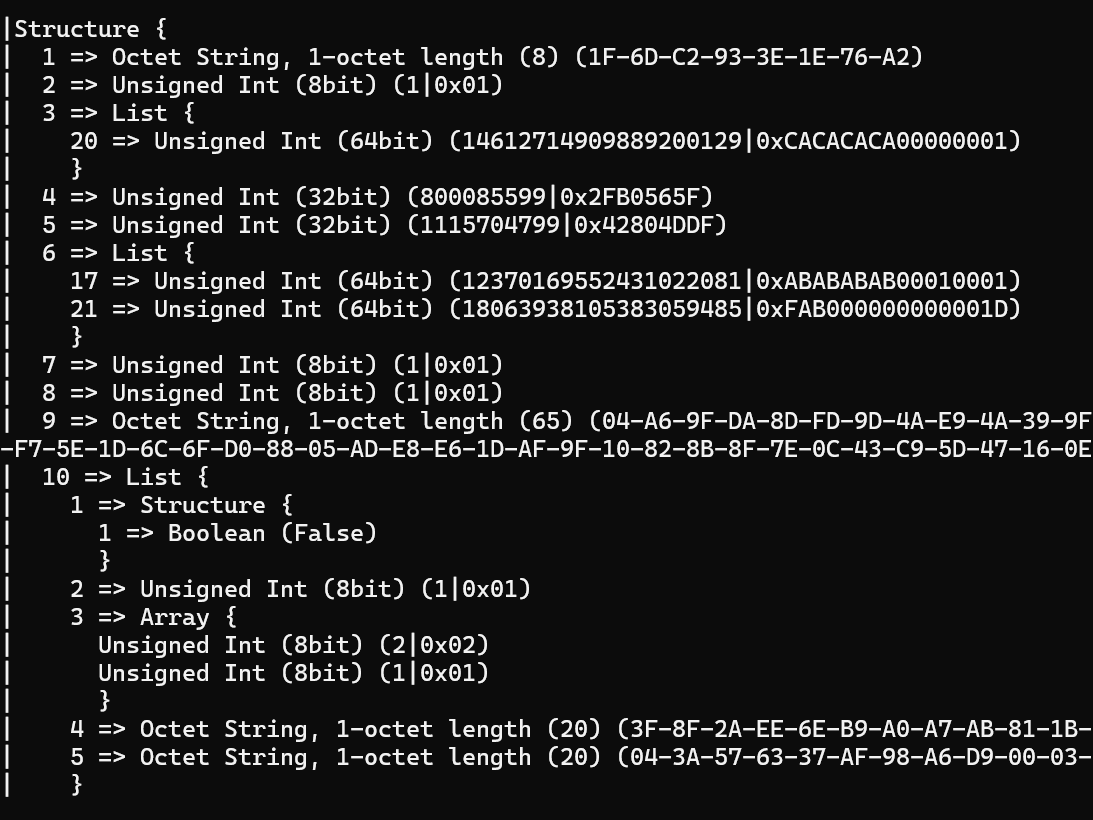
I added some logging into the matter.js TLV code and got this
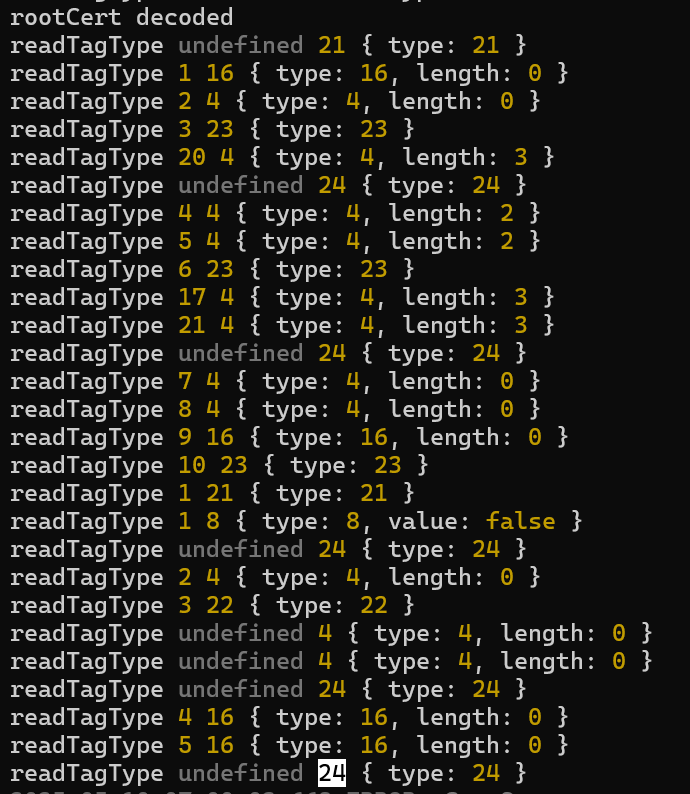
After some careful reading, I realised I hadn’t closed the final container. 🤦🏼♂ This moved me along.

A quick fix to include the signature and…..I felt like I was back where I started 🤣

However, it was now failing in a completely different place. Moving ever forward!
Agggggg, I was using the wrong signature. Some refactoring and I was using the right encoded signature. Still got the same error.
After some reading through the matter.js, I was struck by a thought. When I was creating my NOC, I was signing it with the NOC’s private key. I figured I should actually be signing it with the Root Certificate’s private key. Quick change and ….
Hot Damn!

Created secure CASE session!
Next Steps
I worked through the CASE Messages faster than the PASE messages. I’m that’s because I gave a better understanding, rather than luck!
Next step is understanding how to the use the CASE Session. Like PASE, I will need keys for encrypting and decrypting the messages
Once I figure that out, I’ll be able to send a commission complete message. This will end the commissioning flow, which is a significant milestone on my journey!
Stay tuned!


Leave a comment