

I am building my own .Net Matter Controller.
I’m writing these posts as I go, figuring the stuff out and blogging how and what I’m doing.
In my previous post, I successfully sent the On Command and the Off Command to a Matterjs example light bulb. But what happens when I stop my C# console app and start it up again. I need to be able to reconnect and establish a new secure session with the device. Otherwise I can’t send any more commands!
TL;DR
In this post, I look at how I reconnect to nodes that I have commissioned using a simple approach. I discuss the correct approach too, but it’s not code I need right now. I also show a quick peek at the next part of this implementation.
Finding the node – the right way
In order to reconnect with the device, we first need to find it on the network. During commissioning, we don’t save it’s IP address. This is done deliberately since IP addresses can change over time. Matter covers this in Section 4.3.2 Operational Discovery.
When a node has been successfully commissioned, it will register its presence using mDNS. Using the DNS-SD protocol, the device will advertise that it has a _matter._tcp.local service. On further query, it will return its name, which will be something like this: 2906C908D115D362-8FC7772401CD0696
The 2nd part is the Node’s ID, that we assign during commissioning. The first part is something referred to as a Compressed Fabric Identifier. To work this out we need to do some … <drum roll please> … cryptography!
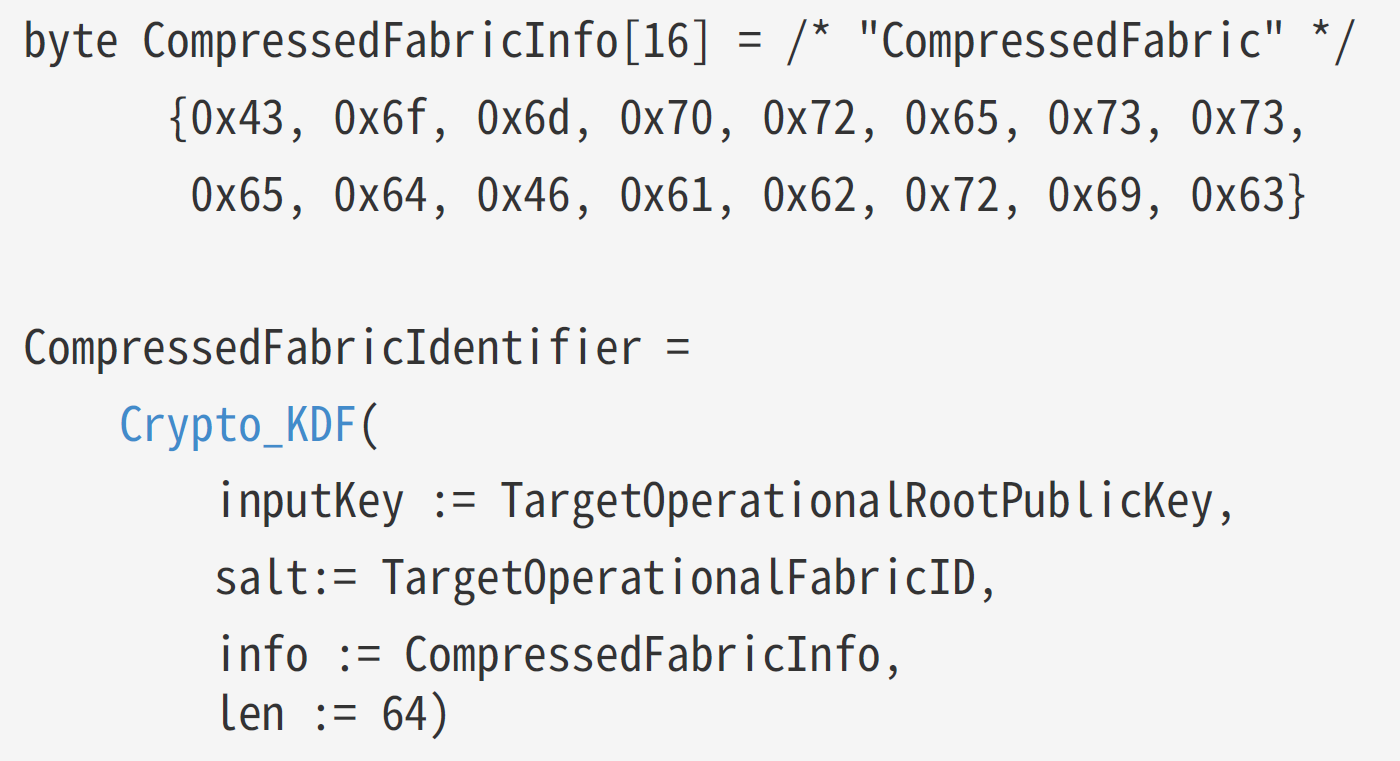
However, this value has already been calculated! It is required during the CASE, so I’ve written the code already! https://tomasmcguinness.com/2025/05/10/building-a-net-matter-controller-commissioning-flow-case-pt1-2/
I make a small tweak to save this to the Fabric so it’s available on restart.
Checking the matter.js device, it’s possible to see the device’s name. In this case the compressed fabric id is D5096097147FB61E, which matches the value generated by my C#

Using this, I can now safely identify this specific node on this specific fabric.
For right now, however, I don’t need this functionality. I’m using a local matter.js script, so the IP address will never change 🙂
Finding the node – the quick way
On some advice from the Matter Discord, the last known IP address for the node should be tried first. If that connection doesn’t work, you then use mDNS to find the node’s new IP address. The IP address won’t change, so all I need to at present is ensure I have it 🙂
I added two properties to my Node, which will get persisted when a Node is added.
public IPAddress LastKnownIpAddress { get; set; }

public ushort LastKnownPort { get; set; }
When I restart my application, the Fabric and its Nodes are loaded from disc, and the IP address and port for each node is restored!
I’m only dealing with a single node at this stage, so the next step is talking to it.
A new secure session is needed
In my previous posts, I worked on the various parts of commissioning a device, one of which is CASE. CASE stands for Certificate Authenticated Session Establishment. This involves generating a pair of keys after using certificates to authenticate both sides. Once you have the keys, you have a secure session.
This is important because you need a secure session to read, write or execute commands.
As we have already commissioned the node all the certificates on both sides have been configured. This allows use to perform CASE again and create a new secure session.
Resuming CASE sessions
According to the Matter specification, CASE is quite computation expensive. I’m running on Windows, so it’s not a big deal, but working with prime numbers and elliptical curves is hard. If you have a Matter device running on an ESP32 or another micro-controller, it will be slow.
To help with this, the CASE steps support something called Session Resumption (4.14.2.2. Session Resumption). Session Resumption allows the establishment of a new secure session, without the expensive work of some of the cryptography.
At this stage of development, I’m going to skip over this resumption step and just create a new CASE session.
Create a new CASE Session
When my MatterController is started, it first loads the Fabric. Then, for each node, it attempts to connect:
foreach (var node in _fabric.Nodes)
{
     await node.Connect();
}
The Connect() method will attempt to open a UDP connect to the LastKnownIPAddress and LastKnownPort.
It will then fire off the CASE message to establish a new session.
// Try and get to the node on the last known IP Address and port.
//
var connection = new UdpConnection(LastKnownIpAddress, LastKnownPort);

var unsecureSession = new UnsecureSession(connection, 0);

CASEClient client = new CASEClient(this, Fabric, unsecureSession);

_secureSession = await client.EstablishSessionAsync();

IsConnected = true;
To make this easier to do, I refactored my CASE code into a new class called CASEClient.
This allows me to use the CASE process from both reconnection and commissioning.
Simple Reconnection Loop
To actually perform the connection logic, I added a SessionManager class.
foreach (var node in fabric.Nodes)
{
    await _connectionsQueue.Writer.WriteAsync(node);
}

while (true)
{
    Console.WriteLine($"Waiting for a node that we need connect to");

    var node = await _connectionsQueue.Reader.ReadAsync();

    try
    {
        var fullNodeName = node.Fabric.GetFullNodeName(nodeNeedingConnection);
        Console.WriteLine($"Attempting to connect to node {fullNodeName}...");

        await node.Connect(_nodeRegister);
    }
    catch (Exception ex)
    {
        Console.WriteLine($"Failed to connect to {node.NodeName}: {ex.Message}");
    }
}
It uses a Channel<Node> as a sort of queue. This allows the SessionManager to async/await nodes that need connection. On start up, it just pushes all the known nodes into the Channel. Each node is then dequeued and connected to.
I haven’t fully implemented this yet as it’s more complexity I don’t need, but the pattern should help with exceptions and reconnections.
A flaw in my design!
What I did find whilst building this part is a flaw in my design. In pervious posts, I discuss something called MRP or Message Reliability Protocol. This is a way that Matter message frames can be acknowledges and retried.
In my Connect() call above, I don’t actually have any way of knowing if the initial CASE message is ever received!! This is because it’s sent over UDP, so it’s essentially fire and forget. MRP resolves this, but it does mean I need if an acknowledgment for a sent message is received in a timely fashion.
I was handling MRP in the Exchange layer, but I believe that’s too high up now. I think I need to do this all within the UdpConnection. This gets complicated thanks to encryption/decryption (which happens in the Session layer!).
Thankfully, that’s another can that I can kick down the road!
Hello, UI!
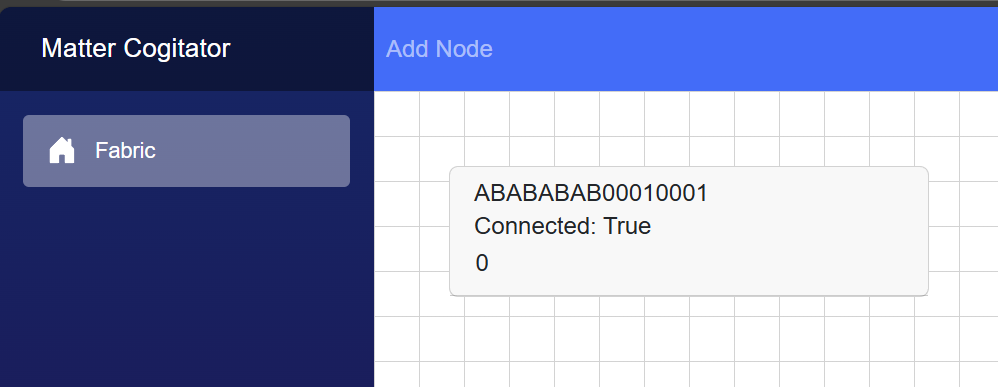
Once I had some re-connection logic, it was time to start adding some UI to this. This is all part of my long-term goal of creating a nice management UI.
This is what I’ve got right now. I can view the *single* node that I can commission and connect to!
Next Steps
At this point, I have a choice to make. I can either concentrate on support for adding more nodes or start delving into the more of the Interaction Model. In this case, it would be querying the node to get its structure.
It would be nice to get a switch added to the UI that could toggle the light in the matter.js example node. That said, not having a hardcoded node of ABABABAB00010001 would also be nice 🙂
Stay tuned.
As ever, all code is up on Github.
https://github.com/tomasmcguinness/dotnet-matter
Here is the link to the controller project, but it’s only a skeleton


Leave a comment