

With the core of my Tiny Dishwasher finished, I discovered I was missing mandatory support for two attributes.
You can see my Tiny Dishwasher in action in this video
What was missing?
The OperationalState cluster, if you recall, defines these attributes

I had defined everything except the CurrentPhase and the CountdownTime. As both of these attributes are mandatory, I really needed to add support for them. Otherwise, I can’t say it truly implements the Dishwasher Device Type.
PhaseList – Making it more realistic
When implementing the OperationalStateDelegate originally, I did provide a basic implementation of the GetOperationalPhaseAtIndex callback. It just returned a single solitary Phase called “Warming Water”.
What should happen, is that when a program is started, it should move through several stages. I asked DeepSeek to give me some examples, and it came up with this:
- Pre-Rinse (or Initial Rinse)
- Main Wash
- Rinse (or Hot Rinse)
- Final Rinse (often includes Sanitizing Rinse and Rinse Aid)
- Drying
I dug through the Matter examples and found chef-operational-state-delegate-impl.h was using some phases!
const CharSpan opPhaseList[3] = { "pre-soak"_span, "rinse"_span, "spin"_span };I added this as a private member to my OperationalStateDelegate class
const CharSpan opPhaseList[3] = { "pre-soak"_span, "main-wash"_span, "rinse"_span,, "final-rinse"_span, "drying"_span };I then modified GetOperationalPhaseAtIndex to read from the array
CHIP_ERROR OperationalStateDelegate::GetOperationalPhaseAtIndex(size_t index, MutableCharSpan &operationalPhase)
{
    ESP_LOGI(TAG, "GetOperationalPhaseAtIndex");
    if (index >= mOperationalPhaseList.size())
    {
        return CHIP_ERROR_NOT_FOUND;
    }
    return CopyCharSpanToMutableCharSpan(mOperationalPhaseList[index], operationalPhase);
}
CurrentPhase
This attribute represents the current phase of operation being performed by the server
With the source in place, the next step was actually controlling the current phase in the DishwasherManager. I updated the ProgressProgram method to change the phase based on the time remaining.
if (mState == OperationalStateEnum::kRunning)
{
    mTimeRemaining--;
    uint8_t current_phase = 0;
    if (mTimeRemaining <= 0)
    {
        current_phase = 0;
        EndProgram();
    }
    else if (mTimeRemaining < 5)
    {
        current_phase = 4;
    }
    else if (mTimeRemaining < 10)
    {
        current_phase = 3;
    }
    else if (mTimeRemaining < 15)
    {
        current_phase = 2;
    }
    else if (mTimeRemaining < 20)
    {
        current_phase = 1;
    }
    UpdateCurrentPhase(current_phase);
}
At the end, a new UpdateCurrentPhase method is called. Like the other Update method, this one will write to the underlying attribute via the OperationalState Instance. ScheduleWork is used for thread safety.
static void UpdateOperationalStatePhaseWorkHandler(intptr_t context)
{
    ESP_LOGI(TAG, "UpdateOperationalStatePhaseWorkHandler()");
    uint8_t phase = (uint8_t)context;
    OperationalState::GetInstance()->SetCurrentPhase(phase);
    DishwasherMgr().UpdateDishwasherDisplay();
}
void DishwasherManager::UpdateCurrentPhase(uint8_t phase)
{
    mPhase = phase;
    chip::DeviceLayer::PlatformMgr().ScheduleWork(UpdateOperationalStatePhaseWorkHandler, (uint8_t)mPhase);
}
And that was it!
Displaying the Current Phase
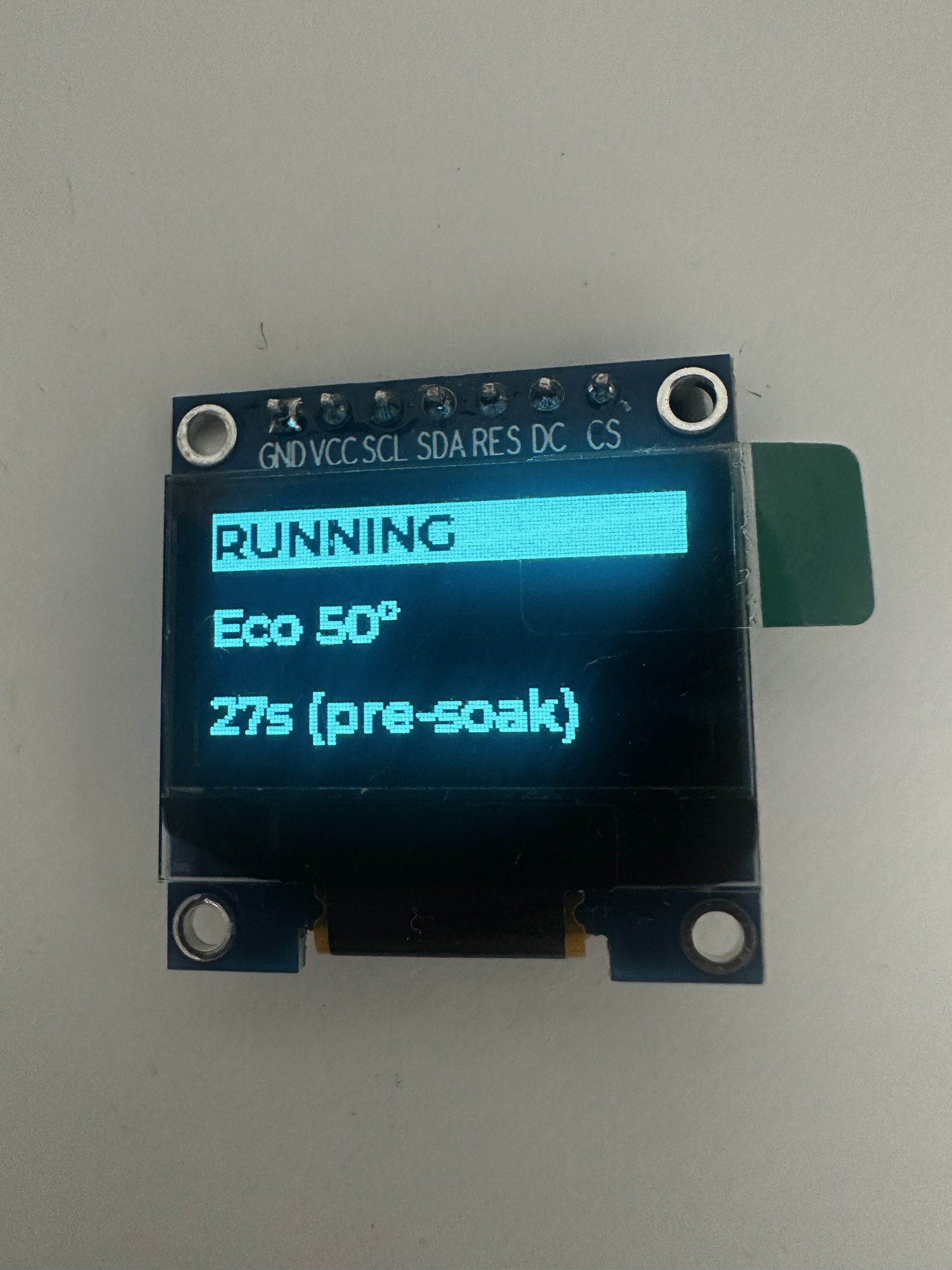
Now that I had the current phase being set and updated, I wanted to show the value on my display.
Fetching the text to show was done in similar fashion as the DishwasherModes, instead calling GetOperationalPhaseAtIndex to get the value.
OperationalStateDelegate *operational_state_delegate = (OperationalStateDelegate *)OperationalState::GetDelegate();
if (operational_state_delegate != nullptr)
{
    MutableCharSpan label(status_buffer);

    operational_state_delegate->GetOperationalPhaseAtIndex(mPhase, label);
    int length = snprintf((char *)NULL, 0, "%s (%s)", time_buffer, status_buffer)  + 1; /* +1 for the null terminator */
    status_formatted_buffer = (char *)malloc(length);
    snprintf(status_formatted_buffer, length, "%s (%s)", time_buffer, status_buffer);
    status_text = status_formatted_buffer;
}
I combined the current phase with the countdown to make best use of the space.
Home Assistant
It was around this time that somebody from the Matter Discord messaged me. The asked me to try my dishwasher emulator with Home Assistant. I was happy to oblige!
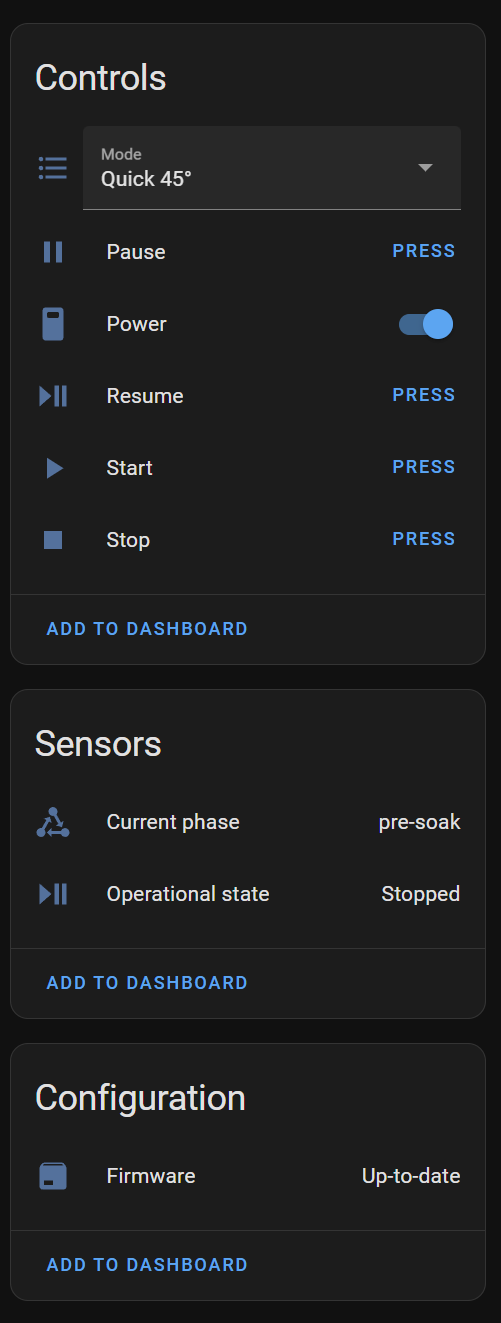
It was very cool to see this all show up! The countdown time isn’t supported at this time, but otherwise it’s fully functional.
Housing
I also found some time over a weekend to make a basic enclosure for my device.
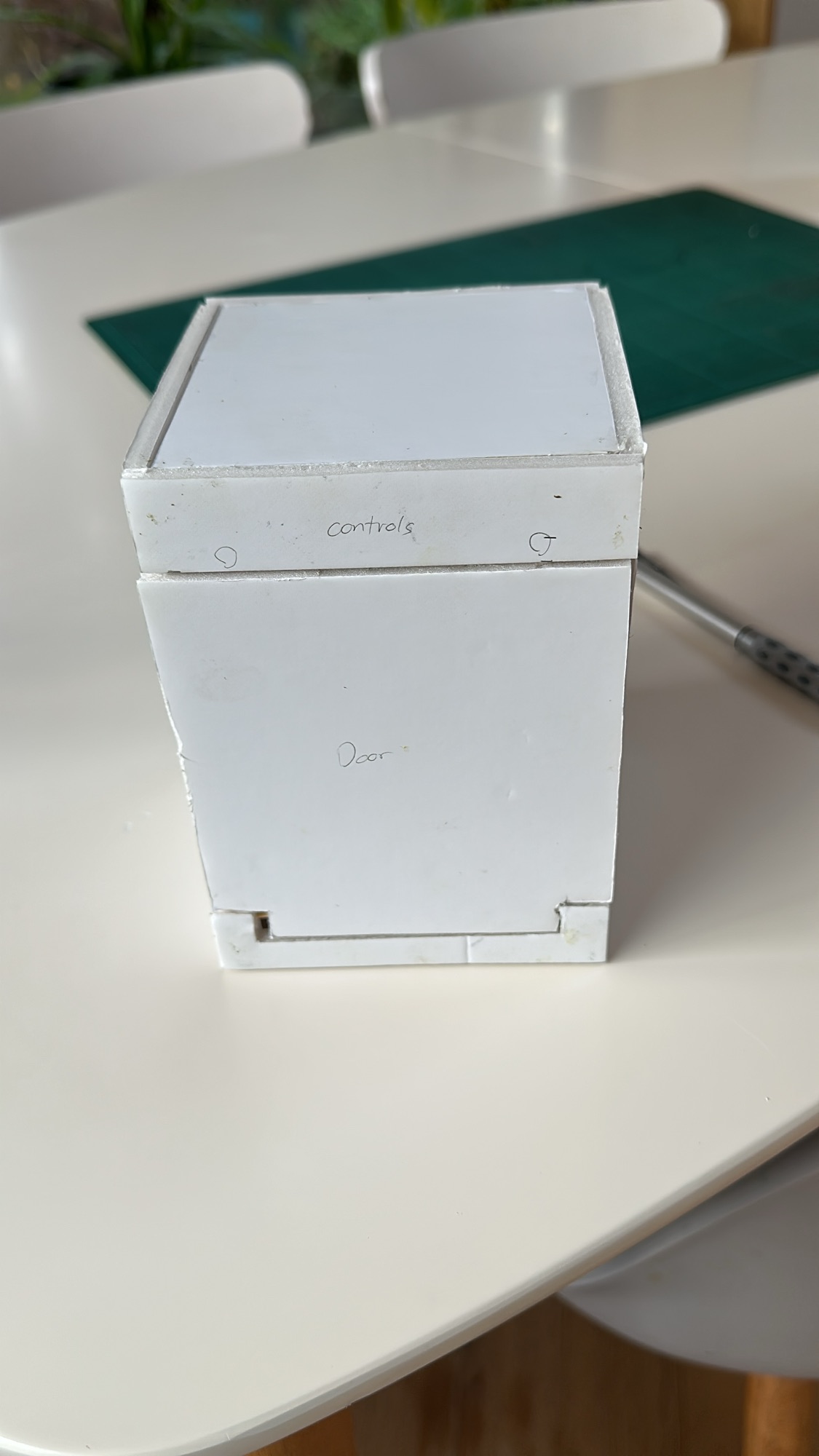

Build with 5mm foam board, it just gives some structure to the device. The display just sits atop as I couldn’t find a better place for it. The 16×2 LCD display I tried to get working originally would have been far better here.
Next Steps
I have enough done for now. I’ve recorded a video, but need to edit it all together. I’ll update the post when it’s ready.
If you want to try it out, all the code is available on https://github.com/tomasmcguinness/matter-esp32-acme-dishwasher
If you have any feedback or suggestions, I’d love to hear it!
 @tomasmcguinness
Leave a comment