

In an previous post, I attempted to add Energy Forecasting to my Tiny Dishwasher.
Whenever I would try to create and return a Forecast, I would get an error. The client would report: RESOURCE_EXHAUSTED.
I searched the CHIP SDK code and found where the problem was. It was in this function Engine::BuildAndSendSingleReportData

It seems that, for some reason, it wasn’t able to return the attribute’s value. Chunks to send, but hadn’t encoded anything.
I asked the question on the esp-matter Github repo, but after several weeks it was still unanswered. I decided to delve deeper into the issue myself.
First step was switching to the Detail log level in the CHIP SDK.

Unfortunately, that didn’t seem to increase the amount of logging I was seeing 🤣. I’d have to do this the old fashioned way.
As I read through the function Engine::BuildSingleReportDataAttributeReportIBs, I spotted this comment.
// hasMoreChunks + no data encoded is a flag that we have encountered some trouble when processing the attribute.
// BuildAndSendSingleReportData will abort the read transaction if we encoded no attribute and no events but hasMoreChunks is
    // set.
This described what I was seeing, implying my Forecast attribute was causing the code to have issues.
A little further up in the function, I came across this statement
if (IsOutOfWriterSpaceError(err) && reservedEndOfReportIBs)
{
    ChipLogDetail(DataManagement, "<RE:Run> We cannot put more chunks into this report. Enable chunking.");
    err = CHIP_NO_ERROR;
}
“Enable chunking” was the phase that stood out.
The log message was at detail level, which wasn’t working, so I changed that to at error. When I flashed the code, the message did appear in the logs!

Huh. Question now; what was “chunking”?
I jumped to the Matter Core Specification to see if there was any mention and indeed their was in 10.2.3!

This kinda made sense. The forecast is more data than the state of a light switch. Could this be the problem?
If this was the issue, how the hell was going to fix it??
I changed more of the logging too

This is definitely my forecast as it’s on Cluster 98 (Device Energy Management), Attribute 6 (Forecast).
Converted more logging and then I spotted this for Cluster 28

In this case, it reports the value is too big, but hasMoreChunksForAttributes and hasEncodedAttributes are both true. I guessed that meant the chunking was actually working. That said, I can’t find a reference to attribute 0xFFFB on the BasicInformation cluster (28)
More logging and I began to see this: CHIP_ERROR_NO_MEMORY

I wondered if we could increase the memory available to CHIP or whether the ESP32 was too small. I found this stack size value. The ESP32-C6 has 512kB of RAM, but I’m not sure how much is being used.

I doubled this value to see if that was in any way related to my problem. It made no difference.
I added some logging to spit out how much space I had on the heap:
ESP_LOGI(TAG, "Free Heap: %u bytes", xPortGetFreeHeapSize());This reported a little over 90kB when I first tried. I felt like that should be more than enough for a few slots and a few numbers. Of course, that’s *total* free memory, not the largest free block, but a lot in MCU land.
Whilst I pondered this, I keep googling and stumbled across this page: https://docs.espressif.com/projects/esp-matter/en/latest/esp32/optimizations.html
I decided to follow some of these
The CHIP_SHELL was already turned off.
Next was the maximum dynamic endpoints count. The maximums were quite large, so I dropped them down. I only had three endpoints; ROOT, Dishwasher and DeviceEnergyManagement.
This seemed to make some difference in that the error message changed

I didn’t see the (attribute too big?) message.
Whilst digging around the settings, I spotted this: Largest attribute buffer size

I cranked this up to 1024 to see what would happen.
It didn’t compile. Apparently 1024 was too large.

I set it to 1000, but that made no difference either.
Is the XIAO ESP32-C6 just too small?
I began to wonder if the 512kB of RAM in the C6 just wasn’t enough. Did a complex Matter application need more RAM?
This felt like the easiest, most obvious answer. Yet, I was dogged by the fact the forecast, with slots, worked when setup at the start. It only went wrong when I tried to create a new forecast.
I setup a default forecast and when my matter.js code connects, it retrieves it, slots and all.
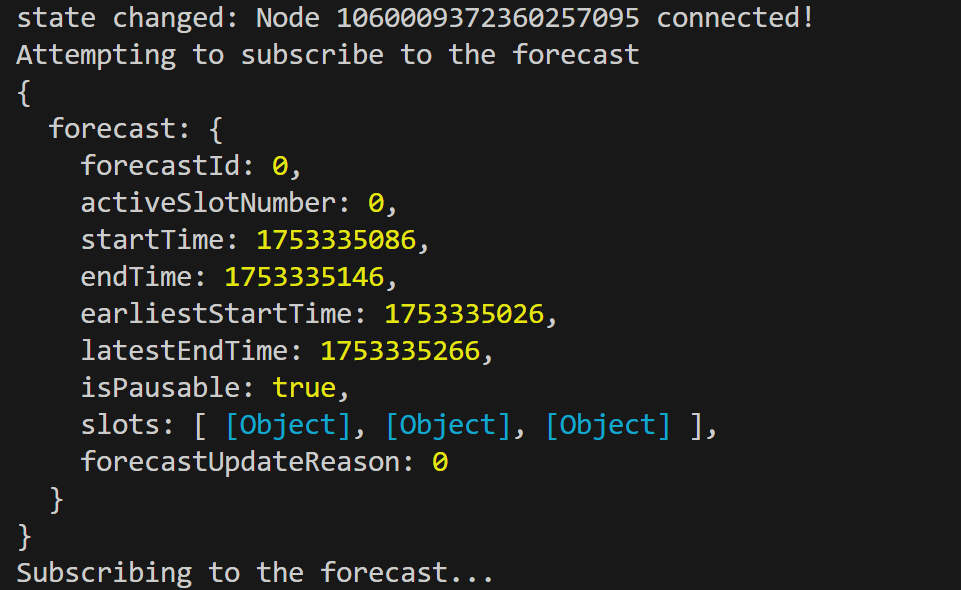
This meant there was enough memory to handle a forecast with slots. Even without all my tinkering.
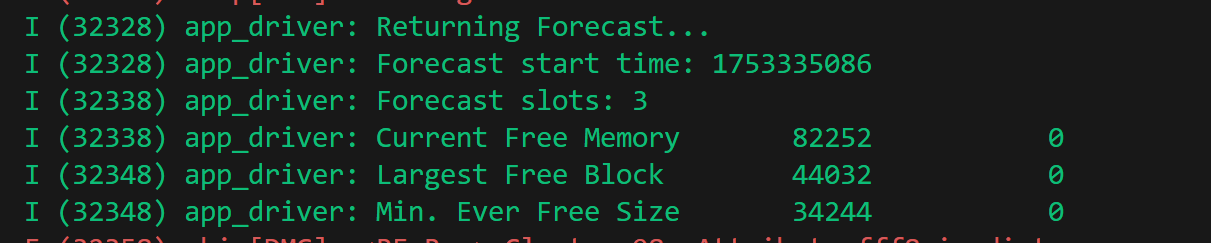
When I try and set a *new* forecast, with slots, it goes wrong. Funnily enough, when my app fetches the updated forecast, there is actually more free RAM available then the first time!
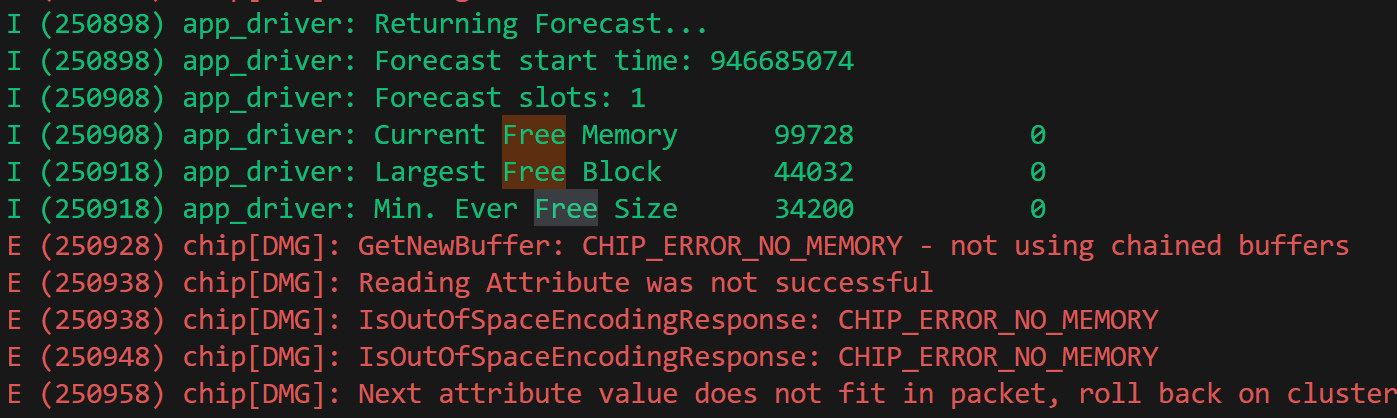
Even more telling: If I don’t include the slots in the updated forecast, the code works perfectly.
If I start the restart device, I get the an initial forecast with the start time of 1753335086.
If I then push the Start button, the updated forecast is sent with the new startTime.
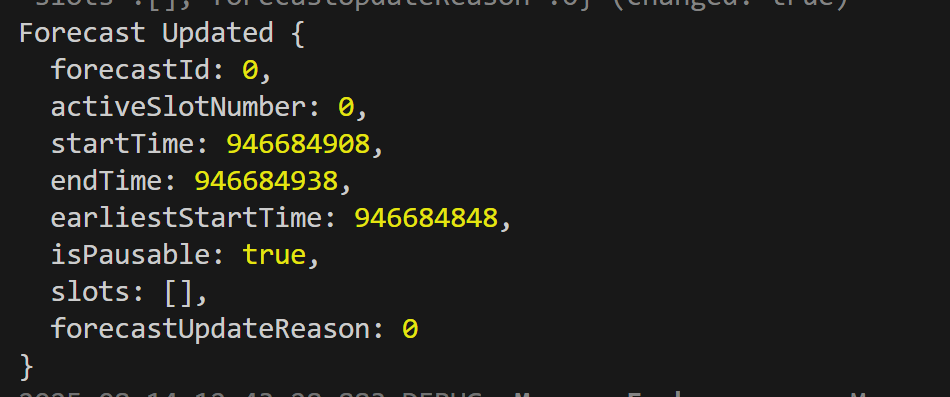
Without the slots, this code works 100% of the time.
This points to the problem being the slots. Not the memory configuration or chunking or anything else I’ve pointed to so far. Just the slots. Time for more debugging.
What would happen if I removed the default forecast and set the initial value to null. As expected, the null forecast comes back

and pushing start sees an updated forecast object appear in my JS logging.
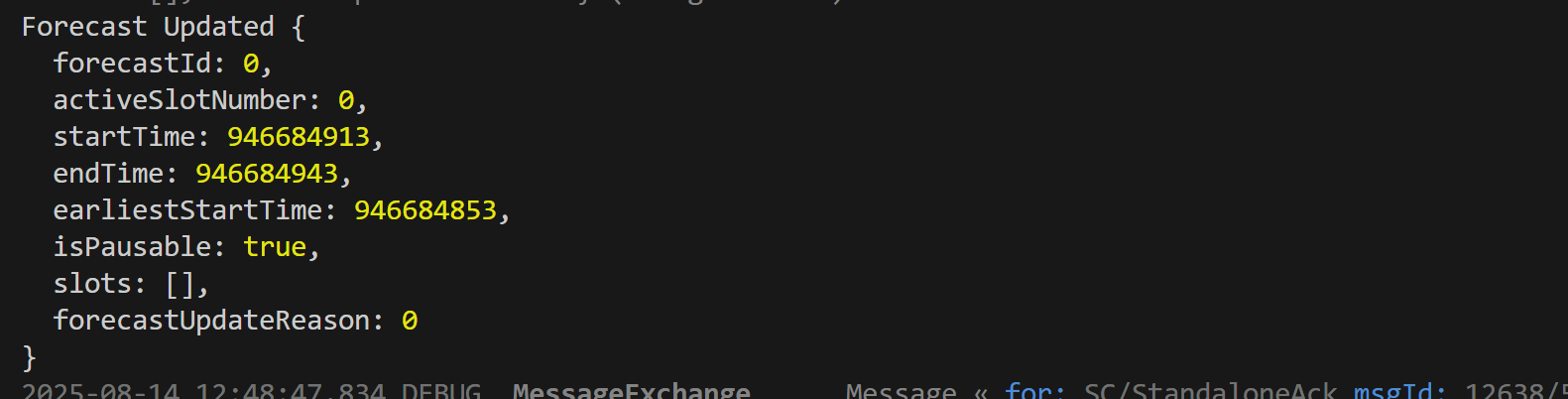
At this point I wasn’t sure how to continue. I just had no clue what was actually going wrong.
But I knew one thing for sure; memory wasn’t the problem.
Back to basics
I went back to the look at the device energy management example in the CHIP SDK.
The only thing that jumped out at me was the way single variables were reused. Rather than creating a new Array of the Slots, it just had a static array. It then chose the right number to use.
I decided to give that a try. I declared two variables in the dishwasher_manager.cpp
Clusters::DeviceEnergyManagement::Structs::SlotStruct::Type sSlots[10];
Clusters::DeviceEnergyManagement::Structs::ForecastStruct::Type sForecastStruct;
Then, when SetForecast was called, I would just updated the existing instance, rather than declaring a new one.
sForecastStruct.forecastID = 0;
sForecastStruct.startTime = matterEpoch + 60;
sForecastStruct.earliestStartTime = MakeOptional(DataModel::MakeNullable(matterEpoch));
sForecastStruct.endTime = matterEpoch + 60 + mTimeRemaining;
sForecastStruct.isPausable = true;
For the slots, I made us of the mMode to drive the number of slots in a use. A handy way to test.
uint32_t slot_count = 1;

sSlots[0].minDuration = 10;
sSlots[0].maxDuration = 20;
sSlots[0].defaultDuration = 15;

if (mMode >= 1)
{
    sSlots[1].minDuration = 10;
    sSlots[1].maxDuration = 20;
    sSlots[1].defaultDuration = 15;
    slot_count = 2;
}

if (mMode >= 2)
{
    sSlots[2].minDuration = 10;
    sSlots[2].maxDuration = 20;
    sSlots[2].defaultDuration = 15;
    slot_count = 3;
}

sForecastStruct.slots = DataModel::List<DeviceEnergyManagement::Structs::SlotStruct::Type>(sSlots, slot_count);
I switched on my Tiny Dishwasher, set it to Quick 45 (mMode 2) and pressed start.
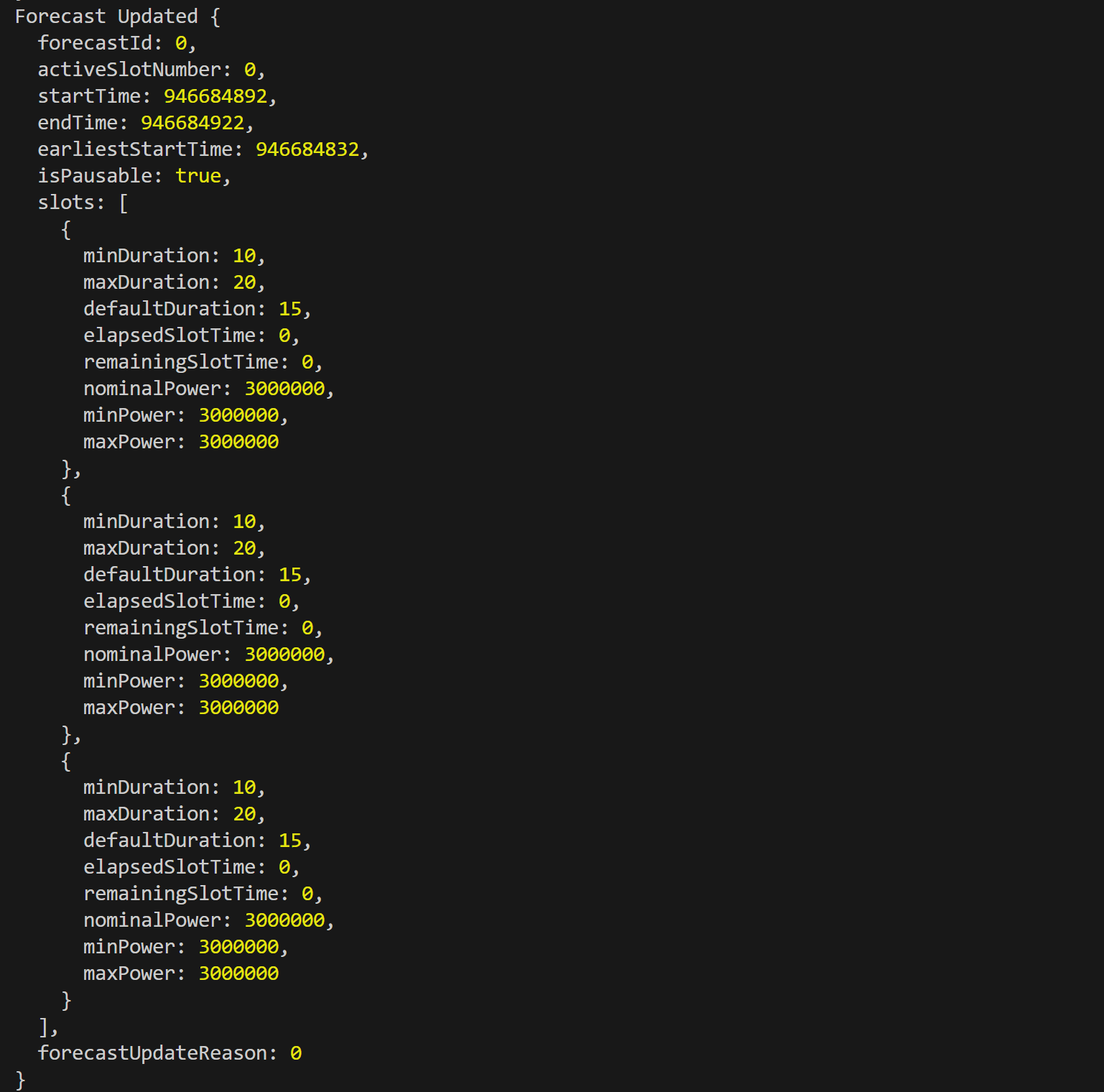
I received the expected three slot forecast in my matter.js application!!!
WOOHOO!
Still no idea why this works, or how it works, but it works!!
Next Steps
This was an interesting deep dive into the CHIP SDK. I’m not sure I *actually* learned anything and I still don’t know why using a single instance of slots works.
That said, I have something working, which is step further along the road. With some basic slots in place, I can continue to build out my Energy Manager. The next step is displaying the forecast on a graph!
Stay tuned for more Adventures in Matter 🤣


Leave a comment