

As part of my dive into the Matter Protocol, one area I wanted to explore was Device Energy Management.
What is Device Energy Management?
Simply put, Device Energy Management is a Matter cluster that provides some energy related features. Added to Matter 1.4, this new cluster will enable some pretty interesting capabilities.
First and foremost, it adds “energy forecasting”. This allows a device to report how much energy a device plans to use over a period of time. This is not just instant power reporting; it’s future power usage. For example, when you turn on your dishwasher, it could produce a forecast of how must power it will use.
Secondly, it gives some control over that future power consumption to other devices in your Matter network. This unlocks some pretty potent control. Let’s say you have off-peak power from 11pm to 5am. If you start your dishwasher at 9pm, a clever box in your network could ask it to wait until 11pm.
This shifts load to off-peak and saves you money.
And you didn’t have to lift a finger!
Looking at the forecast
One of the core concepts of the device energy management is the Forecast.
A Forecast allows a device to indicate how it’s going to behave over a period of time. Matter defines two different ways a device can forecast; state forecasting and power forecasting. For devices that don’t know how much power they use, they can forecast their state (on or off). For more advanced devices, they can forecast their intended power consumption (or generation for that matter – more on that later)
I’m going to focus on Power Forecasting.
Let’s take my tiny dishwasher.
When I turn it on, I can choose from one of three cycles; Eco, Chef and Quick. Each of these runs for a different period of time. In real life, you could imagine that each uses different temperatures and different amounts of power.
For the Eco cycle, it might run for 4 hours, heating the water to only 40°C. Chef might run for 2 hours, heating the water to 75°C. Finally, Quick might run for only an hour at 60°C.
How would that look from Matter’s perspective?
In my other posts on the subject, I show how the forecast is build up on the esp32 side. This is how is looks when printed in JSON
{
    "forecastId": 0,
    "activeSlotNumber": 0,
    "startTime": 1756311820,
    "endTime": 1756315420,
    "isPausable": false,
    "slots": [
        {
            "minDuration": 1800,
            "maxDuration": 1800,
            "defaultDuration": 1800,
            "elapsedSlotTime": 0,
            "remainingSlotTime": 0,
            "nominalPower": 3000000,
            "minPower": 3000000,
            "maxPower": 3000000
        },
        {
            "minDuration": 1800,
            "maxDuration": 1800,
            "defaultDuration": 1800,
            "elapsedSlotTime": 0,
            "remainingSlotTime": 0,
            "nominalPower": 3000000,
            "minPower": 3000000,
            "maxPower": 3000000
        }
    ],
    "forecastUpdateReason": 0
}
We can see the basic information. Start time, end time and two slots, each of which is 1800 seconds long (30 minutes).
Not all of this is complete or well formed by any means. The activeSlotNumber should be null in this example, as it hasn’t actually started.
The trouble with Time
I ran into an issue early on with this work and issue was time. More specifically, the wrong time!
Most operating systems, like Windows, give you some options when it comes to time. They allow you to manually set the time or they get the current time from the internet. When you switch them off, they remember this time, usually thanks to a battery powered clock. This handles situations where you have no internet. The same applies to a micro controller. When first powered up, they need a way to get the current time.
I could, of course, add a user interface to my Tiny Dishwasher to allow this. That would be tedious and wouldn’t progress me towards my goal.
The Matter specification has a section on this and has mechanisms in the protocol to handle it. It comes in the form of TimeSync cluster. Unfortunately, it doesn’t seem like anything actually implements it.
Without the current time, my forecasts were starting in 1970 as that’s Unix’s epoch time 🤣
To work around this, I turned on SNTP, which is Simple Network Time Protocol.
CONFIG_ENABLE_SNTP_TIME_SYNC enable.I added this code to then start the sync
esp_sntp_config_t config = ESP_NETIF_SNTP_DEFAULT_CONFIG("2.pool.ntp.org");
config.sync_cb = esp_sntp_time_cb;
esp_netif_sntp_init(&config);
I’m using 2.pool.ntp.org as my Matter device is using IPv6.
The SNTP code runs asynchronously, so I included the sync_cb to log that the time sync is done. It takes a few seconds once the code starts up. This is because the WiFi has to connect etc.
Building the Manager
I had enough support for the cluster in my Tiny Dishwasher, but I needed something to do the management. To get me started quickly, I opted for Node so I could leverage matterjs.
I started trying to build all this using NextJS and gave up. I eventually split my project into a FrontEnd (NextJS and ReactJS) and a Backend (NodeJS). It’s messier than I’d like, but that just seems to be the way with Javascript. I use socket.io for websockets, so I can push updates easily enough.
I decided that I would try and use peak and off-peak tariff pricing as my control signal. The idea is that I would optimise based on cost. With that in mind, I had an idea of laying out the tariff pricing with the Tiny Dishwashers forecast underneath.
After a lot of trial and error, I had a simple enough UI.
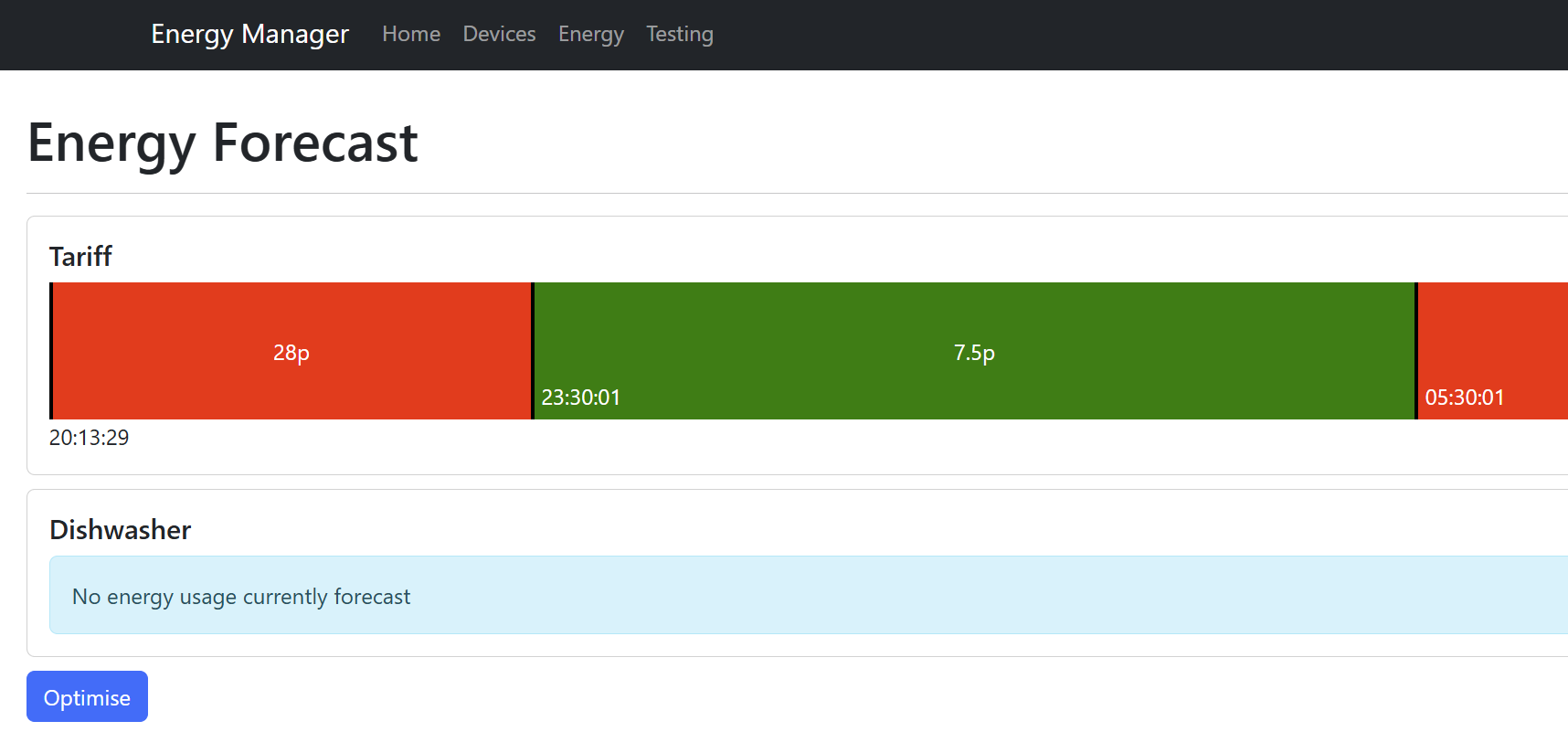
When you open the Energy tab, the current tariff schedule is loaded. This is my Intelligent Octopus Go tariff. It gives me off-peak energy from 11:30pm to 5:30am (and maybe more when I plug in my car). Each time you refresh the page, it will calculate the schedule, so it’s always visually accurate.
(If you want to sign up to Octopus, my referral code is https://share.octopus.energy/smoke-fawn-787 and we’ll both get £50!)
Adding Matter Devices
In order to control Matter devices, I needed my matterjs server to be part of a Matter network. The easiest way I could think of doing this was to create a commissioner.
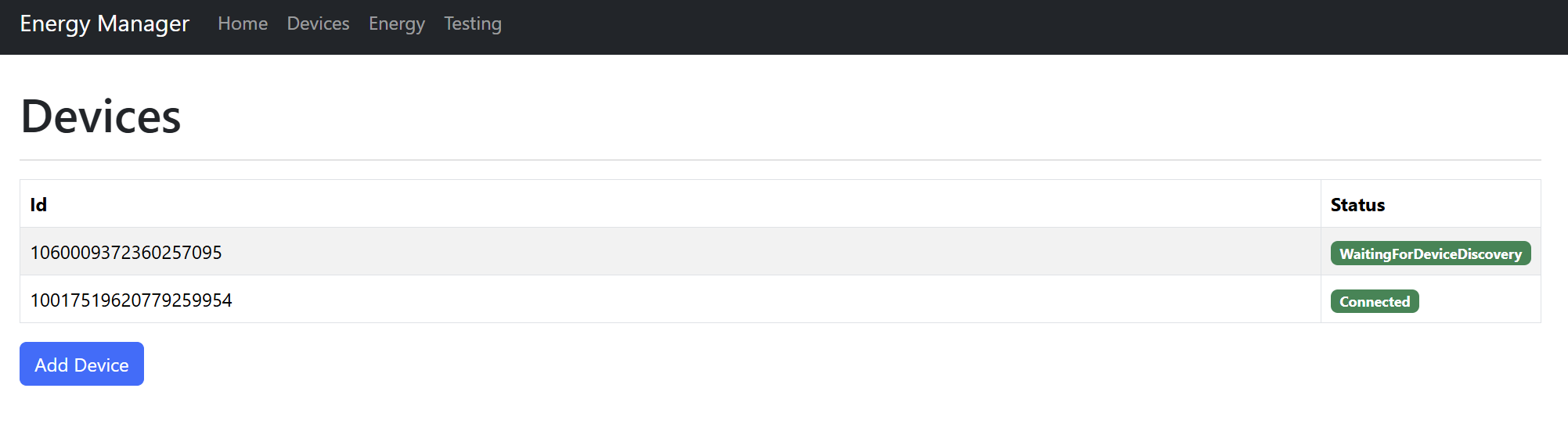
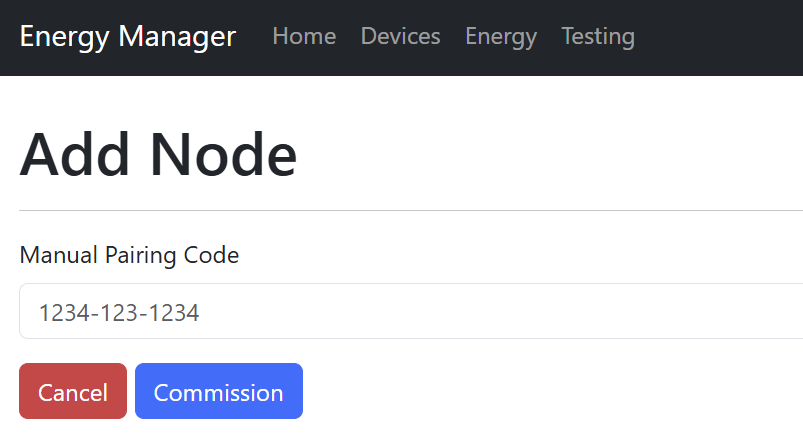
My Node server can commission devices using their pairing code. This was pretty easy to implement in matterjs, so I’m thankfully I didn’t spend too much time. Trying to do this in C# taught me an awful lot, so I appreciate the effort that has gone into matterjs.
Showing the Forecast
Again, after a lot of trial and error with the attributes and differing times (Javascript works in milliseconds, Matter in seconds) I was able to render the forecast.
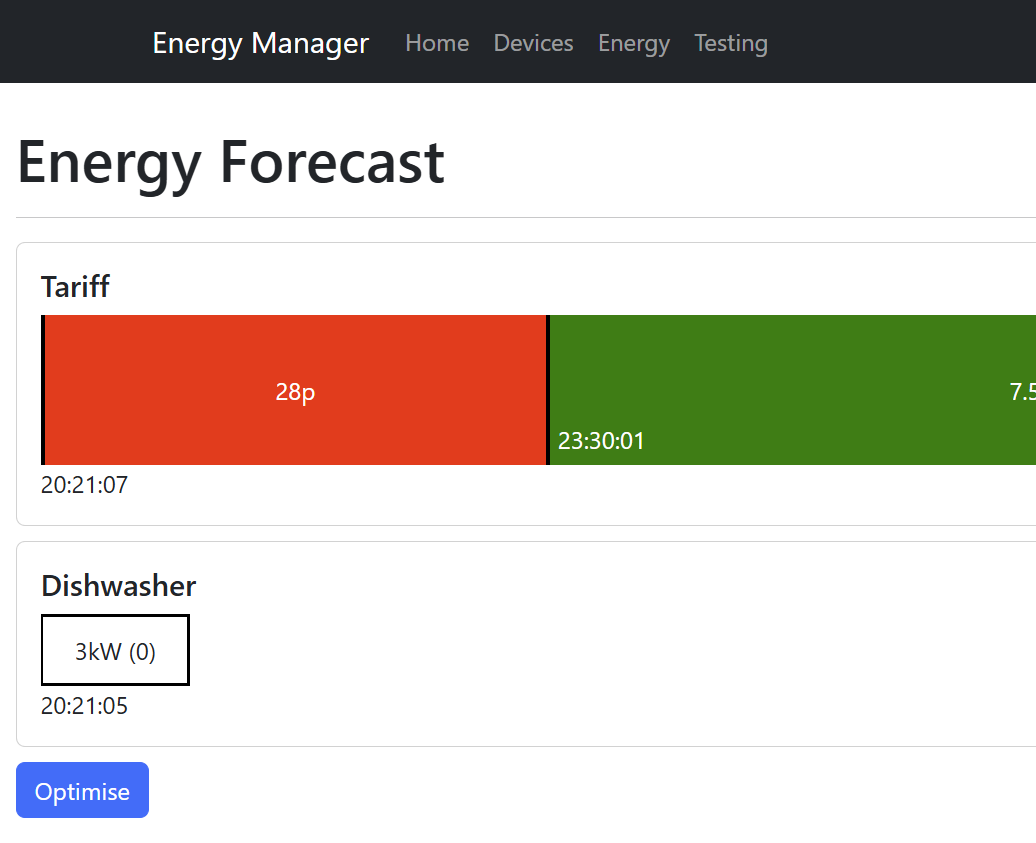
As time ticks along, the forecast actually moves off the edge of the screen.
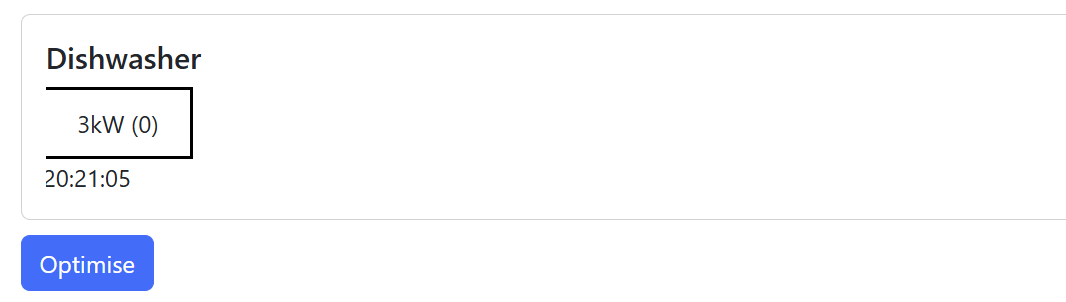
I display the slot number (0) and the nominal power of 3kW in the slot. This is crude, but gets the point across.
Optimising
There are various ways to optimise a forecast. Slots can be paused, start times changes and even power adjusted.
For my first attempt, along the lines of use peak and off-peak, the StartTimeAdjustRequest was perfect.
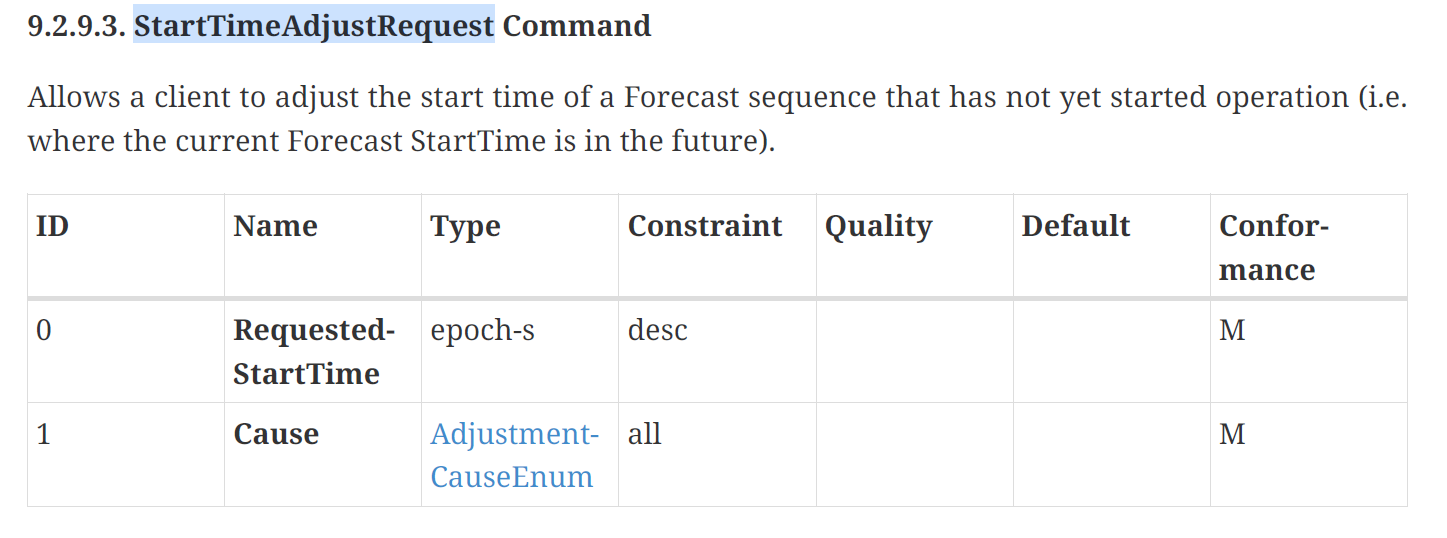
This command allows the manager to ask the device to start at a different time.
This command requires the StartTimeAdjustment feature to be enabled too.

That must be set when creating the DeviceEnergyManager endpoint
esp_matter::endpoint::device_energy_management::config_t device_energy_management_config;

device_energy_management_config.device_energy_management.feature_flags = esp_matter::cluster::device_energy_management::feature::power_forecast_reporting::get_id() | esp_matter::cluster::device_energy_management::feature::start_time_adjustment::get_id();
When the mechanics in place on the Matter side, I based out a basic Optimisation algorithm.
This is done by working out the cost of the forecasted energy usage against the tariff. It starts at the current time and works out the cost. Then it delays the start by one minute and works out the cost again. It does this ~40,000 times (12 hours of one-minute delays). When it’s finished, it works how which is the cheapest time to start. Not efficient, but demo 🙂
Once we have the cheapest usage, we tell the Dishwasher to delay its start until then.
Executing the delay in matterjs is just a case of calling the startTimeAdjustRequest command with the new time.
let newStartTime = currentTime + cheapestSimulation.delay;

await deviceEnergyManagement.startTimeAdjustRequest({
    requestedStartTime: newStartTime,
    cause: DeviceEnergyManagement.AdjustmentCause.LocalOptimization
);
I did run into this issue early on,

This was because I didn’t have enough values set on the forecast!
For simplicity, I do this:
sForecastStruct.forecastID = 0;changes.
sForecastStruct.startTime = unixEpoch + mDelayedStartTimeRemaining;
sForecastStruct.earliestStartTime = MakeOptional(unixEpoch);
sForecastStruct.endTime = unixEpoch + mDelayedStartTimeRemaining + mRunningTimeRemaining;
sForecastStruct.latestEndTime = MakeOptional(unixEpoch + 43200 /* 12 hours */);
sForecastStruct.isPausable = false;
sForecastStruct.activeSlotNumber.SetNull();
The earliestStartTime is just unixEpoch (now) and I set the lastestEndTime to 12 hours from now. More than enough for my demo. Not realistic, but this is a demo!
It’s worth noting that the Matter SDK will complain if you try and set a time outside the latestEndTime.
When I have a forecast and click Optimise, you can see the Dishwasher’s forecast move to the start of the off-peak time!
Basic optimization in action!
Opting in and Out
To go a little further, I looked at the OptOutState attribute of the DeviceEnergyManagement cluster.

This is how an Appliance can indicate whether it allows control or now. I’m not sure of the exact use case, but wanted to put it in anyway.
I added a little Menu option to my Tiny Dishwaster and the OptOut status can be changed. The “Click” function of the Rotary Encoder is used here and it works pretty well. I only support NoOptOut and OptOut.
If the Tiny Dishwasher is set to OptOut, the startTimeAdjustRequests are ignored. They should return an error of course, but that’s a job for another day.
Next Steps
This is a significant milestone on my Matter journey. Lots more to learn of course!
I want to explore power management next, which would be adjusting a devices power consumption, rather than just delaying. I also want to understand more about slots and how they might be paused.
Dynamic tariffs are another area of interest – for example, let’s say a free hour of energy is announced. I’d like to understand how devices might react to that.
The code for the energy manager Node application is here – https://github.com/tomasmcguinness/matter-js-energy-manager
The Tiny Dishwasher code is here – https://github.com/tomasmcguinness/matter-esp32-tiny-dishwasher
The code is still a work in progress but should work!
Did you like reading this post?
If you found this blog post useful and want to say thanks, you’re welcome to buy me a coffee. Better yet, why not subscribe to my Patreon so I can continue making tinkering and sharing.
Be sure to check out my YouTube Channel too – https://youtube.com/tomasmcguinness
Thanks,
Tom!


Leave a reply to Modelling a heat pump’s energy consumption – @tomasmcguinness Cancel reply