

Adding New Nodes
With my Tiny Dishwasher™ up and running, I returned my attention to my .Net Matter Controller. I had developed the code to the point where I was ready to try adding an actual device. Up to this point, I was using matter.js, running locally, to simulate a device.
I took the matter.js route as it was simple. Fixed passcode, fixed IP address (localhost!) and fixed port. It meant I didn’t have to worry about mDNS or anything like that.
My UI was also coming along nicely, but it was quite sad with just one Node sitting on it.
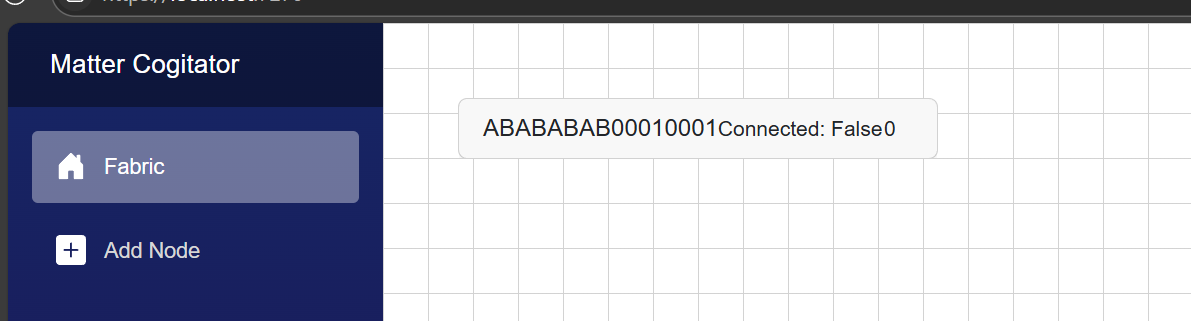
I decided it was time to tackle the commissioning of a new node!
Getting the details needed to find the node
To find and connect to a device, we need the two values; the discriminator and the passcode. The discriminator helps us find the right devices and the passcode lets us connect securely.
The manual setup code is provided with a device, could be a fixed value or might be generated dynamically.
I’ve already figured out how to parse this setup code, so I can get the information I need.
Already On-Network
To remove the need for any Bluetooth work, I wanted to focus on adding nodes that were already “on-network”. These are Matter nodes that have been commissioned by another controller and have a network connection. This might be WiFi or Thread, but they have an IP Address.
Nodes that are on-network, advertise themselves via mDNS. When they are put in a commissioning mode, they appear with mDNS in a slightly different way.
In my post on reconnecting to a node, I showed how mDNS records with a type of _matter._tcp.local are used to find existing nodes. In a similar way, on-network nodes that can be commissioned appear with _matterc._tcp.local.
The record also includes a discriminator value, and we’ll compare that against the value we get from the setup code.
Better mDNS library
At this point, I decided to just use an *actual* mDNS library, rather than focus attention on my own. Having a go at building my own was very useful, but it’s not complete enough to use.
I found Makaretu.Dns.Multicast.New, which seemed relatively up-to-date and wired it in. Not too many changes were needed as the interface was actually quite similar to my own.
The main difference was that I needed to parse the TXT record values myself.
var txtRecords = e.Message.Answers.OfType<TXTRecord>();

var recordWithDiscriminator = txtRecords.FirstOrDefault(x => x.Strings.Any(y => y.StartsWith("D=")));
My existing NodeRegister needed a slight tweak to hold the discovered nodes in a better fashion. I created a new class
public class NodeRegisterDetails
{
    public NodeRegisterDetails(ushort discriminator, string[] addresses)
    {
        Discriminator = discriminator;
        Addresses = addresses;
    }

    public ushort Discriminator { get; set; }

    public string[] Addresses { get; set; } = [];
}
Once a commissionable node started answering via mDNS, it would get added to the NodeRegister, with the discriminator value set.
Starting the Commissioning
At this stage, I needed a way to capture the setup code, so I created a new page in my Blazor app with a text box.
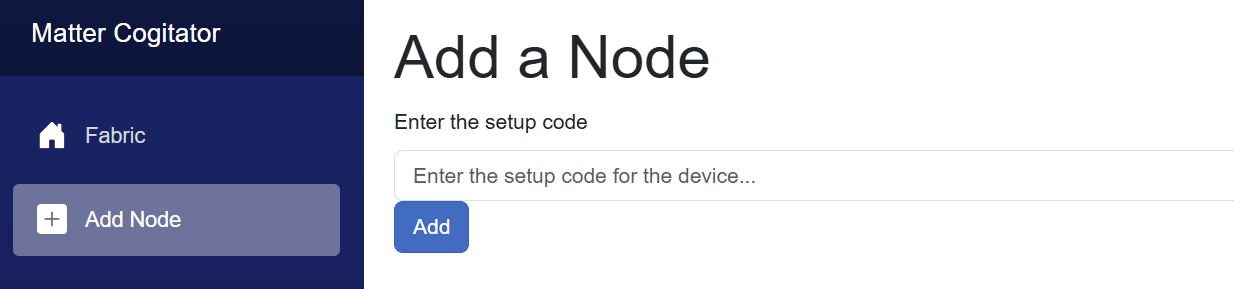
Once the user clicked add, I use my CommissioningPayloadHelper class to pull out the values I need, before passing that to a Commissioner
CommissioningPayload payload = CommissioningPayloadHelper.ParseManualSetupCode(manualSetupCode);

await _commissioner!.CommissionNodeAsync(payload);
At this point, I needed to take advantage of the NodeRegister.
var nodeDetails = await _nodeRegister.GetCommissionableNodeForDiscriminatorAsync(commissioningPayload.Discriminator);
The GetCommissionableNodeForDiscriminatorAsync just searched its dictionary of nodes for a match based on the discriminator.
I wasn’t sure how to select the right address from the array of addresses, so I just picked the first one. I think there is a priority and weight for these addresses, but I’ll come back to that.
var firstAddress = nodeDetails.Addresses.First();At this point I realised I was missing a key piece of info; the UDP port!!!!
Thankfully, the mDNS SVR record included this, so I had to modify my handler to pull this out of the record too and I added it to the NodeRegisterDetails
public NodeRegisterDetails(ushort discriminator, ushort port, string[] addresses)
{
    Discriminator = discriminator;
    Port = port;
    Addresses = addresses;
}

public ushort Discriminator { get; set; }

public ushort Port { get; set; }

public string[] Addresses { get; set; } = [];
I could now call my existing NetworkCommissioner with the details gleaned from the mDNS records
commissioningThread.CommissionNode(new NetworkCommissioningThreadState()
{
    Node = nodeToCommission,
    IPAddress = address,
    Port = nodeDetails.Port,
});
Failure!
To test it out, I put my Tiny Dishwasher into Pairing Mode via iOS Home.

I entered the code into my Blazor app and hit “Add”. Unfortunately, it didn’t work. It just didn’t find a node with the expected discriminator. Whilst debugging, I could see that the mDNS code was working and picking up the commissionable node, but the discriminator didn’t match.

What struck me as odd here was that the Port was 3840 and the Discriminator was 5540. 3840 is the standard testing discriminator and 5540 is the typical Matter UDP Port number! Sure enough, I had two parameters mislabelled, but that didn’t help. The discriminator I was getting from the setup code didn’t match the mDNS TXT record value.
Two possibilities; my setup code parser was wrong or I was reading the TXT record incorrectly.
Thankfully I had a way to check the first one – using the chip-tool!
chip-tool payload parse-setup-payload 1471-584-7470This yielded:
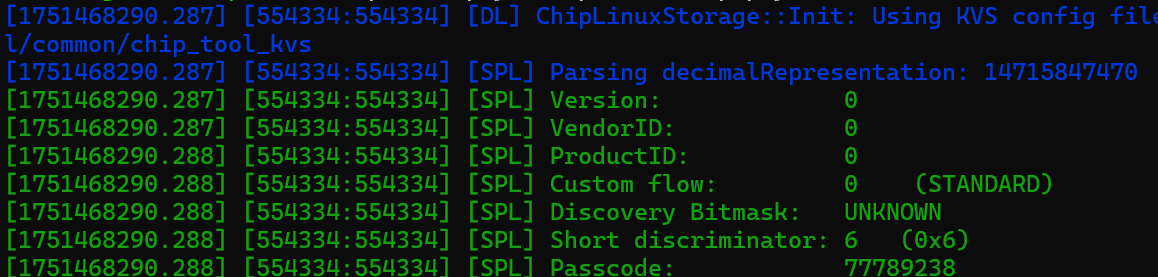
My discriminator parsed out as 1536, which is correct for a short discriminator value of 0x06. The passcode was also correct, matching with 77789238. The discriminator value in the TXT record is 1840.
I then realised the problem! In the manual pairing code, we only get the top 4 bits of the discriminator (the short discriminator). I am comparing *all* of the bits, which is why I don’t get a direct match.
I modified my matching logic to match the top four bits
if (commissionableNode.Value.Discriminator >> 12 == discriminator >> 12)and got a match!
Then my code started to throw this

I changed the NetworkCommissioner’s UdpClient to use IPv6 when appropriate
_udpClient = new UdpClient(AddressFamily.InterNetworkV6);This got me further and the commissioner even exchanged a few PASE messages!
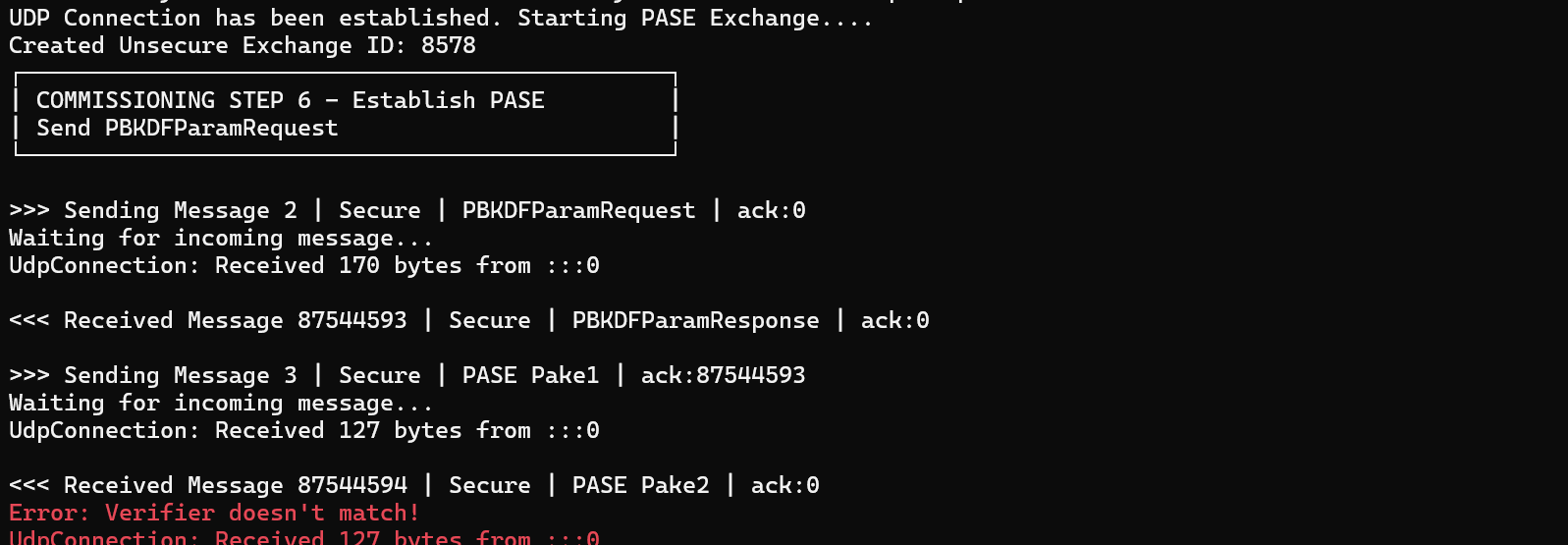
I immediately knew what the issue was: Wrong passcode! I still had the hard-coded ESP-MATTER test value.
CryptographyMethods.Crypto_PAKEValues_Initiator(20202021, iterations, salt);I updated the NetworkCommissionerState to accept the passcode value.
That got me bit further, but I hit another exception, this time in the CSR exchange
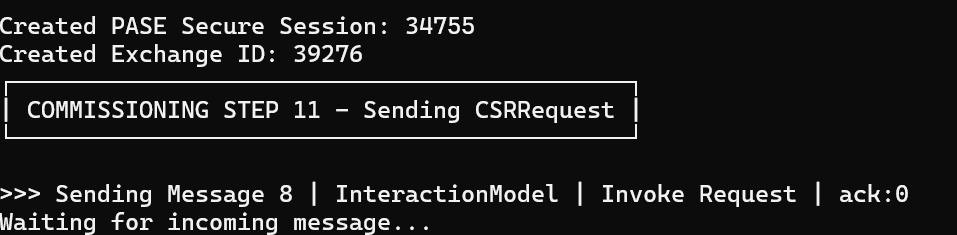

Ugggg, cryptography. My favourite.
This all worked with matter.js, but I wasn’t expecting it work first time with an ESP32. This was going to take more of the same debugging I did the first time around! So close, yet so far!
With debugging enabled, I can see the ESP32 successfully decodes and executes my CSRRequest. My code, on the other hand, couldn’t decode the response..

After a little bit of debugging, I found that the response message from the ESP32 wasn’t being parsed correctly. From my console, I could see this message:

Which corresponded to this outgoing message on the ESP32.

A simple standalone ack. The outgoing exchange and session were correct and it was trying to Ack message 7.
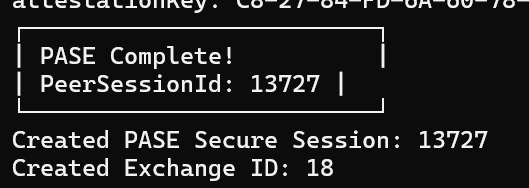
This meant there was something in the payload for this simple message that I was messing up.
After a little more poking around, I wondered if Message Reliability was part of the problem? I was certainly sending ACKs in response to the incoming messages, but the ESP32 wasn’t sending any acknowledgments to mine. I set the Reliability ExchangeFlag and then the whole thing stopped working!
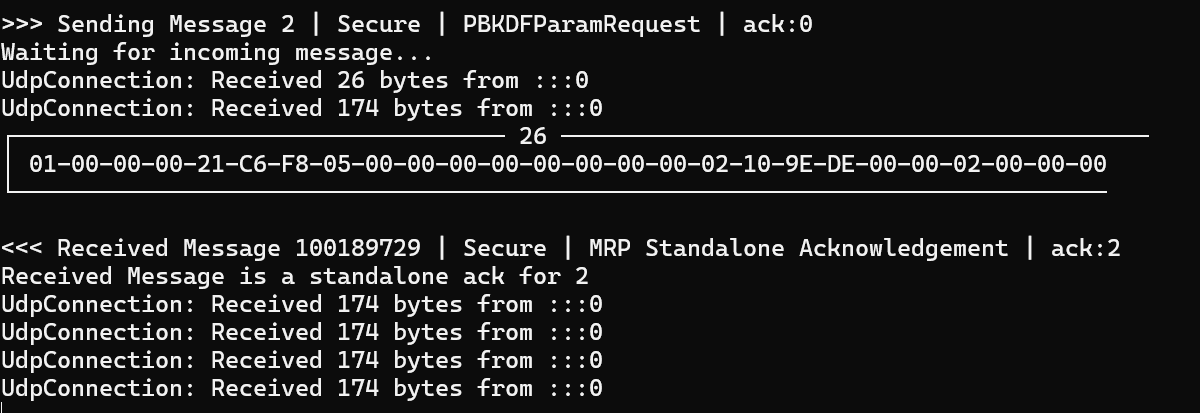
My message pump was behaving as intended. You can see the ack: 2 in response to my PBKDFParamRequest, but my message pump stops sending the incoming 174 byte payloads up to the caller. Unexpected, but my code is far from perfect. To keep going, I removed the flag.
After even more digging, I got another clue:

Sometimes it seems like the decoding would work and other times it would fail. In this case, the message appeared to get decoded, but the payload was junk 😟
I cleaned up some of the code, and added a new check for the SessionId, to ensure messages coming into the MessageExchange were for the correct session. Once I implemented that check, I found that the response to the CSR Request had an unexpected messageId and the wrong sessionId.
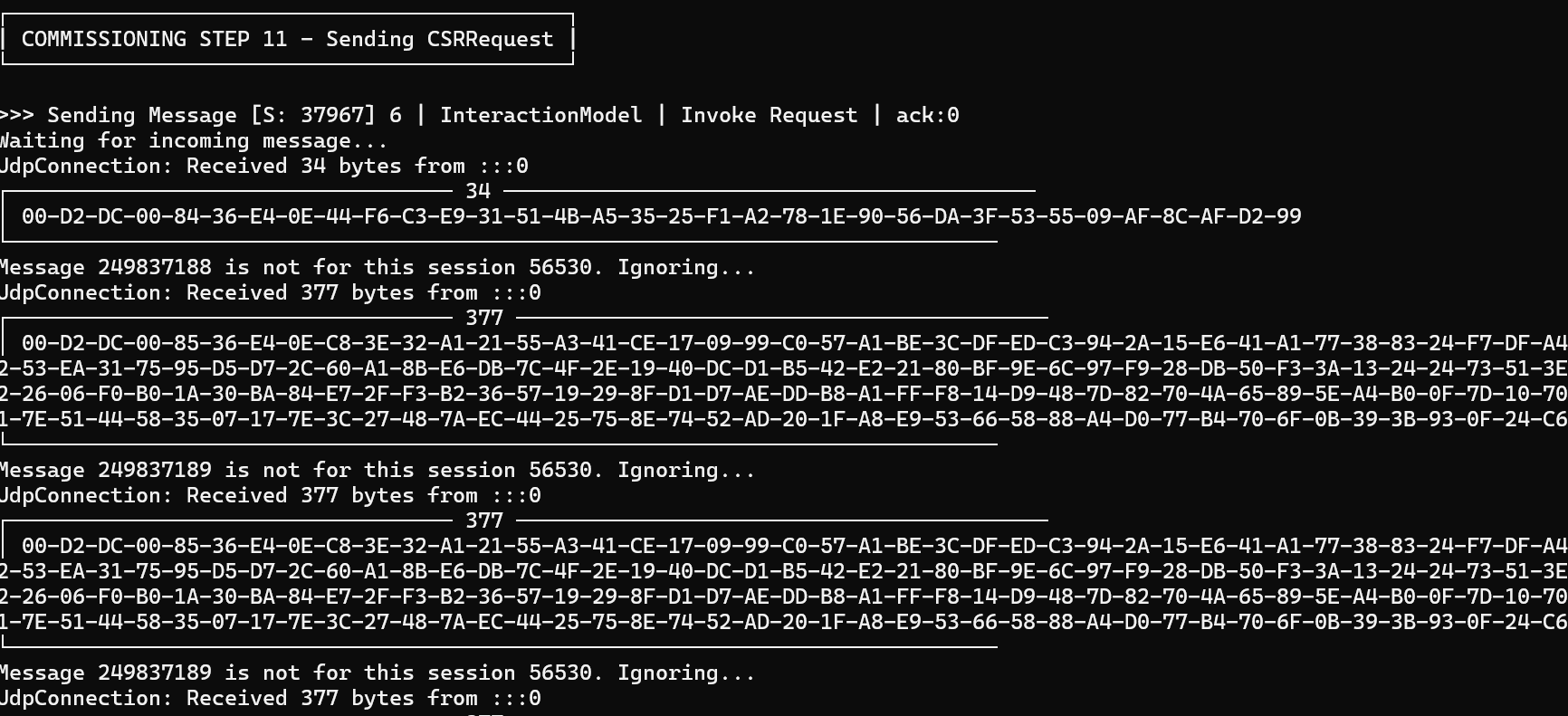
The ESP32 logging showed two messages going out. One 34 bytes long and one that was 377 bytes long.

The SessionId and ExchangeId on the logging looked correct.

What I also noticed was that the messageId had taken a huge jump! When exchanging the initial PASE messages, the messageId was 154562905.
I had a read about Message Counters (4.6, Matter Specification) and found this:

I should be using a different message counter for the secure session! Not the end of the world.
What this doesn’t explain, however, is why the sessionId on the doesn’t match what the ESP32 is telling me. I parse 56530, but it says it’s sending 37967. The messageId is correct too, so I’m doing something right….
I hit the Discord as I typed out the issue, I realised what it might be. When a secure session is established, there are two sessionIds. Your sessionId and the devices’s session id, also called the Peer Session Id.
using (var rng = RandomNumberGenerator.Create())
{
SessionId = peerSessionId;
Console.WriteLine($"Created PASE Secure Session: {SessionId}");
}
In my own code I was mixing up the sessionIds! This wouldn’t have mattered in the unsecure messages, since both sessionIds are 0, but now, in a Secure Session, I should have two. I refactored adding a PeerSessionId and I correctly generated a random sessionId
PeerSessionId = peerSessionId;

SessionId = BitConverter.ToUInt16(RandomNumberGenerator.GetBytes(16));

Console.WriteLine($"Created PASE Secure Session: {SessionId}, PeerSessionId: {PeerSessionId}");
That didn’t make any difference 😦
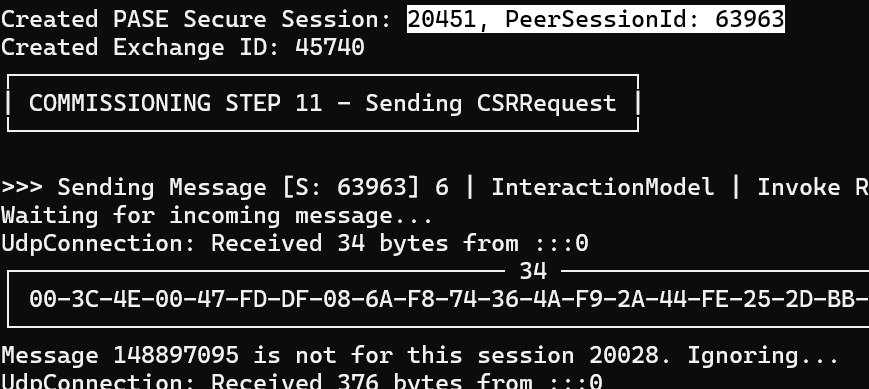
20028 being sent from the ESP32 didn’t match my session id or the peer session id.
I started to wonder where it was getting this number from. I know I got the Peer Session Id from the PBKDF Exchange. Perhaps I was sending this value 20028 value without really realising it?
The answer was yes!
In the PBKDFRequest, there was an initiatorSessionId.
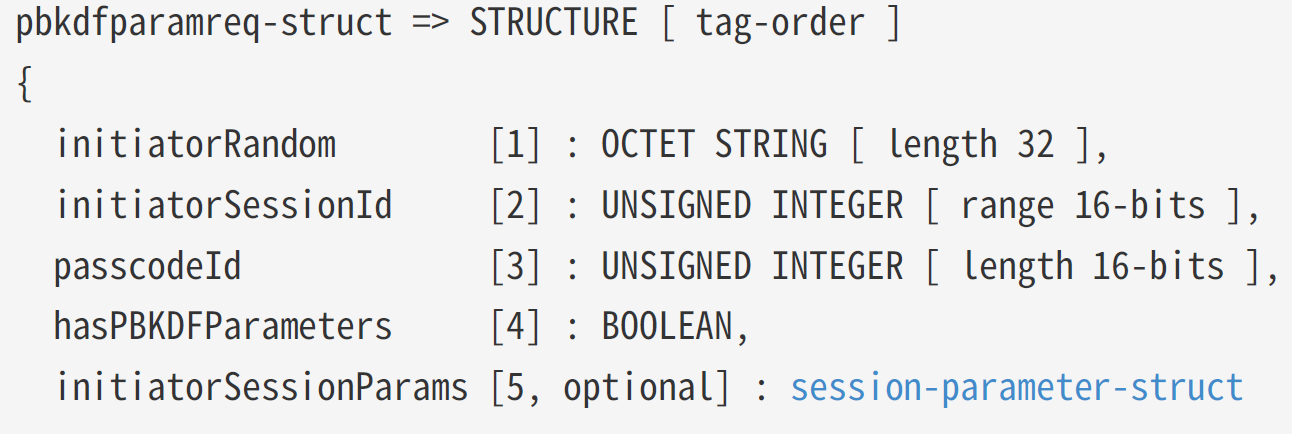
I was just adding a random value
PBKDFParamRequest.AddUInt16(2, (ushort)Random.Shared.Next(1, ushort.MaxValue));so I changed it to 9999
PBKDFParamRequest.AddUInt16(2, (ushort)9999);and sure enough, the ESP32 started sending it back!!!

So, this particular session isn’t randomly generated when the PASE Session is created. It needed to be created before the PASE messages were exchanged. I updated the flow to generate this first!
var paseInitatorSessionId = BitConverter.ToUInt16(RandomNumberGenerator.GetBytes(16));This helped, but it still wouldn’t pair the ESP32.
I returned to the matterjs matter-device emulator and tried it. Suffice to say, that didn’t work either. After some messing around with MessageExchanges, I got it working again (old exchanges were reading messages).
Wrong Message Counter
After pairing the matterjs device, I tried to reconnect and got presented with this.
Ignoring duplicate message 0 (requires no ack) for protocol 0 on channel udp://[2a02:8012:125a:0:adb0:1826:ee85:e66c]:55102

ExchangeManager Ignoring duplicate message 0 (requires no ack) for protocol 0 on channel udp://[2a02:8012:125a:0:adb0:1826:ee85:e66c]:51844
The MessageCounter should be unique for each particular session and since my initial PASE message has a (wrong) value of zero, the matter-device didn’t want to see that message again.
I changed up my ISession, exposing a MessageCounter propery and set it up in the same way as the GlobalCounter, incrementing each time it’s accessed.
public uint MessageCounter => _messageCounter++;I also added some logic to each of the Sessions to set a random initial value.
_messageCounter = BitConverter.ToUInt32(RandomNumberGenerator.GetBytes(4));Once I did that, my Controller could happily reconnect with the matterjs matter-device.
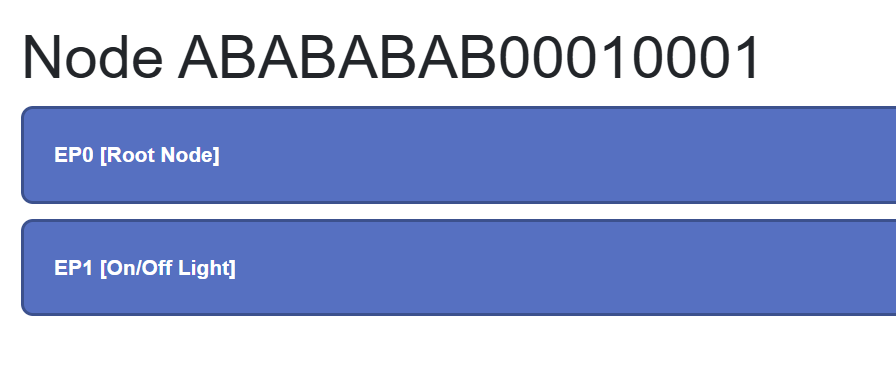
I could then retrieve the Endpoints from matter-device
On the advice of Apollo77 from the Matter discord, I tried to pair the Tiny Dishwasher using the matter.js controller example. Annoyingly, this worked perfectly!!!!!
This meant that I or my accurately, my C#, was doing something wrong.
Debugging ESP32
At this point, my only real option was to start trying to debug the ESP32 code. Ugggggg.
After a lot of digging, I found the point where the shared secret was being calculated. That’s the Ke value produced during the PASE.
I added this to the Spake2p::GetKeys method in the MatterSDK
char hex[100];
Encoding::BytesToHex(Ke, Crypto::kAES_CCM128_Key_Length, hex, sizeof(hex), Encoding::HexFlags::kNullTerminate);

ChipLogError(SecureChannel, "Ke: %s", hex);
During the Commissioning, the Tiny Dishwasher printed out the value

My own C# printed this

A perfect match. I suspected this would be the case as the ESP32 was able to decode my CSRRequet.
At this point, I felt that the nonce and additionalData values used during encryption was at fault. I needed to find how they were build and used. After some poking, I began to think I was getting close

The nonce value appeared to match


So far, so good.
A little more C++ and I had more.



and just like that, the issue revealed itself. My additional data was 8 bytes *longer*! I commented out the SourceNodeId as that was adding the 8 0x00 bytes.

That worked and the code moved past the CSRRequest!
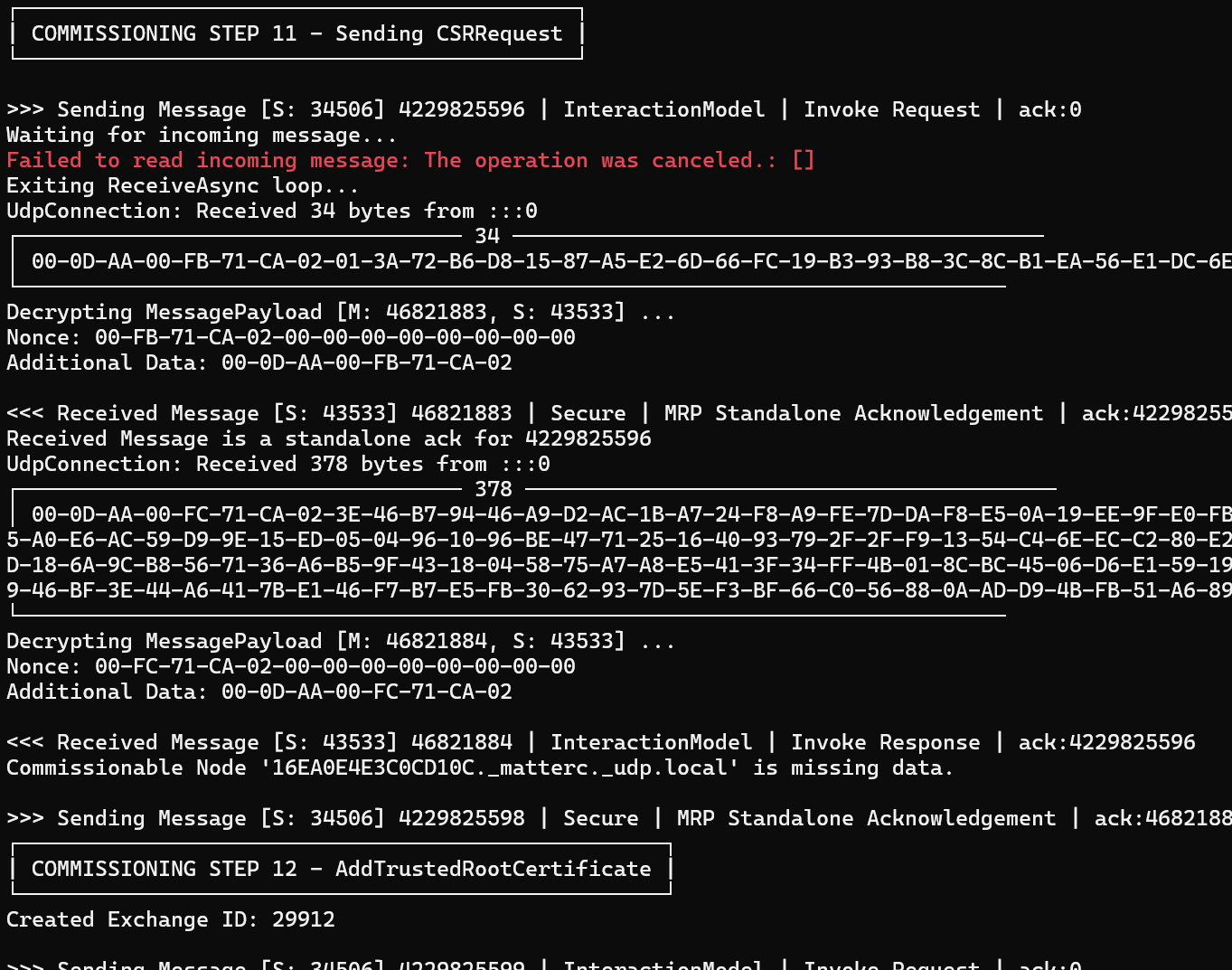
It still bombed out, but we were moving through the process.
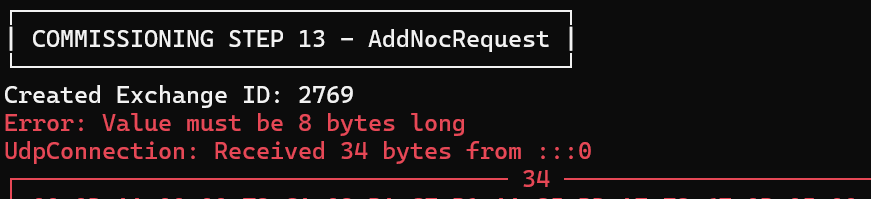
This was an embarrassing issue. My NodeId was too long. I was creating a 32 *byte* number 🤣
internal Node CreateNode()
{
    var nodeIdBytes = RandomNumberGenerator.GetBytes(32);
var nodeId = new BigInteger(nodeIdBytes, false);Fixing that to be just an 8 byte number, the commissioning then got as far as the CASE exchange!
Then it got even more interesting

I printed out all the fabric IDs that the ESP32 had.

And compare it to the one I was sending in the Sigma1 message. None of these were even close to the value I had calculated.
With more logging added, I could see something wasn’t right

After fixing the rootPubKey display, I noticed something. Nothing of the rootPubKeys in the ESP32 matched the value I was sending. The fabricId and nodeId values didn’t match either, but I put that down to printing BigIntegers.
So why was the root certificate public key different?
The answer lay earlier in the commissioning flow – the damn AddNOC command was failing.

This explained why my fabric wasn’t in its list.
You Shall Not Pass!
I hit a solid wall here.
No matter what I tried, I couldn’t get the ESP32 to validate my certificate. The same code worked without issue against matterjs nodes, but not the ESP32.
I had covered a lot of ground, but this let the oxygen out of my tanks.
I’m going to part this project for now. It’s been a tremendous learning exercise, but despite hours of tinkering, I stopped making progress.
All the code is available at https://github.com/tomasmcguinness/dotnet-matter if you want to take a look!
 @tomasmcguinness
Leave a comment