

In this post, I created a basic Heat Pump implementation using Matter-JS.
Building on this, I wanted to add support for power forecasting and schedules. This would then allow me to show how energy management might work for heat pumps. This would be similar to what I did for my Tiny Matter Dishwasher.
My plan was to allow the user to specify some basic schedules, demonstrating different transitions and set points. With schedules in place, the heat pump could then forecast its energy consumption over the coming day. This would essentially combine the scheduled set-point, the forecast outdoor temp and my Machine Learning model.
Schedules seems like a good place to start.
No Schedules? Not you too matter-js!
As I discovered recently, the Matter Schedules feature of the Thermostat isn’t implemented in the CHIP-SDK. I’m trying to add this by raising PRs, but it’s slow going 🙂
Unfortunately, I also discovered that Matter-JS doesn’t really fully support them either. The entire AtomicRequest feature isn’t supported (a prerequisite for schedules). This would certainly be great to add, but I only have so much time and attention.
Thankfully, matter-js supports *reading* hardcoded schedules.
On discovering this, I resigned myself to just hard coding a single schedule. This schedule sets the temp to 21 at 5:30AM (330 minutes) and to 16 at 11PM (1380 minutes). It’s systemMode is 4, which mean its heating. It’s also marked as builtIn, indicating it can’t be changed.
schedules: [{
    scheduleHandle: Bytes.fromHex("0001"),
    systemMode: 4,
    transitions: [{
        dayOfWeek: {
            monday: true, tuesday: true, wednesday: true,
            thursday: true, friday: true, saturday: true, sunday: true
        }, heatingSetpoint: 2100, transitionTime: 330
    },
    {
        dayOfWeek: {
            monday: true, tuesday: true, wednesday: true,
            thursday: true, friday: true, saturday: true, sunday: true
        }, heatingSetpoint: 1600, transitionTime: 1380
    }],
    builtIn: true,
}],
I confirmed this schedule was correct using the chip-tool to query it
chip-tool thermostat read schedules 0x12 0x02This returned my schedule with the two transitions.
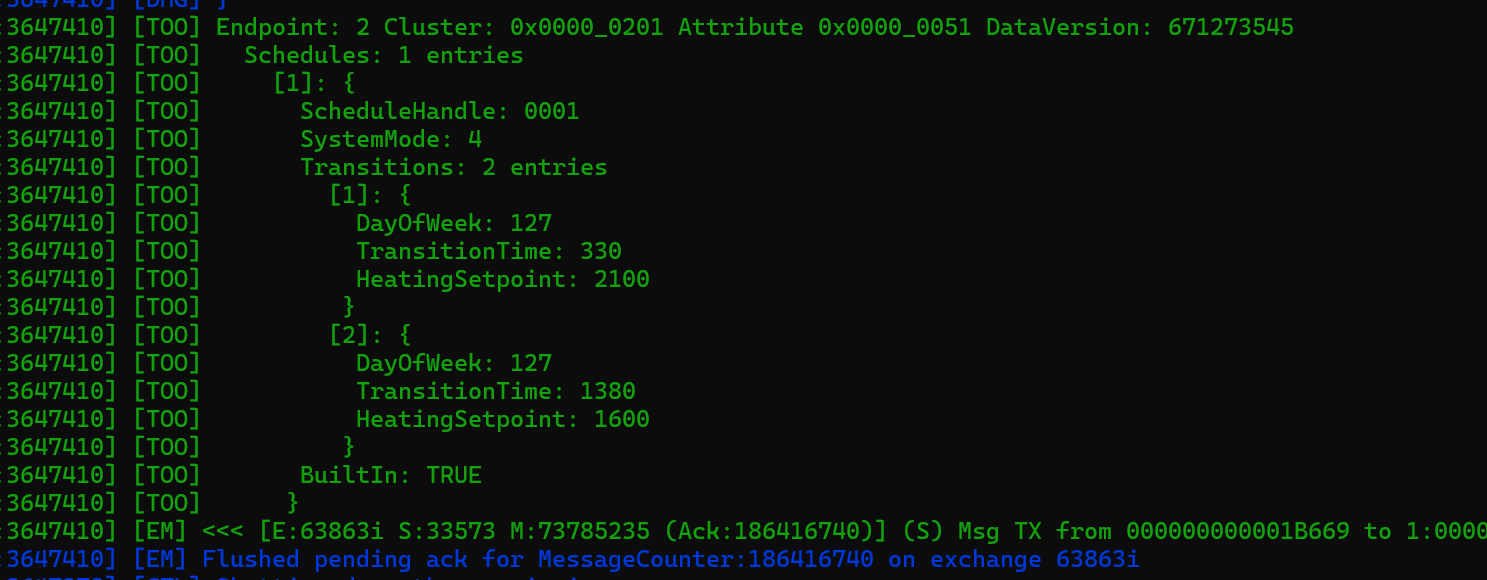
Having two different set points at two different times of the day should yield a nice power forecast.
That said, after much time spend trying to use this schedule structure, I gave up and added something *really* basic.
var heatingSchedule = [
    {
        hour: 0,
        endHour: 7,
        targetTemperature: 16
    },
    {
        hour: 7,
        endHour: 22,
        targetTemperature: 21
    },
    {
        hour: 22,
        endHour: 23,
        targetTemperature: 16
    },
];
It’s cheating, I know, but schedules aren’t the main thing I’m interested in. Why spend hours on making it work when I’m interested in forecasts!
Power Forecasting
I had some experience with power forecasting with when I added it to my Tiny Dishwasher. However, in that instance, I had some guidance from the specification. When it came to a heat pump, I wasn’t as clear.
Unlike a dishwasher, which has running time and operations (rinsing, drying etc), a heat pump is either on or off.
Except that’s not really true. Not exactly anyway. There are different ways it can be on. Kinda.
Fear not. I’m going to side-step this whole topic. We can assume that the thermostat is on and the heat pump will be supplying heat. This is mirrored by the schedule I defined earlier.
The question is now how to reflect this with the Matter power forecasting. With the dishwasher it was easy. Each phase of the dishwasher’s cycle could be represented by one “slot” within the forecast. Nice and discreet.
For something that is continuous and variable, it’s not as clear cut.
My initial thought was one slot per hour. That would then give a reasonable breakdown across a day, following the outdoor temperature. Unfortunately, you can only have ten slots in a forecast. So that ruled that out.
I decided to go with a straight-forward forecast based on the schedule transitions. Transitions would represent a change in the thermostat setpoint. Changes in setpoint would have an impact on the forecast. We have two transitions in my schedule, which would yield three slots. The slots would be pretty long (hours!), but I had to start somewhere!
Slots
Like everything else in the demo, I grouped everything into simply hourly blocks.
Starting with the currentHour, I would work out the power consumption for that hour. This was driven from my horribly simple weather comp calculation and my ML prediction. Whilst the schedule didn’t change, these hourly values were stored.
The idea was to work from *now* until midnight, giving me power for the rest of the day. I did it like this for simplicity.
var outdoorTemperature = temperatureByHour.find(t => t.hour == hour).temperature;

// My crude weather compensation curve.
var deltaT = matchingHeatingSchedule?.targetTemperature - outdoorTemperature;

var heatRequired = deltaT * 200;

var weatherCurveOffset = 35;
var weatherCurveSlope = 0.5;
var deltaT = 5;

var flowTemperature = (outdoorTemperature * weatherCurveSlope) + weatherCurveOffset;
            var flowRate = heatRequired / (4.186 * deltaT); // in liters per second

var power = predict([flowTemperature, flowRate, outdoorTemperature]) * 1000; // mW;

powerUsageHour.push(Math.floor(power));
If the schedule changed (a transition), a slot was created.
if (matchingHeatingScheduleIndex != currentHeatingScheduleIndex) {
    currentHeatingScheduleIndex = matchingHeatingScheduleIndex;
    slots.push(powerUsageHour);
    powerUsageHour = [];
}
Once I’d worked until midnight (only forecasting for the remainder of the day), I created forecast slots
 forecastSlots.push({
     minDuration: totalHours * 60 * 60,
     maxDuration: totalHours * 60 * 60,
     defaultDuration: totalHours * 60 * 60,
     elapsedSlotTime: 0, // Wrong
     remainingSlotTime: s - (24 * 60 * 60), // Wrong
     nominalPower: averagePower,
     minPower: 0, // Wrong
     maxPower: 10000000, // Wrong
     nominalEnergy: 10000, // Wrong
});
I put a lot of crappy values in to start with. The nominalPower property is the important one for now.
With my slots in place, I updated the forecast property of the DeviceEnergyManagement cluster on the heat pump.
await heatpumpEndpoint.setStateOf(DeviceEnergyManagementServer, {
    forecast: {
        forecastId: 1,
        activeSlotNumber: 0,
        startTime: s,
        endTime: s + ((24 * 60 * 60) - 1),
        isPausable: false,
        slots: forecastSlots,
        forecastUpdateReason: 0
    }
});
I’m not setting the activeSlot, which I shoudl be. I’ve also fixed the forecastId to 1, which isn’t right either.
Feature Required!
As soon as I ran this code, I got an error telling me I couldn’t update the state!
Validating heat-pump.heat-pump.deviceEnergyManagement.state: Conformance "PFR | SFR": Matter does not allow you to set this attribute (135)The PFR | SFR here refers to Power Forecast Reporting and State Forecast Reporting. After some help from the Discord, it turned out my definition was wrong.
When declaring the heat pump, I had add the feature to the DeviceEnergyManagement cluster using “with”
DeviceEnergyManagementServer.with("PowerForecastReporting")Receiving the Forecast
During the development of myTiny Matter Dishwasher, I created a Device Energy Manager example project.
After some modifications to it, I was able to commission my Heat Pump with it. I also tweaked the UI to display the parts and endpoints.

When I change the SystemMode, the forecast appeared in the Energy Manager!
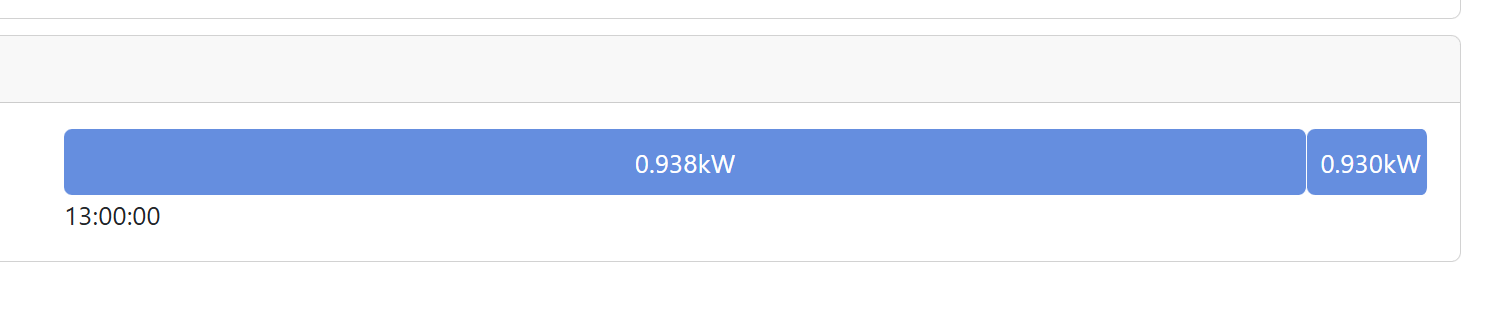
Ignoring the accuracy of the figures, we can see we have two distinct blocks of forecast. These line up to the schedule.
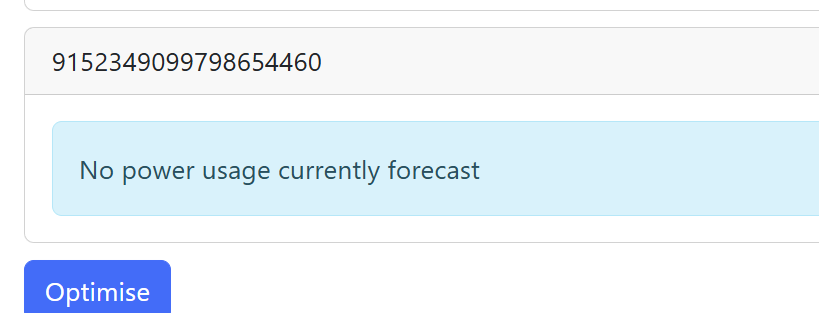
Switching the Heat Pump off (SystemMode Zero) will see the forecast cleared!
Next Steps
I have so many questions coming out of this simple example, which is good. Means I’m learning stuff.
Next up for this little project is trying to improve the Forecast Slots, so they contain better data. I should spend time putting in the right activeSlot etc.
The slots also allow for min and max power values, so that is something I should also calculate.
The thing I completely ignored was Hot Water. Heating water is typically a job for a heat pump and it usually involved higher temps. Matter supports a couple of Water Heater clusters, so it would be great to get them added too.
I should have a YouTube video ready to go soon!
If you’re interested in what I’ve done, it’s all up on Github.
Heat Pump simulator: https://github.com/tomasmcguinness/matter-js-heat-pump
Energy Manager: https://github.com/tomasmcguinness/matter-js-energy-manager
Did you like reading this post?
If you found this blog post useful and want to say thanks, you’re welcome to buy me a coffee. Better yet, why not subscribe to my Patreon so I can continue making tinkering and sharing.
Be sure to check out my YouTube Channel too – https://youtube.com/tomasmcguinness
Thanks, Tom!
 @tomasmcguinness
Leave a comment