
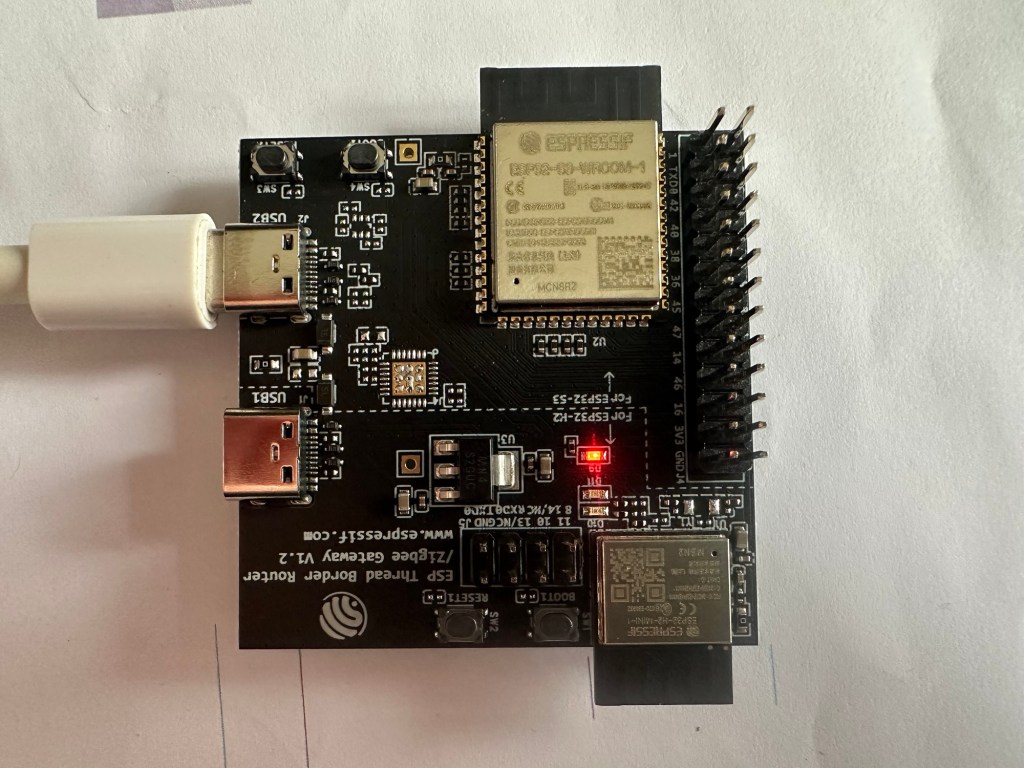
With some recent success with my Dual Temperature Sensor, I’m continuing my Heating Monitor road map.
The next step is to build a home for the temperature measurements from my radiators. In an earlier effort, I had a simple web server sitting on an ESP32. It would gather measurements from sensors via Bluetooth. Whilst the idea was good, Bluetooth Mesh was a poor choice as it offered no poor life. I also tried using the advertising packets, which was clever, but the range was terrible.
For my next attempt, I’m going to leverage the Matter.. I’ll still need a web server, but I want to combine it with Matter. Going for Matter would let me use my existing Thread network, which should solve the range issue. Battery life wasn’t going to be an issue either.
The other benefit is that I could use 3rd party sensors, if I needed to. No vendor lock-in with Matter.
Commission or Permissions?
The first challenge I saw in front of me was how to actually get the data from my sensors. Matter is fantastic for interoperability, but it also has powerful permissions and security. Just because a sensor is on the same network, doesn’t mean anyone can read it.
Typically, when you commission a device, the commissioner gets administrator permissions. So, if I use my iPhone to commission my radiator sensor, it can see the measurements. However, another device commissioned by iPhone can’t get the readings since it has no permission to access the node.
I had two options in front of me:
- Ensure my Heating Monitor application could commission devices or..
- Figure out how to grant permissions to my Heating Monitor
As I had experience using the chip-tool to grant permissions between switches and bulbs, I chose that. I had enough to figure out!
I would use the chip-tool to commission my Heating Monitor and sensors. This would then allow me to assign the permissions required between the two nodes.
The Plan
The basic functionality I needed was becoming clean. I broke this down into a few steps.
- Create a skeleton Matter node using
esp-matter - Add a web server
- Find all temperature measurement sensors (using mDNS?) and show them on a web page.
- Connect to another node and read some temperature values.
- Subscribe to changes so my monitor is always up-to-date..
Steps 1 and 2 I’d experience with. Step 3 was probably going to be the most difficult, since I had a clue how to discover nodes 🙂
Skeleton Project
I started by copying the esp-matter light example to my project directory.
cp -r ~/esp/esp-matter/examples/light/* ./Next, I *removed* the .git folder. This is really important because the project won’t build otherwise. How do I know this? Hours wasted tracking down a ESP Insights Project commit: HEAD-HASH-NOTFOUND error. The solution was simple:
rm -rf .gitWith that folder gone, I set the target to esp32c6. I’m using a c6 as I want to use WiFi to make my webserver easier to build. Thread should work just the same and I’ll probably test that once the project is working.
idf.py set-target esp32c6With it compiling, I then proceeded to strip out anything light related. I also used menuconfig to turn off several clusters I didn’t need like SUPPORT_ON_OFF_CLUSTER and SUPPORT_LEVEL_CONTROL_CLUSTER. We won’t need these and it makes the firmware smaller.
When the code flashed, I was able to use iOS Home to commission the device onto the network.
Web Server
With my basic Matter node ready, I looked at introducing a web server. This was the piece I was most unsure about. In theory, it should just fine. Matter is, after all, just a server listening on a port.
I added the function start_webserver
static httpd_handle_t start_webserver(void)
{
    ESP_LOGI(TAG, "Configuring webserver...");

    httpd_handle_t server = NULL;
    httpd_config_t config = HTTPD_DEFAULT_CONFIG();

    config.max_uri_handlers = 11;
    config.lru_purge_enable = true;
    config.uri_match_fn = httpd_uri_match_wildcard;

    ESP_LOGI(TAG, "Starting server on port: '%d'", config.server_port);

    const httpd_uri_t root_uri = {
        .uri = "/",
        .method = HTTP_GET,
        .handler = root_get_handler,
        .user_ctx = NULL};

    if (httpd_start(&server, &config) == ESP_OK)
    {
        ESP_LOGI(TAG, "Registering URI handlers");
        httpd_register_uri_handler(server, &root_uri);
        return server;
    }

    ESP_LOGI(TAG, "Error starting server!");

    return NULL;
}
This function just stands up the esp32 server with a single handler for the / page. This root_get_handler just returns “Hello, World!”.
I wanted to start the webserver when my node was commissioned *and* had an IP address. To do this, I hooked into the Matter event callback.
static void app_event_cb(const ChipDeviceEvent *event, intptr_t arg)
{
    switch (event->Type) {
    case chip::DeviceLayer::DeviceEventType::kInterfaceIpAddressChanged:
        ESP_LOGI(TAG, "Interface IP Address changed");
        start_webserver();
        break;
Seemed like a good place to start. I flashed and was shown this…

Error 112 indicated the port was already in use. A few lines above, success!
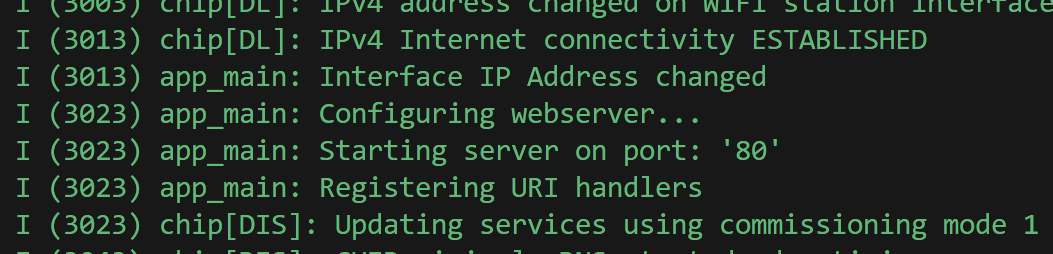
And when I visited the IP address…
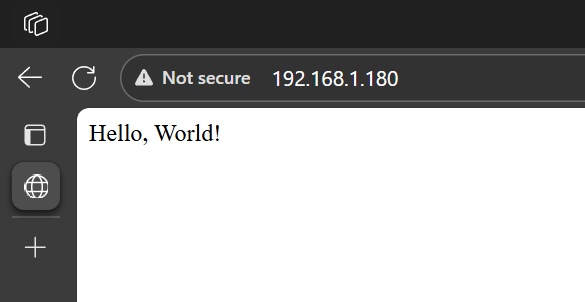
I got my message. The kInterfaceIpAddressChanged was being triggered for both IPV6 and IPV4, hence the 112 error. Not a problem at this stage.
Serving HTML files
Whilst service Hello, World! is great for a demo, it’s not going to work for this project. I need to be able to server HTML and probably Javascript pages.
I’ve done this in the past, when I built my initial radiator_monitor project. That project used SPIFFS, which is a basic file system, but time time around, I tried something more basic. Embedded the files directly.
This included adding an EMBED_FILES instruction to the CMakeLists.text
idf_component_register(SRC_DIRS          "."
                       PRIV_INCLUDE_DIRS "." "<trunacted>"
                       EMBED_FILES       "../html_data/index.html")
I then adjusted the root_get_handler function to load the data.
extern const uint8_t bootstrap_css_start[] asm("_binary_index_html_start");
extern const uint8_t bootstrap_css_end[] asm("_binary_index_html_end");

const size_t bootcss_size = ((bootstrap_css_end - 1) - bootstrap_css_start);

httpd_resp_set_hdr(req, "Location", "index_html");
httpd_resp_send(req, (const char *)bootstrap_css_start, bootcss_size);
This worked really well

Discovering Nodes
I had a web server and I had a web page. All I needed to do now was find temperature measurement devices on the same network. After a lot of reading and questions on the Matter-Integrators Discord, I realised there was a different way: Bindings! From section 9.4:
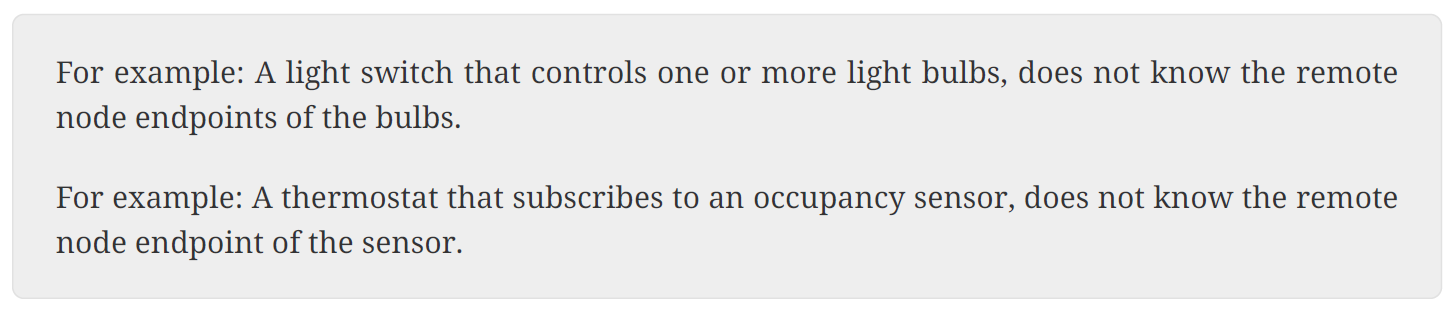
The Binding mechanism within Matter is designed for just this scenario. I want to connect multiple Temperature measurement devices to my Heating Monitor. My Heating Monitor has no idea about the Temperature Sensors. Bindings seems like an ideal fit for this.
Unfortunately, Bindings aren’t supported by any of major players e.g. iOS Home. I was going to have to use the chip-tool command line tool.
That meant I would need to commission both my Heating Monitor and my Temperature Sensor using the chip-tool. Once they were both commissioned into the same Fabric, I could bind them together.
For the binding process, esp-matter showed how to do this in their light_switch example.
I began by adding a case statement into the
case chip::DeviceLayer::DeviceEventType::kBindingsChangedViaCluster:
    ESP_LOGI(TAG, "Binding entry changed");
    break;
I then went through the motions of commissioning both my devices using the chip-tool. I added my Heating Monitor as Node 0x0005 and my Temperature sensors as 0x0006. I then tried to bind one to the other
chip-tool binding write binding '[{"node":"0x0006", "endpoint":1, "cluster":"0x0402"}]' 0x0005 0x0Needless to say, this didn’t work 🤣

It turns out there is no Binding Cluster on the Root Endpoint (0x0). You need to manually add a Binding Cluster.
I didn’t see any mention of this in the light_switch example. I guessed that was done automatically, so I did some digging into the light switch endpoint. Sure enough, inside the on_off endpoint, I could see the creation of a binding cluster.
cluster_t *binding_cluster = binding::create(endpoint, &(config->binding), CLUSTER_FLAG_SERVER);What struck me then, was also the addition of an on_off cluster
on_off::create(endpoint, NULL, CLUSTER_FLAG_CLIENT);The CLUSTER_FLAG_CLIENT jumped out.
In the mirror example, the light, the same cluster gets added, but as a SERVER!
cluster_t *on_off_cluster = on_off::create(endpoint, &(config->on_off), CLUSTER_FLAG_SERVER);Another penny dropped at this point.
What I needed in my Heating Monitor was an endpoint with a temperature measurement *CLIENT* cluster. I could then bind the *SERVER* cluster in my sensor to the *CLIENT* cluster in my heating monitor. This was starting to make sense 🙂
As I went through the motions of adding a client cluster, another penny dropped. I’d need one client cluster for each server cluster! My dual temperature sensor has two server clusters. I needed ten of those sensors, meaning I’d need 20 client clusters!!! I would also need to bind them together, one at a time.
That just wouldn’t be workable *at* all.
Becoming the Controller
At this point, it seemed that the only real option at this point was to pivot. I would need to make my Heating Monitor a Matter Controller too. One that could commission devices.

I really didn’t want to go down that road, but I came to the conclusion it was the only option. That or give up.
I began by looking at the Controller example. First, I needed to make a few immediate configuration changes:
CONFIG_ESP_MATTER_ENABLE_MATTER_SERVER=n
CONFIG_ENABLE_CHIP_CONTROLLER_BUILD=y
CONFIG_ENABLE_ESP32_BLE_CONTROLLER=y
CONFIG_ESP_MATTER_COMMISSIONER_ENABLE=y
These turned on a pile of other options related to being a controller and commissioner.
I then added some header files
#include <esp_matter_controller_client.h>
#include <esp_matter_controller_pairing_command.h>
#include <platform/internal/BLEManager.h>
Finally, I added some code to setup the commissioner. Note the 112233 here, which is the Admin NodeId 🙂
esp_matter::controller::matter_controller_client::get_instance().init(112233, 1, 5580); esp_matter::controller::matter_controller_client::get_instance().setup_commissioner();Needless to say, this didn’t compile. I got an error about an argument type

The Controller example did compile, of course, so I had some horrible conflicts somewhere.
Starting Again.
Rather than try and fight with the compiler, I copied over the example code into a new branch. Better to start from a working project 🙂
I remove my working temperature sensor from the Aqara app. At this point I discovered that my reset button didn’t appear to work. There is *always* something!!
Again, this didn’t even compile, until I set this config item
WIFI_NETWORK_COMMISSIONING_DRIVER=yThere needs to be one of these between Ethernet, Thread and WiFi. At this point, I wasn’t 100% sure what this meant; if I enabled WiFi, could I only commission Matter-over-WiFi devices? This wouldn’t work for my temperature sensors as they were Thread only.
I got some errors about partitions being too small 😦
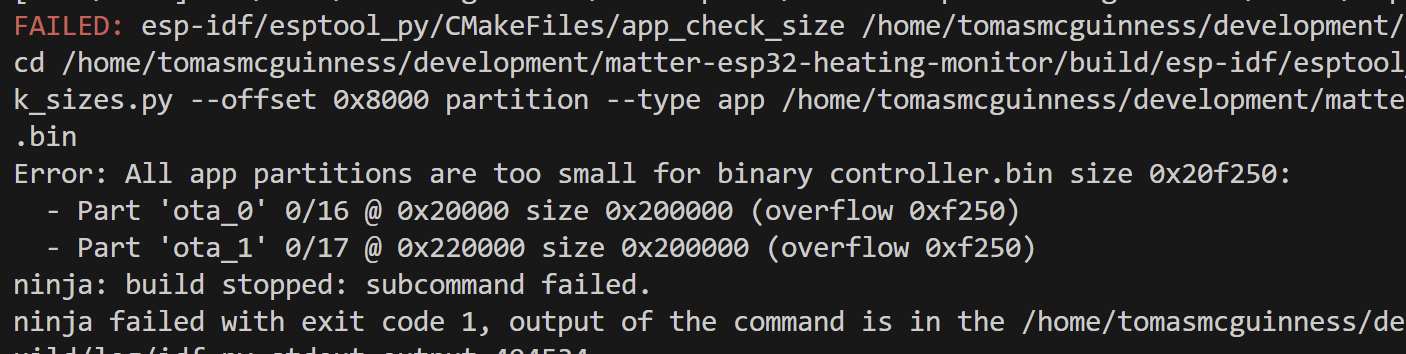
I cranked up their size and flashed. Sadly, it just crashed.


As it was aborting on a BLE step, I checked my sdkconfig on a hunch. Sure enough, BLE wasn’t enabled for commissioning.
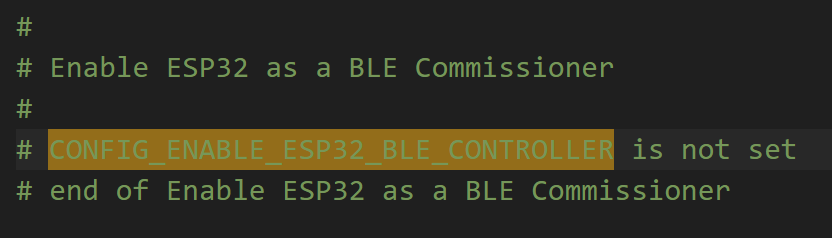
BLE wasn’t enabled.
That didn’t help at all. Same crash.
I gave up with the ESP32-C6 and pulled out one of the ESP32-S3 OTBR boards I had.
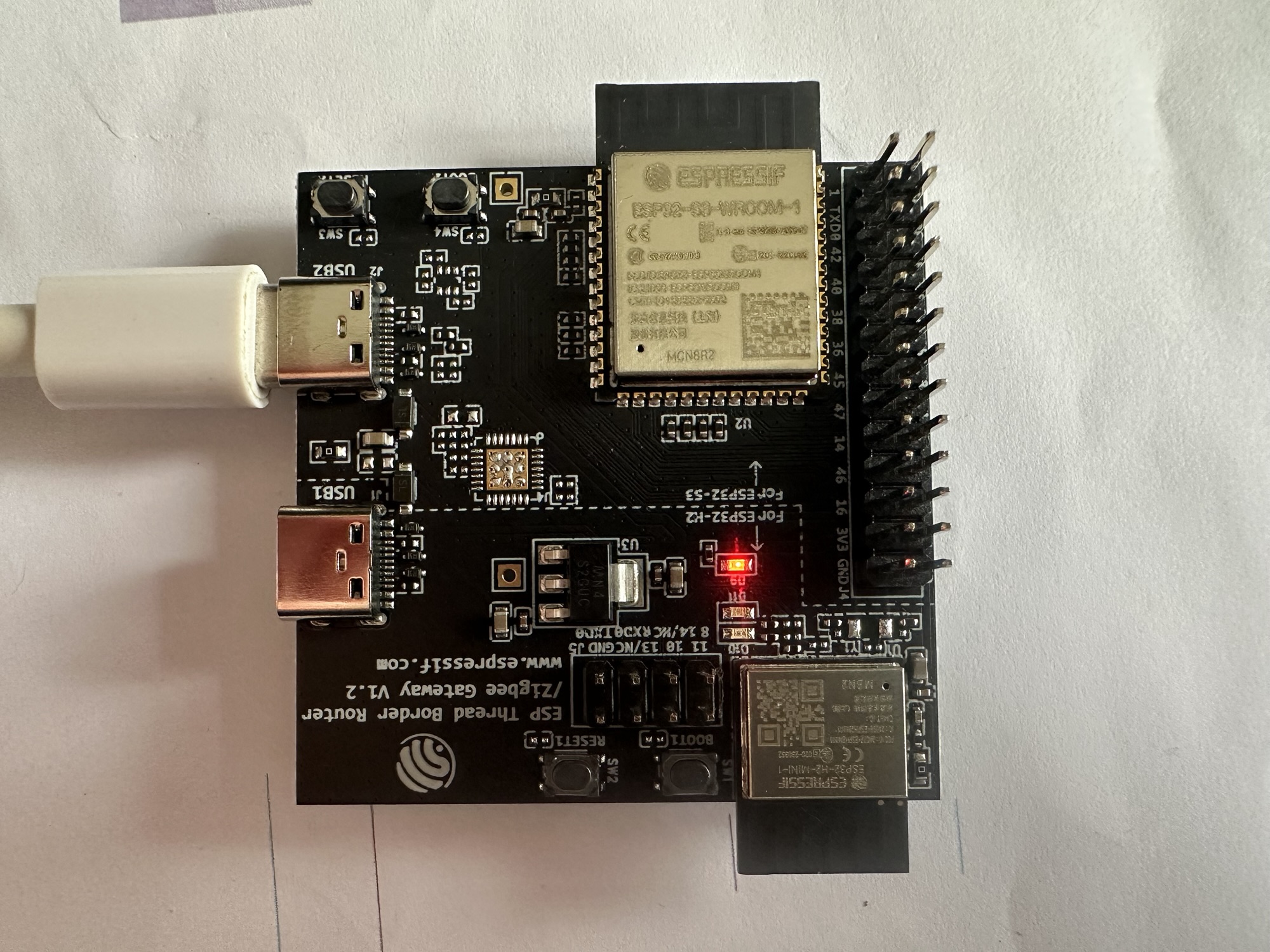
I updated the sdkconfig configuration to use the s3 file.
idf.py -D SDKCONFIG_DEFAULTS="sdkconfig.defaults;sdkconfig.defaults.esp32s3"I flashed the code and it worked!
Control Commands
With the code flashed and apparently working, I tried to perform the console commands. I kept getting an error about the console not being interactive. I had to enable this
CONFIG_ESP_CONSOLE_USB_SERIAL_JTAG=yWith the console now working, I entered the command to connect to WiFi. Which worked!
I then entered the command to commission one of my temperature sensors.
matter esp controller pairing ble-wifi 1234 JARVIS <password> 20202021 3840Of course, that didn’t work because my Temperature Sensor is based on Thread. At least I got a nice error!

I got my Thread Networks Operational Credentials and tried again, this time using ble-thread
matter esp controller pairing ble-thread 1234 <dataset> 20202021 3840To my surprise, this appeared to work without issue!

The status LED on my sensor turned off, indicating it had indeed been commissioned.
I then fired off a tenative command to read the value of one of the temperature measurement clusters….
matter esp controller read-attr 1234 1 0x0402 0I got back a value! Holy cow!

To check it was right, I attached my temperature simulator device
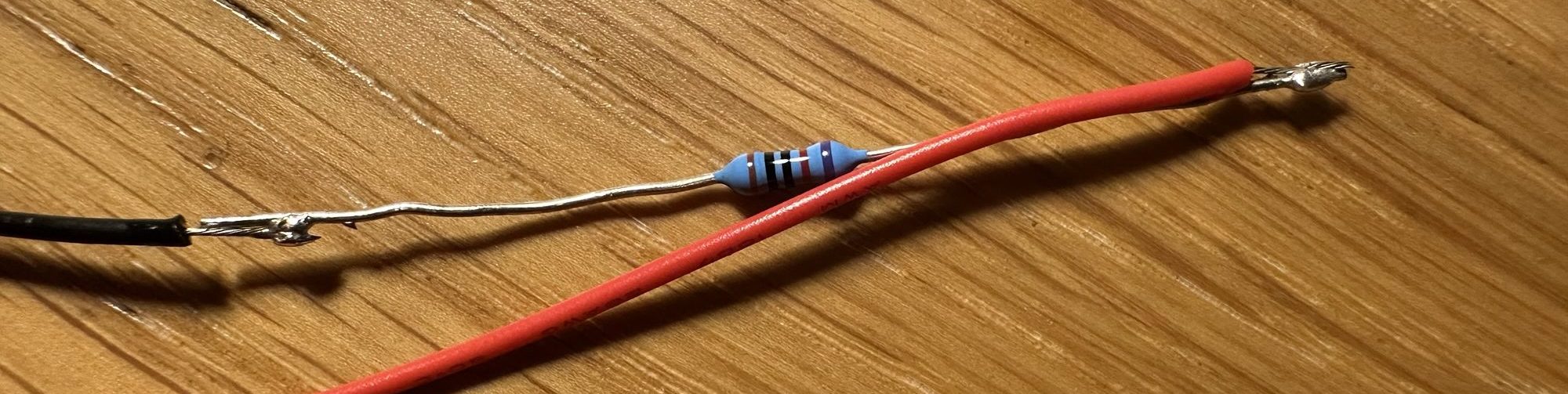

25.8°C – Close enough 🤣
I had successfully commissioned a device and read some values from it. That was progress!
However, the post was getting quite long, and this felt like a natural point to stop!
Next Steps
What started as a simple plan to connect an ESP32 to some Matter nodes turned into something more complicated.
At this point, I had a simple, working Matter Controller and Commissioner. I had throw away everything I had at this point. The next step would be to restore the Web Server and to create two web pages:
- One that allowed me to enter the pairing code for a node.
- One that listed all the nodes under the Fabric of the controller.
Once I had both of those, I would be able to commission multiple temperature sensors. Once I had done that, the *unknown* part would be behind me and I could start building out the UI.
Stay tuned. More to come on this project!
Did you like reading this post?
If you found this blog post useful and want to say thanks, you’re welcome to buy me a coffee. Better yet, why not subscribe to my Patreon so I can continue making tinkering and sharing.
Be sure to check out my YouTube Channel too – https://youtube.com/tomasmcguinness
Thanks,
Tom!


Leave a reply to Matter Heating Monitor – Showing Device Types – @tomasmcguinness Cancel reply