

This post continues my efforts in creating a Matter bridge for my Neff Dishwasher, using Home Connect.
In the previous post, I covered my Elecrow ePaper displaying text and authenticating to Home Connect.
In this post, I will continue that journey by looking at how to starting my dishwasher. This will involve fetching the available programs and getting it working as a Matter device too.
How to start the dishwasher?
In order to start the dishwasher, I need to send it a request. The documentation shows a sample request to start the dishwasher in 20 minutes. The request goes to PUT /api/homeappliances/{haId}/programs/active with a payload like this:
{
    "data":{
        "key":"Dishcare.Dishwasher.Program.Eco50",
        "options":[
            {
                "key":"BSH.Common.Option.StartInRelative",
                "value":1800,
                "unit":"seconds"
            }
        ]
    }
}
The key for this is the selected program. That means that in in order to start my dishwasher, I would need to provide the program name. I had two options; hard code the value or fetch a list from HomeConnect. I felt the latter would be better for demonstration purposes.
The HomeConnect API provides an endpoint, api/homeappliances/{haId}/programs/available, to list all the programs that are available.
In my previous post, I had already fetched the appliances, so I had the haId value of my Dishwasher.
cJSON *haIdJSON = cJSON_GetObjectItemCaseSensitive(iterator, "haId");
ESP_LOGI(TAG, "haId: %s", haIdJSON->valuestring);
Fetching the programs required a similar process, calling the /programs/available endpoint with my haId. I then parsed the response using cJSON, as before.
cJSON *iterator = NULL;

cJSON *dataJSON = cJSON_GetObjectItemCaseSensitive(root, "data");
cJSON *programsJSON = cJSON_GetObjectItemCaseSensitive(dataJSON, "programs");

cJSON_ArrayForEach(iterator, programsJSON)
{
    cJSON *keyJSON = cJSON_GetObjectItemCaseSensitive(iterator, "key");
    ESP_LOGI(TAG, "key: %s", keyJSON->valuestring);

    cJSON *nameJSON = cJSON_GetObjectItemCaseSensitive(iterator, "name");
    ESP_LOGI(TAG, "name: %s", nameJSON->valuestring);
}
Spitting out these values, yielded something like this

To save these values, I create a program_manager. I then used this to add the programs to the manager, before saving them
cJSON_ArrayForEach(iterator, programsJSON)
{
    ... stuff above ...
    add_program(&g_program_manager, keyJSON->valuestring, nameJSON->valuestring);
}

save_programs_to_nvs(&g_program_manager);
With my programs saved, I had a go at displaying them. This required porting some more code from the Elecrow ePaper Ardiuno library. My first attempt wasn’t great
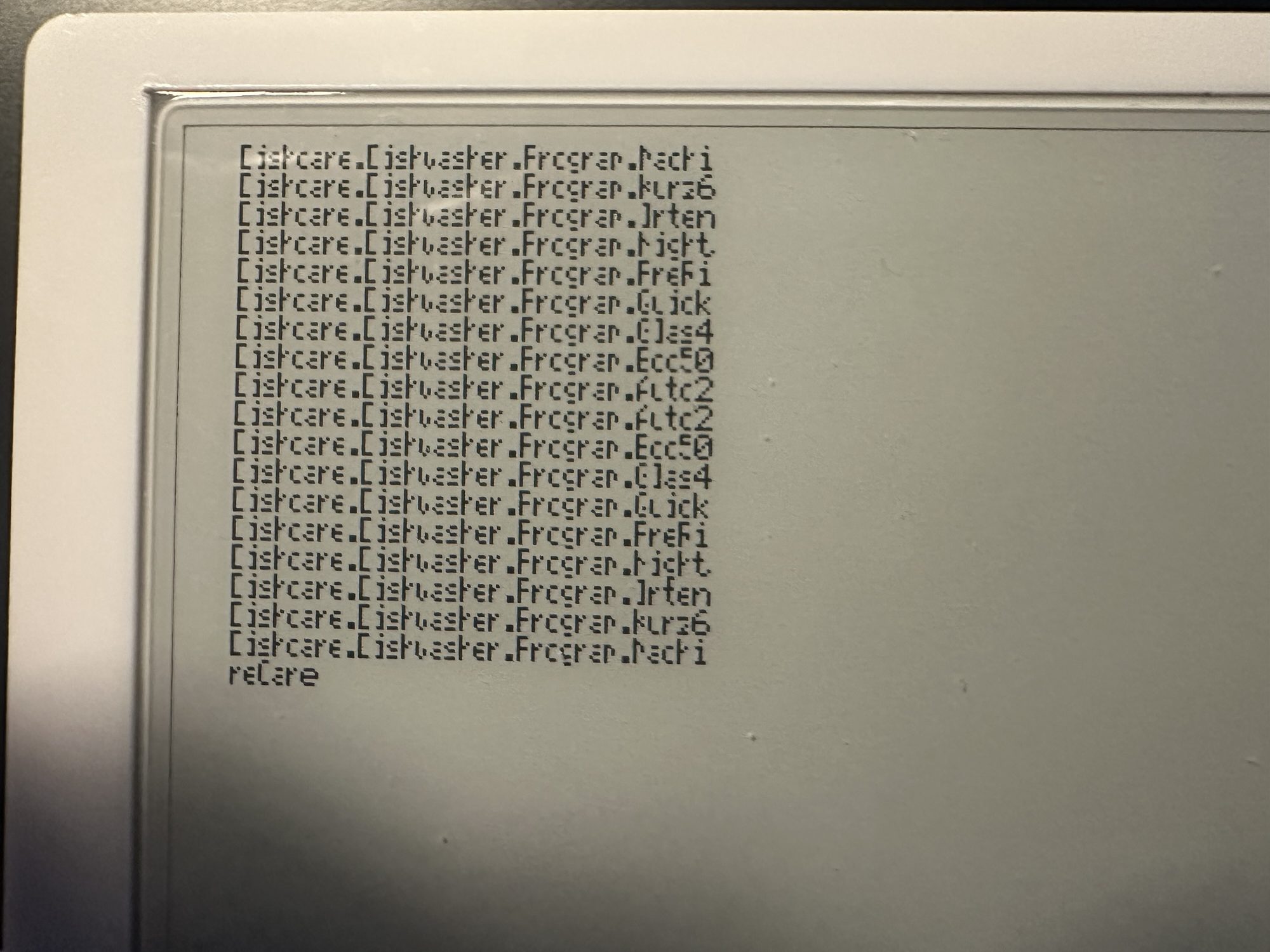
I could make out some of the keys, like Dishcare.Dishwasher.Program.Machi, which was a match for the MachineCare value. After some tinkering with the settings and code, I got something a little cleaner to render.
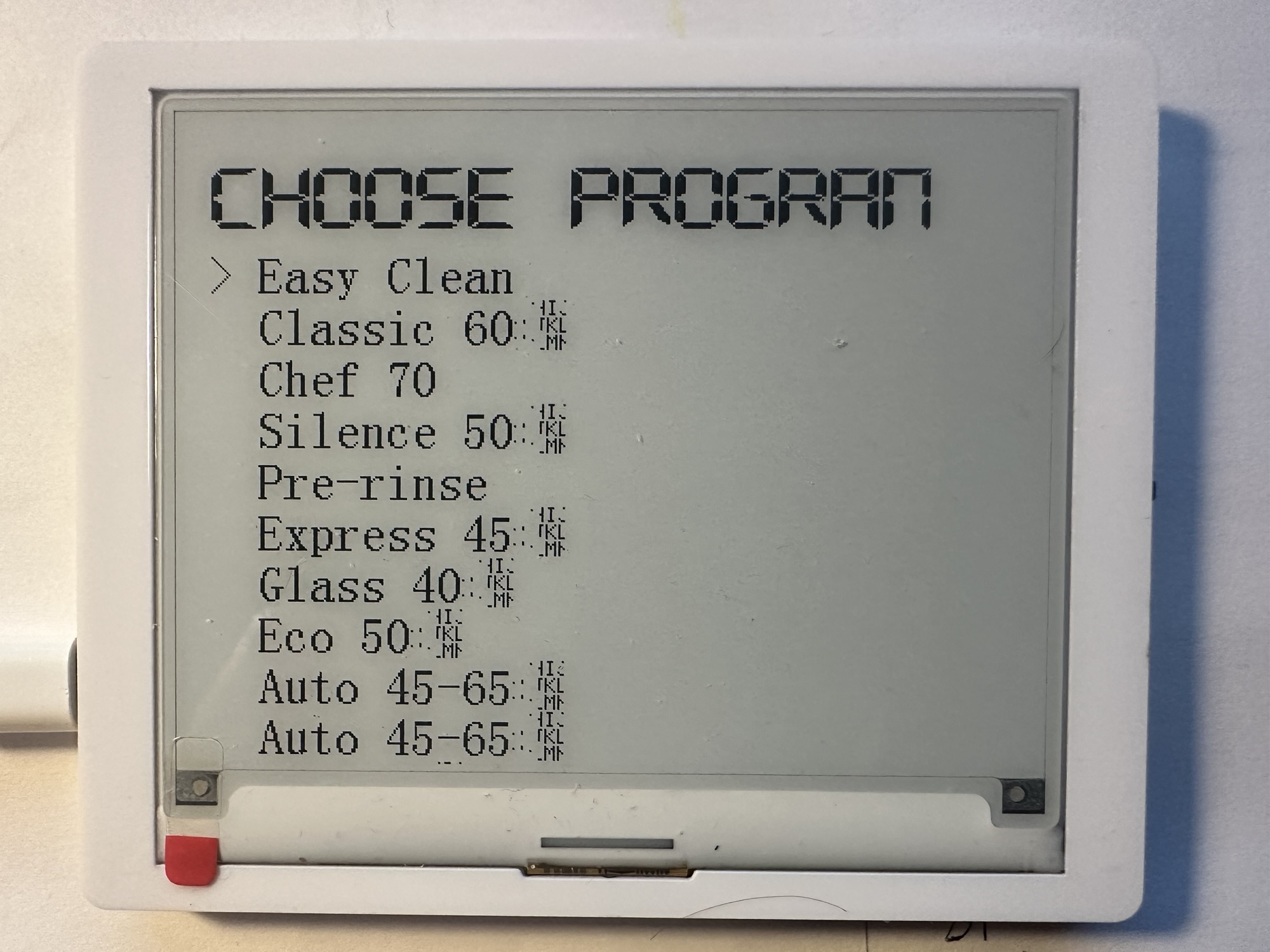
Still not perfect, but a vast improvement. The title is truncated and there are random characters beside a few of the programs. This is actually the ° symbol, which I don’t have a render for!
I also added a > character beside the first program. This will serve as an indicator of the selected program.
Not forgetting Matter
At this point, I was in danger of forgetting my goal, controlling my dishwasher over Matter!
I had a unique problem with this and it was related to *how* I was commissioning my device.
In order to access the HomeConnect API, the ePaper display needed network access. To provide that, I was letting the user commission the device. However, at the point in the commissioning, I had *no* dishwasher details. I had no connection to the dishwasher at all.
This meant that nothing showed up in the controller. There was no dishwasher device to show.
I tried a few things here, starting with adding a dynamic dishwasher endpoint, but this didn’t work. The new endpoint never showed up in the Aqara app.
This was down to the fact that my whilst my Node had changed, the Aqara app didn’t know.
I then remembered that Matter supported something called Bridging, which is basically designed for this.

Bridging allows non Matter devices to be exposed as Matter devices. Exactly what I was doing!
I tried the esp-matter “bridged_cli” sample with the Aqara app and it was a mixed bag. Sometimes the devices I added showed up and other times they didn’t. I couldn’t be sure if this was Aqara or esp. I resorted to Home Assistant’s Matter Integration as it is a little more predicable and full featured!
I added my device, with just a Bridge configured.
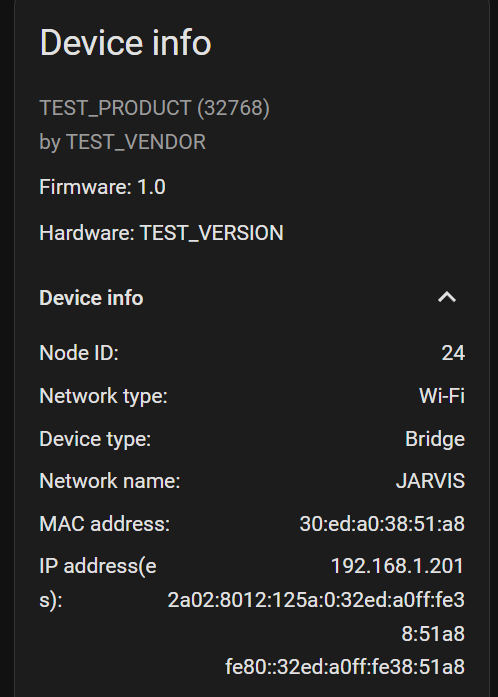
Using the bridged_cli example, I added a light bulb using the console
matter esp bridge add 0x1 0x100Nothing happened on the Home Assistant side until I performed a Re-Interview using the command.
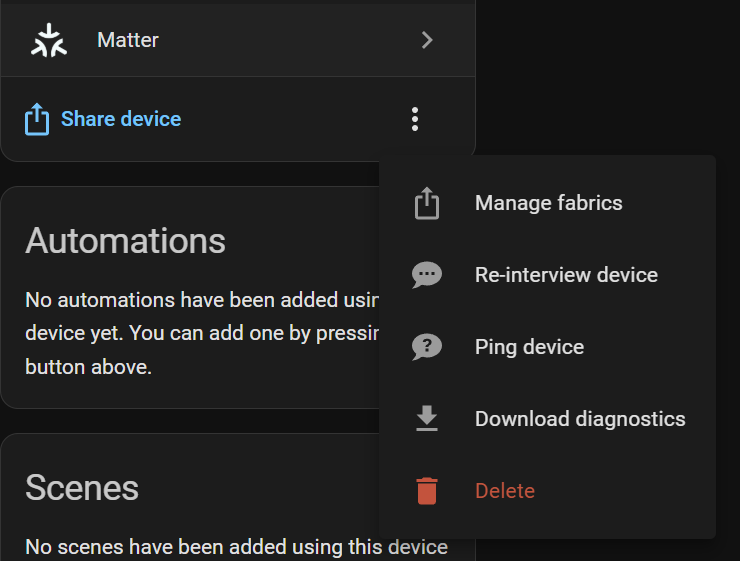
Almost immediately, a Connected Device appeared!
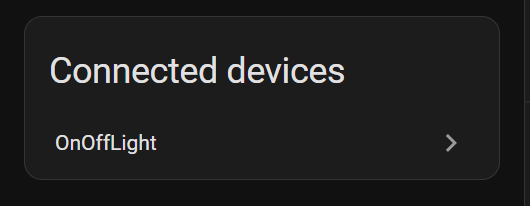
I then implemented some changes to my code. Once the HomeConnect flow completed, it would create a bridged device:
app_bridge_create_bridged_device(node::get(), aggregator_endpoint_id, ESP_MATTER_DISH_WASHER_DEVICE_TYPE_ID, NULL);I then created the dishwasher in response to this call
static OperationalStateDelegate operational_state_delegate;

dish_washer::config_t dish_washer_config;
dish_washer_config.operational_state.delegate = &operational_state_delegate;

err = dish_washer::add(ep, &dish_washer_config);

cluster_t *operational_state_cluster = esp_matter::cluster::get(ep, chip::app::Clusters::OperationalState::Id);

cluster::operational_state::command::create_start(operational_state_cluster);
cluster::operational_state::command::create_stop(operational_state_cluster);
cluster::operational_state::command::create_pause(operational_state_cluster);
cluster::operational_state::command::create_resume(operational_state_cluster);
Thankfully, this showed up! (The OnOffLight should be gone – might be a bug in the Integration?)
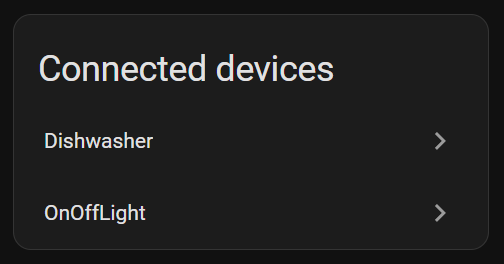
Unfortunately, there were some problems.

And the Dishwasher didn’t render in Home Assistant at all. It was just empty, showing only a Diagnostic panel.
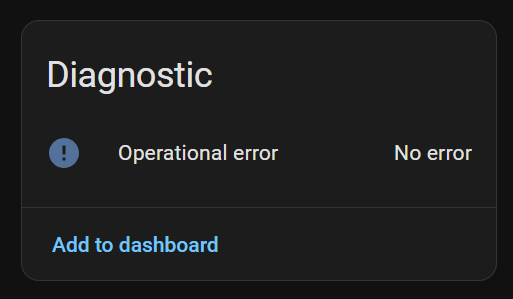
As ever, the problems were on my end! First off, I hadn’t implemented the bloody OperationalStateDelegate correctly. A quick fix and I could see some controls….
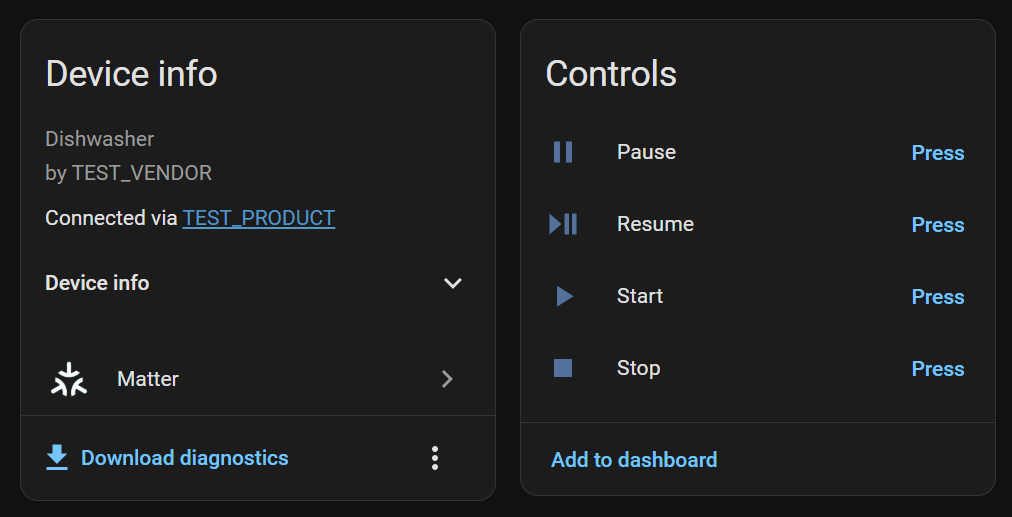
But unfortunately, the Controls didn’t seem to work, with errors being logged.

After quite a log of digging into the esp-matter code, I realised what the problem was.
When certain clusters are being added, they need their corresponding delegates (like OperationalStateDelegate) need to be initialized. This happens during the esp_matter::start function, but I wasn’t being performed during bridge operations!
I added two calls to esp_matter::cluster::delegate_init_callback_common() to ensure that the delegates were setup and BOOM!
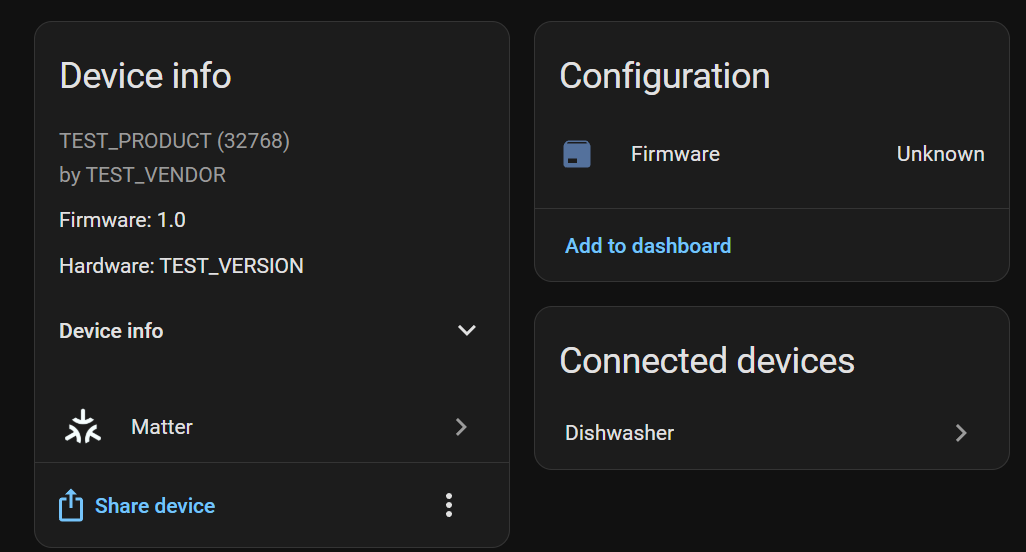
My dishwasher appeared as a Connected device like before, but this time, it worked!
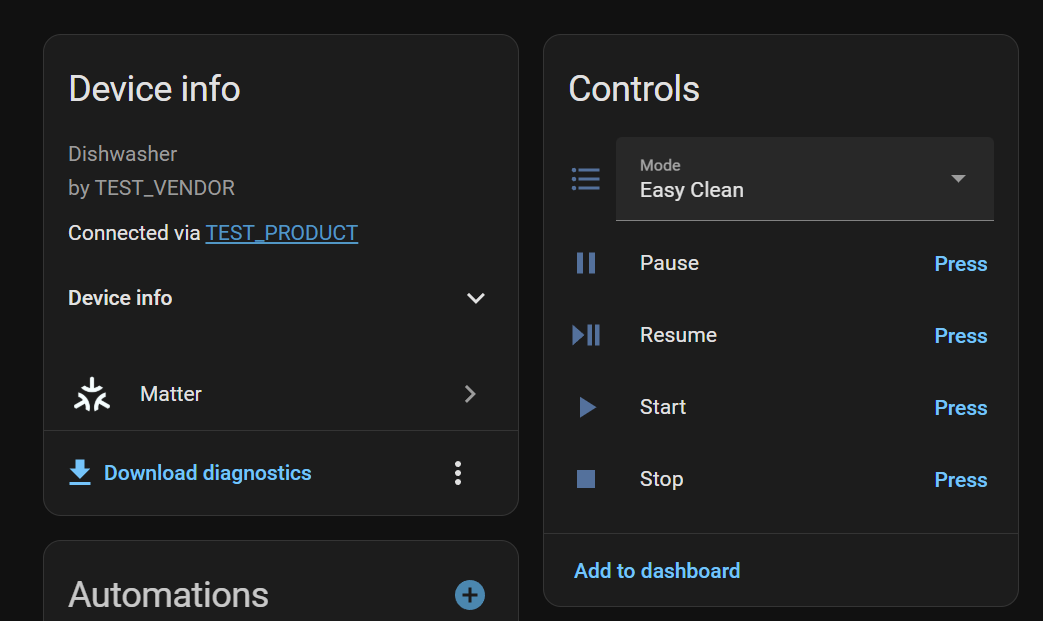
Clicking Start resulted in the command being handled correctly, with a log message being show

Starting the selected program
As we had the handler working, this was the starting point.
We first need the selected program. This is held in the DishwasherMode cluster. The current mode attribute is stored on this cluster. In order to make the Delegates and Instances available, I had to add some code to the Init() method
static DishwasherModeDelegate *gDishwasherModeDelegate = nullptr;
static ModeBase::Instance *gDishwasherModeInstance = nullptr;

CHIP_ERROR DishwasherModeDelegate::Init()
{
    ESP_LOGI(TAG, "DishwasherModeDelegate::Init()");

    gDishwasherModeInstance = GetInstance();
    gDishwasherModeDelegate = this;

    return CHIP_NO_ERROR;
}
This gets the instance and delegate and stores in globally. This is a bit hacky and will only support *one* dishwasher, but that’s good enough.
To then get the current mode, we use GetCurrentMode(). The program manager then provides the full program; remember, we need the key.
uint8_t current_mode = (uint8_t)DishwasherMode::GetInstance()->GetCurrentMode();

program_t *selected_program = find_program(&g_program_manager, current_mode);

ESP_LOGI(TAG, "Starting program: %s", selected_programname);
I then build up a JSON payload, passing in the key and a 60 second delay. That’s enough time to cancel the program.
cJSON *root = cJSON_CreateObject();
cJSON *data;
cJSON *options;

cJSON_AddItemToObject(root, "data", data = cJSON_CreateObject());
cJSON_AddStringToObject(data, "key", selected_program->key);

cJSON_AddItemToObject(data, "options", options = cJSON_CreateObject());
cJSON_AddStringToObject(options, "key", "BSH.Common.Option.StartInRelative");
cJSON_AddNumberToObject(options, "value", 60);
cJSON_AddStringToObject(options, "unit", "seconds");

char *payload = cJSON_PrintUnformatted(root);
Then, like the call for Programs, I execute the PUT
ret = esp_http_client_perform(client);Starting from a click
Before actually testing my start code, I thought it would be nice to launch the start from the ePaper display itself.
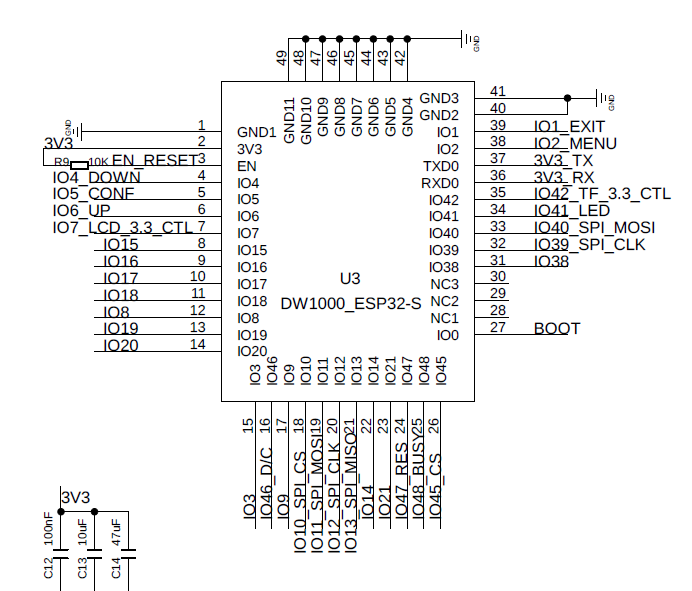
This involved handling the pressing of one of the buttons. On the side of the device there are effectively five buttons. Menu, Exit, Up, Down and Conf. The last three are part of one control. I decided to use the Menu button to as my start.
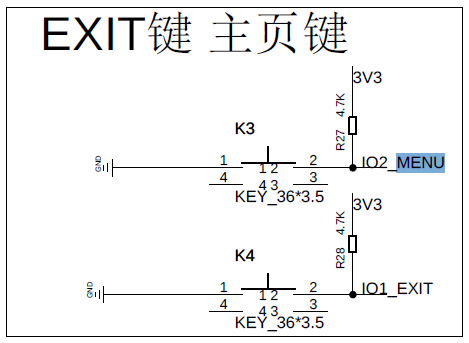
From the schematic, we can see that MENU is connected to IO2
The also appeared to be active when *low*. You can see in the schematic that they get pulled to GND when the button is pressed.
For speed, I opted to use the Espressif button component.
https://github.com/espressif/esp-iot-solution/tree/master/components/button
Setup is nice and easy and only requires a few settings. I set a callback for the BUTTON_SINGLE_CLICK
#include "iot_button.h"
#include "button_gpio.h"


const button_config_t btn_cfg = {0};
const button_gpio_config_t btn_gpio_cfg = {
    .gpio_num = 2,
    .active_level = 0,
};
button_handle_t gpio_btn = NULL;
esp_err_t ret = iot_button_new_gpio_device(&btn_cfg, &btn_gpio_cfg, &gpio_btn);
if (NULL == gpio_btn)
{
    ESP_LOGE(TAG, "Button create failed");
}

iot_button_register_cb(gpio_btn, BUTTON_SINGLE_CLICK, NULL, menu_button_single_click_cb, NULL);
With the callback simply logging a message, I tried the code and thankfully, it worked.
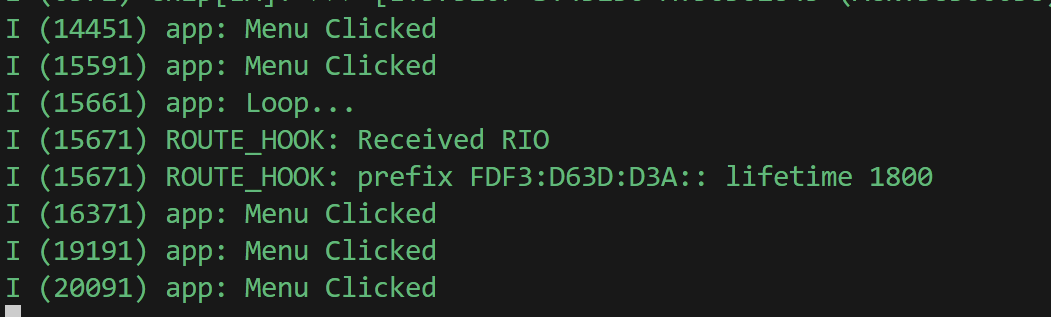
With my button wired up, it was time to try actually starting a program
On your marks, get set, go!
Off to a bad start! Kept getting stack overflow errors for the esp_timer. Had to up the stack size to something crazy.
CONFIG_ESP_TIMER_TASK_STACK_SIZE=10240With the HTTP requests *working*, I hit another snag.
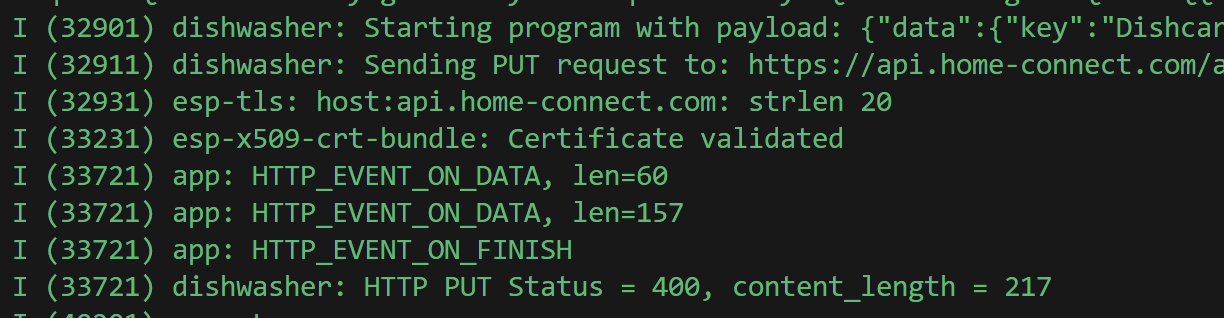
I was passing the wrong JSON The options was an array, not a single object.

Quick rework of my code….
cJSON_AddItemToObject(data, "options", options = cJSON_CreateArray());

cJSON_AddItemToArray(options, option = cJSON_CreateObject());
cJSON_AddStringToObject(option, "key", "BSH.Common.Option.StartInRelative");
cJSON_AddNumberToObject(option, "value", 60);
cJSON_AddStringToObject(option, "unit", "seconds");
And I got a 204!

I checked the offical Home Connect App and it was confirmed!
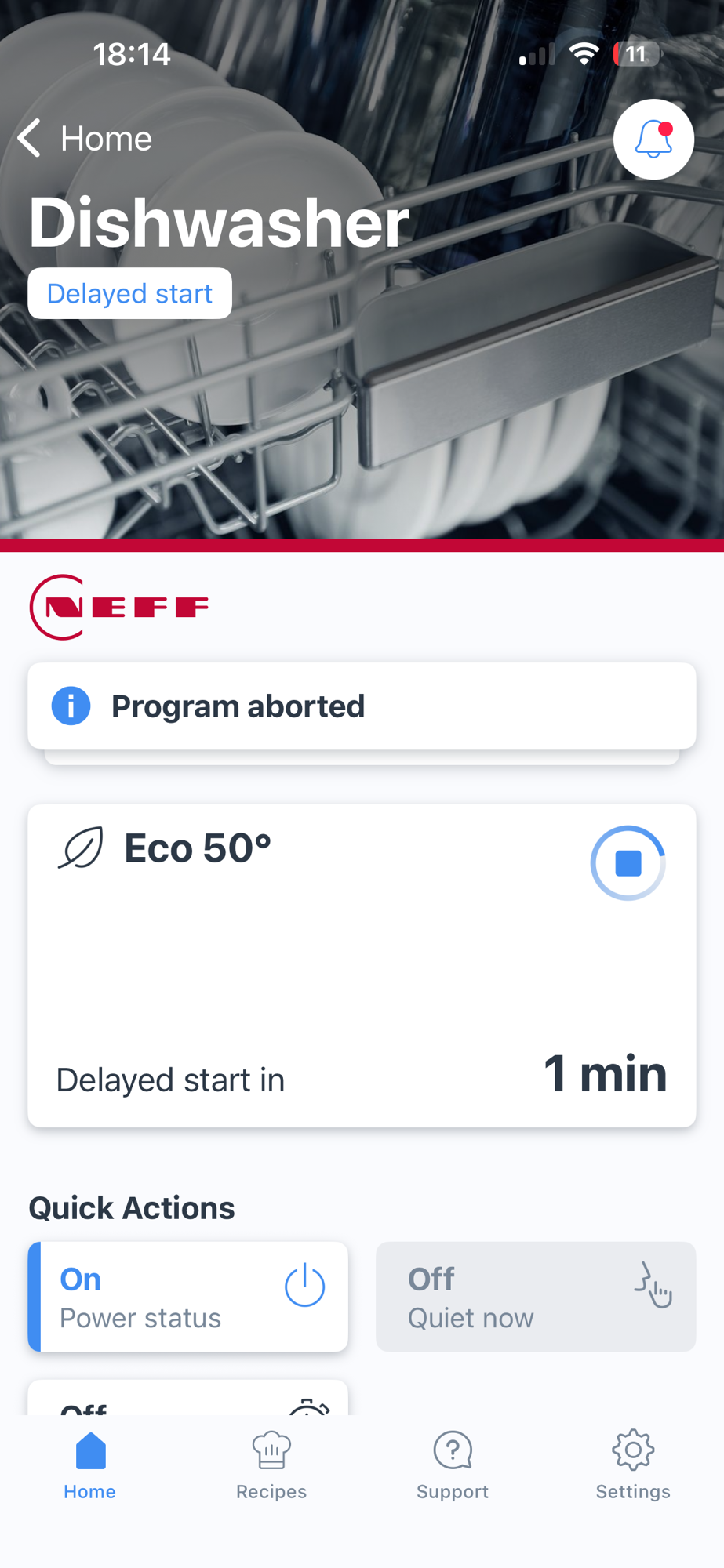
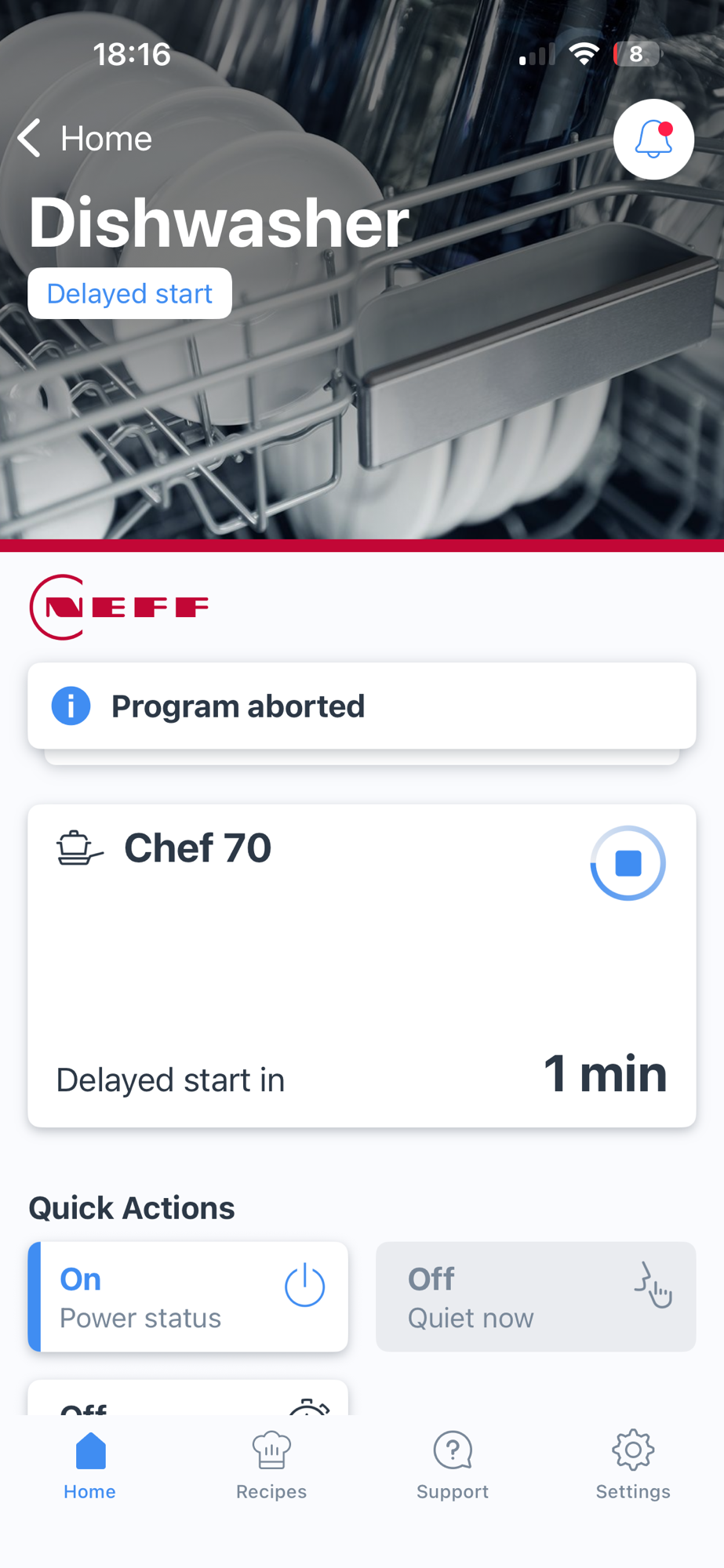
I hoped over to Home Assistant and changed the Program to Chef 70 (which is oddly missing the ° symbol!)
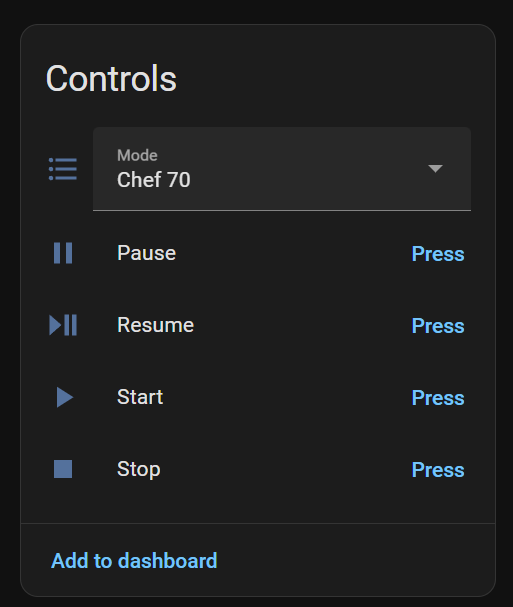
and pressed the button on the device again. This showed the right program with the right delay!
Sweet!
Next Steps
Very pleased with progress so far.
With the device, I can add it to Aqara or Home Assistant as a Matter Device.
I can then grant the device access to my Home Connect account. This results in a Matter Dishwasher appearing.
I can then choose different programs and even start the program!
Aside from the vast amount of code cleanup and improvements to the UI, I have two items in my head:
- Connecting to the Server Side Events (SSE) stream, for real-time events
- Working out how to make a local connection, avoiding the cloud API
- Delaying the programs automatically using the Energy Manager features.
The local connection is really important to me, since it would make my control fully local. The SSE would be cool, as it could show countdown times, door opened, etc. Lastly, I’d love to hook my Matter Dishwasher into my Device Energy Manager to automatically delay the program start.
I’ll probably try and clean up the code first and make the UI a little more interactive. I could use the up/down buttons to change the program, for example.
All the code is up at https://github.com/tomasmcguinness/matter-esp32-home-connect-bridge, but be warned. It’s shocking. Tag 0.0.2 matches this post.
Did you like reading this post?
If you found this blog post useful and want to say thanks, you’re welcome to buy me a coffee. Better yet, why not subscribe to my Patreon so I can continue making tinkering and sharing.
Be sure to check out my YouTube Channel too – https://youtube.com/tomasmcguinness
Thanks, Tom!

 @tomasmcguinness
Leave a comment