
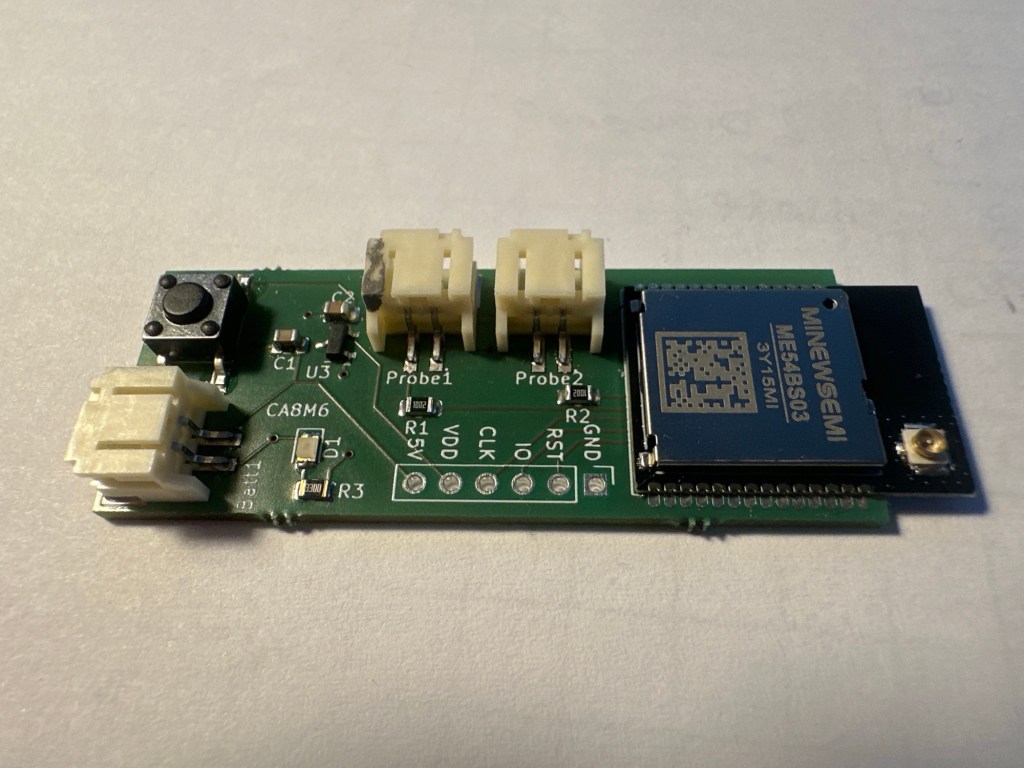
In this post, I’ll look at how I resolved some subscription issues with my Heating Monitor.
This post follows on from these previous posts I’ve written about my Heating Monitor
- Building a new heating monitor using Matter and ESP32
- Matter Heating Monitor – Showing commissioned Nodes
- Matter Heating Monitor – Deleting Nodes
- Matter Heating Monitor – Showing Device Types
- Matter Heating Monitor – Supporting Setup Code
- Matter Heating Monitor – Reading temperatures
- Matter Heating Monitor – Identifying the sensors
- Matter Heating Monitor – Adding On-Network Nodes
Why subscriptions?
I need to subscribe, so my Heating Monitor can be informed of changes to temperatures across the various devices.
Of course, I could run a loop that reached out to each device and read their attributes, but this would be problematic.
Firstly, devices that are asleep could take a long time to respond. I’d also be asking them for a reading, even if nothing had changed.
Subscriptions allow me to register my interest, but allow the devices to decide when to publish changes. This is ideal for temperature devices, since once a system is at a steady state, they don’t change. Well, not that often anyway.
To establish the subscriptions, I created a new function in the node_manager called subscribe_all_temperature_measurements. This would be called once my device had IP networking established.
Its job was simple. Find all the Temperature Measurement endpoints and subscribe to them.
matter_node_t *node = controller->node_list;
while (node)
{
  // For each node, we want to subscribe to add the temperature sensor endpoints.
  //
  for (uint16_t ep_idx = 0; ep_idx < node->endpoints_count; ++ep_idx)
  {
     endpoint_entry_t *ep = &node->endpoints[ep_idx];
     for (uint8_t device_type_idx = 0; device_type_idx < ep->device_type_count; ++device_type_idx)
     {
       uint32_t device_type_id = ep->device_type_ids[device_type_idx];
       if (device_type_id == 770)
       {
          ..SUBSCRIPTION LOGIC..
The subscription logic was just the sending of a command, similar to reading attributes. The command just indicated the cluster and attribute, along with some callbacks.
auto *cmd = chip::Platform::New<esp_matter::controller::subscribe_command>(
                node->node_id,
                ep->endpoint_id,
                TemperatureMeasurement::Id,
                TemperatureMeasurement::Attributes::MeasuredValue::Id,
                esp_matter::controller::SUBSCRIBE_ATTRIBUTE,
                min_interval,
                max_interval,
                true,
                attribute_data_cb,
                nullptr,
                nullptr,
                nullptr,
                false); // Terminate existing subscriptions
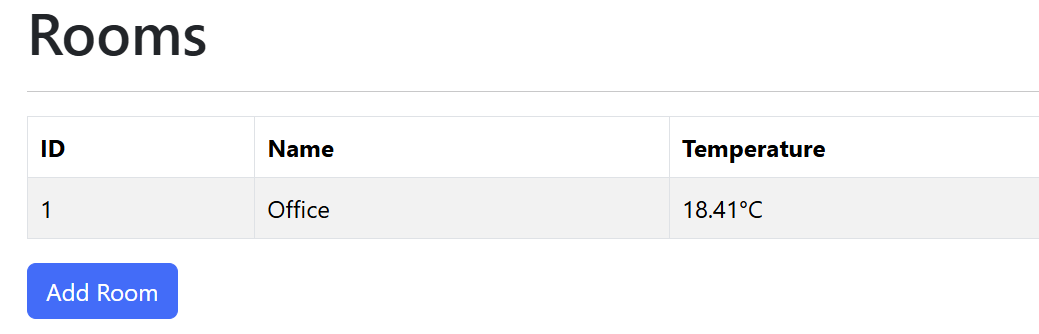
This worked fine for the Rooms, if a little slow (I think the publishing rate of the Aqara W100 was lower than I liked)
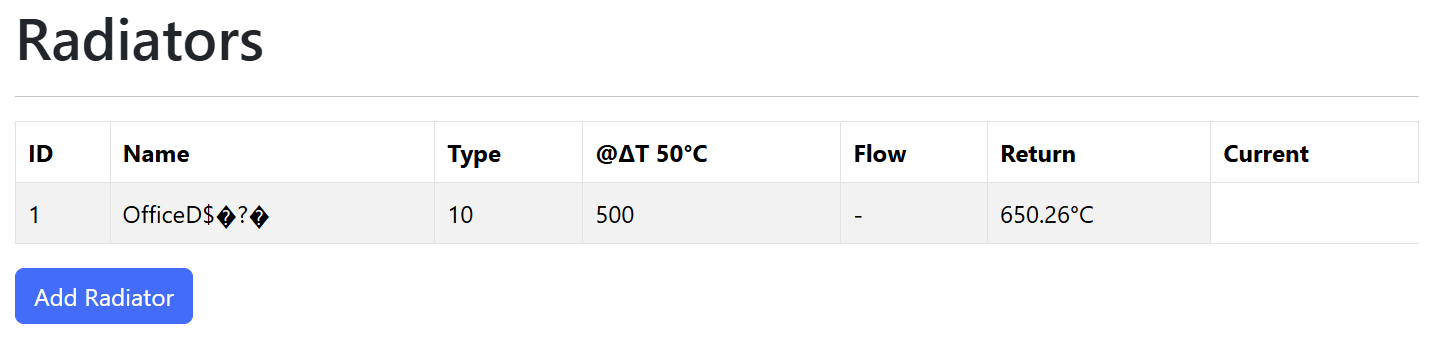
However, radiators only ever seemed to receive the Endpoint 2 value!
After a little reading, I felt like I had the answer:
false); // Terminate existing subscriptionsThis is the last parameter to the subscribe command. As far as I can tell, it will cause the recipient of the command to remove all existing subscriptions. This means that the subscription for the first endpoint gets removed by the subscription to the second.
This was only an issue for my Temperature Sensor as I was subscribing to two endpoints on a single node.
To get around this, I needed to refactor my subscription logic. I would, just like Basic Information, subscribe to multiple attributes in a single command.
This I did by building up a bunch of Path objects.
if (device_type_id == 770)
{
    attr_paths[index++] = AttributePathParams(
       ep->endpoint_id,
       TemperatureMeasurement::Id,
       TemperatureMeasurement::Attributes::MeasuredValue::Id);
}
I then subscribed to all of them in one go.
subscribe_command *cmd = chip::Platform::New<subscribe_command>(node->node_id,
  std::move(attr_paths),
  std::move(event_paths),
  min_interval,
  max_interval,
  true,
  attribute_data_cb,
  nullptr,
  subscribe_done_cb,
  subscribe_failure_cb,
  false);
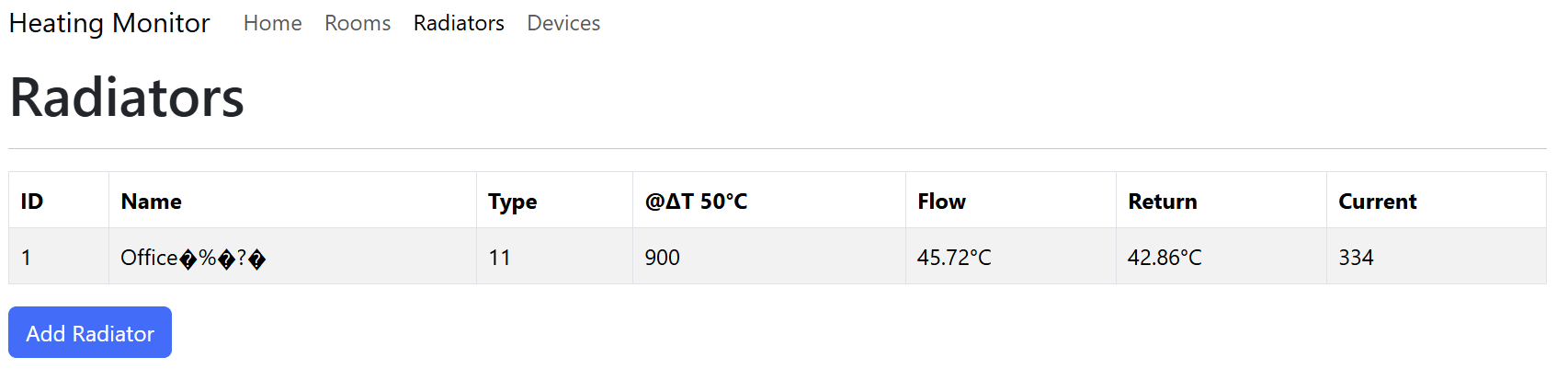
This had the desired effect and both temperature readings now flowed in.
Reliability
I have found that the subscriptions can be a little temperamental, especially when I re-flash the S3. Sometimes the subscription will be established straight away. Other times it will fail. I think this is a timing issue or something.
I’ve seen lots of messages in the logs about being in the middle of a CASE session. Perhaps I need to be more careful about settings up the subscriptions. I’m not sure.
Summary
In this short post I looked at how I add subscriptions to my temperature devices. This ensures I have a constant stream of temperature readings!
Did you like reading this post?
If you found this blog post useful and want to say thanks, you’re welcome to buy me a coffee. Better yet, why not subscribe to my Patreon so I can continue making tinkering and sharing.
Be sure to check out my YouTube Channel too – https://youtube.com/tomasmcguinness
Thanks, Tom!
 @tomasmcguinness
Leave a comment