
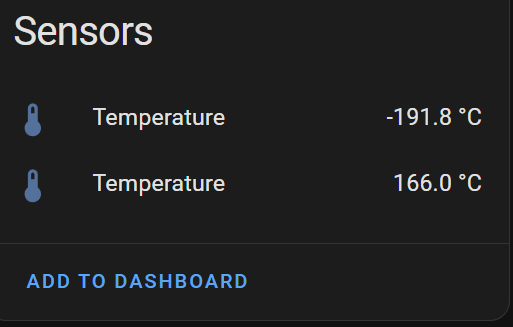
Having had a lot of success with a Matter device project, I started thinking about my twin probe temperature sensor. I wondered if was possible to convert from my dodgy BLE mesh to Zigbee.
My BLE Mesh wasn’t behaving itself, so perhaps going to Zigbee would help improve my radiator temp capturing.
I was against the need for pairing etc. but the BLE mesh just doesn’t work well enough. My radiator sensors already use the Nordic nRF52810 and that supports Zigbee (and Thread). Matter/Thread is great, but Zigbee is just more prevalent.
Getting Started
I dug out my trusty Nordic NRF52840 Develoment Kit and set to work.
Following this guide, https://docs.nordicsemi.com/bundle/ncs-2.8.0/page/nrf/protocols/zigbee/adding_clusters.html, I soon had a device connected to Home Assistant.


I attempted to add a second Temperature endpoint, compilation failed with this cryptic error!!
G:/ncs/v2.8.0/nrfxlib/zboss/production/include/zboss_api_af.h:269:3: note: previous declaration of 'zb_af_simple_desc_3_1_t' with type 'zb_af_simple_desc_3_1_t' {aka 'struct zb_af_simple_desc_3_1_s'}
269 | zb_af_simple_desc_ ## in_clusters_count ## _ ## out_clusters_count ## _t
| ^~~~~~
After some searching, it turns out to be a common issue. The ZBOSS Zigbee stack doesn’t like two endpoints of the same type!
Go figure.
I found this forum https://devzone.nordicsemi.com/f/nordic-q-a/97450/adding-zcl-clusters-to-application—temperature—error-with-build
I added the proposed hack and bingo, the application compiled and ran. After pairing with Home Assistant, I even got some values!

I then tried a potentiometer to simulate the NTC thermistor I use with my sensor, but the values didn’t change in Home Assistant 😦
NTC is negative temperature coefficient
Logging from the device confirmed that when the analog-to-digital inputs where grounded e.g. 0 volts, they read correctly (-191.8 degree Celsius)

Sadly, Home Assistant just didn’t show this value.
It turns out that Zigbee doesn’t *push* these changes automatically. I restarted the Zigbee integration in Home Assistant and presto!

After more investigation, I discovered that Home Assistant polls the device every 30 seconds! If I adjust the input, the value will eventually update. Only works for one of the readings though 😦
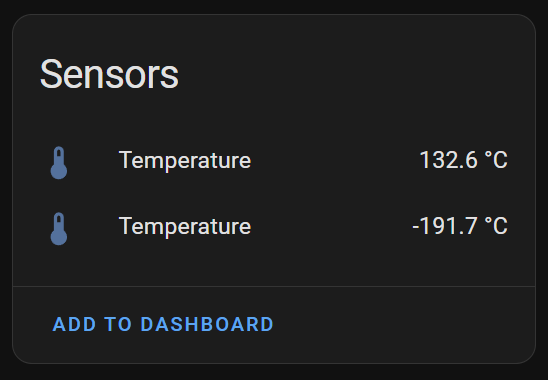
To “Push” the values from the sensor, I need to update something called Attribute Reporting, which is a Zigbee feature.
I tried to “Reconfigure” the device using ZHA. It showed success.
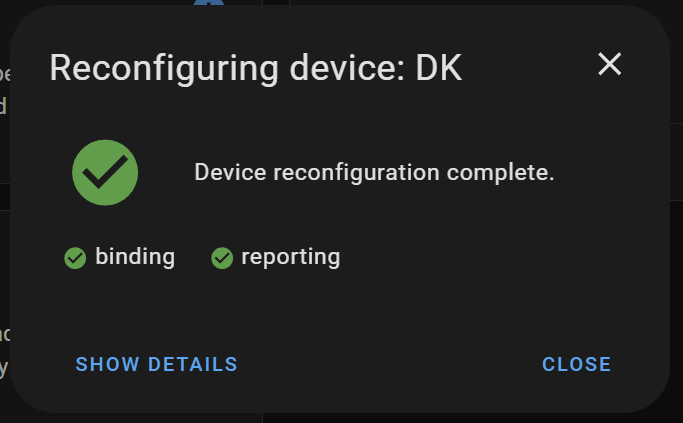
When I opened the details, there was an error against the measured_value under the reporting section. This mirrored what I was seeing. It was able to read the value, but changes weren’t being reported.
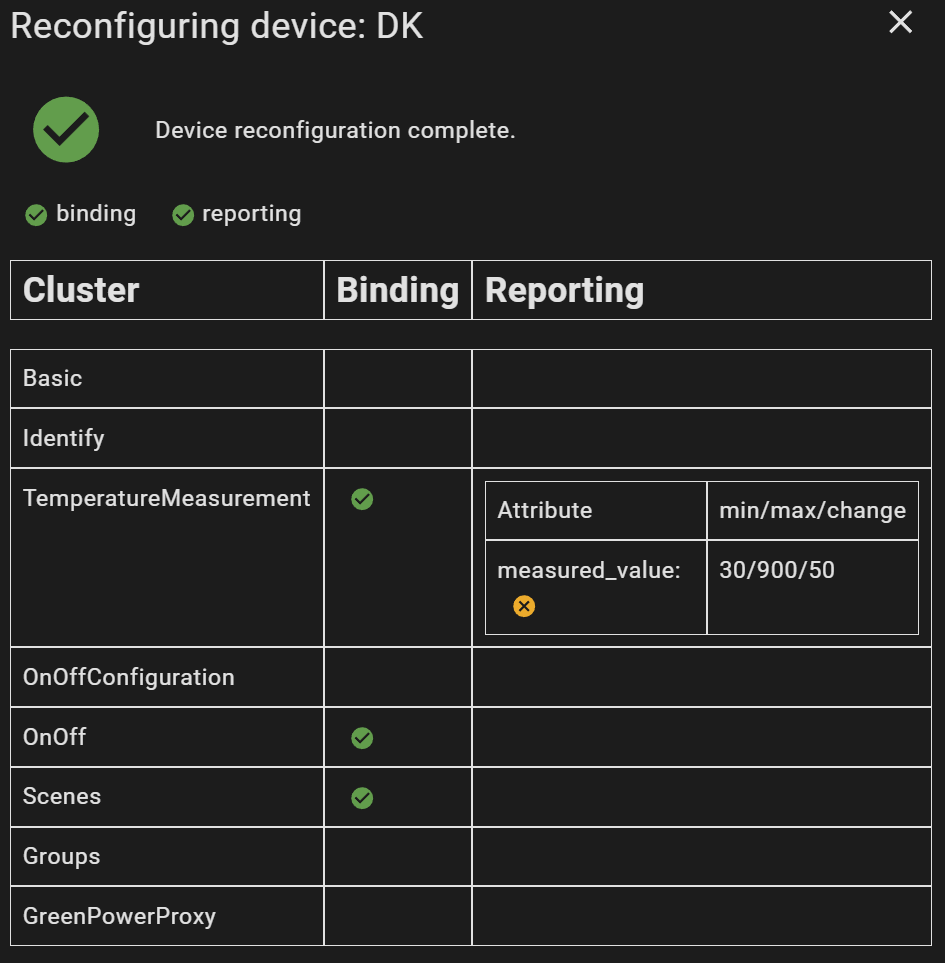
I found some posts about this, but nothing really shed any light on it 😦
Other had the same questions, but answers weren’t forthcoming!
https://devzone.nordicsemi.com/f/nordic-q-a/88937/question-about-the-reporting-of-the-multi-sensor
Sticking with default update times
After a few hours investigating this, I came to the conclusion that attribute reporting is set up by Home Assistant. I found confirmation that the 30/900/50 configuration is hard coded within the ZHA integration.
In an effort to unblock myself, I decided to leave this for now. For a temperature sensor, in reality an update every 30 seconds is sufficient!
I found information showing that it’s possible to change the reporting setup from HA. That’s a job for another day.
Getting Two Sensors Working
Freed from stress about reporting updates, I focused on getting both Temperature Measurements working.
One measurement was certainly working, but the second measure never changed.
I guessed this was probably related to the hack to allow Temperature Measurement endpoints.
I posted a question to Nordichttps://devzone.nordicsemi.com/f/nordic-q-a/117145/compilation-error-when-adding-two-endpoints-with-temperature-measurement-clusters
I await their reply!
Read more in Part #2 – Switching my Temperature Sensor from BLE to Zigbee (Part #2)
UPDATE
Everything is now available on Github
https://github.com/tomasmcguinness/zigbee-nrf-flow-and-return-temperature-sensor


Leave a comment