
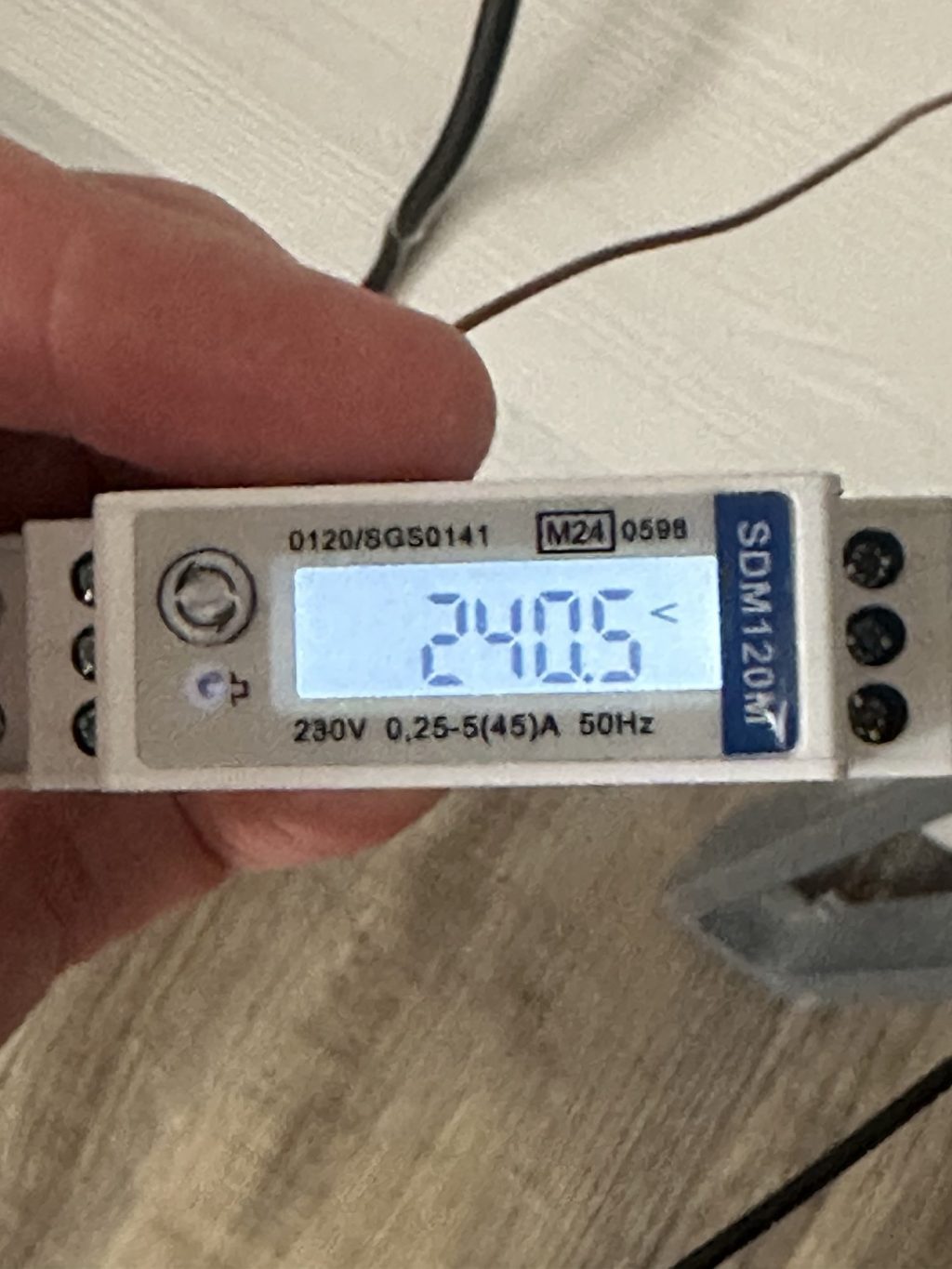
In this post, I explore how to setup an SDM120M energy meter with an ESP32.
The SDM120M is a DIN mounted energy monitor, which can work with currents up to 42A. My goal is to use one with my upcoming heat pump installation, as part of my monitoring plans. Ultimately, I want to add Matter smart home support for it, so I can use Matter for sending energy readings.
This involves figuring out a few things:
- How to wire up the SDM120M to the ESP32
- How to read the values from it via the Modbus protocol
Where to start?
With this particular project, I wasn’t really sure where to start.
I knew that I needed a way to convert from the serial signal into something the ESP32 could understand.
I initially start looking at UART, but after googling, I found that there was Modbus support in the ESP32 IDF.
https://github.com/espressif/esp-idf/tree/v5.4.2/examples/protocols/modbus/serial/mb_master
The ESP-IDF offers a few examples for Modbus, but I knew serial was the one I wanted. My ESP32 would also be acting as a Master, so I chose that sample.
The SDM120M uses RS485 and to work with that protocol, I chose a breakout board called HW-519. This houses a small IC (integrated circuit) called a MAX485, which can talk RS485.
I wired up the SDM120 and the HW-519 board and flashed the code onto an ESP32-C6 I had. I set the BAUD rate to 9600 and the mode to Modbus RTU, based on the specification of the SDM120.
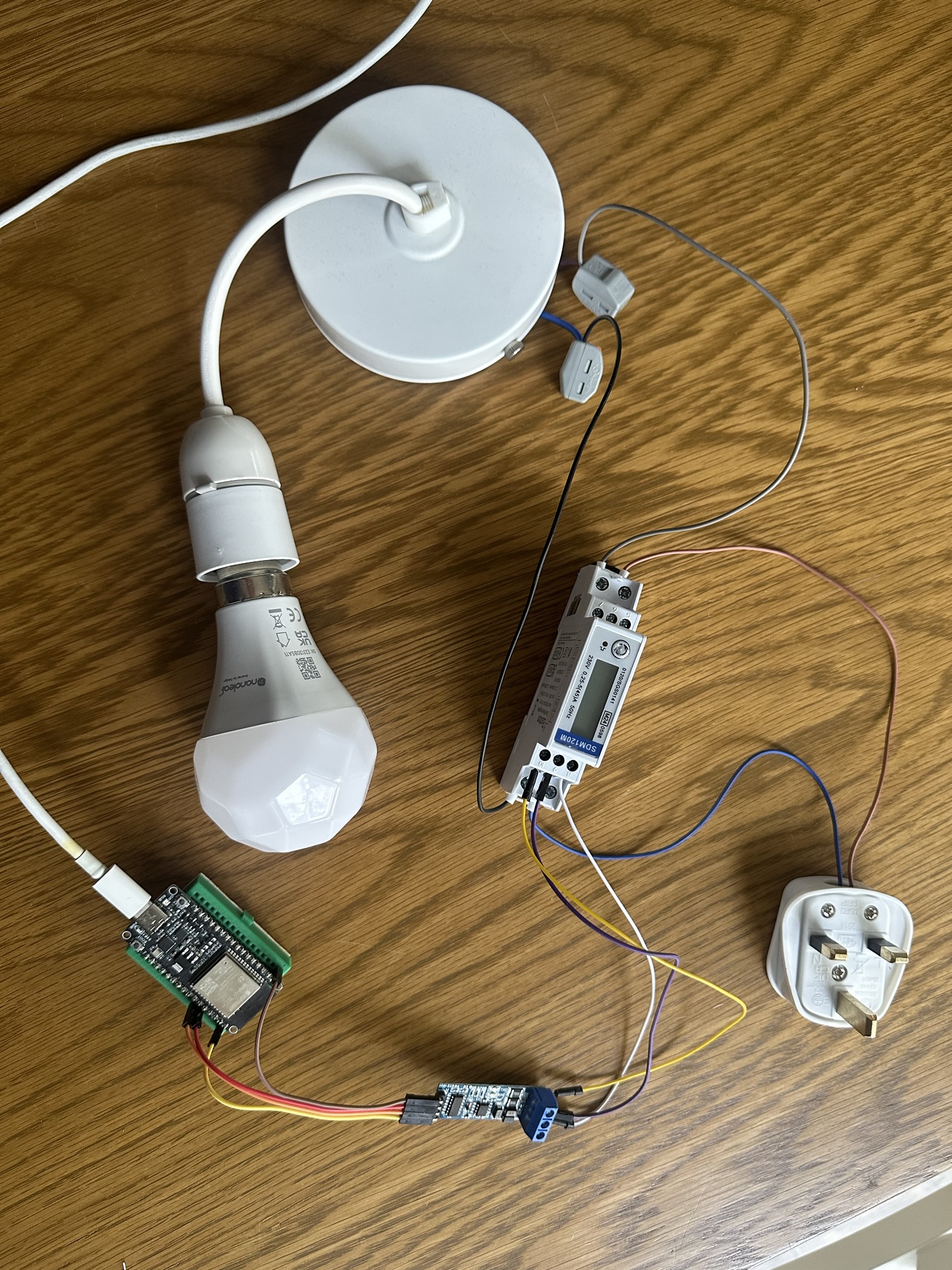
Everything booted up, but the C6 started spewing errors. I could also see the “Transmit” light blinking on the HW board.

Inside the example, the source of the errors can be found. The code is trying to read the value from certain “registers” in the SDM120.
{ CID_INP_DATA_0, STR("Data_channel_0"), STR("Volts"), MB_DEVICE_ADDR1, MB_PARAM_INPUT, 0, 2, INPUT_OFFSET(input_data0), PARAM_TYPE_FLOAT, 4, OPTS( -10, 10, 1 ), PAR_PERMS_READ_WRITE_TRIGGER },
My guess at this stage is that I need to be using the registers specific to my Modbus device.
Reading Voltage
I did more googling and found this document: https://www.eastroneurope.com/images/uploads/products/protocol/SDM120-MODBUS_Protocol.pdf, which had this table
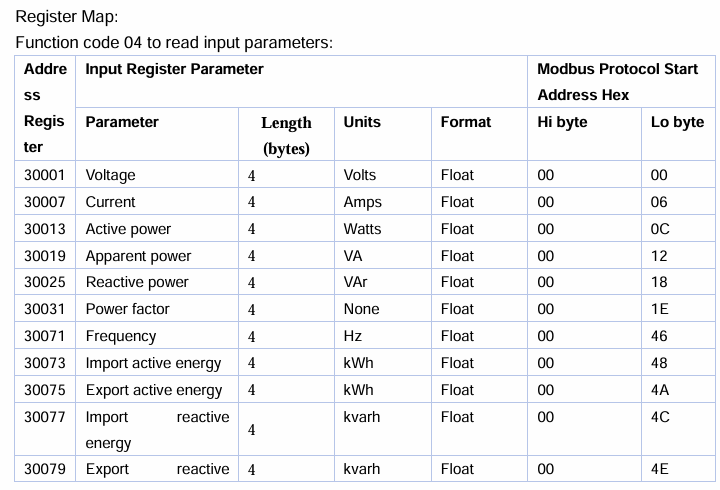
I tweaked the first value in the array of characteristics, based on a suggestion from Google Gemini.
CID_INP_DATA_0, STR("Voltage"), STR("Volts"), MB_DEVICE_ADDR1, MB_PARAM_INPUT, 0, 1, INPUT_OFFSET(input_data0), PARAM_TYPE_FLOAT, 4, OPTS( -10, 10, 1 ), PAR_PERMS_READ }
As is always the case with my efforts, the error simply changed. A changed error is still progress!

I rechecked my wiring. It was fine.
I then rechecked all the settings and found something odd. The BAUD rate and RTU settings for my Modbus had reset themselves. Maybe I changed them in the wrong project?? Anyway, I reset the values and flashed the code again. Suddenly, my code was showing some success!
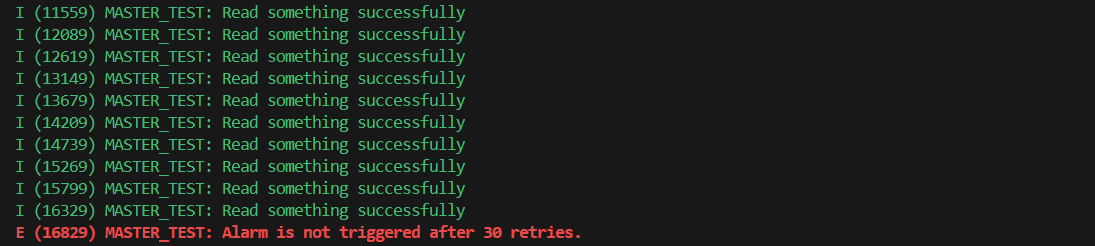
I restored some of the code I commented out
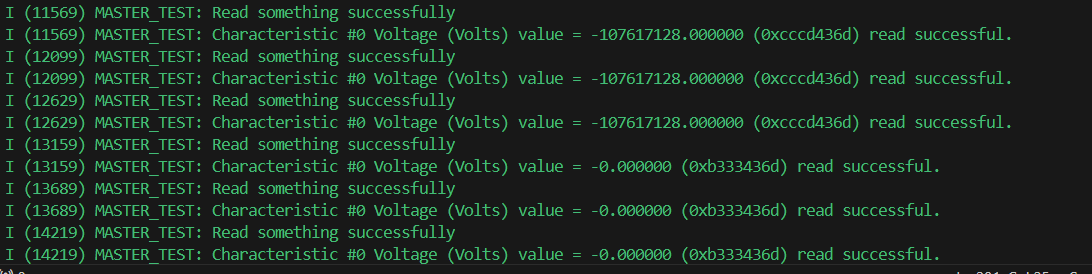
Not exactly the voltage reading I was expecting, but it looks like it’s reading something! As this is voltage, I’d be expecting something around 230V for the UK. -1GV was a little off 🤣
The typical culprit here is endianness. I took one of the logged values, 0xe666436d, and fed it into ChatGPT to see what it had to say.

A reading of 237 would be more like it.
I dug into the Modbus API a little more and found that you can configure different type of floats.
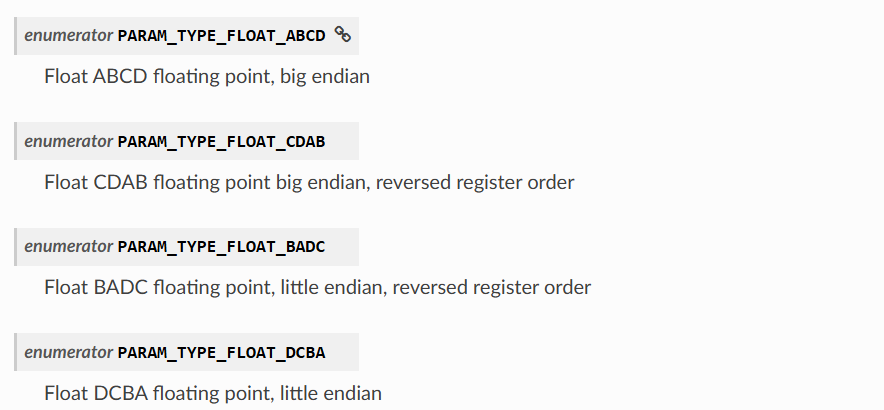
I tried PARAM_TYPE_FLOAT_CDAB as that seemed to
{ 0x00, STR("Voltage"), STR("Volts"), MB_DEVICE_ADDR1, MB_PARAM_INPUT, 0, 2, INPUT_OFFSET(input_data0), PARAM_TYPE_FLOAT_CDAB, PARAM_SIZE_FLOAT, OPTS( 0, 0, 0 ), PAR_PERMS_READ }
This yielded an error though

I had a closer look at the source code and found that the PARAM_TYPE_FLOAT_CDAB was blocked behind a configuration setting.

I turned that on and also enabled Verbose Logging. This yielded the result I wanted!

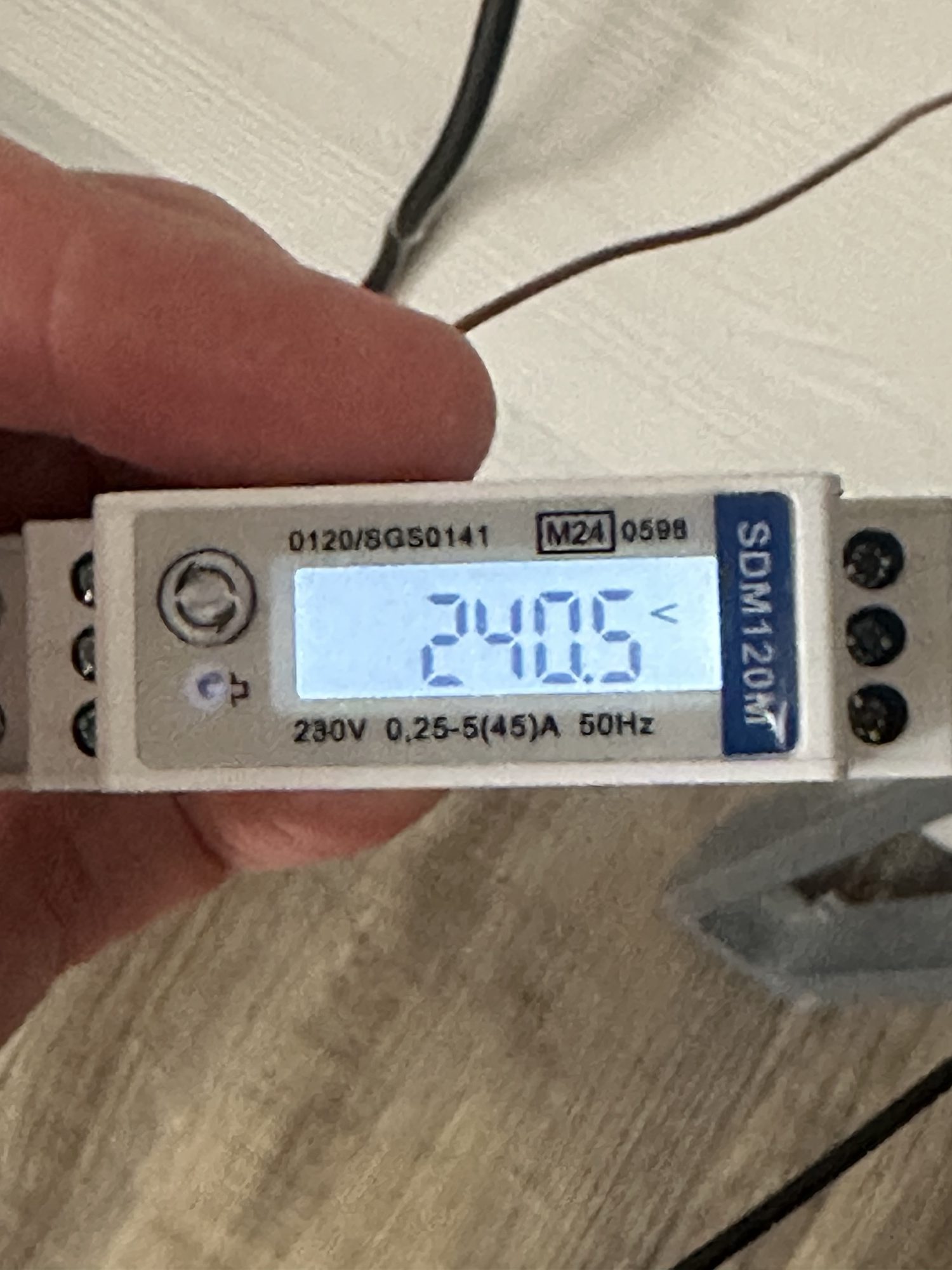
I confirmed it was in the ballpark by looking at the front of the device
Reading Wattage
As I’m really after the wattage value for my Matter sensor, I needed to add that to the reading. The register I want is 30013.
I tried this:
 { 0x01, STR("Active Power"), STR("Watts"), MB_DEVICE_ADDR1, MB_PARAM_INPUT, 12, 2,
       INPUT_OFFSET(input_data1), PARAM_TYPE_FLOAT_CDAB, 4, OPTS( 0, 0, 0 ), PAR_PERMS_READ }
and it yielded this

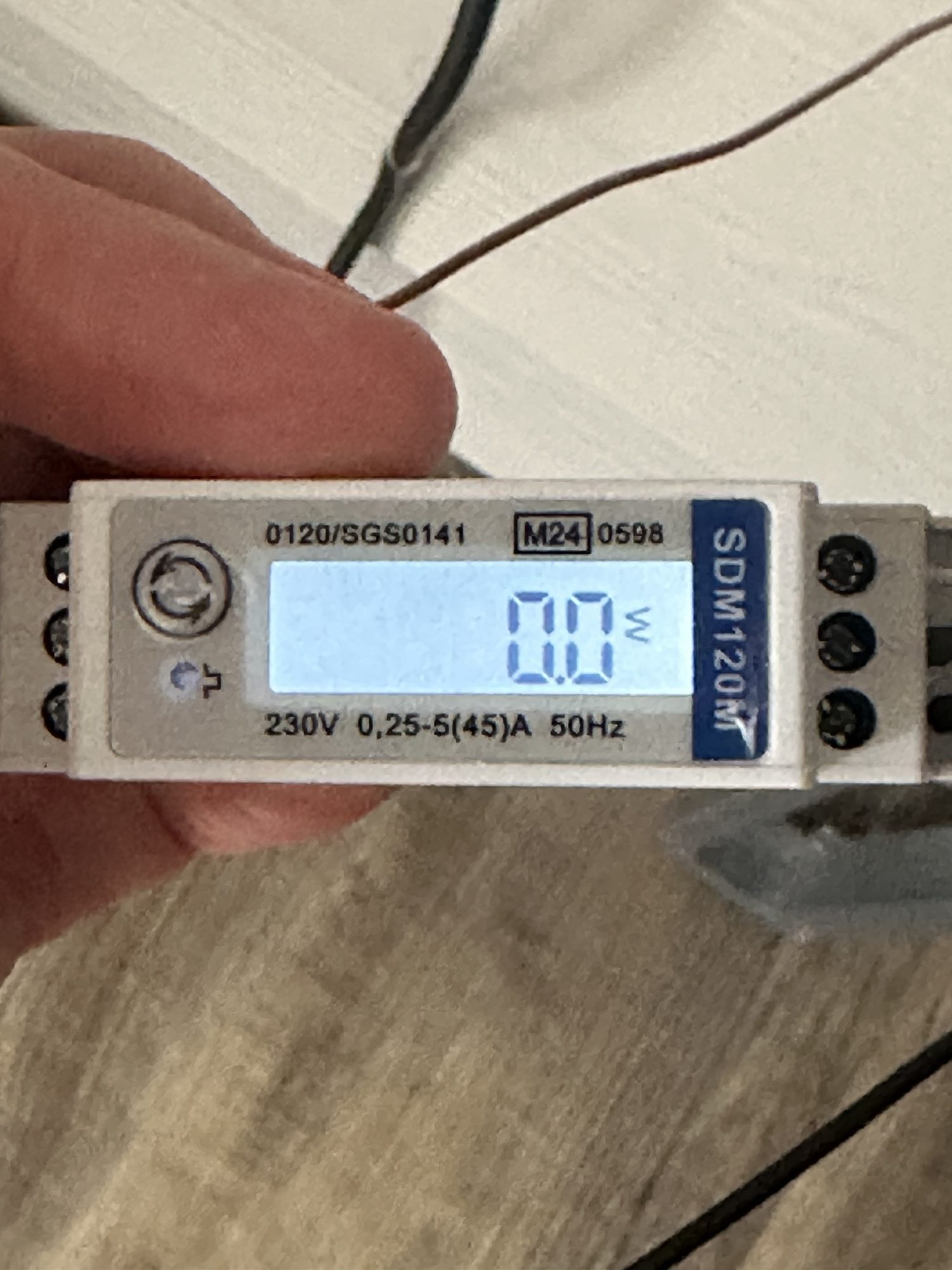
I have a Matter light attached to the SDM120, so it should be reading some *wattage*. However,
It’s reading something and whilst zero isn’t what I was expecting, it’s what is shown on the front of the device.
I had a Nanoleaf Matter over Thread bulb being powered via the device, so I wondered if the Amperage was too low to even register? I got this from the specification of the SDM120M
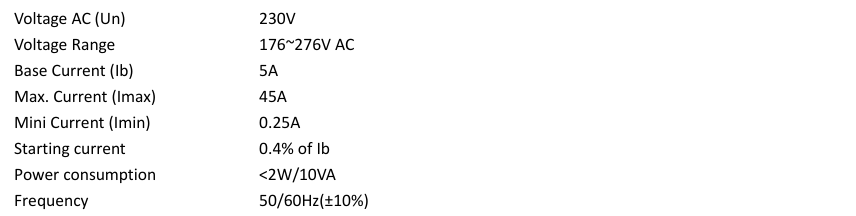
The minimum current is shown as a quarter or an Amp (250mA). I believe the Nanoleaf runs at about 10W, which is way under minimum of 58W.
I will need to try it with something a little more power hungry!
Next Steps
I have figured out how to read the modbus registers of the SDM120. I even cracked some endianness too!
I need to change my rig so it’s wired into something that draws a little more power. I think I can wire up a simple extension lead and plug in a battery charger or something?
Once I know it’s working, I’ll create a Matter enabled application to report the power data.


Leave a comment