

I got back from my holidays today and found that my order of Promicro nRF52840 boards from Aliexpress had arrived!
I was trying out these Promicro boards because the battery terminals are available via the header pins. The XIAO boards I was orignally hoping to use worked great, but the +/- battery terminals were underneath. I had a real go at designing a PCB to support those pins, but my efforts were in vain.
Somebody on Reddit suggested I give a different form factor a go, recommending the Pro Micro. This board is similar to the nice!nano, but *much* cheaper. It also appeared to be supported by Zephyr and Nordic

Flashing the board
My first hurdle was flashing code onto the board. Like the XIAO, this board can be flashed using its SWD interface. Unlike the XIAO, I didn’t have a nice breakout board to give me access to the SWD pins, which are (you guessed it) underneath.
Fortunately, the ProMicro board comes preloaded with an Adafruit bootloader like the XIAO. To launch it, you tap the RST pin to Ground twice in quick succession. This then mounts the board as a USB drive.
For more details, read this https://docs.nordicsemi.com/bundle/ncs-latest/page/zephyr/boards/others/promicro_nrf52840/doc/index.html#flashing
I tried this and an Explorer window opened in Windows. I then followed the steps to flash the Blinky. The last step didn’t quite work, giving me a horrible python script error instead.
In the end, I found the UF2 file created by the build process and dropped that into the bootloader drive.
Once the board was reset, the light started blinking.
Flashing my temperature sensor code
Unfortunately, flashing my temperature sensor code wasn’t as easy as Blinky.
The first problem I ran into was that NCS v2.9.2 didn’t include the ProMicro board as a target.
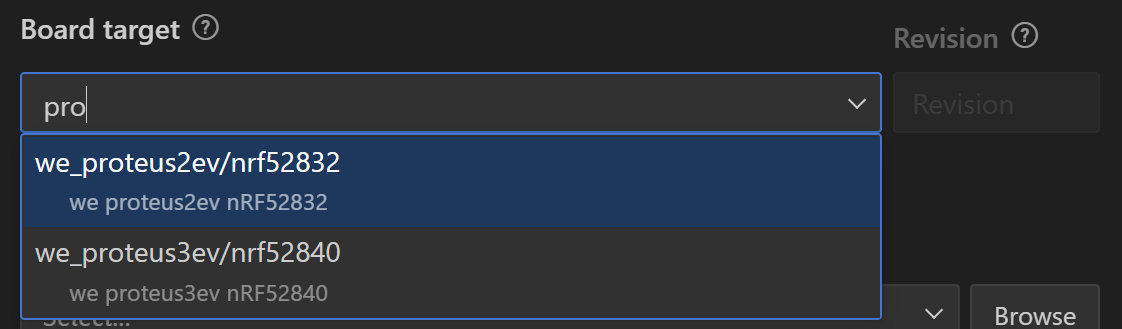
As best I could tell, this was because the Zephyr version under v2.9 didn’t include that board’s devicetree. NCS v3 did include it. That meant I would need to upgrade to v3 in order to use the UF2 flashing method.
Switching over to SDK v3.0.2 resulted in quite a few build errors and warnings, like this
prj.conf:15: warning: attempt to assign the value 'y' to the undefined symbol ZIGBEE_APP_UTILS

prj.conf:16: warning: attempt to assign the value 'n' to the undefined symbol ZIGBEE_ROLE_ROUTER

prj.conf:17: warning: attempt to assign the value 'y' to the undefined symbol ZIGBEE_ROLE_END_DEVICE

prj.conf:42: warning: attempt to assign the value 'n' to the undefined symbol ZIGBEE_ENABLE_TRACES

prj.conf:43: warning: attempt to assign the value 'y' to the undefined symbol ZIGBEE_CHANNEL_SELECTION_MODE_MULTI

prj.conf:59: warning: attempt to assign the value 'y' to the undefined symbol ZBOSS_ERROR_PRINT_TO_LOG

prj.conf:61: warning: attempt to assign the value 'y' to the undefined symbol ZBOSS_TRACE_LOG_LEVEL_INF

prj.conf:70: warning: attempt to assign the value '10' to the undefined symbol FACTORY_RESET_PRESS_TIME_SECONDS
From the looks of it, Zigbee wasn’t part of the V3 SDK.
I then spent a few hours trying to figure this out.
Turns out that Zigbee has been removed from v3.0 and is only available as an “nRF Connect SDK Add-On”. Whatever the hell that is. https://docs.nordicsemi.com/bundle/ncs-3.0.0/page/nrf/releases_and_maturity/releases/release-notes-3.0.0.html
At this point, I hadn’t a clue if you could even use Zigbee with NCS v3. Why the hell is this stuff so bloody complicated??
Since I was well and truly stuck, I just asked a question on the DevZone
https://devzone.nordicsemi.com/f/nordic-q-a/123486/zigbee-r23-with-ncs-3-0-2
More troubles!
Whist I waited for Nordic support, I decided to continue playing around with the board. As I didn’t have a board definition for the Pro Micro, I just used the nRF52840DK and hoped.
I compiled my sensor code with these lines added to ensure a UF2 file was generated
CONFIG_BUILD_OUTPUT_UF2=y
CONFIG_ROM_START_OFFSET=0x1000
I compiled and then dropped the UF2 file onto the mounted drive. The device reset and then *nothing*
I tried to put the device back into flash mode. Nada.
I unplugged it and tried again. Zilch.
No cigar. No banana.
Whatever I had done had overwritten the damn bootloader. 🤦🏼♂️
Thankfully, as I mentioned earlier, the board can be programmed via its SWD interface. I had my trusty J-Link programmer to hand and after some delicate soldering, I had the SWD interface connected.
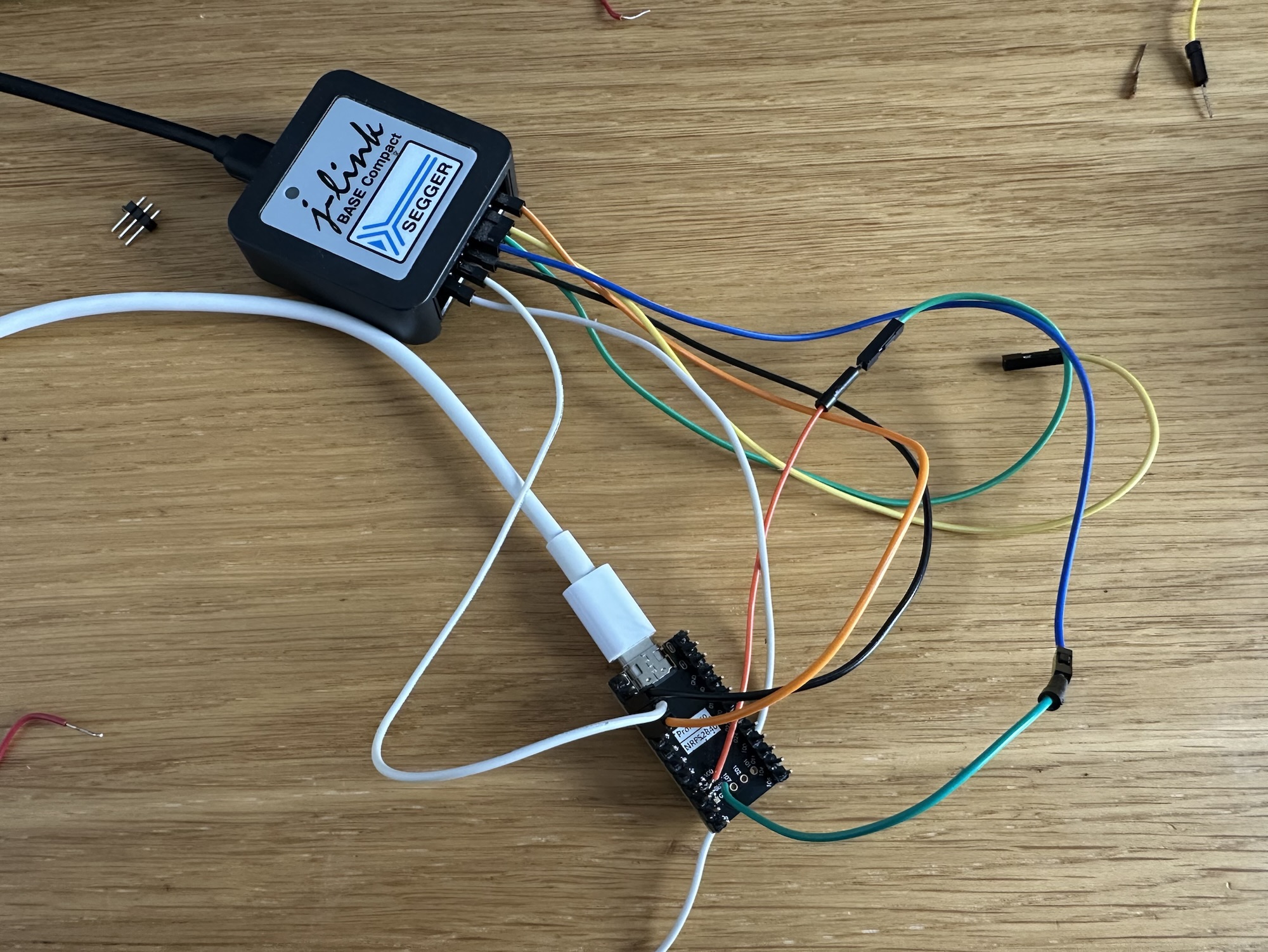
Took me a few goes mind you, but eventually the J-LINK recognised the board.

With an SWD interface established, I could now flash the device directly. Eventually I would need to restore the original bootloader in order to try my UF2 file again. For now, I was content to just flash away.
My first go with the code just got the board stuck in a reboot loop. No error was logged, but this logging just repeated.

I added this configuration to turn off the QSPI, elimination one error, but it didn’t make a difference.
CONFIG_NORDIC_QSPI_NOR=nAfter some debugging (thank you SWD!), I found the cause of the issue.
err = gpio_pin_configure_dt(&temperatures_divider_power, GPIO_OUTPUT_INACTIVE);This was basically causing the reboot. No error logged, but this appeared to hang before the define would reboot. This was kinda expected, since I wasn’t using a proper device tree.
After commenting out the offending code, my Zigbee sensor was working. Crippled, but working.

Not good news
Nordic did answer my question, but unfortunately it wasn’t good news.
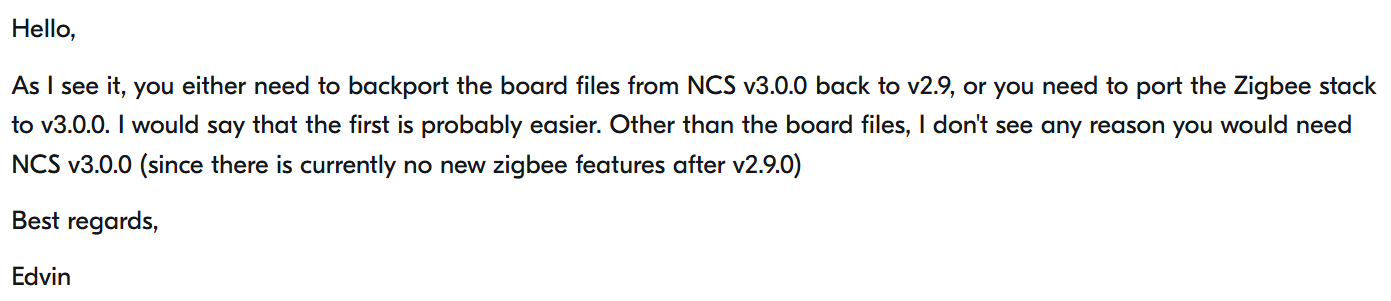
Basically – tough luck. v3 doesn’t support Zigbee so my options were to either port the board or the Zigbee stack.
Bloody hell.
I began to question all my life choices at this point. All I wanted was a simple battery powered, Zigbee dual temperature sensor. I wasn’t trying to build a nuclear power station on the moon.
Being realistic
I slept on the problem and in the morning decided to just pause my efforts with Zigbee. I didn’t have the time or interest to back port a device tree. I certainly wasn’t going to try and back port the Zigbee Stack.
I decided to just focus my efforts on a Matter implementation.
It’s disappointing that the Nordic Connect SDK can’t support my Zigbee efforts with the Pro Micro board. I’m hopefully that Nordic will resolve this issue in the future, but until then….hopefully switching to Matter will be easier.
Spoke too soon….
Toolchain unpacked to /home/tomasmcguinness/development/matter-nrf-dual-temperature-sensor/H:\Development\ncs/tmp/.tmpcLEFEv: successAw jeez, Rick….


 @tomasmcguinness
Leave a comment