

In this post, I have a go at measuring and reducing the power consumption of an ESP32-H2-Mini running a Matter sample.
I’ve done a lot of investigation into power consumption on a Nordic nRF52840. It’s very energy efficient and I wanted to compare it to an ESP32. I have a few battery projects on the drawing board, and I want to make sure I use the right MCU.
Why an ESP32-H2?
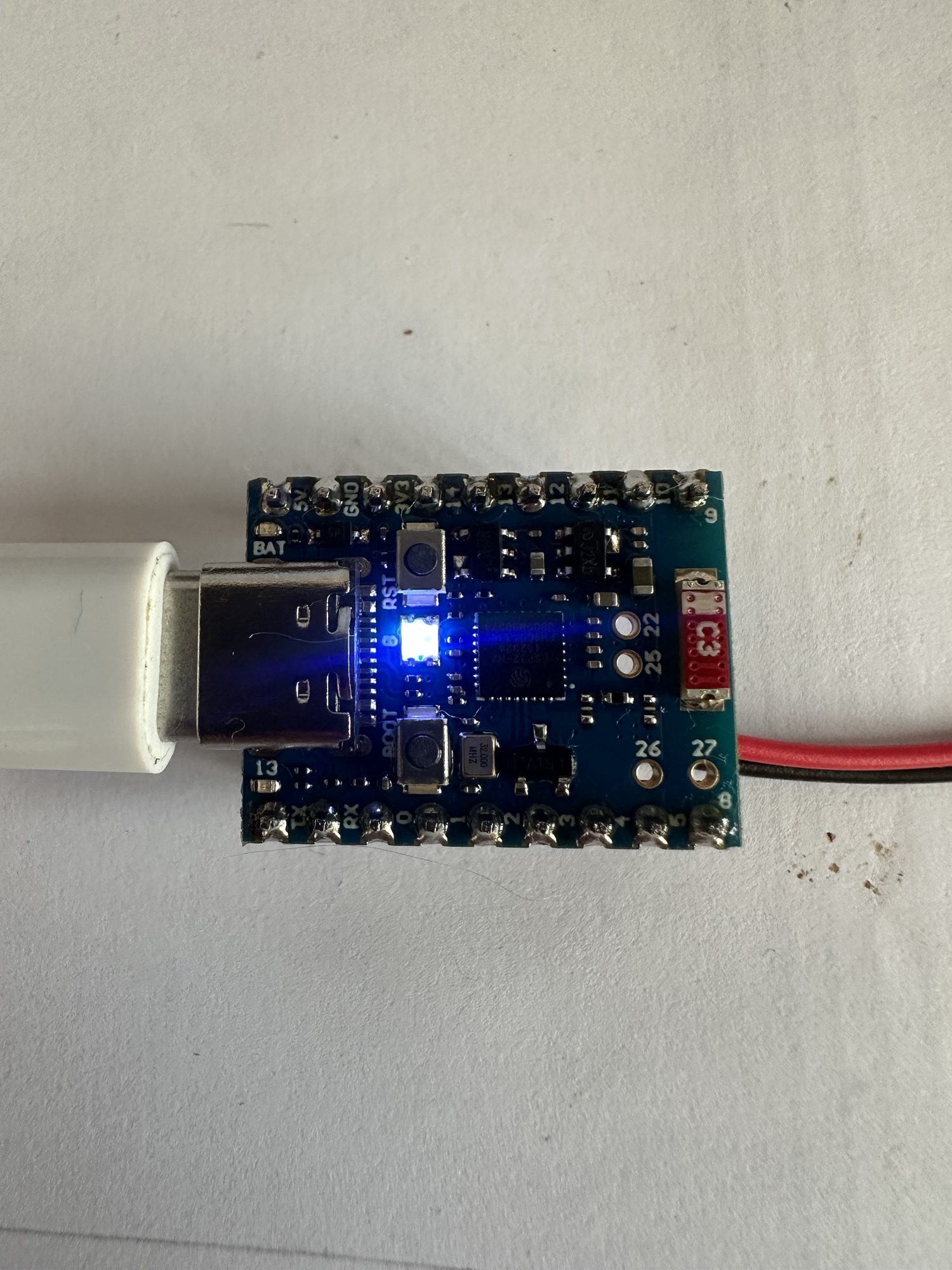
The ESP32-H2 variant has no WiFi, so I feel like it’s a better choice for low power applications. I also decided to give the H2 Mini dev board that I got a whilst back. I also soldered some wires to the battery terminals on the reverse of the board.

Getting started
To explore the power consumption, I’m going to be using the icd_app example provided by the espressif Matter SDK. ICD stands for Intermittent Connected App and is designed for low power devices.
I started by setting up my esp environment, which I run on Ubuntu (via WSL in Windows)
. ~/esp/esp-idf/export.sh. ~/esp/esp-matter/export.sh
I then opened the example, which lives under esp-matter/examples/icd_app
Next, you must set the target device. Normally, I’d set the target using this command
idf.py set-target esp32-h2
but as we’re in the icd_app, they have provided a specific set of defaults (check the README.md), so we need to run this instead
idf.py -D SDKCONFIG_DEFAULTS="sdkconfig.defaults.esp32h2.lit" set-target esp32h2
The lit part of the file stands for Long Idle Time, which is part of the ICD approach. More on this later.
With the target set, we can now compile and flash the application
idf.py build flash
Once installed, I used my phone to commission the device.
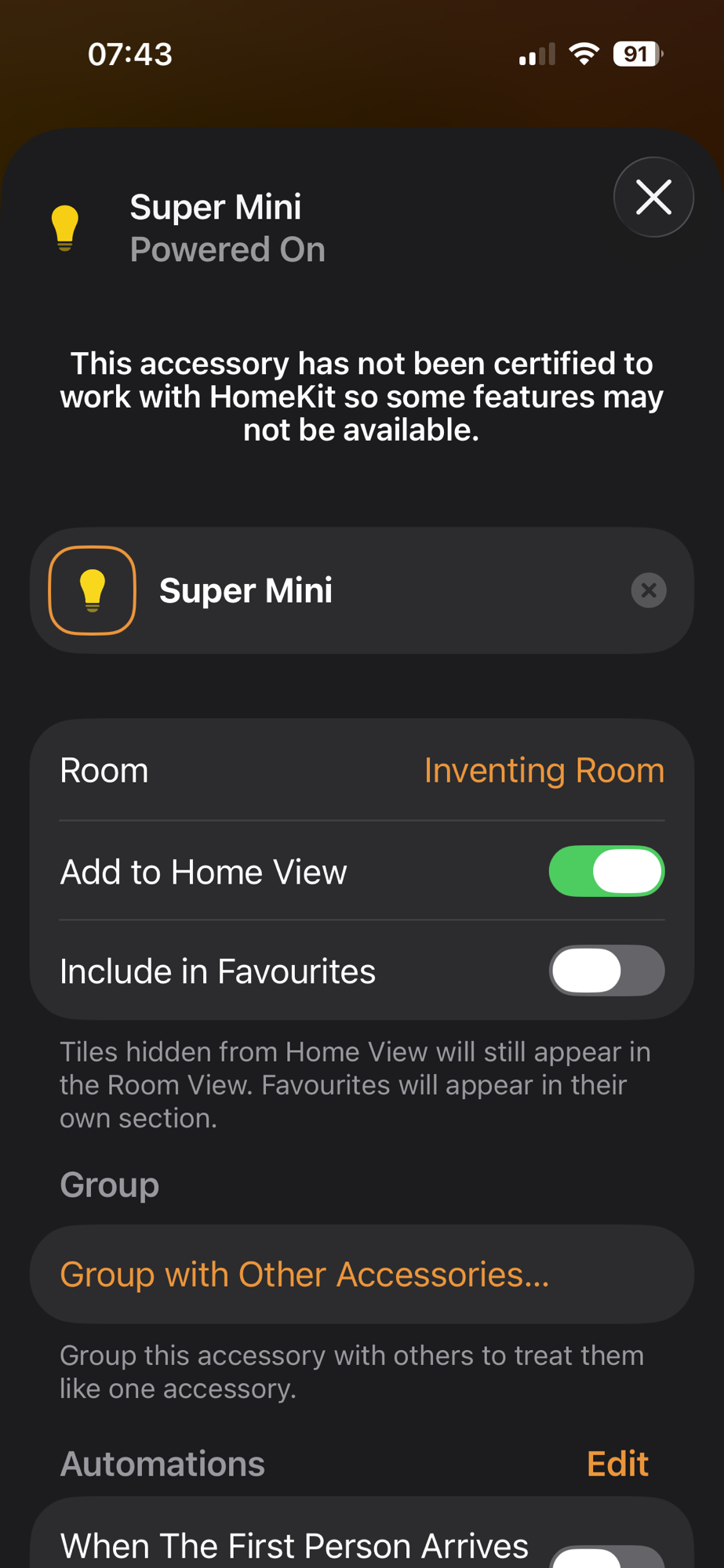
The LED on the device didn’t respond to the Switch. That was expected, as there is no code to toggle the LED. I figured it would be worth getting that working first. That way I can be absolutely sure the device was responding.
I started by blinking an LED. I switched to my Waveshare ESP32-H2-DEV-KIT-N4 devkit for this. The DevKit is easier to flash, since I don’t need to enter DFU mode. That’s a special mode that lets you flash firmware. On non-devkit devices, it involves holding RST and hitting Boot. Annoying with small buttons.
Using a DevKit is just a case of plugging it in and flashing it.
With that working, I flashed the same code onto the super mini and got the same result.
I then wired up the app_attribute_update_cb callback function to set the LED status. This callback gets invoked during an attribute change. In this case it’s the OnOff attribute of the Light.
I made the changes and flashed, but got weird flicking behaviour when I turned on the “Light” via my iPhone.
After a little bit of tinkering with this, I realised the issue! The ESP32 is entering light sleep as it’s an ICD. This means that all the GPIOs get turned off. What you see is the ESP32 waking up and doing some stuff for a split second, before sleeping.
There is absolutely no point in trying to keep the LED on 🤣🤣
A First Look at Power Consumption
With my code in place and definitely sleeping, it was time to hook up a power monitor. As always, I use my trusty Nordic Power Profiler Kit II.
Not a great start with an average of 840µA over a minute. This is with a supply voltage of 3.3V.
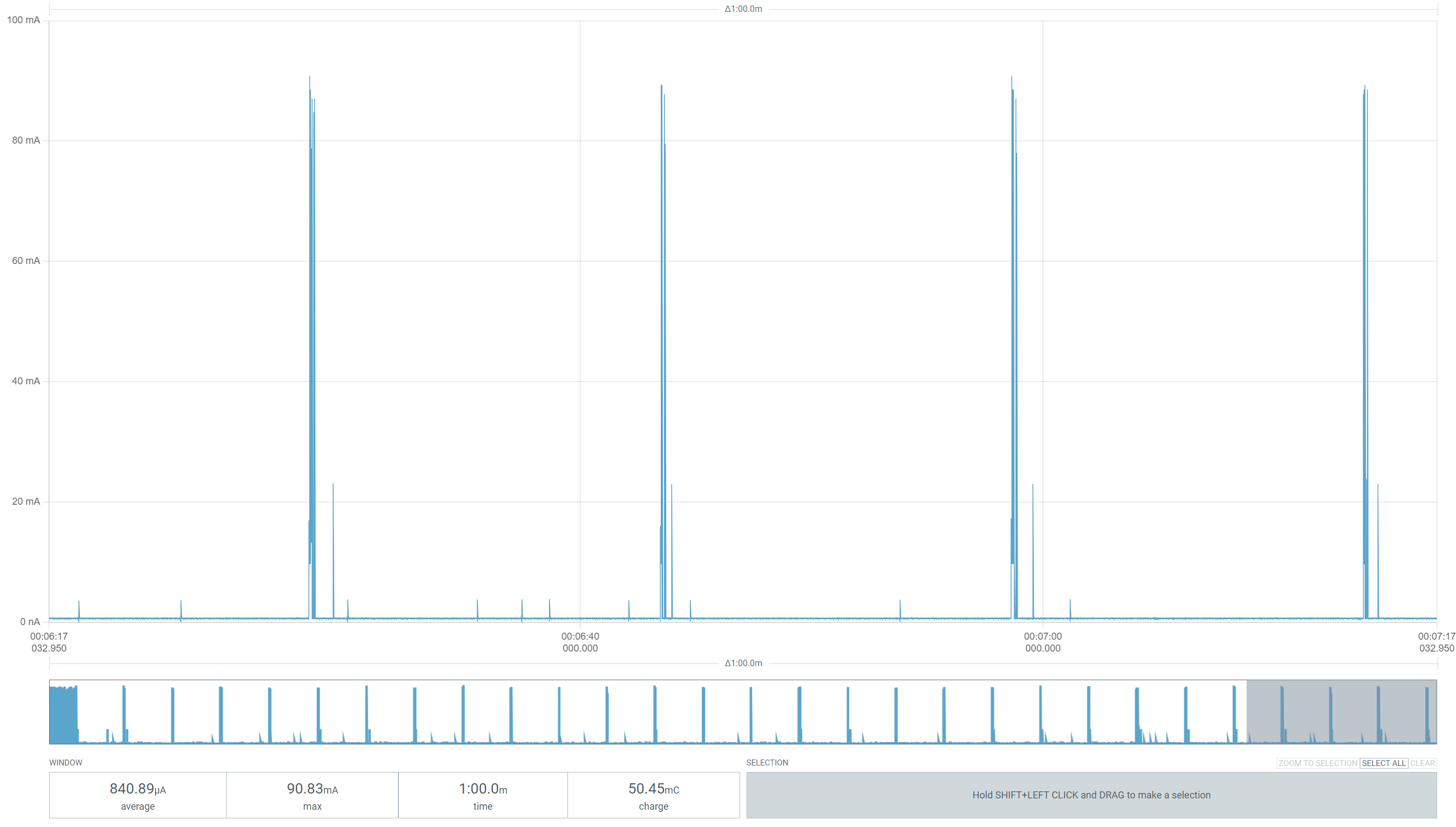
I then cranked the supply voltage up to 3.7V to better reflect a LIPO battery. There are different types of voltage regulators and their current draw changes based on the voltage. I found this when working on the ESP32-C6.
This pulled the 1-minute rolling average down to 650µA. A pretty significant drop.

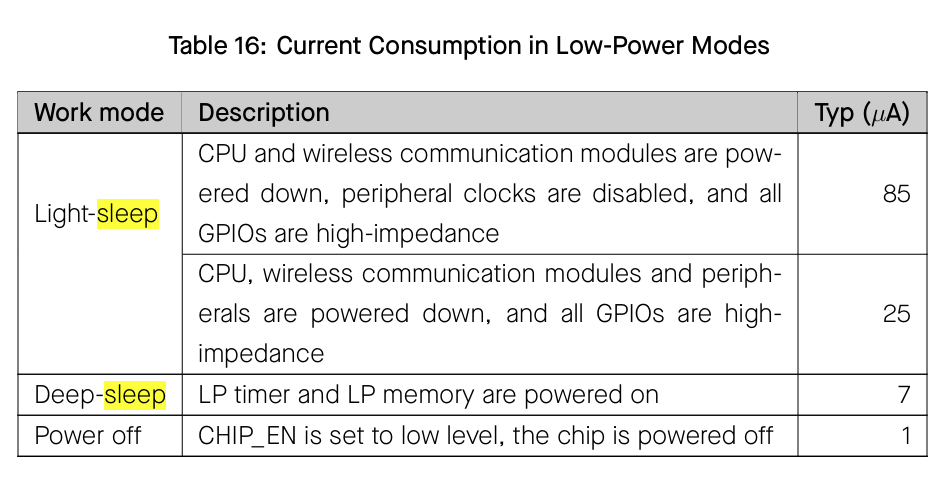
That said, according to the datasheet, the ESP32-H2-MINI-1 should do quite a bit better than that.
From the icd_app example itself, espressif included an image showing power consumption. I read this as a 46µA average over 160 seconds.
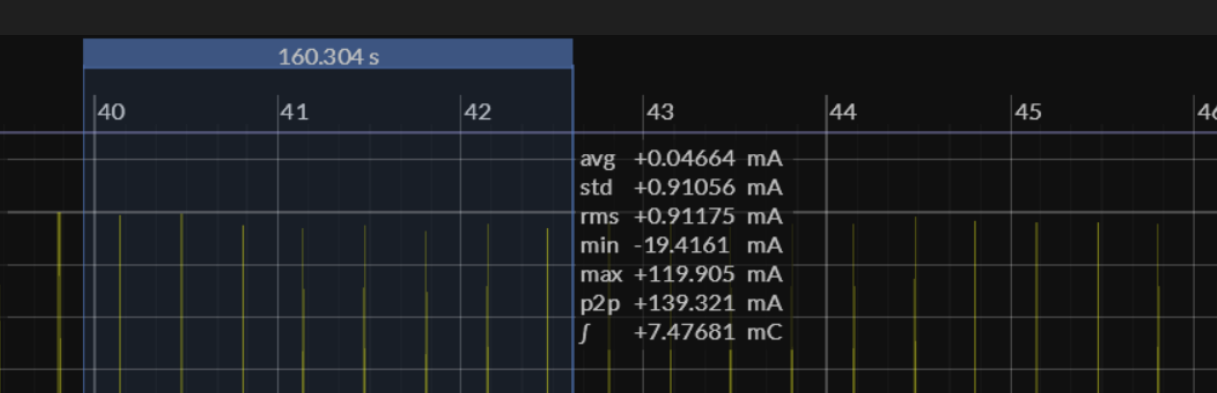
My 650µA is a far cry from that.
Accounting for peripherals etc.
One of the things I learned with power consumption on the Nordic nRF52840 DevKit is that peripherals take up power. These are things like LEDs and UART. LEDs themselves can add several mA of power draw. The Nordic Developer Kit actually has a switch to isolate peripherals. This makes it easy to separate the power consumption of the chip itself from everything else. Very, very helpful.
Unfortunately, the H2 development kit I got from Waveshare doesn’t have this. That means when measuring power, it includes all the peripherals. This makes it difficult to see if my chip is asleep or awake.
I decided to see if Espressif offered a way to isolate the H2 module, like Nordic do. I found their ESP32-H2-DevKitM-1 offered this:
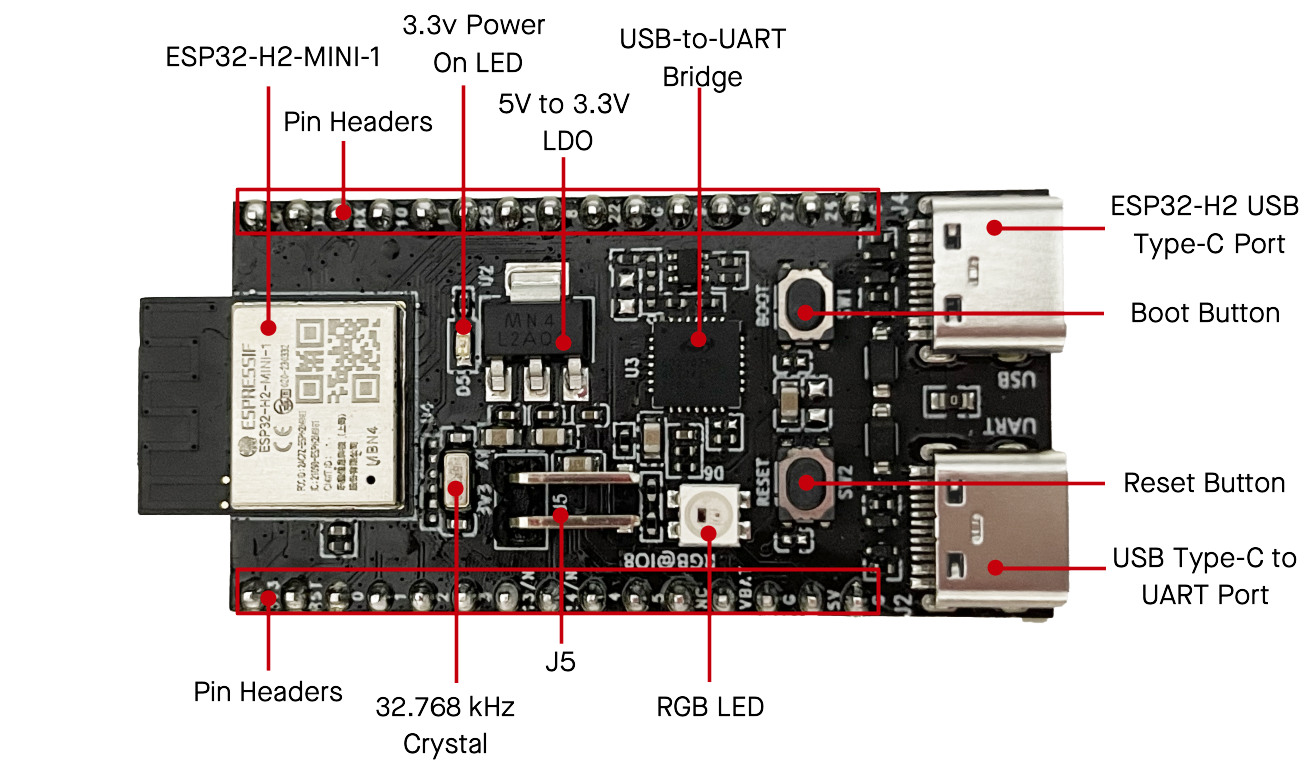

This looked like what I needed. I could remove the jumper to disconnect the peripherals and then measure the power of the module.
Me being me, I didn’t have this particular DevKit. The Waveshare DevKit I had was a different variation 🤦🏼♂. I️ also discovered they did a ESP32-C6-DevKitM-1 with the same jumper. Of course, I had the C6 Waveshare variations without the jumper.
FML, but this is becoming an expensive hobby!
I ordered two of these boards from PiHut. More of my YouTube earning going on something that isn’t a 3D printer 🤣
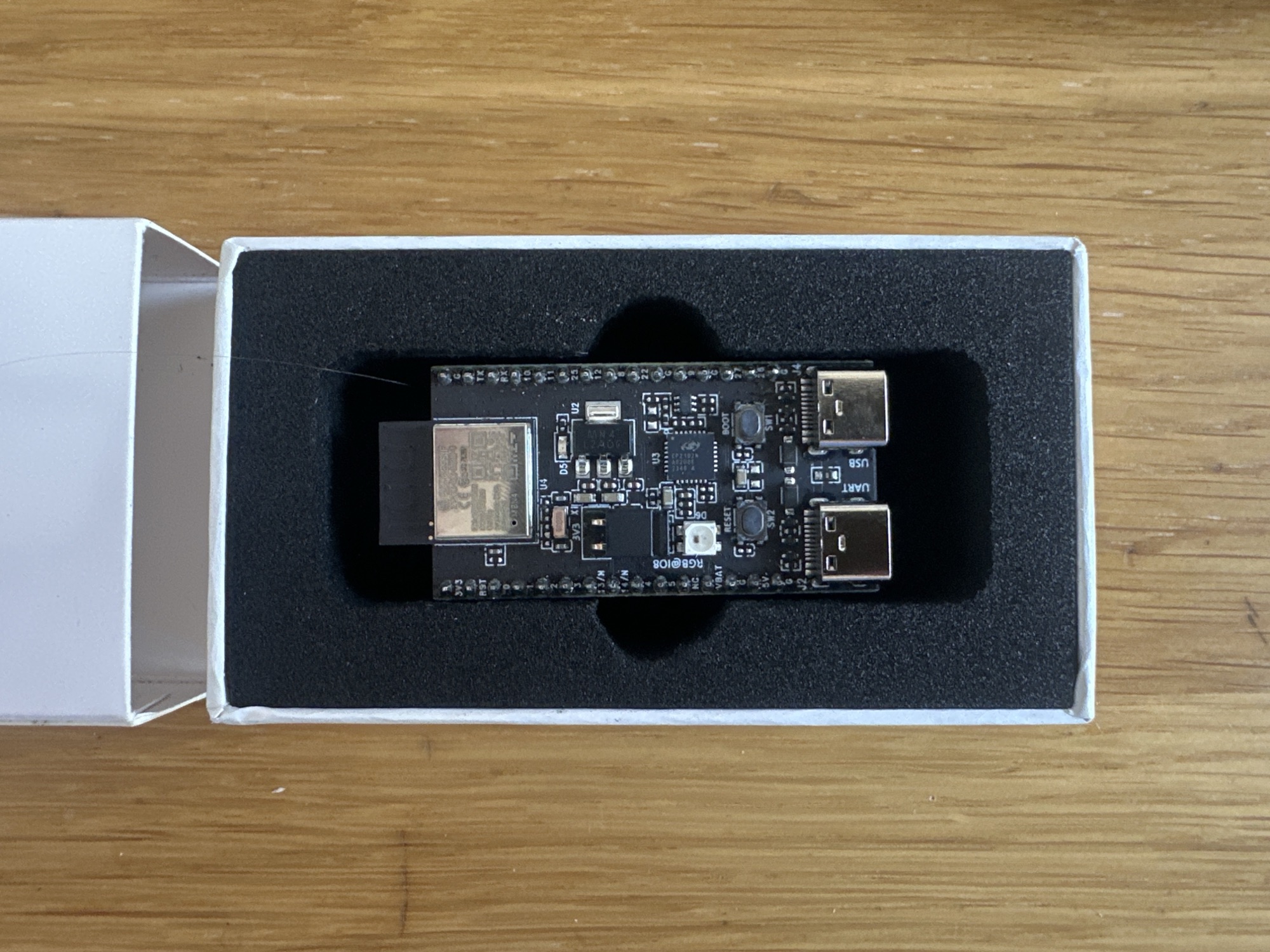
I flashed the new DevKit with the same code and wired in the PPKII. This time I would be using it in Ampere mode. https://docs.nordicsemi.com/bundle/ug_ppk2/page/UG/ppk/measure_current_ampere_meter.html
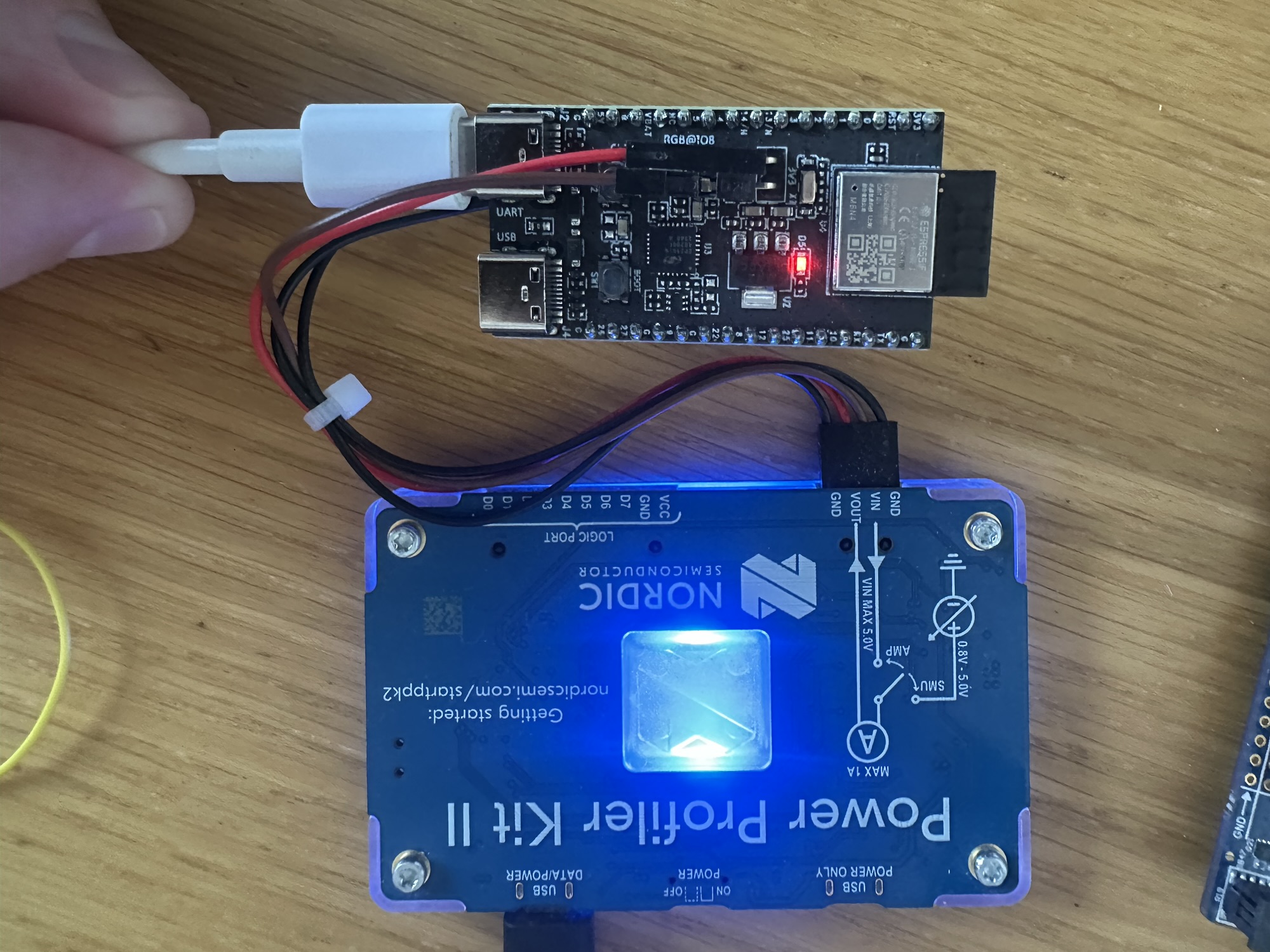
I fired up iOS and paired the device.
I turned on the PPKII and hit the reset button on the DevKit (poorly located under the connectors!)

After a while it settled down and oh boy, was it beautiful.

The chip was consuming just 30µA.
It would then spike, which I’m assuming is the radio. The spikes were about 15 seconds apart.
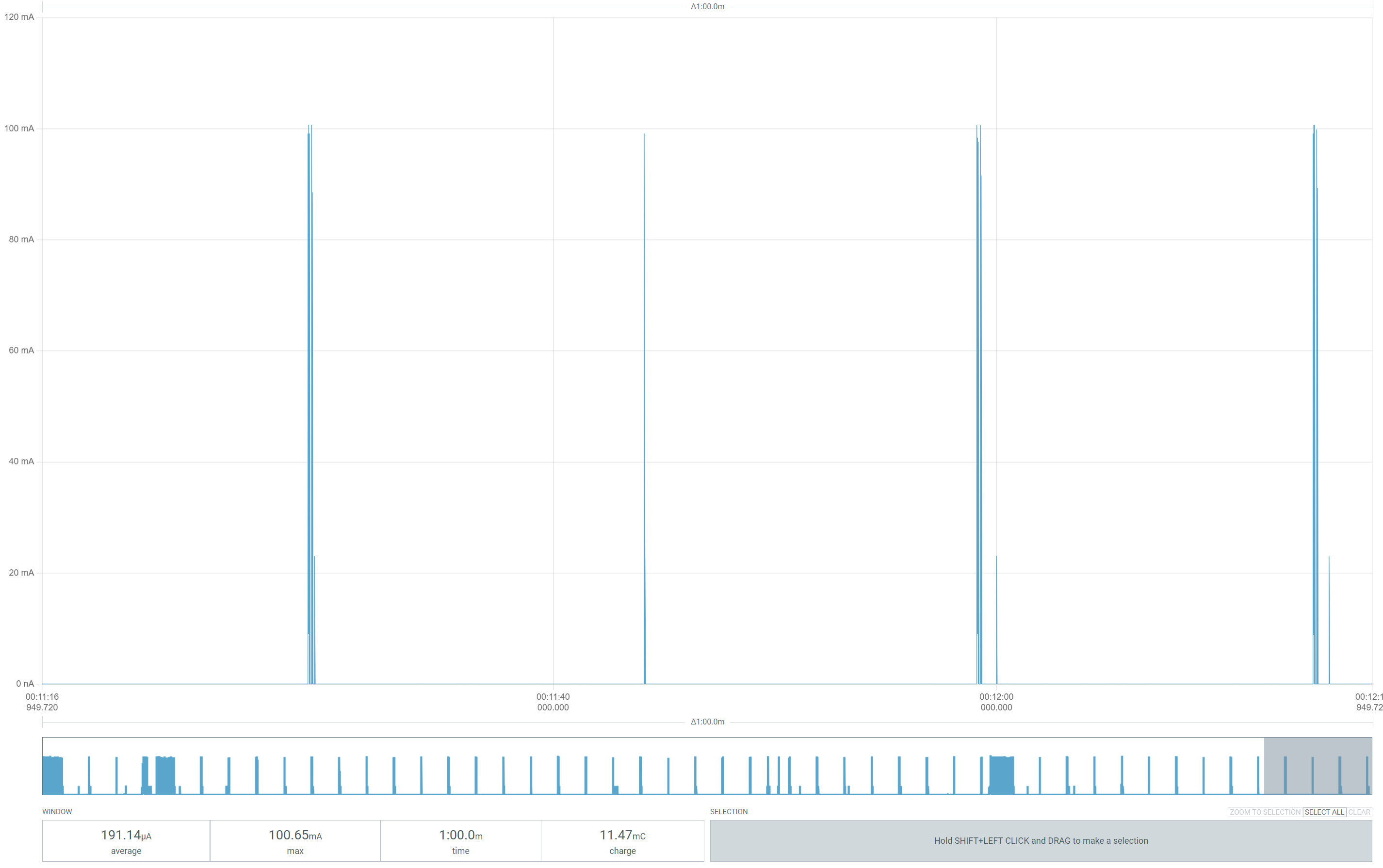
Over one minute, it was averaging 191µA, which consumed 11.47mC.
It’s an impressive figure, but it dwarfs the nRF52840. In a similar test, my nRF52840DK, taking ADC readings every 30 seconds, draws 3mC. About a quarter of the H2’s consumption.
Reducing power even further?
At this point, I didn’t know what I could do next. Despite a lot of searching, I couldn’t find an Espressif guide to reducing power consumption.
I looked at the deep_sleep and light_sleep examples and all they really offered was reducing clock speed of the CPU.
Given the light-sleep design consumption of 24µA and my 30µA measured consumption, I think I was in pretty good shape. The 100mA the radio spikes didn’t really help.
I was also still confused by the 15s intervals. The setting ICD_SLOW_POLL_INTERVAL_MS was set to 30000, meaning the radio should only wake every 30 seconds. I set it to 60s and tried again.

Same result.
I began to wonder if this might be some Thread configuration. I found this setting: OPENTHREAD_ADDRESS_QUERY_RETRY_DELAY which was set to 15 seconds and changed it to 30.
This had no impact.
Around this time, I received a comment from Rakesh, pointing me to a Github issue opened with esp-matter. This was a user seeing the same thing as me. I added my two cents to this discussion. Hopefully Espressif will shed some light on this.
Back to the SuperMini
This post started with the SuperMini, so I want to give it one final go!
The result was pretty much the same.

What’s interesting here is that the ESP32-H2 itself accounts for 11mC of that 44mC. That means the power converter and other peripherals are using three times as much power!! That’s insane!
I will investigate this in a future post as this one is getting a little long!
Conclusion
An informative outcome, I think. I managed to get my ESP32-H2 down to around 30µA when idle.
As ever, that’s not the whole story. As we’ve seen with the SuperMini, the consumption of the board is much, much higher.
So, what about battery life of this SuperMini?
A 1Ah battery contains 3,600,000 mC. If my SuperMini uses 44mC a minute, we would get ≈81,818 minutes of usage. That’s around 56 days.!
That’s actually pretty rubbish. Compare it to the Nordic nRF52840 and on the same battery that would run for over 800 days. 16 times as long.
Now I just need to find that jumper for by DevKit….I’m sure it’s on my desk somewhere…
Did you like reading this post?
If you found this blog post useful and want to say thanks, you’re welcome to buy me a coffee. Better yet, why not subscribe to my Patreon so I can continue making tinkering and sharing.
Be sure to check out my YouTube Channel too – https://youtube.com/tomasmcguinness
Thanks, Tom!
UPDATE
I’ve started building my own ESP32-H2 board


 @tomasmcguinness
Leave a comment