
Not deterred by the huge flaw in my custom PCB, I continued trying to evaluate my board.
I connected it to my J-Link programmer, just like I did with the DevKit boards. Due to my dodgy PCB, I couldn’t use the J-Link’s 5V supply directly. Instead, I passed it through an LDO and fed that to the VDD “output” on my PCB. Bit of a mess, but should
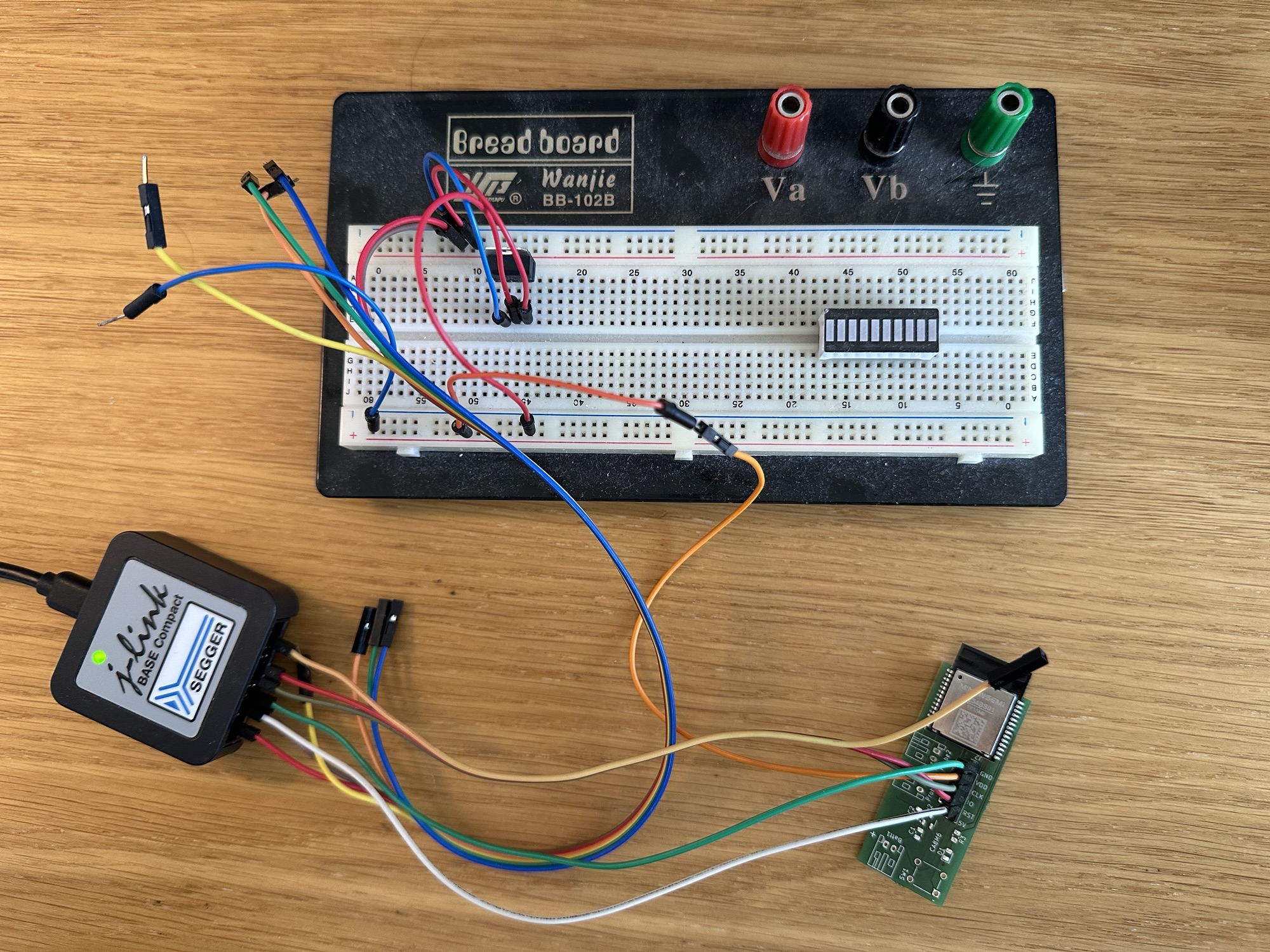
With it all wired up, I tried to flash some code using the SWD. My initial attempt failed miserably.
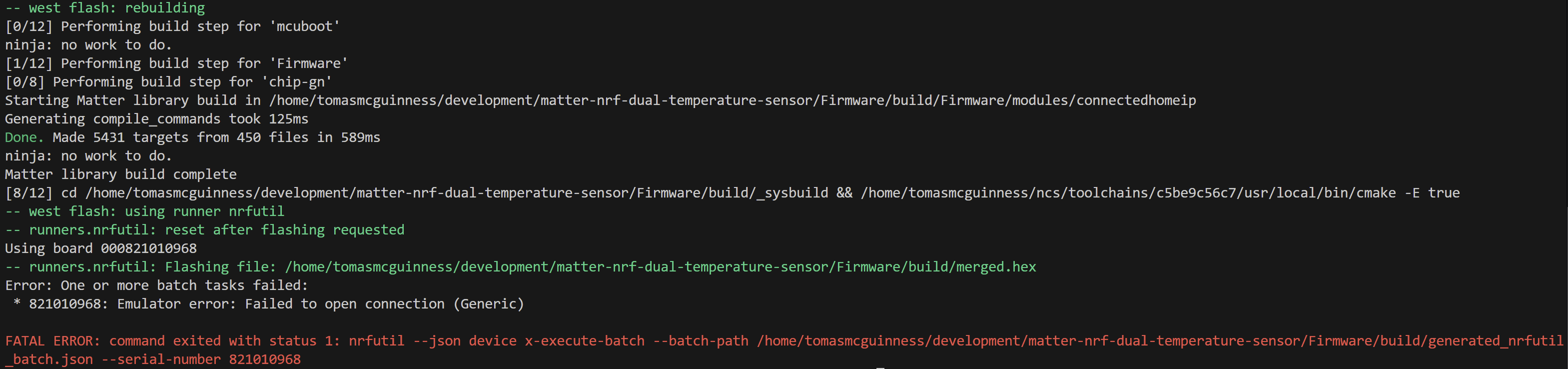
It indicated a problem opening a connection, which I couldn’t recall seeing before. I rebooted my PC just to be sure.
Like I did when evaluating the HolyIoT Board, I launched JLinkExe on my WSL instance. This threw up a horrible error. Despite sharing the J-Link device via USBIPD, it couldn’t connect.

If it couldn’t even reach the programmer, I had no hope!
Trying on Windows
This looked like a USB/WSL issue, so I jumped back to Windows and tried J-Link Commander. It was able to connect to the J-Link module and I successfully turned on power. I ran the “connect” command and used SWD as the interface type.
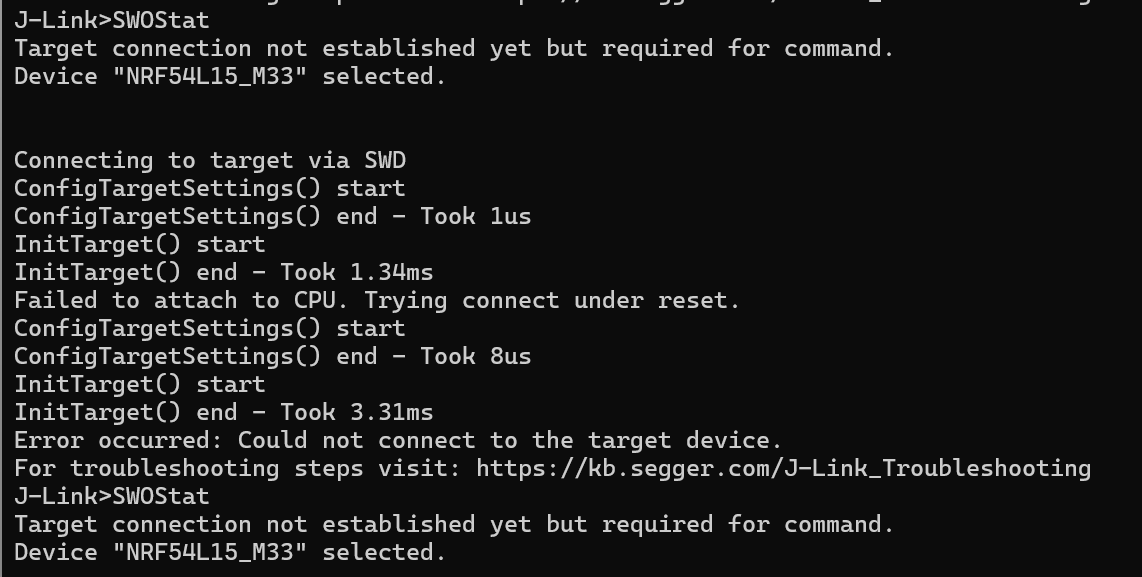
It wasn’t able to connect, but it mentioned something about “trying to connect under reset”.
The reset PIN on my PCB was connected, so it should have managed this itself. Another PCB issue?
I manually put RESET to high, by connecting the wire to the VDD. I tried again and this big, horrible popup appeared. CTRL-AP is a Nordic thing (https://docs.nordicsemi.com/bundle/ps_nrf5340/page/ctrl-ap.html), so it appeared it was talking with the CPU.
I wasn’t sure what the secure device meant. Was it similar to the secure boot issue I’d seen before?

Like all good security prompts, I just clicked Yes 🤣
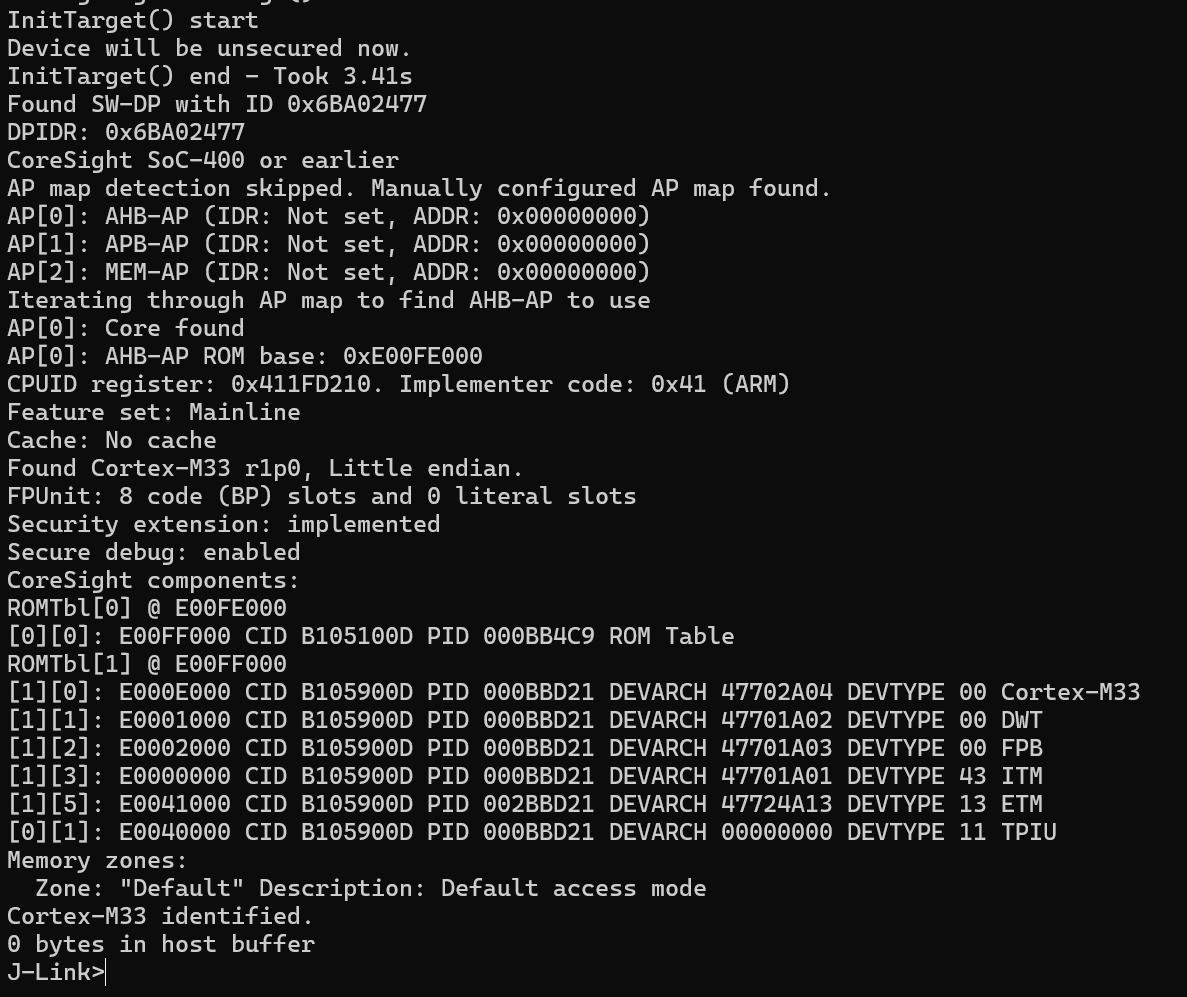
Lots of sensible looking messages came back. I considered this progress. It even indicated that a Cortex-M33 was identified, which looked good!
Back to Linux
When I returned to WSL, I remember that I had recently been forced to rebuild my WSL environment. Had I lost working configuration?
After a little digging around, I found that Segger (makes of the J-Link) recommend using remote connections. This is because of USB issues with WSL. I defiantly had the USB connection working, but in the interest of time, I tried remote.
The Remote feature lets you connect to a J-Link device over IP. So I would have it plugged into my PC via USB and connect to it over IP. The Remote Server comes as part of the J-Link package, so I launched it from Windows 11.
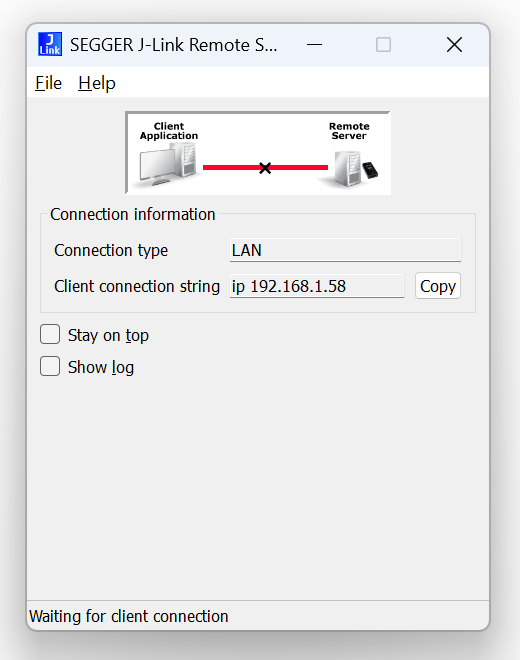
After a lot of messing with IP Addresses, I found out how to connect from the WSL Side
JLinkExe -ip 127.0.0.1This launched JLink and displayed I was connected over IP.

I could even see a serial number and VTref value!
Next came flashing the code over IP. After a few attempts, I found this worked
west flash --runner jlink -- --tool-opt="-ip 127.0.0.1"Basically tells west to pass the -ip option, like I did above.
I ran it.
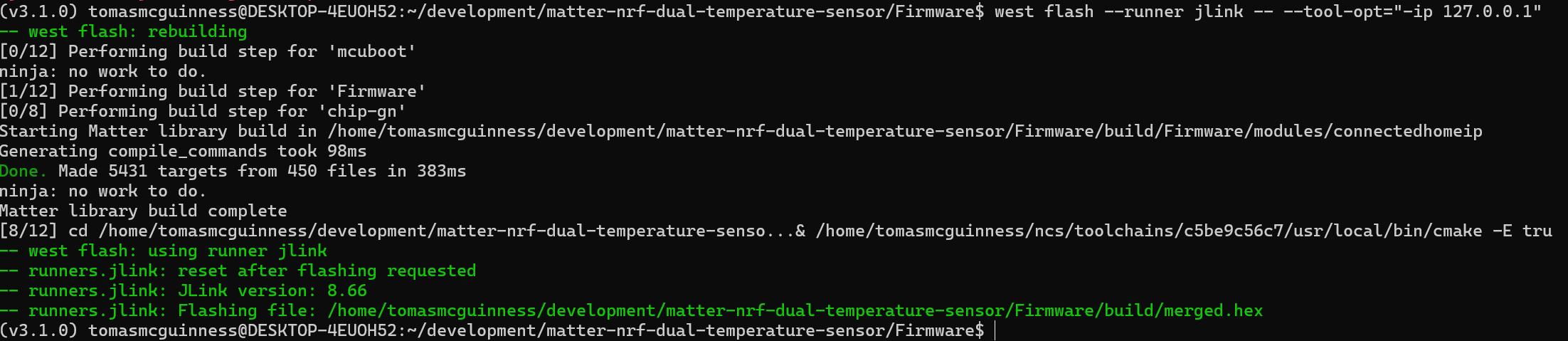
I hadn’t any components to the board, so I had no idea if the code was actually working. I launched my Bluetooth app….
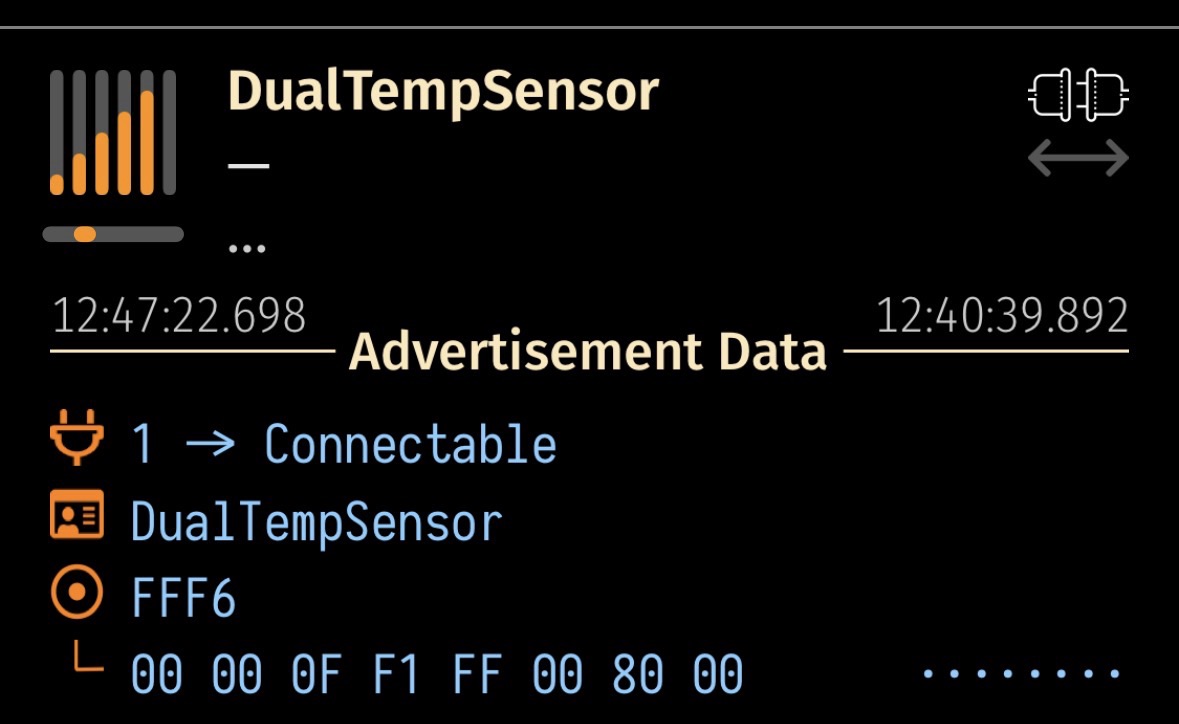
A device called DualTempSensor was advertising, which was incredibly encouraging!
I then tried to commission it via iOS Home…
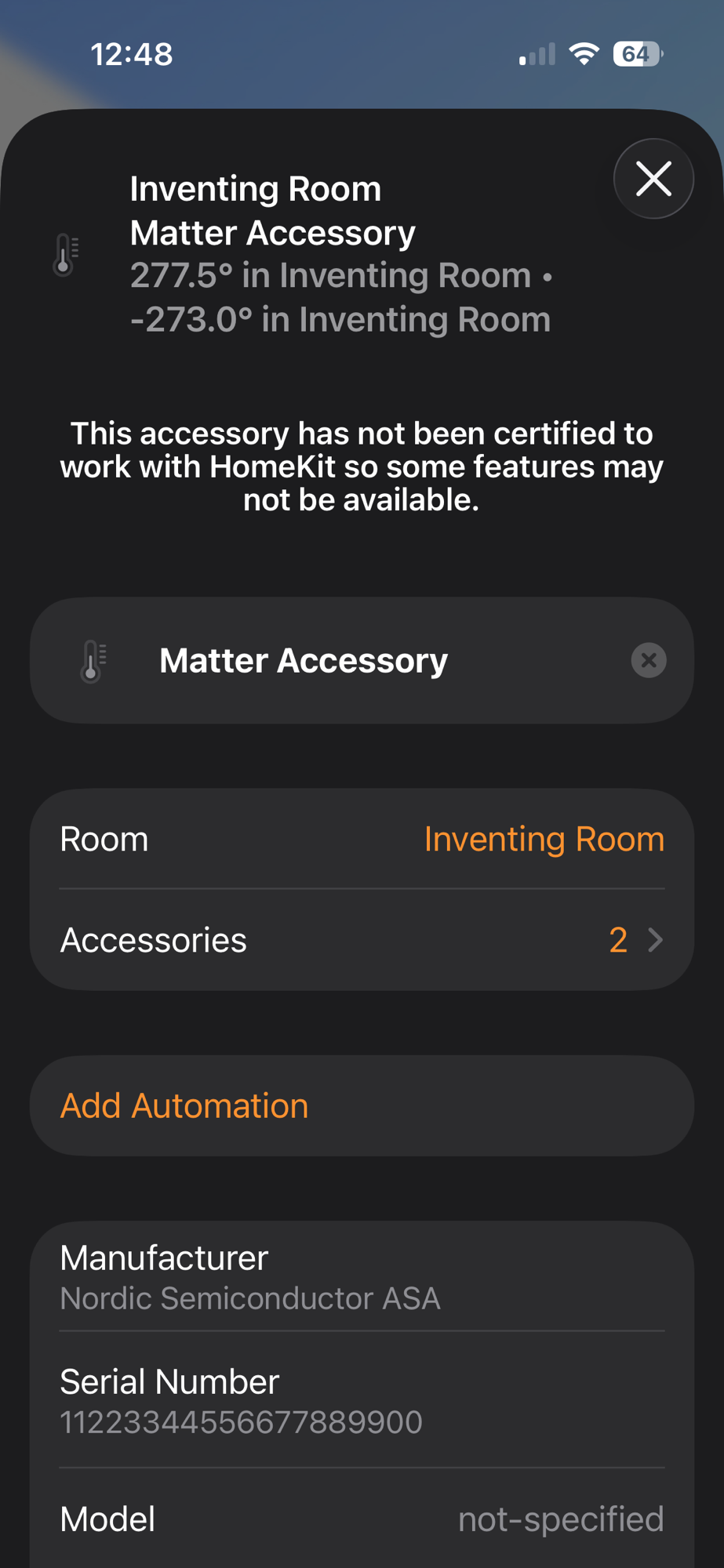
Holy Crap!! It worked. The temperature readings were crazy since I didn’t have anything connected, but it worked!!!!!
Next Steps
With the code flashed, I need to put some resistors, connectors, buttons and LEDs onto the board. I should ensure everything else is working. Once I’m happy with that, I’ll send my updated PCB to Aisler for a new version.
This is quite momentous for me as I didn’t have a clue if the SWD would work!
It’s a Sunday evening, so I feel a cold beer is in order!
More updates to follow!
Did you like reading this post?
If you found this blog post useful and want to say thanks, you’re welcome to buy me a coffee. Better yet, why not subscribe to my Patreon so I can continue making tinkering and sharing.
Be sure to check out my YouTube Channel too – https://youtube.com/tomasmcguinness
Thanks, Tom!


Leave a comment