
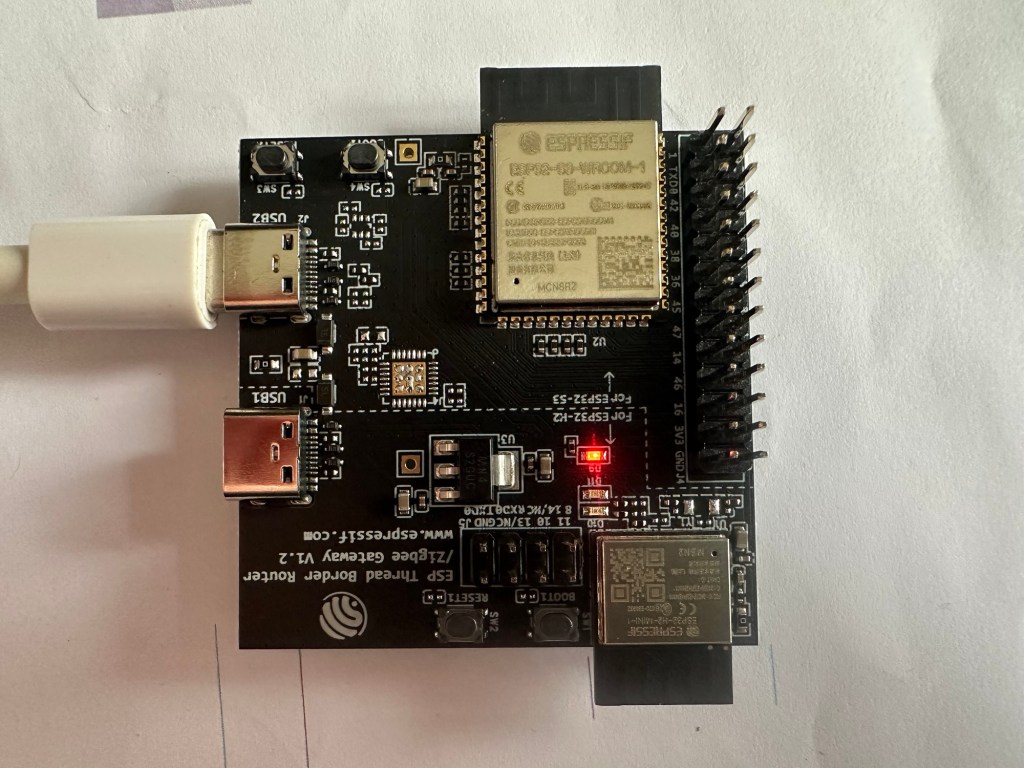
This post follows on from here.
In that previous post, I successfully commissioned one of my Matter Temperature Sensors using an ESP32-S3. I even managed to read a temperature value from it!
With that working, the next step was to have a web page that listed the commissioned nodes. This would end up (hopefully) looking very similar to my Energy Manager screen:

Displaying Commissioned Nodes
I’d already provided I could commission a node using the ESP32 console. I now needed to perform this pairing by starting the process from a webpage.
Firstly, I needed to get a list of commissioned nodes.
This turned out to be impossible using the esp-matter SDK or the CHiP SDK – they simply didn’t support this. I dug into the SDKs, looking at commissioners, FabricTables and a whole host of other stuff. Nothing gave me a list of the nodes. I did get a count of the Fabrics, so that was something, I suppose 🙂
auto &controller_instance = controller::matter_controller_client::get_instance();
auto fabricTable = controller_instance.get_commissioner()->GetFabricTable();

uint8_t fabricCount = fabricTable->FabricCount();
I had a chat with James Harrow and he advised me this wasn’t something supported by the SDK. I think I assumed I’d be able to do it as I managed it with MatterJS. Score one for MatterJS I suppose! James’ advice was to save the NodeId after the device was commissioned.
I began by adding a commissioning endpoint to my webserver.
 const httpd_uri_t commissioning_post_uri = {
    .uri = "/commissioning",
    .method = HTTP_POST,
    .handler = commissioning_post_handler,
    .user_ctx = NULL
};
I then copied in some code form the commissioning_command, the same class that is used by the console. That didn’t work. Kernel Panics galore.
Next, I tried to use the command itself.
static esp_err_t commissioning_post_handler(httpd_req_t *req)
{
    ESP_LOGI(TAG, "Handling commissioning post root");

    esp_matter::controller::pairing_command cmd = esp_matter::controller::pairing_command::get_instance();

    NodeId node_id = 0x1234;
    uint32_t pincode = 20202021;
    uint16_t disc = 3840;

    char *dataset = "0e08000000<...0c0402a0f7f8";
    uint8_t *dataset_tlvs = (uint8_t *)dataset;
    uint8_t dataset_len = 198;

    esp_err_t result = cmd.pairing_ble_thread(node_id, pincode, disc, dataset_tlvs, dataset_len);

    httpd_resp_set_status(req, "200 OK");
    httpd_resp_send(req, "Commissioning Started", 21);

    return ESP_OK;
}
This resulted in a horrible stack overflow.
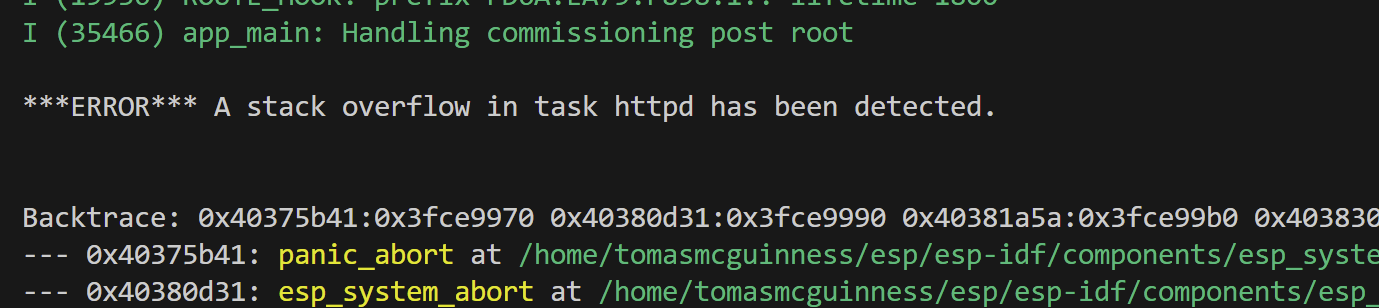
I bumped the stack size for the web server to 20KB
httpd_config_t config = HTTPD_DEFAULT_CONFIG();

...
config.stack_size=20480; // BUMP THE SIZE!
This seemed to do something….
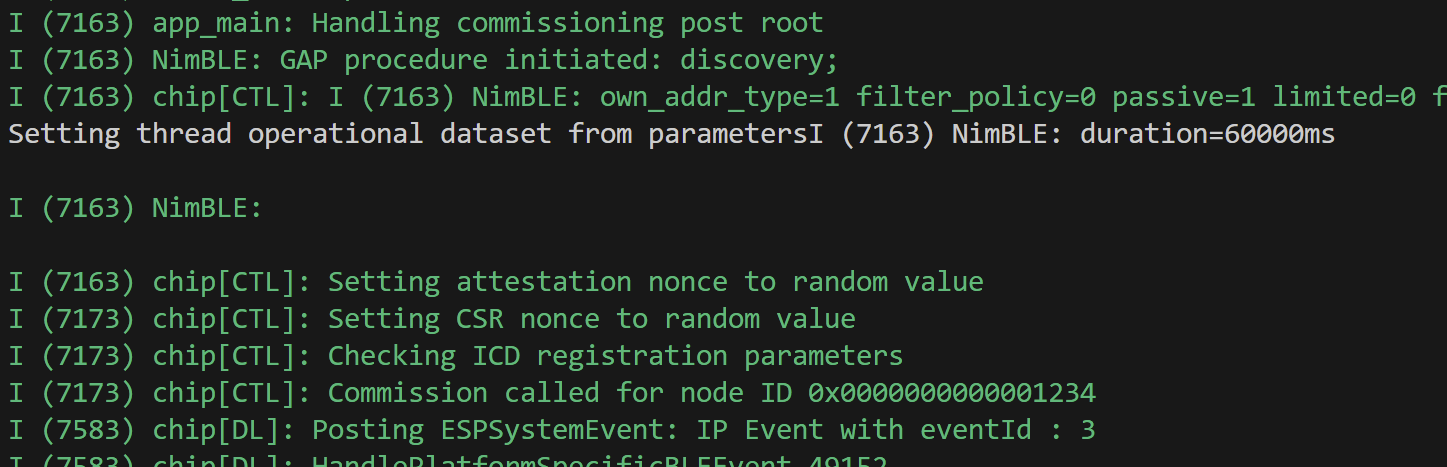
At this point, I had nothing ready for commissioning 🤣 .I reset one of my Dual Temperature nodes and kicked off the commissioning process with a POST.

I reset my ESP32 and tried again!

So close! It seemed that my Thread Operational Dataset wasn’t liked. However, for it to even get that far was a great sign. This was certainly process.
I borrowed some of the code from the console project to make sure my Thread Dataset was okay. This involved copying over the convert_hex_str_to_bytes function.
uint8_t dataset_tlvs_buf[254];
uint8_t dataset_tlvs_len = sizeof(dataset_tlvs_buf);

char *dataset = "0e0800000000000...90c0402a0f7f8";

if (!convert_hex_str_to_bytes(dataset, dataset_tlvs_buf, dataset_tlvs_len))
{
    return ESP_ERR_INVALID_ARG;
}

esp_err_t result = cmd.pairing_ble_thread(node_id, pincode, disc, dataset_tlvs_buf, dataset_tlvs_len);
On trying that, despite a few BLE errors, I got a Commissioning complete for node 0x0000000000001234

I needed to somehow *save* the Node ID value, but for now, a hardcoded Node ID of 0x1234 would suffice.
Is there a new node?
Since the esp-matter SDK didn’t expose these new nodes, I needed to find out when they were added.
What I was missing at this point was a callback to tell me a node had been paired. You see, the pairing_command I had used, wrapped up the existing delegate. This meant I needed to write my own implementation of the pairing_command
Within this block of code from the pairing_command, the line of interest is this one:
controller_instance.get_commissioner()->RegisterPairingDelegate(&pairing_command::get_instance());This is what sets the delegate used by the commissioner. It’s a DevicePairingDelegate. This has all the callbacks required. Callbacks like these:
virtual void OnCommissioningComplete(NodeId deviceId, CHIP_ERROR error) {}
virtual void OnCommissioningSuccess(PeerId peerId) {}
I need to define my own implementation of the DevicePairingDelegate and use that to *save* the newly commissioned node. It struck me that I should just create my own pairing_command!
After spending some time trying to do this, I found the existing pairing_command had the right callback mechanism baked in! D’oh!
I made some tweaks to the POST handler, so it used the existing command.
esp_matter::controller::pairing_command_callbacks_t callbacks = {
    .commissioning_success_callback = on_commissioning_success_callback
};

esp_matter::controller::pairing_command::get_instance().set_callbacks(callbacks);

esp_err_t err = esp_matter::controller::pairing_ble_thread(node_id,
    pincode,
    disc,
    dataset_tlvs_buf,
    dataset_tlvs_len);
The simple on_commissioning_success_callback method just had a log statement in it.
static void on_commissioning_success_callback(ScopedNodeId peer_id)
{
    ESP_LOGI(TAG, "commissioning_success_callback invoked!");
}
This worked nicely (with some extra logging to help me debug my callbacks)

Reading some device details
I now had a callback telling me a new node was commissioned. Next, I wanted to query some of the node’s details. Specifically, the PartsList, which would tell me what the node was made up of.
The PartsList is Attribute 0x0003 on Cluster 0x001D (Descriptor). Just like pairing, esp-matter offers a Read command, which I can use.
static void on_commissioning_success_callback(ScopedNodeId peer_id)
{
    ESP_LOGI(TAG, "commissioning_success_callback invoked!");

    uint64_t nodeId = peer_id.GetNodeId();
    uint16_t endpointId = 0x0000;
    uint32_t clusterId = 0x001D;
    uint32_t attributeId = 0x0003;

    controller::send_read_attr_command(nodeId, endpointId, clusterId, attributeId);
}
At this point, I found a bug in the esp-matter implementation. The success_callback’s ScopedNodeId has the wrong NodeId. I fixed the code (gotta love Open Source) and raised an issue and a PR in the repo.
Amazingly, the read_attr_command worked first time.

I could see two parts, which was correct for my sensor – it had two Temperature Measurement devices. The next challenge was going to be reading each of those endpoints.
To give my poor brain a rest, I decided to change tack slightly and look at storing my data. I had originally decided I’d use a JSON file to store the node data. However, space and power are limited on the ESP, so I reconsidered.
Instead, I would use NVS. NVS is non volatile storage and it’s an API provided my ESP for storing key pairs values. The key was easy – the NodeId. For the value, I’d store a number beside it.
uint64_t nodeId = peer_id.GetNodeId();
char nodeIdStr[32];
snprintf(nodeIdStr, sizeof(nodeIdStr), "%" PRIu64, nodeId);

nvs_handle_t nvs_handle;
esp_err_t err = nvs_open(NVS_NAMESPACE, NVS_READWRITE, &nvs_handle);

err = nvs_set_i32(nvs_handle, nodeIdStr, 1);

if (err != ESP_OK) {
    ESP_LOGE(TAG, "Failed to write node!");
}
I then added a nodes_get_handler, which would open NVS and enumerate the values stored in it. A JSON object got created and populated with these IDs.
nvs_iterator_t it = NULL;
esp_err_t res = nvs_entry_find("nvs", NVS_NAMESPACE, NVS_TYPE_ANY, &it);

cJSON *root = cJSON_CreateArray();

while (res == ESP_OK)
{
    cJSON *jNode = cJSON_CreateObject();

    nvs_entry_info_t info;
    nvs_entry_info(it, &info);
    ESP_LOGI(TAG, "Key: '%s'", info.key);
    res = nvs_entry_next(&it);

    cJSON_AddStringToObject(jNode, "nodeId", info.key);
    cJSON_AddItemToArray(root, jNode);
}
nvs_release_iterator(it);

httpd_resp_set_type(req, "application/json");
httpd_resp_set_status(req, "200 Accepted");

const char *json = cJSON_Print(root);
httpd_resp_sendstr(req, json);
free((void *)json);
cJSON_Delete(root);

return ESP_OK;
ReactJS enters the fray
As I now had some meaningful data to show, I spent some time on a UI. I picked ReactJS as I’ve been using that for a few years.
I embedded a basic project (Bootstrap and React-Router) in a folder called html_app. I configured it to compile into a folder called html_data and then embedded the files. I did this using the vite.config.ts file
export default defineConfig({
  plugins: [react()],
  build: {
    rollupOptions: {
      output: {
        dir: '../html_data',
        entryFileNames: 'app.js',
        assetFileNames: 'app.css',
        chunkFileNames: "chunk.js",
        manualChunks: undefined,
      }
    }
  }
})
Compiling required me to run
npm run buildI then updated the CMakeLists.txt file to embed these three files.
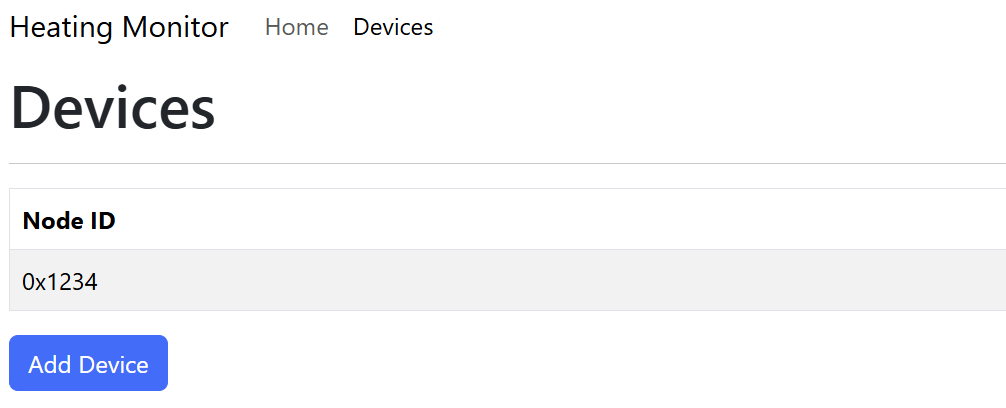
EMBED_FILES "../html_data/index.html" "../html_data/app.css" "../html_data/app.js")I tweaked my wildcard_get_handler to check for the files by name, returning the appropriate one. After a few goes, I had a working ReactJS app being served by my ESP32. I added a Devices page with a fetch to my new /nodes endpoint.
Next Steps
At this point, I could commission and display nodes. I had also managed to read some data from a node, even if I didn’t store it.
The next step was parsing the PartsList, to build up a full picture of the node. I would need to iterate across the endpoints and require more details.
Stay tuned!
Did you like reading this post?
If you found this blog post useful and want to say thanks, you’re welcome to buy me a coffee. Better yet, why not subscribe to my Patreon so I can continue making tinkering and sharing.
Be sure to check out my YouTube Channel too – https://youtube.com/tomasmcguinness
Thanks,
Tom!


Leave a reply to Matter Heating Monitor – reading temperatures – @tomasmcguinness Cancel reply