
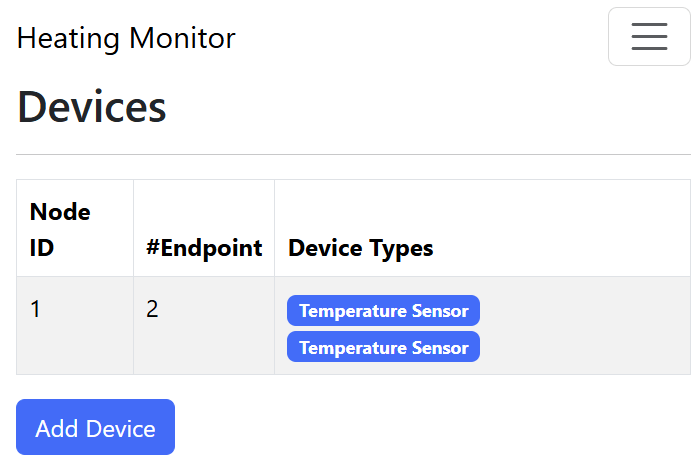
In this post, I look at fetching, saving and showing the Device Types that make up a Matter Node.
This follows on from these previous posts on the subject
- Building a new heating monitor using Matter and ESP32
- Matter Heating Monitor – showing commissioned Nodes
- Matter Heating Monitor – Deleting Nodes
Getting the PartsList
As I demonstrated in a previous post, I was able to fetch the PartsList from the RootNode’s Descriptor Cluster.
The PartsList indicates which endpoints are *childen* of the RootNode. Every Matter Node will have *at least* one endpoint other than the RootNode. Otherwise, the device would have no behaviour. Nodes like this can exist, but in reality they won’t.
The PartsList attribute is just a list:

The endpoint-no is defined as as uint16:

So, in response to the esp_matter::controller::read_command that I fire off, a callback gets executed. This callback looks like this:
static void attribute_data_cb(uint64_t remote_node_id,
    const chip::app::ConcreteDataAttributePath &path,
    chip::TLV::TLVReader *data)
The parameters tell me the node_id, the path for the attribute (endpoint, cluster, attribute) and the data. The data is given as a TLVReader, meaning it’s just a generic payload. TLV is Type-Length-Value and is a type of encoding used throughout Matter. I leaned a heap about TLV when I tried to build a controller in .Net.
I know the data would be an array of uint16 values. I used some chat-gpt help here, to help me understand the API. Just like I did with my C# parsing, the first step was opening the container.
chip::TLV::TLVType containerType;

if (data->EnterContainer(containerType) != CHIP_NO_ERROR)
{
    ESP_LOGE(TAG, "Failed to enter TLV container");
    return;
}
I then iterate through the keys
int idx = 0;

while (data->Next() == CHIP_NO_ERROR)
{
    if (data->GetType() == chip::TLV::kTLVType_UnsignedInteger)
    {
        uint16_t endpoint = 0;
        if (data->Get(endpoint) == CHIP_NO_ERROR)
        {
            ESP_LOGI(TAG, "[%d] Endpoint ID: %u", ++idx, endpoint);
        }
    }
}
Finally, I close the container.
data->ExitContainer(outerType);When I tried this on my dual temperature sensor, Endpoints 1 & 2 were found.

Saving this data
It was a major step (for me anyway) to have fetched the PartsList. What I need to do now was to persist this somehow. Whilst googleing around I found this project:
https://github.com/Live-Control-Project/ESP_MATTER_CONTROLLER
The author used nvs_blobs to store the data. This made a lot of sense, so I decided to mirror their approach.
I started with the storing of endpoints. Unlike C# or other high-level languages, storing arrays of things is trickier than I’m used to! I started by defining a controller, node and endpoint types. These were very similar to their types but trimmed down.
typedef struct matter_endpoint
{
    uint16_t endpoint_id;
    uint32_t *device_type_ids;
    uint8_t device_type_count;
} endpoint_entry_t;

typedef struct matter_node
{
    uint64_t node_id;
    endpoint_entry_t *endpoints;
    uint16_t endpoints_count;
} matter_node_t;

typedef struct
{
    matter_device_t *node_list;
    uint16_t node_count;
} matter_controller_t;
In app_main, I defined a global instance of the matter_controller_t
matter_controller_t g_controller = {0};I then started adding helper methods, like add_node()
matter_node_t *add_node(matter_controller_t *controller, uint64_t node_id)
{
    matter_node_t *new_node = (matter_node_t *)malloc(sizeof(matter_node_t));

    if (!new_node)
    {
        return NULL;
    }

    memset(new_node, 0, sizeof(matter_node_t));

    new_node->node_id = node_id;
    new_node->next = controller->node_list;

    controller->node_list = new_node;
    controller->node_count++;

    return new_node;
}
This would add the node into the controller’s node_list. I call this in the on_commissioning_success_callback to insert the node.
I then added add_endpoint, which is called when the PartsList is enumerated.
endpoint_entry_t *add_endpoint(matter_node_t *node, uint16_t endpoint_id);With this working, I added functions to load and save the data. It essentially creates a huge byte array, writing the vales as it goes. For example, it works out how much space it needs
while (current)
{
    required_size += sizeof(uint64_t); // node_id

    // Make space for the endpoints
    required_size += sizeof(uint16_t); // endpoints_count

    for (uint16_t e = 0; e < current->endpoints_count; e++)
    {
        required_size += sizeof(uint16_t); // endpoint_id
    }

    current = current->next;
}
Then, it writes the values, byte by byte
while (current)
{
*((uint64_t *)ptr) = current->node_id;
ptr += sizeof(uint64_t);
// Save endpoints
*((uint16_t *)ptr) = current->endpoints_count;
ptr += sizeof(uint16_t);
for (uint16_t e = 0; e < current->endpoints_count; e++)
{
endpoint_entry_t *ep = ¤t->endpoints[e];
*((uint16_t *)ptr) = ep->endpoint_id;
ptr += sizeof(uint16_t);
}
current = current->next;
}This all then gets written to a blob.
err = nvs_set_blob(nvs_handle, NVS_KEY, buffer, required_size);Loading is just this process in reverse.
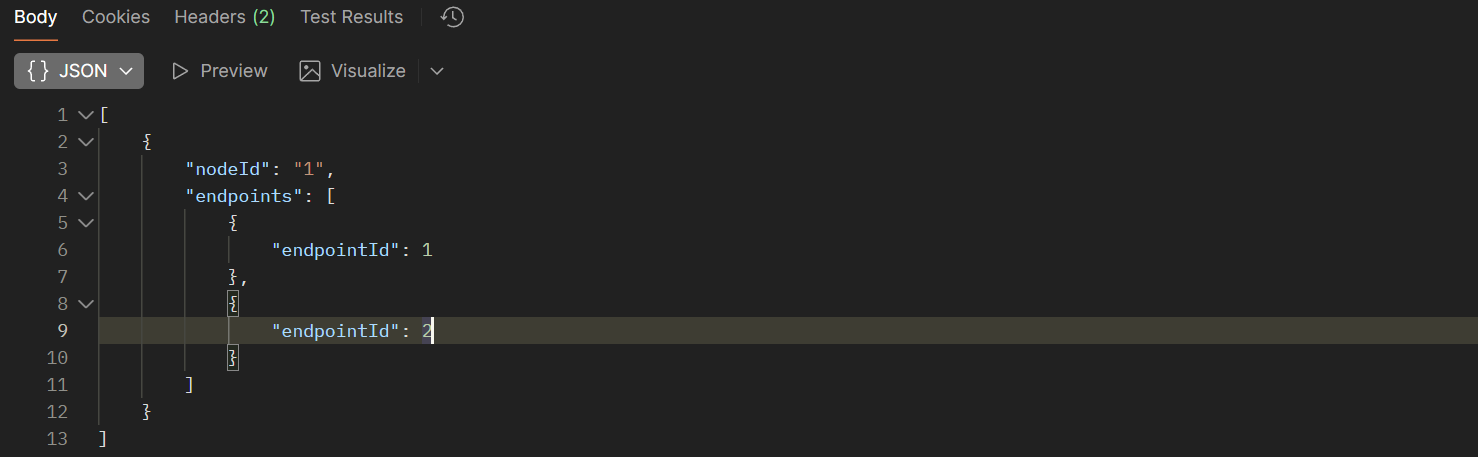
I also updated the nodes_get_handler to return the data within the g_controller. This looked like this
With the endpoints being saved, next was to get the DeviceTypeList from each endpoint. This would tell me what the Endpoint *was*.
Getting the DeviceTypeList
Like PartsList, the DeviceTypeList is an Attribute on the Descriptor Cluster.

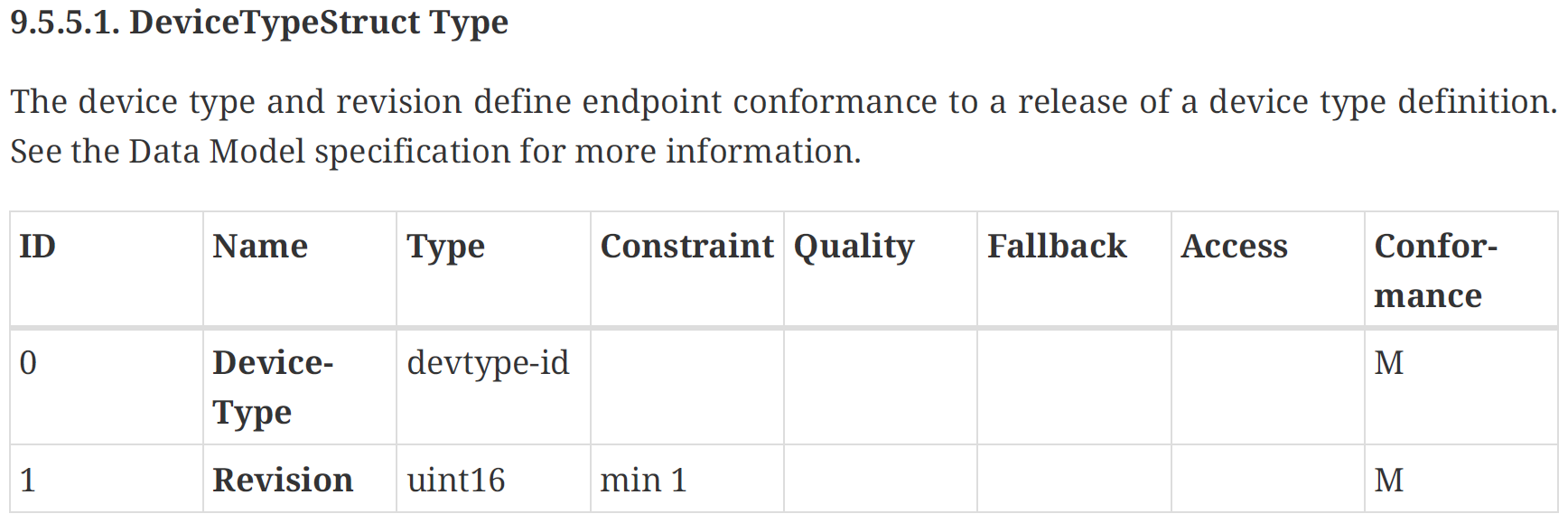
Unlike PartsList, it’s a list of DeviceTypeStruct, so parsing the data will be a little more involved. This is essentially a list in a list.
First, I needed the data. I would need to fire off another read_command for that attribute, just like I did for PartsList. However, I needed to be more careful here.
My PartsList contained two EndpointIds, so I would need to send one read_command for each. These commands would also need to be sent one at a time. The Matter stack doesn’t like having multiple things in flight at the same time. Callbacks are designed for parallel execution either. I leaned this when building my Matter Dishwasher simulator.
Thankfully, the SDK offers a mechanism to schedule work
chip::DeviceLayer::PlatformMgr().ScheduleWork()I would need to queue up the execute of each read_command
uint16_t endpointId = 0x0000;
uint32_t clusterId = Descriptor::Id;
uint32_t attributeId = Descriptor::Attributes::PartsList::Id;

esp_matter::controller::read_command *read_descriptor_command = chip::Platform::New<read_command>(nodeId,
    endpointId,
    clusterId,
    attributeId,
    esp_matter::controller::READ_ATTRIBUTE,
    attribute_data_cb,
    nullptr,
    nullptr);
I wrapped up a read_command call into the ScheduleWork. This involved passing some arguments via a tuple.
auto *args = new std::tuple<uint64_t, uint16_t>(remote_node_id, endpointId);I then passed and unpacked those via the ScheduleWork
chip::DeviceLayer::PlatformMgr().ScheduleWork([](intptr_t arg)
{
    auto *args = reinterpret_cast<std::tuple<uint64_t, uint16_t> *>(arg);

    <call read_command>

}, reinterpret_cast<intptr_t>(args));
This took me a while to figure out. I’m familiar with Tuples in Python and C#, but not C++.
I had already defined the cluster and attribute I wanted
uint32_t clusterId = Descriptor::Id;
uint32_t attributeId = Descriptor::Attributes::DeviceTypeList::Id;
before creating the command using a combination of the tuple values and my fixed values
chip::Platform::New<read_command>(std::get<0>(*args),
    std::get<1>(*args),
    clusterId,
    attributeId,
    esp_matter::controller::READ_ATTRIBUTE,
    attribute_data_cb,
    attribute_data_read_done,
    nullptr);
I ran my sensor through the pairing process again and *bingo*, two endpoints read!
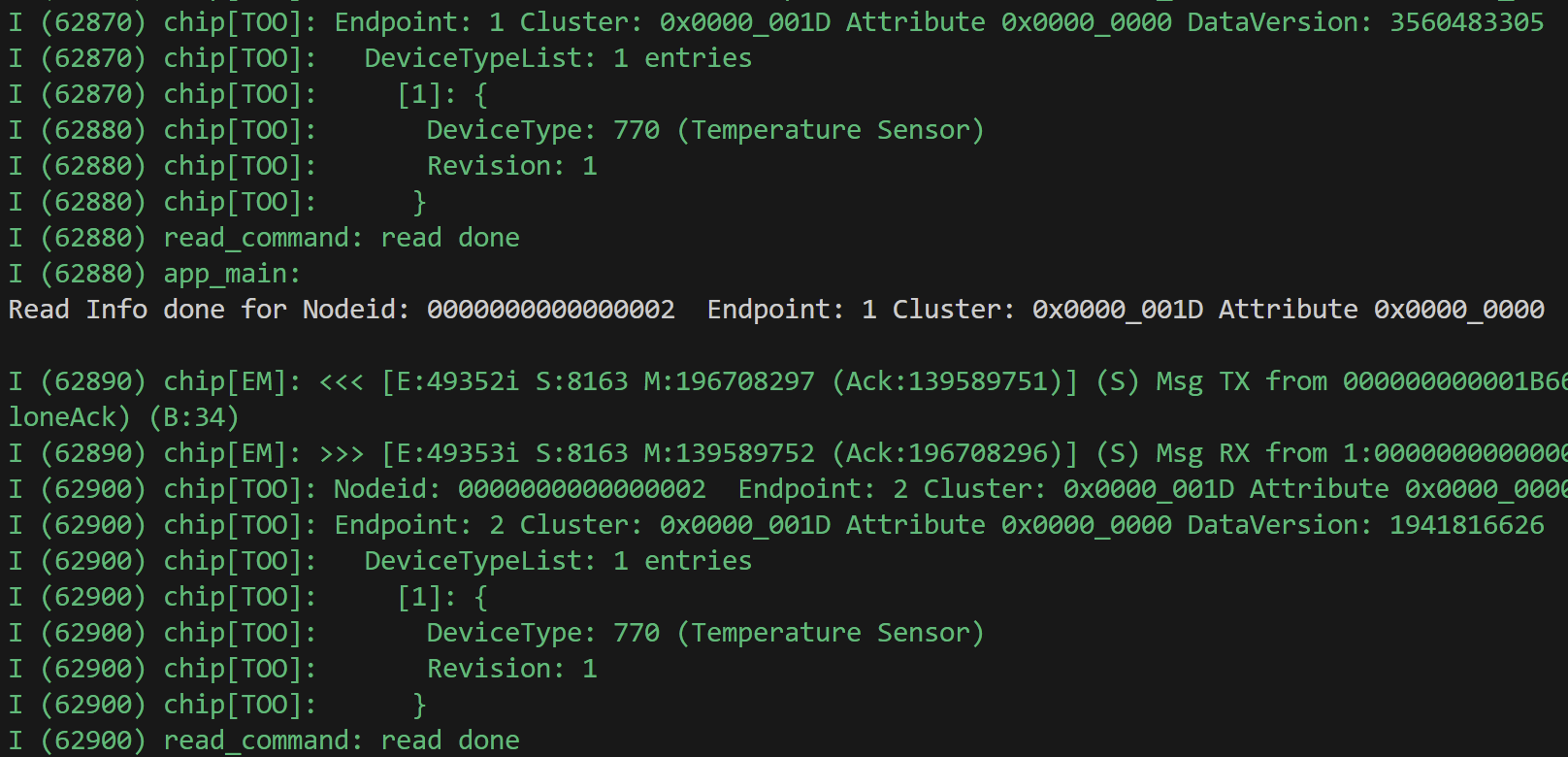
I was requesting this, but not handling the attribute callback. I added an else statement and a new process_device_type_list_attribute_response function.
else if (path.mClusterId == Descriptor::Id && path.mAttributeId == Descriptor::Attributes::DeviceTypeList::Id)
{
    ESP_LOGI(TAG, "Processing Descriptor->DeviceTypeList attribute response...");
    process_device_type_list_attribute_response(remote_node_id, path, data);
}
Inside process_device_type_list_attribute_response, the process was similar to process_parts_list_attribute_response, with one important difference. Instead of calling EnterContainer once, it’s called twice.
The first time is to enter the TLV container for the attribute. It’s then called again, for each item in the list.
while (data->Next() == CHIP_NO_ERROR)
{
    chip::TLV::TLVType listContainerType;

    if (data->EnterContainer(listContainerType) != CHIP_NO_ERROR)
    {
        ESP_LOGE(TAG, "Failed to enter TLV container");
        return;
    }
I then loop through this inner list and pull out the first value as that’s the actual DeviceTypeId. The second value is the revision, which I’m not interested in at present.
int idx = 0;
while (data->Next() == CHIP_NO_ERROR)
{
   // We only care about the first item in the list, which is the DeviceTypeId
  if (idx == 0)
  {
      uint32_t device_type_id = 0;

      if (data->Get(device_type_id) == CHIP_NO_ERROR)
      {
          ESP_LOGI(TAG, "[%d] DeviceTypeID: %u", idx, device_type_id);
I tested this and it yielded encouraging results!

However, something wasn’t quite right. Firstly, I could only see the “Added Device Type ID” message for endpoint 1. Something went wrong with endpoint 2.
When I requested the data from the /nodes URL, the DeviceTypeId was shown as 1, which was wrong.
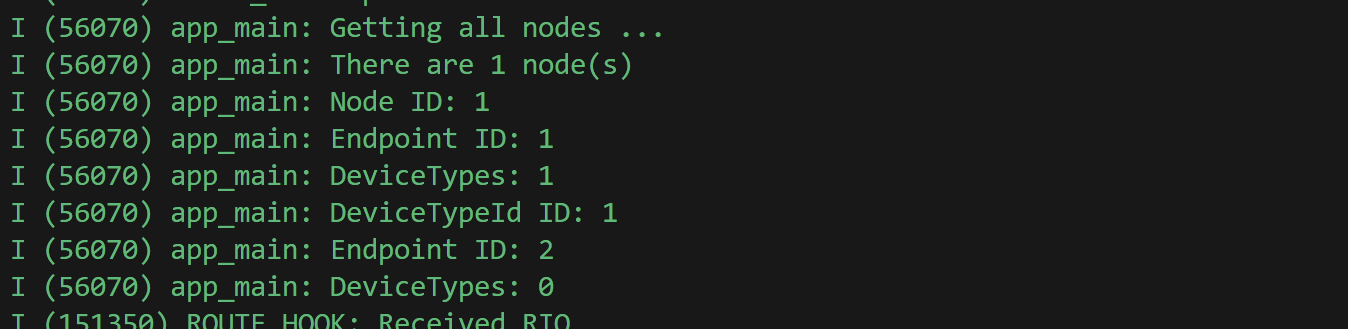
My C++ is still pretty poor I think 🙂
I found the first issue pretty quickly. In my save_nodes_to_nvs I was saving the *index* of the device type, rather than the uint32
for (uint32_t dt = 0; dt < ep->device_type_count; dt++)
{
    //*((uint32_t *)ptr) = dt; // This wrong!
    *((uint32_t *)ptr) = ep->device_type_ids[dt];
    ptr += sizeof(uint32_t);
}
I recommissioned my device and I got the right deviceTypes value for endpoint 1 in my JSON!
[
    {
        "nodeId": "1",
        "endpoints": [
            {
                "endpointId": 1,
                "deviceTypes": [
                    770
                ]
            },
            {
                "endpointId": 2,
                "deviceTypes": []
            }
        ]
    }
]
That was one problem resolved. The next problem was Endpoint 2. My logging indicated there was a failure actually finding endpoint 2 in my node. “Failed to find endpoint 2”.

It turned out at my use of the next struct, like I did with the nodes didn’t work. Not surprising as I’ve no idea how that pointer works at all. I switched over to a simple for loop.
endpoint_entry_t *find_endpoint(matter_controller_t *controller, matter_node_t *node, uint16_t endpoint_id)
{
    for (uint16_t i = 0; i < node->endpoints_count; i++)
    {
        if (node->endpoints[i].endpoint_id == endpoint_id)
        {
            return &node->endpoints[i];
        }
    }

    return NULL;
}
That worked a treat. My DeviceTypeList processing worked across both endpoints!
Displaying the data
With my endpoints and device types now working, I updated my UI to display them.
First, I changed the JSON for the /nodes endpoint. Instead of returning the endpoints individually, it returns a count and all the device types together. This means I get “Temperature Sensor” twice, one for each endpoint.
[{
    "nodeId": "1",
    "endpointCount": 2,
    "deviceTypes": [770, 770]
}]
I updated my ReactJS to show them as pills.
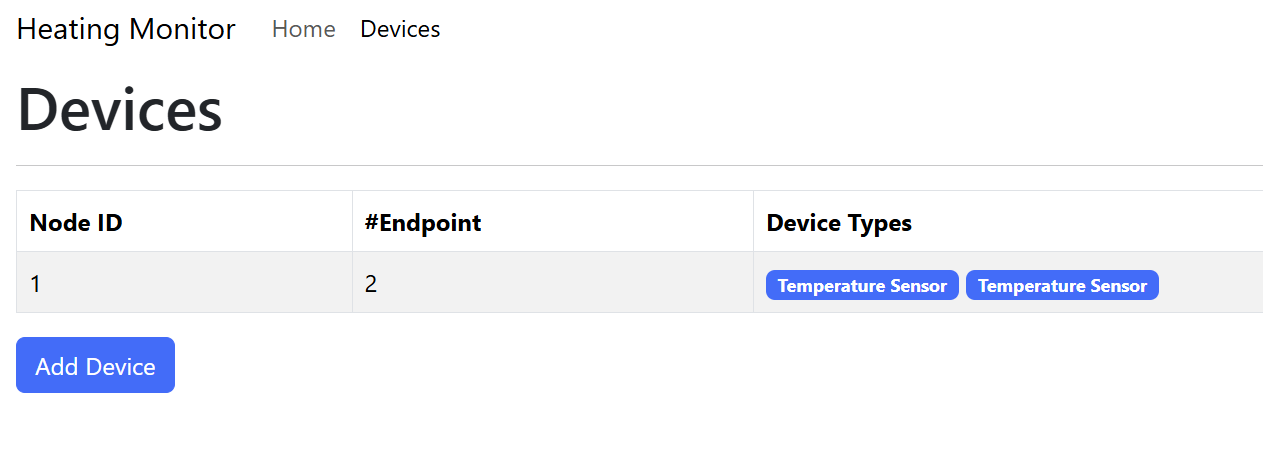
My Node ID formatting code didn’t work, but I’m not too bothered about that at present.
Code
All the code is available at https://github.com/tomasmcguinness/matter-esp32-heating-monitor
Next Steps
Made a lot of progress in this post!
I had to experiment a lot with the attributes and some threading. I got my head around the saving and loading of blobs.
Next up is figuring out how to get some values from my temperature sensors. I also want to subscribe to the attributes, so I get updates from my sensors.
Stay tuned!
Did you like reading this post?
If you found this blog post useful and want to say thanks, you’re welcome to buy me a coffee. Better yet, why not subscribe to my Patreon so I can continue making tinkering and sharing.
Be sure to check out my YouTube Channel too – https://youtube.com/tomasmcguinness
Thanks,
Tom!


Leave a reply to Matter Heating Monitor – Identifying the sensors – @tomasmcguinness Cancel reply