
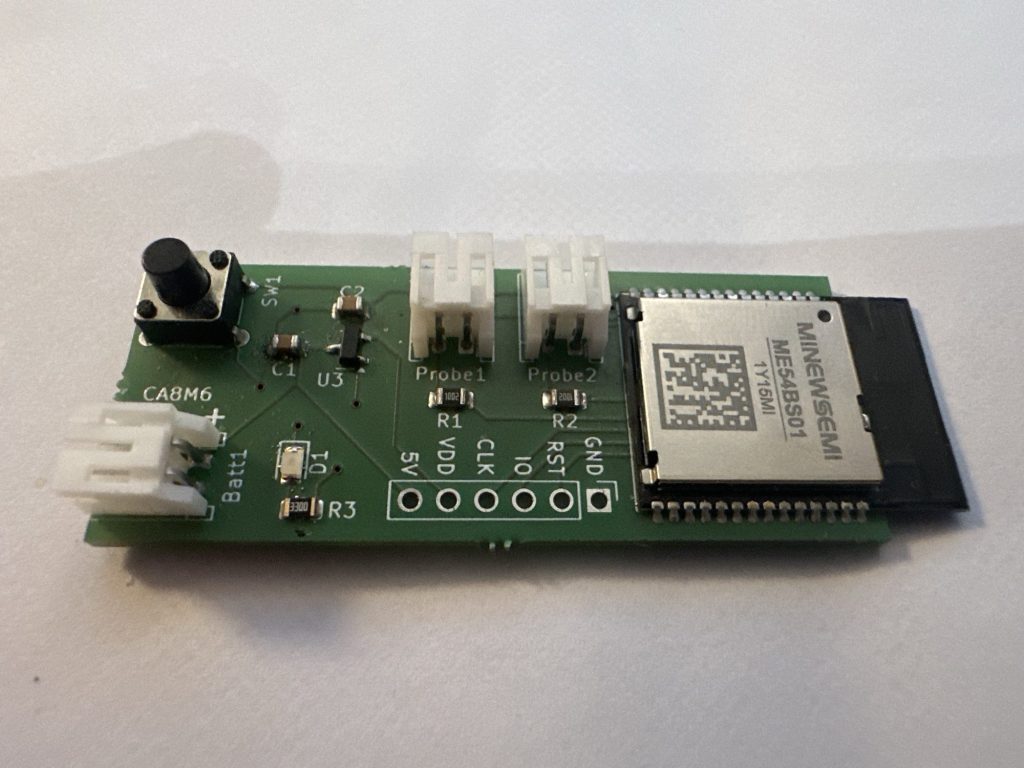
I took delivery of a batch of my PCBs just before Christmas and my components arrived a few days later.
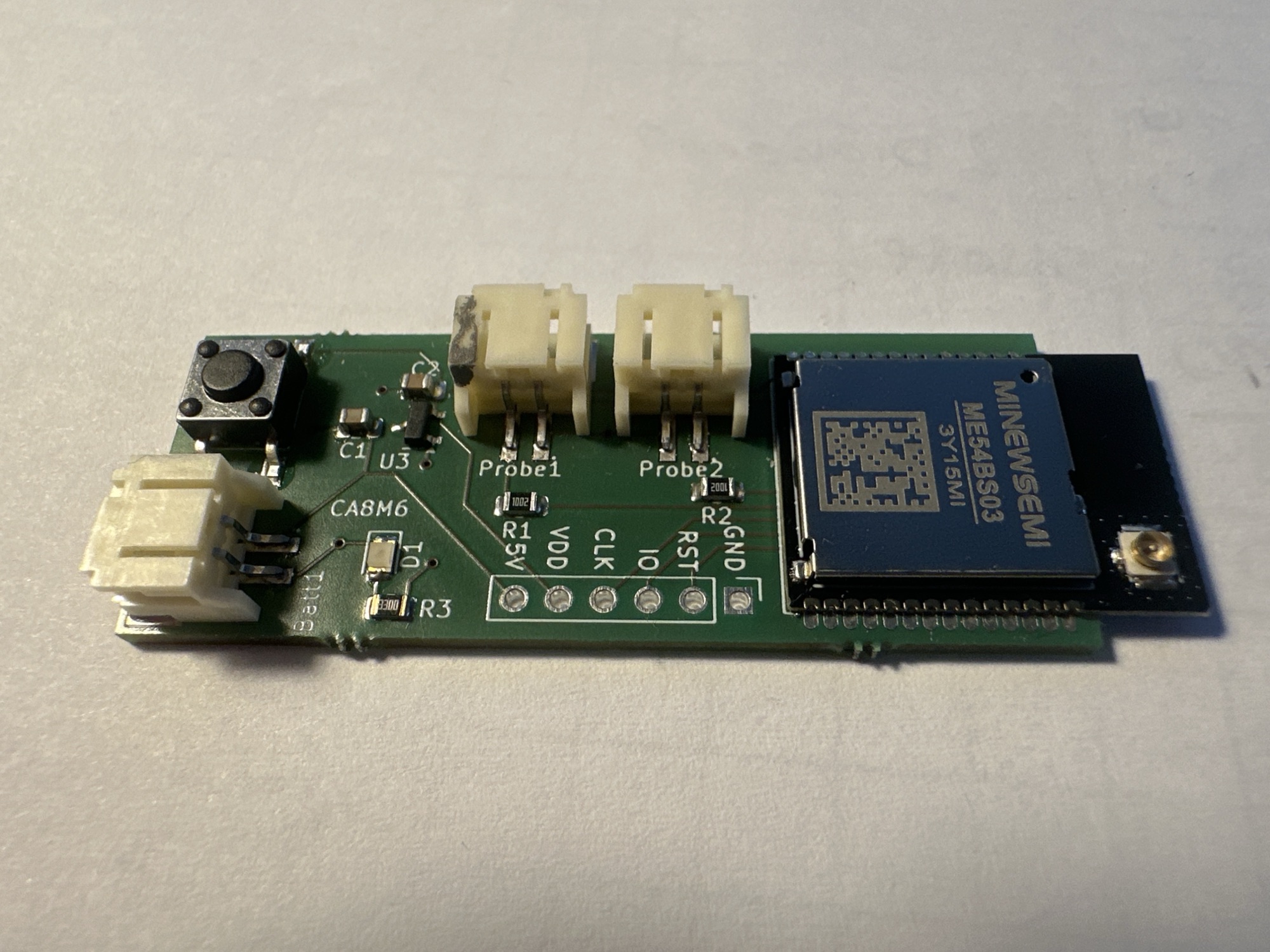
I’ve only just found time to start putting them together and I’ve made a horrible discovery. It seems I ended 2025 with another mistake to learn from 🙂
So what went wrong?
The damn reset button doesn’t work!
What went wrong?
It’s hard to fully understand where I went wrong.
I was trying to reset one of my working sensors, as I was testing my Heating Monitor. What I found was that holding down the button didn’t have the desired effect. After adding lots of debugging, I finally narrowed it down to the interrupt.
The interrupt is a mechanism whereby a button can *wake* the chip and perform a callback.
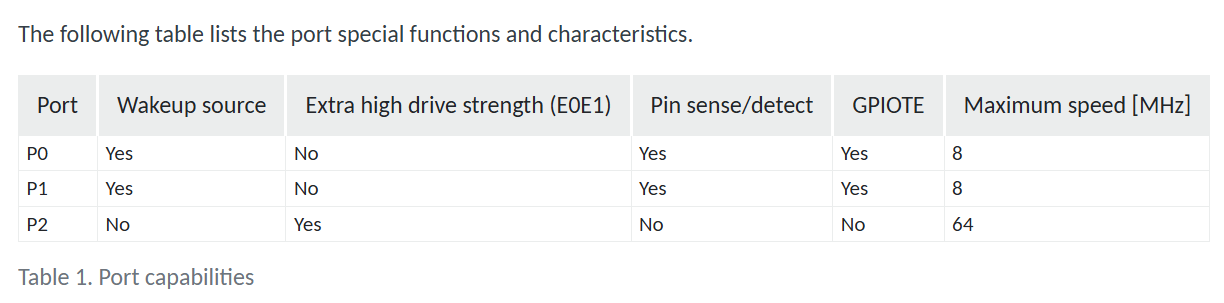
The problem: The GPIO I was using, GPIO2.9 didn’t support this!
I was able to diagnose this with the help of this issue: https://devzone.nordicsemi.com/f/nordic-q-a/124490/gpio_keys-interrupt-configuration-failed–134. The -134 error was the giveaway.
Upon inspection, I found that GPIO2 didn’t support Pin sense/detect.
B****x.
Confirming the Issue
To confirm the problem, I switched the reset_button PIN over to GPIO1.13. I then used a jumper wire to apply power to this pin and lo-and-behold…

How??
I still don’t know how this slipped through with the first batch of PCBs…I could have sworn I performed resets on my first board.
I know I tested the button the nRF54L15DK, but of course, I used P1.13 as the reset button.
The lesson here is to test more methodically! I should have found this on my first (small) batch of PCBS. Instead, I found it after ordering 30 of the boards. I had planned on trying to sell the spaces, but that won’t happen.
For now, I can make do. The reset functionality isn’t all that important to me. I can use a jumper wire anyway.
Happy New Year!
Did you like reading this post?
If you found this blog post useful and want to say thanks, you’re welcome to buy me a coffee. Better yet, why not subscribe to my Patreon so I can continue making tinkering and sharing.
Be sure to check out my YouTube Channel too – https://youtube.com/tomasmcguinness
Thanks, Tom!
 @tomasmcguinness
Leave a comment