
As I’m building out an ethernet based Matter device, I wanted to get something called On Network Commissioning up and running.
In this post, I’ll explore what steps I need to take in order to enable it on a Waveshare ESP32-S3-ETH devkit.
What is On-Network commissioning?
When you commission a typical Matter device for the first time, like a motion sensor or light bulb, you need to add it to your network. This is done by adding WiFi or Thread credentials during commissioning. Once the device has the credentials, it connects to your network and gets an IP address.
When you commission a device *again*, using a different controller (think iPhone and Android), you don’t need to provide the credentials again. The device has connected and is already on network.
Ethernet devices behave like this from the start. Once plugged in to your router, they are physically connected to your network and can get an IP address all by themselves. They become on network all by themselves!
To make sure they initially behave like on-network devices, there are a few changes we need to make.
Setup
As I mentioned above, Matter devices can be connected to a network in different ways: Ethernet, WiFi or Thread.
It’s usual to support only one of these networking types, but Matter devices can actually support all three if necessary.
Commissioning, however, can only be performed on one interface and we choose that with these configuration entries.
THREAD_NETWORK_COMMISSIONING_DRIVERWIFI_NETWORK_COMMISSIONING_DRIVERETHERNET_NETWORK_COMMISSIONING_DRIVER
For this post, I’m going to just support Ethernet.
To switch on ETHERNET_NETWORK_COMMISSIONING_DRIVER, the need to switch on ENABLE_ETHERNET_TELEMETRY
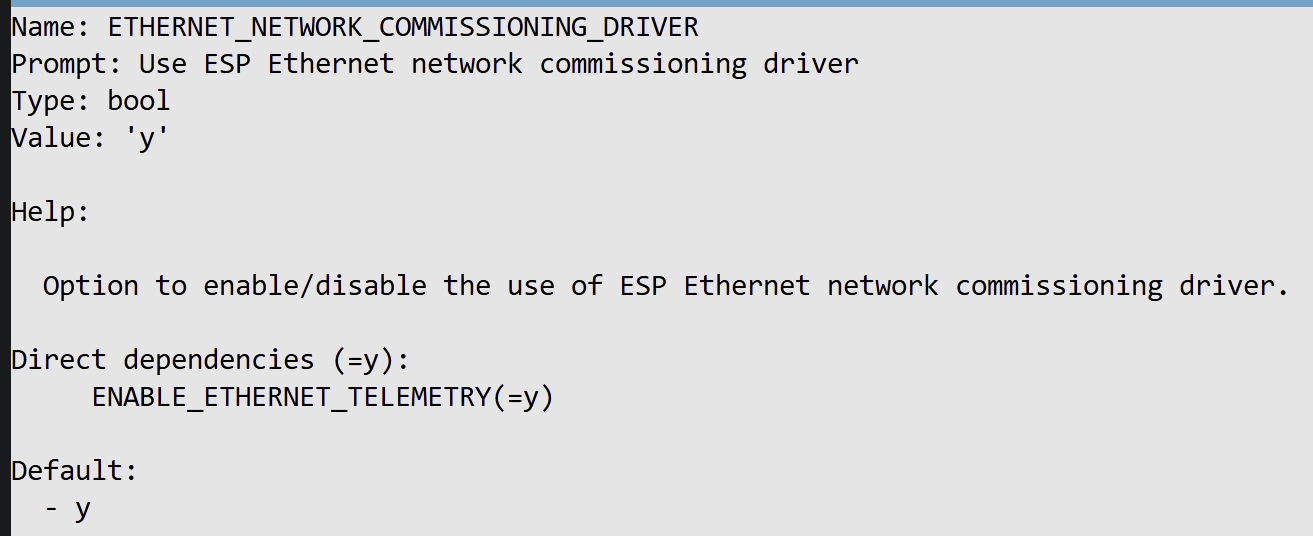
As we don’t want to enable WiF at all, we use this
CONFIG_ENABLE_WIFI_STATION=n
This will also turn off WIFI_NETWORK_COMMISSIONING_DRIVER
The same goes for Thread. We turn it off and it disables THREAD_NETWORK_COMMISSIONING_DRIVER too.
ENABLE_MATTER_OVER_THREAD=n
W5500 Ethernet Drivers
Unfortunately, at this point, we discover that the CHIP SDK doesn’t have great Ethernet support for the ESP32. It supports it, but only if you’re using the IP101 ethernet chip.
As I’m using a Waveshare ESP32-S3-ETH devkit, I need to support the W5500 chip.
Thankfully, the CHIP SDK allows you to provide your own implementation. This is done by providing an implementation of this function
CHIP_ERROR ESPEthernetDriver::Init(NetworkStatusChangeCallback *networkStatusChangeCallback)
I took the W5500 code I already written and popped it in.
I then added this to my CMakeLists.txt file (because Claude said to!)
set_source_files_properties( "${CMAKE_SOURCE_DIR}/managed_components/espressif__esp_matter/connectedhomeip/connectedhomeip/src/platform/ESP32/NetworkCommissioningDriver_Ethernet.cpp" TARGET_DIRECTORY ${matter_lib} PROPERTIES HEADER_FILE_ONLY TRUE)
This, if I understand it correctly, pulls in just the header file required. My own file then provides the implementation.
Testing it out!
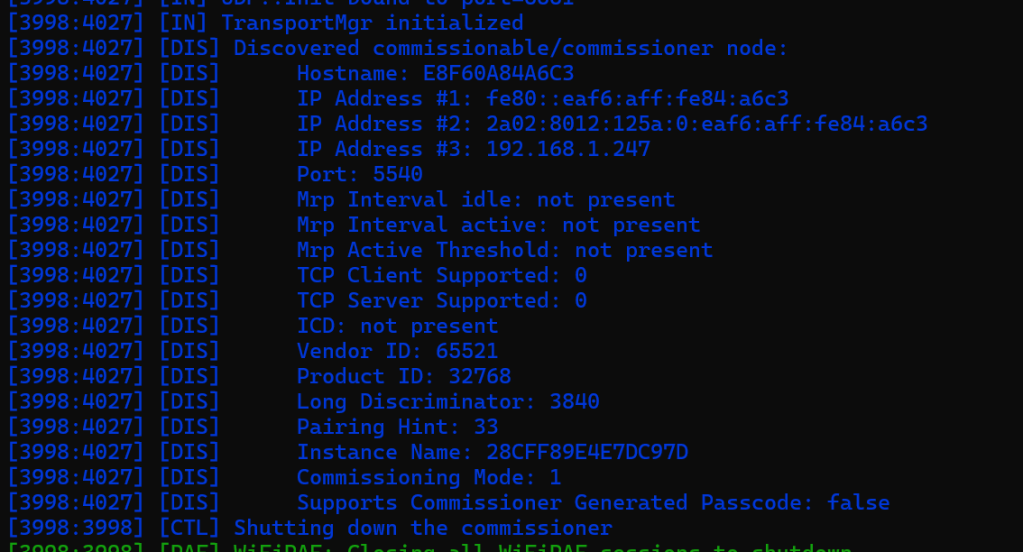
After flashing the code, I could see from the logs that my device got an IP Address.
If also indicated it was announcing itself as available for commissioning. This is done using the _matterc._udp mDNS service. As _matter._tcp is used to announce commissioned devices, _matterc._udp announced devices available for commssioning.
To test this was okay, I turned to the chip-tool
chip-tool discover commissionables
As I’d hoped, my device appeared!
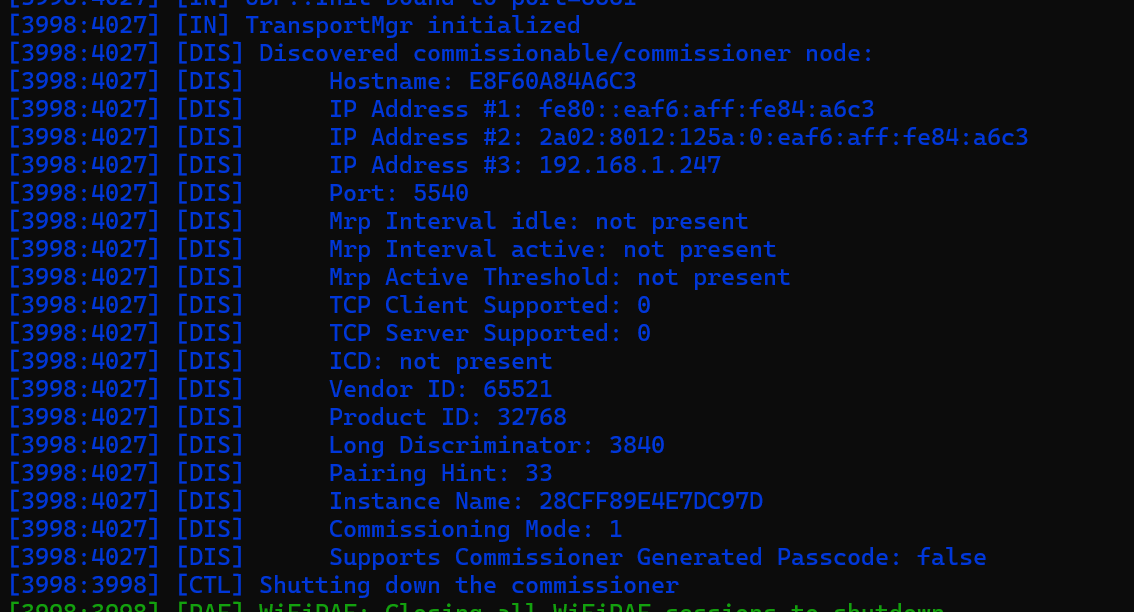
It has both IPv4 and IPv6 addresses!
To commission it, I used the pairing command, with onnetwork as the mechanism. I don’t use the full Manual Pairing Code – I just need the PIN code.
chip-tool pairing onnetwork 0x0022 20202021
After a few seconds, the pairing is completed!

To test the connection, I queried the TemperatureMeasurement cluster that I also added to the Matter device.
chip-tool temperaturemeasurement read measured-value 0x22 0x01
And, since I hadn’t configured it in any way, I got a response!

Summary
In this post, I implemented a simple Matter device which supports On Network commissioning over Ethernet.
This will be really useful for Bridge type devices or adapters that expose networked devices via Matter.
My goal is to ultimately connect to Modbus devices and expose them over Matter. This is an important first step!
If you have any questions, please get in touch via the comments or on social media.
Did you enjoy this post?
If you found this blog post useful and want to say thanks, you’re welcome to buy me a coffee.
Be sure to check out my YouTube Channel too – https://youtube.com/tomasmcguinness
Thanks,
Tom!


Leave a Reply