
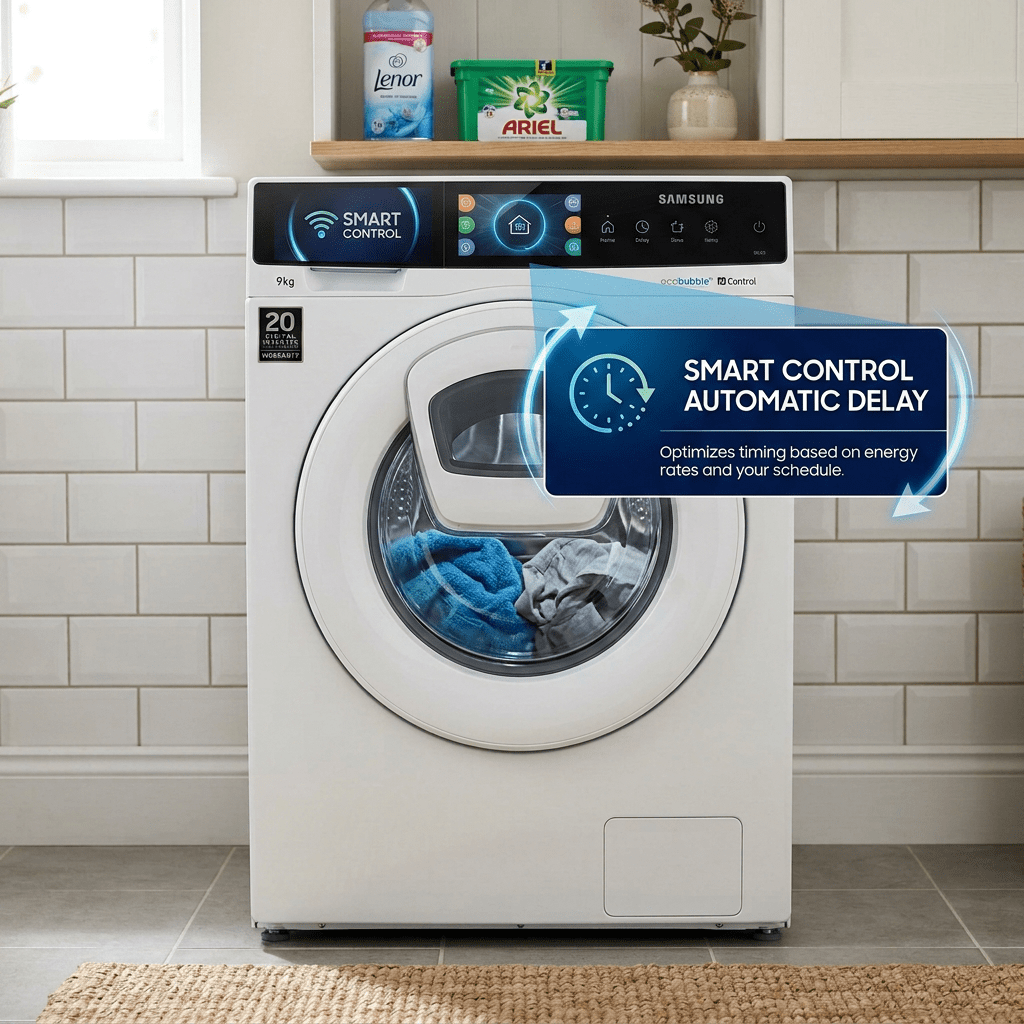
The testing of my Energy Manager continues at home and to be honest, it hasn’t been going too well.
Both myself and my wife simply *forget* that we need be checking the energy manager. The number one offender was the washing machine as we’d load it and hit start without even thinking. Changing this habit was going to be harder than I expected. My wife put it very well – the kid’s clothes need washing and you won’t remember to put the washing machine on in a few hours’ time. Fair enough,

I floated the idea of my little e-paper screens to serve as reminders. Again, my wife pointed out that whilst the hints would be helpful, they won’t guarantee the washing would get done!

So, what’s the solution?
The real solution is appliances that know when to run by themselves. They know that if they run at 12 noon, they’ll run on surplus solar. Unfortunately, whilst none of my appliances can do this out of the box, they do have their own Apps and APIs, which means it’s possible they *could* do this.
If only they supported Matter natively 🙂
I have three main appliances – a Samsung washing machine, a Becko tumble drier and a Neff diswasher. The Becko has no smarts whatsoever, but the Neff and Samsung can be app controlled. I explored the HomeConnect API pretty comprehensively, going as far as building a Matter bridge for it. I knew it’s limitations and what could be done.
The Samsung machine, which uses Smart Things was an unknown. After a little bit of reading and some discussion with Claude, I discovered something clever about my Washing Machine – it has a “Smart Control” button.

What is Smart Control?
We all know the drill. You load the machine. You put in detergent and softener. You select the program and you hit start. Well, with the Samsung, instead of hitting start, you can hit Smart Control. This then allows you to control the washing machine from the Smart Things App (Not sure why you’d need to control it from an app when it’s right in front of you)
App control aside, this seemed like a flow I could use for my Home Energy Manager. If the Smart Control would let my washing machine defer to my Energy Manager’s control, I’d be in business!
- We load the machine and add detergent etc.
- We press the Smart Control button.
- The Energy Manager works out the best time to start the program.
- The washing machine starts when there is surplus solar.
This would be a very small adjustment in human behaviour – hitting one button instead of another. No hints, no reminders. Fire and forget. If you need the washing done immediately, you hit the start button instead.
This problem also made me aware that perhaps I need to gamify this whole affair – rewarding the self-use of surplus solar. That’s a problem for another day.
SmartThings™ API
After some research, I discovered that that the SmartThings API is powerful but limited. Limited in specific ways that would make it challenging to build a solution that didn’t require my own cloud. It’s not that I dislike the cloud, it’s that I dislike it for home automation.
The problem was two fold:
- The OAuth authentication flow didn’t support the device type, meaning that authentication could only be completed via the cloud. It needed HTTPS, which local devices can’t easily provide.
- It provides subscriptions (being told when things have changed) using webhooks. Again, these need a cloud solution to listen.
The HomeConnect™ API on the other hand supported simple Code based authorization and it also used SSE (Server Side Events) for subscriptions, meaning everything I needed could run locally. HomeConnect even had a mechanism where local communication with the appliance could be done!!!
Another future problem is Samsung’s plan to start changing for access to their API, but let’s ignore that for now.
Despite these limitations, I decided it would be worth giving it a go. If I could cobble something together it would be amazing.
The Plan
In order to keep my Home Energy Manager running on Matter, I knew I’d need to build an adapter. Something that essentially converted from SmartThings to Matter and vice-versa. I’d done this for my Neff Dishwasher, so I understood the mechanics.
Like all my other Matter projects of late, this would run on an ESP32.
The first challenge was the OAuth flow. I knew I had no choice but to either host something in the cloud or use one of those Tunnel services. I decided that I could accomplish this using some Python or something running on a free host. Once I logged in and got my access token and refresh token, I could take them and pass them into my ESP32 program.
The program would then interrogate the API, find my washing machine and create a Bridged Matter node, exposing it as a Laundry Washer Device Type.
The second challenge was the subscriptions. In order to know if the user has pressed the Smart Control button, my Energy Managed would need to know. As I mentioned, SmartThings uses Webhooks, which is a non-starter for me. This left polling as a simple option. Not ideal, but workable.
Using Claude, I had it generate some ESP32 firmware that would connect to Smart Things and display a list of appliances. With the code compiled and flashed, I set to work getting it connected it to SmartThings.
The first thing I needed to do was create a SmartThings app so I could do some OAuth.
OAuth
To get OAuth support working, I needed to host a simple handler somewhere. Something that would handle the redirect from the OAuth request. I used Claude to build a simple handler in NodeJS.
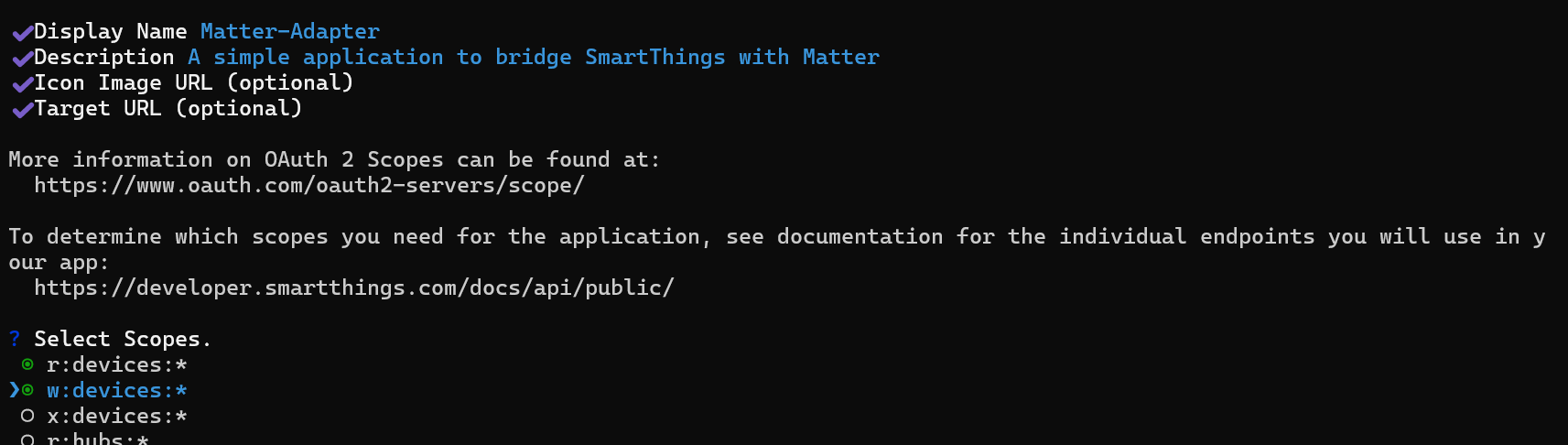
Next, I created a SmartThings application on the SmartThings platform using their CLI.
smartthings apps:create

I gave it a simple name and selected the r:devices and w:devices scopes, which I hoped would let me read and update devices.
Next, I had to set a redirect URL. This is the URL the SmartThings platform would call after I’d authenticated.

I had my simple NodeJS handler, but this needed to be on the public internet. To accomplish this, I turned to my favourite tunnel service ngrok. I’m a paid user of this and have used it for *years*. I picked a simple domain – smartthings-oauth-handler.ngrok.io. Using ngrok means I get https support too.

With that done, I created the application

After signing in, I had to give the cli permissions.

After working for a second, my application was created.

Now that I had the Client Id and Secret, I could configure my Backend NodeJS application (that Claude created)
export ST_CLIENT_ID=e99cdxxx-xxxx-xxxx-xxxx-xxxxxxxxxxxxxexport ST_CLIENT_SECRET=ea6bdxxx-xxxx-xxxx-xxxx-xxxxxxxxxxxxxexport PUBLIC_URL="https://smartthings-oauth-handler.ngrok.dev"
And I launched it (node server.js)

With the backend running, I started ngrok, to export port 8080 on my chosen smartthings-oauth-handler.ngork domain.
At this point, I realised I’d made a mistake in the host name – ngrok.io vs ngrok.dev! D’oh! I also had to fix my callback URL to include the /callback part.
Once I had fixed my OAuth settings, I tried the /login endpoint and after a hop, it landed me on a SmartThings page.
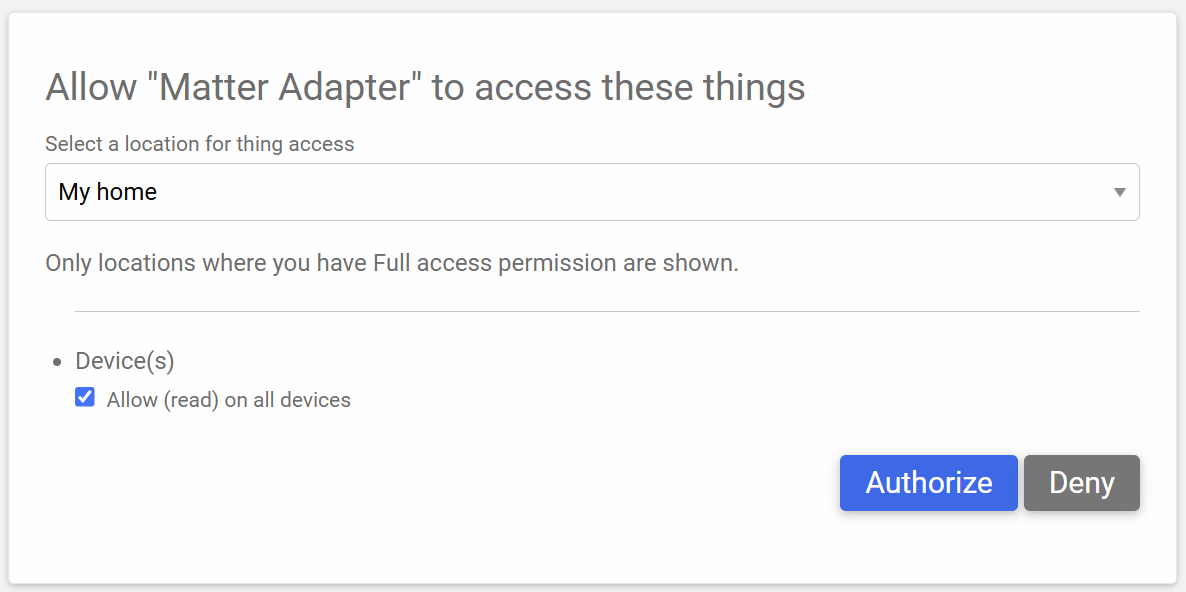
My Claude backend was only requesting read permissions, but that was okay for now. I went ahead and clicked Authorize. This redirected me back to my backend and presto, my credentials appeared!

These were good for just 24h.
Connecting my Firmware
I had my access token and refresh token, so it was now time to enter this into the SmartThings Adapter firmware. I accessed the ESP32, using http://smartthings-adapter.local/ and was presented with this. I should remind you that this code was *all* generated by Claude.
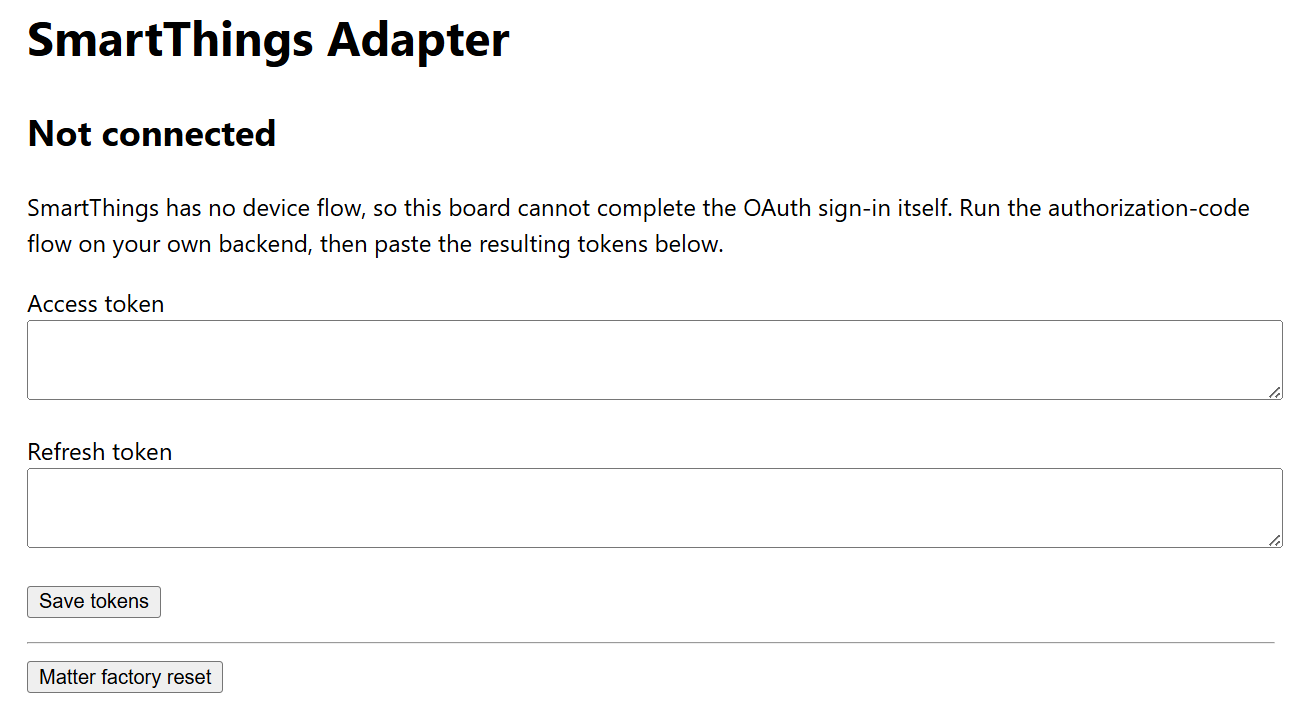
After hitting “Save tokens”, I moved to this screen
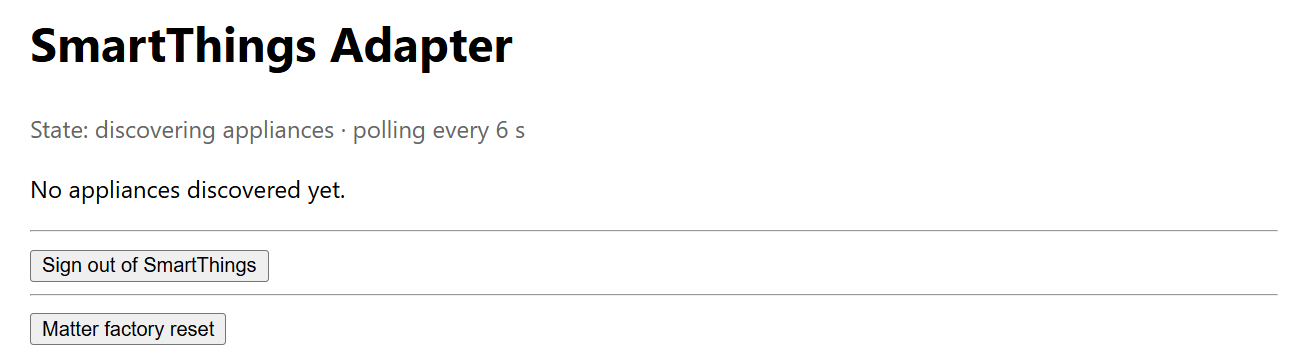
After hitting refresh…

Not bad Claude, not bad.
Does it respond??
With our washing machine listed, I wanted to check if it would update! I went downstairs, switched the machine on and clicked the Smart Control button….

Refreshing the adapter and
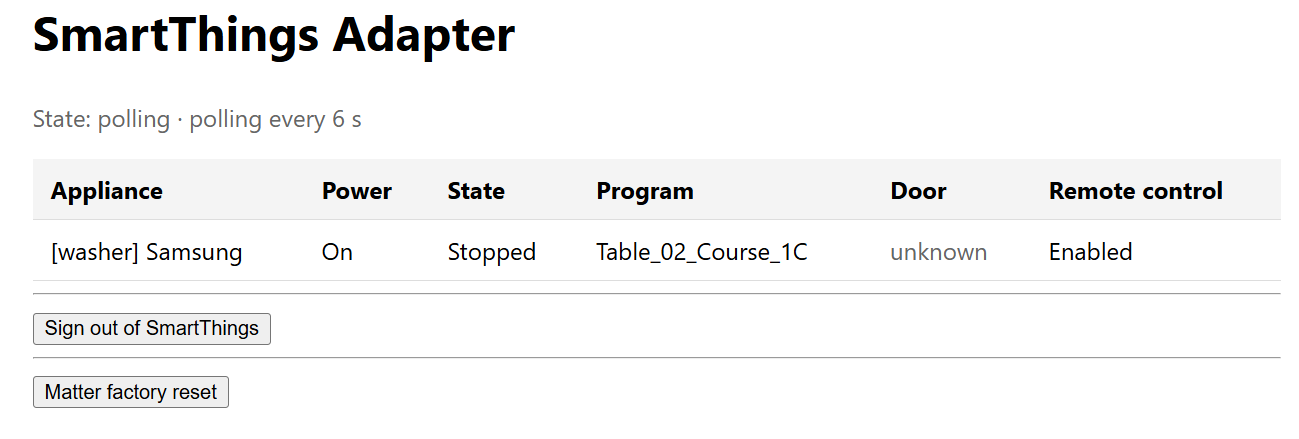
Power shows as On and Remote Control is enabled!
I turned off Smart Control and put on a load and it updated.

Table_02_Course_33 feels like a mapping I’ll need to understand, but not a “now” problem.
This might actually work!
The Smart Control button is behaving as I want. You load the machine, set the program and then hit Smart Control. My firmware picks that up after it refreshes.
The next step is to expose this Washer to my Matter network. This will allow me to add it to my Energy Manager. Once that’s complete, I can get into the energy management side of things. The goal is to have the Washing Machine *announce* it’s going to start using the Device Energy Management features of Matter. I’ve demonstrated them before – https://youtu.be/VfF1c8bLeiI and https://tomasmcguinness.com/2025/08/28/building-a-simple-matter-device-energy-manager/
Once the washer announces it will be running, it gives my Home Energy Manager an opportunity to alter the program. I will hopefully be able to then delay the program!
Stay Tuned
I’ll do a follow up a post when time permits. If you don’t want to miss it, be sure to subscribe.
Did you enjoy this post?
If you found this blog post useful and want to say thanks, you’re welcome to buy me a coffee.
Be sure to check out my YouTube Channel too – https://youtube.com/tomasmcguinness
Thanks,
Tom!


Leave a Reply