

This post follows on from part 1, where I successfully connected an ESP32 to the Samsung SmartThings API
In this post, I add explore how I could use the API to delay the start of my washing machine automatically. Once I understand how that works, I can implement something using Matter.
How to delay with the SmartThings API
To get the ball rolling, I began by digging in my washing machine’s capabilities using the SmartThings CLI
smartthings devices
This returned my one and only SmartThings device (I’m hiding my device id, cause, you know, bad guys – Phil Dunphy)
─────────────────────────────────────────────────────────────────────────────────── # Label Name Type Device Id─────────────────────────────────────────────────────────────────────────────────── 1 [washer] Samsung [washer] Samsung OCF f3f9f5d7-xxxx───────────────────────────────────────────────────────────────────────────────────
I then tried to query the device itself, using its ID
smartthings devices f3f9f5d7-xxxx
This returned a wealth of information about the device, like this
Manufacturer Name Samsung ElectronicsModel Number DA_WM_TP2_20_COMMON|20260041|200101020014113002A3020700000000Platform Version DAWIT 2.0Platform OS TizenRT 2.0 + IPv6Hw Version MediaTekFirmware Version DA_WM_TP2_20_COMMON_30250414Vendor Id DA-WM-WM-000001Vendor Resource Client Server Version MediaTek Release 2.211214.1
It also returned a full list of the device’s capabilities. A few from the list caught my eye!
samsungce.washerCyclesamsungce.washerCyclePresetsamsungce.washerDelayEndsamsungce.washerOperatingStatesamsungce.washerWashingTimesamsungce.waterConsumptionReportsamsungce.energyPlanner
To find out more, I queried the details about the samsung.washerOperatorState capability
smartthings capabilities samsungce.washerOperatingState
This capability held lots of information, attributes like washerJobState, operatingState, remainingTimeStr, and commands like start, estimateOperationTime and setDelayEnd. What looked very interesting was scheduledPhases – this might tie nicely into Matter Forecast Slots (which I’ll return to!)
I then checked what this returned for *my* washing machine
smartthings devices:capability-status f3f9f5d7-xxxx
I chose main (default) and samsungce.washerOperatingState This returned a lot!
 Attribute                 Value

 washingProgress

 dryingProgress

 washerJobState            "none"

 operatingState            "ready"

 supportedOperatingStates  ["ready","running","paused"]

 scheduledJobs             [

                             {

                               "jobName": "wash",

                               "timeInMin": 28

                             },

                             {

                               "jobName": "rinse",

                               "timeInMin": 23

                             },

                             {

                               "jobName": "spin",

                               "timeInMin": 13

                             }

                           ]

 scheduledPhases           [

                             {

                               "phaseName": "wash",

                               "timeInMin": 28

                             },

                             {

                               "phaseName": "rinse",

                               "timeInMin": 23

                             },

                             {

                               "phaseName": "spin",

                               "timeInMin": 13

                             }

                           ]

 progress                  1 %

 remainingTimeStr          "02:44"

 washerJobPhase            "none"

 operationTime             164 min

 remainingTime             164 min
My washing machine was switched off downstairs, so I assumed this was the default program. I’ll admit the numbers didn’t appear to add up. 164 mins of running time, but the phases only added to 45. Maybe I can’t use this for the Slots after all 😦
That aside, it did give me access to some useful information, like operationTime and remainingTime.
To help see what changed, I went down and turned the machine on, selected a program and enabling the Smart Control switch.


I queried the samsungce.washerOperatingState again and was pleased to see that the time had changed
remainingTimeStr "01:06"washerJobPhase "none"operationTime 66 minr>remainingTime 66 min
Everything else basically remained the same.
Setting a delay
I had some basic information coming back from the API, so next I needed to figure out how to delay the start of the program. The command setDelayEnd seemed like the place to start. I asked Claude to draft me a command with a 2-hour delay
smartthings devices:commands f3f9f5d7-xxxx "main:samsungce.washerOperatingState:setDelayEnd(120)"
The front of the machine displayed 2hrs
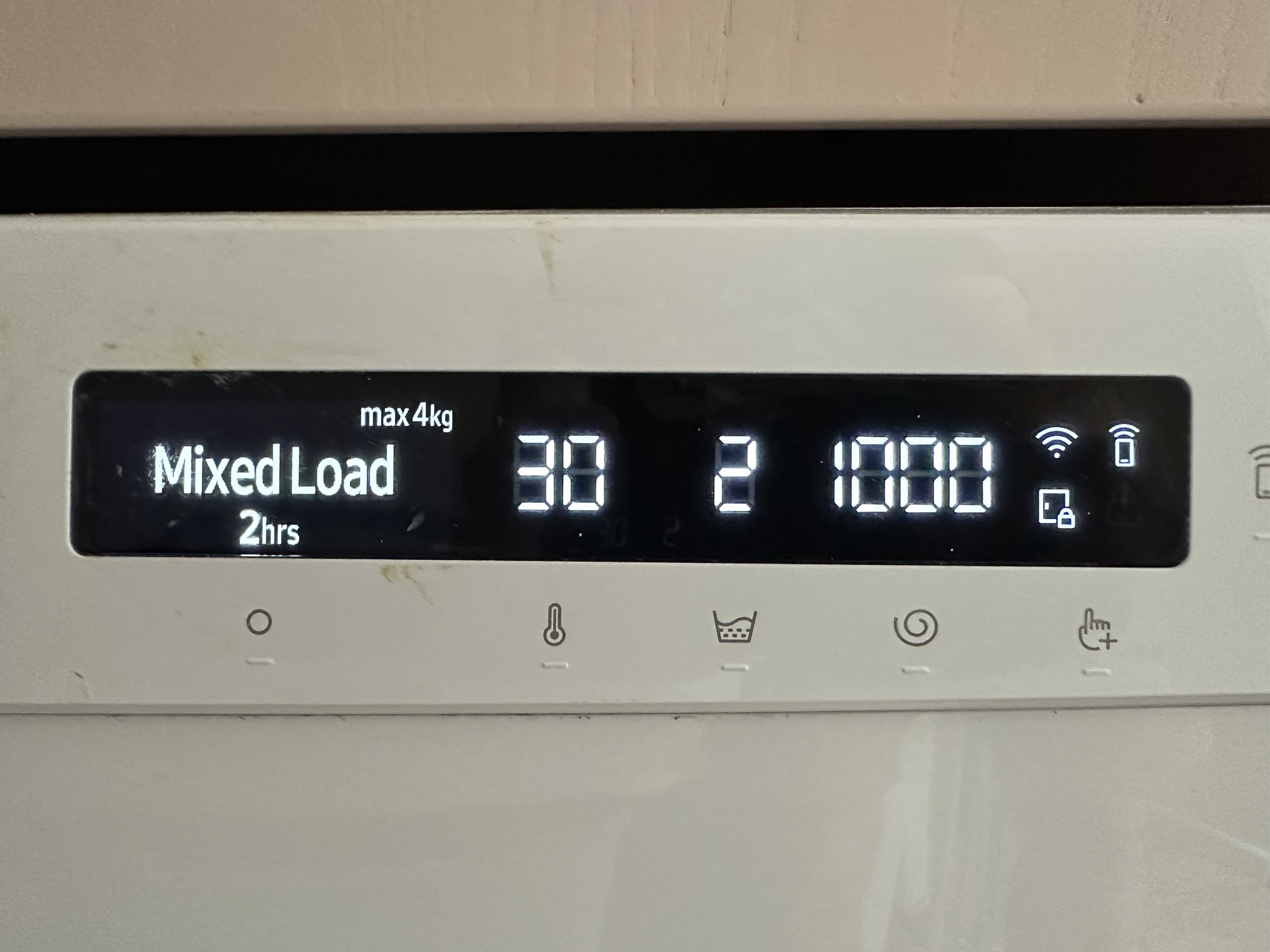
To ensure this wasn’t a random coincidence, I tried a 3hr delay, confirming this was caused by my command.

The setDelay appeared to work. Next, I needed to understand how to start the program with the delay. I tried the start command.
smartthings devices:commands f3f9f5d7-xxxx "main:samsungce.washerOperatingState:start"
Amazingly, this all appeared to work with the machine display the new end time!
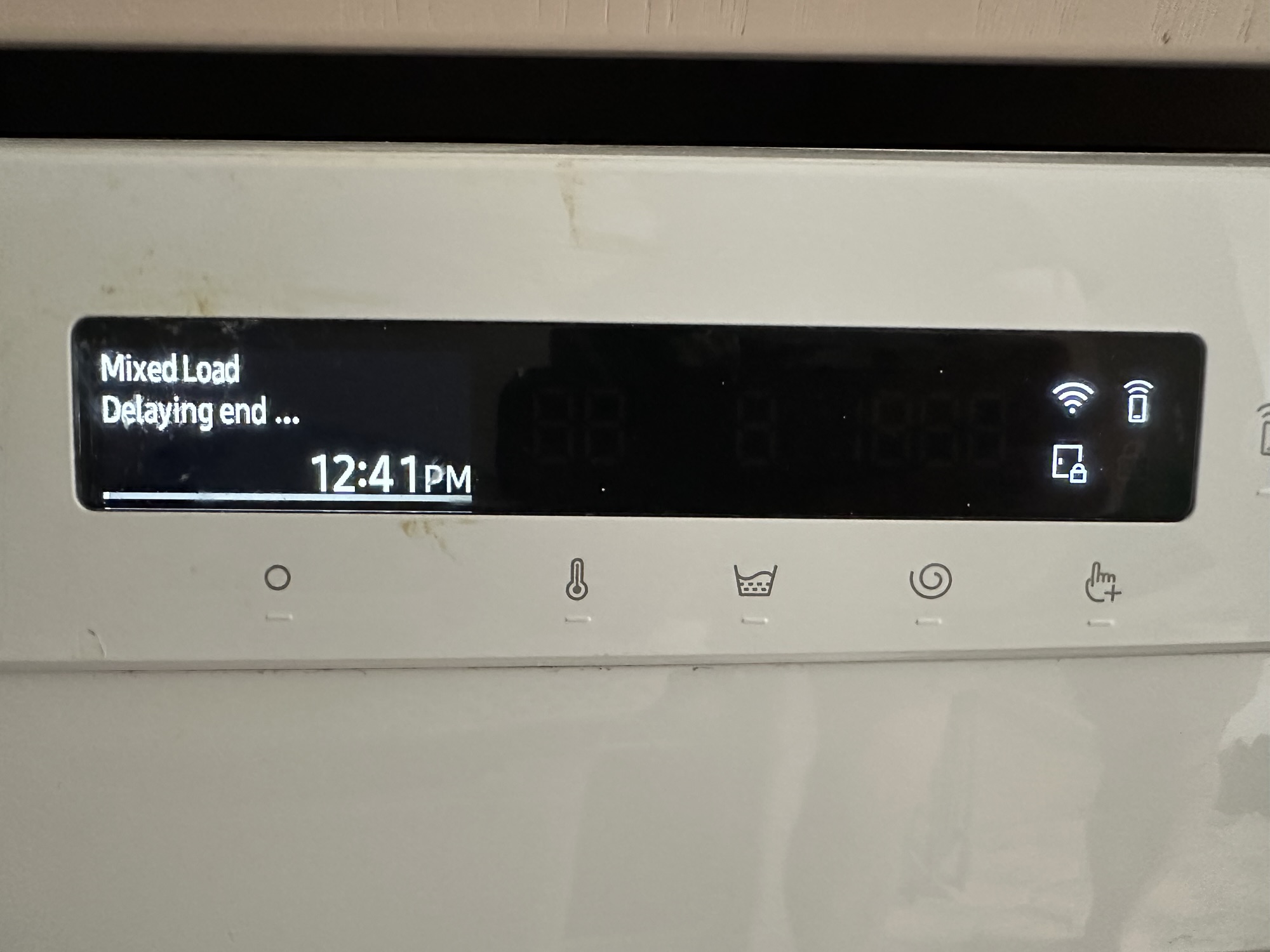
I had now proved to myself that I could delay my washing machine using the API.
Next Steps
With the SmartThings API (mostly) understood, the next step is wiring up some Matter support and getting the manager talking to the washing machine.
The flow will work like this:
- The user presses the Smart Control button.
- The adapter detects that remote control is now enabled and it will generate a Matter
State Forecastwith a start time of 30 seconds in the future. - The HEMS will detect the new Forecast and check when there will be surplus solar.
- It will send a
Delaycommand to the Washing machine, telling it when it can start - The adapter will use the SmartThings API to program a delay for the program.
Lots of moving parts, but I think the flow is sound!

To follow along, please subscribe so you’re notified of new posts on my blog
Did you enjoy this post?
If you found this blog post useful and want to say thanks, you’re welcome to buy me a coffee.
Be sure to check out my YouTube Channel too – https://youtube.com/tomasmcguinness
Thanks,
Tom!

Leave a Reply