
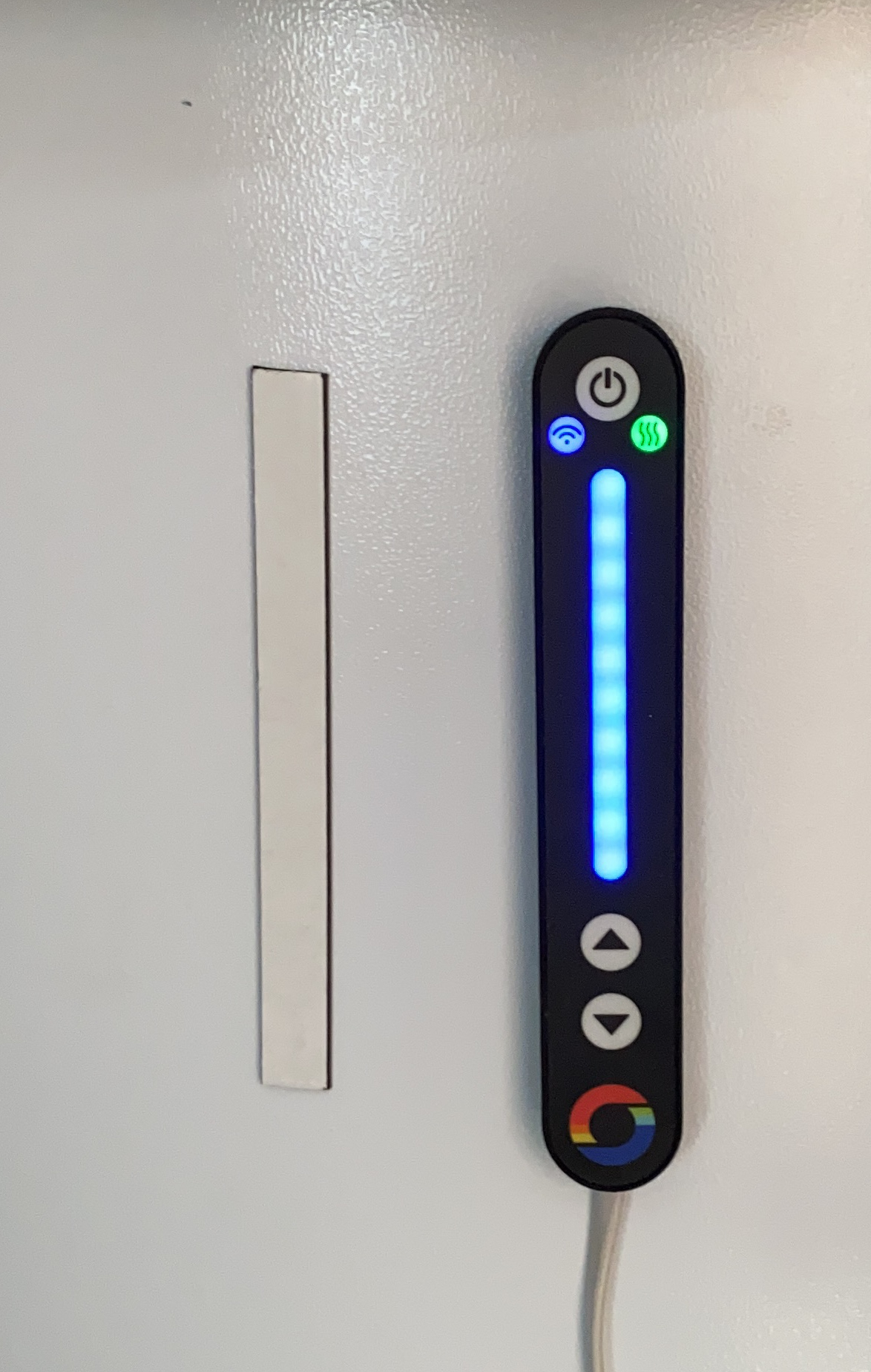
I’m loving my Mixergy tank, but one of the main issues is that the temp display is connected to the tank by a short wire. My tank sits out in the garage, so without consulting the app, it’s hard to know how much hot water you have.
Using my Home Assistant Mixergy integration and Siri Shortcuts, I’ve created something that my wife and I use. We can ask Siri to “check the hot water”. and it will reply with the current charge and water temperature. This is really useful as it works on our Homepods.
As fun as it is having to ask the computer for the tank measurements, I wanted to actually put a gadget into the bathroom, which would simply display the current charge etc.
Platform
When choosing the platform, there were a few considerations. Firstly, I didn’t want to spend any more money. I have small screens and MUC devices strewn around the office, so I wanted to make use of the stuff I already had. Secondly, it needed to use little or no power since it was going into the bathroom.
Years back, I purchased a WaveShare e-Paper display, but never found a use for it, until now. E-paper is great as it consumes no power when it’s idle. This felt look a logical choice!
For the MCU, I picked D1-Mini, which has an ESP8266 controller on it. These are great little boards for experimenting with.
Normally, I would be firing up a ZephyrRTOS project and writing some C, but this time I wanted to spend less time messing around and more time actually getting something finished. I’d heard about ESPHome and took a look. ESPHome is really cool platform that works with various MCUs and allows you to just cherry pick various components to build what you want. Put it all into a YAML file and install it. You can even update it over the air. It’s pretty cool.
It also supports ePaper! You’ll find the support detailed here, in addition to the wiring information. https://esphome.io/components/display/waveshare_epaper.html
To create a node for my Mixergy, I put together this little YAML file:
esphome: name: bathroom platform: ESP8266 board: d1_miniwifi: ssid: "<wifi_ssid>" password: "<wifi_password>" # Enable fallback hotspot (captive portal) in case wifi connection fails ap: ssid: "Bathroom Fallback Hotspot" password: "<update_password>"captive_portal:# Enable logginglogger:# Enable Home Assistant APIapi: password: "PWD"ota: password: "PWD"# Sensorsensor: - platform: homeassistant id: current_charge entity_id: sensor.current_charge internal: true - platform: homeassistant id: coldest_water_temperature entity_id: sensor.coldest_water_temperature internal: true - platform: homeassistant id: hot_water_temperature entity_id: sensor.hot_water_temperature internal: true# Displayfont: - file: 'fonts/arial_narrow_7.ttf' id: font1 size: 32 - file: 'fonts/arial_narrow_7.ttf' id: font2 size: 78 - file: 'fonts/arial_narrow_7.ttf' id: font3 size: 24 spi: clk_pin: D5 mosi_pin: D7display: - platform: waveshare_epaper cs_pin: D1 dc_pin: D3 busy_pin: D2 reset_pin: D4 model: 1.54in full_update_every: 30 rotation: 90 lambda: |- it.printf(100, 10, id(font1), TextAlign::CENTER_HORIZONTAL, "Mixergy"); it.filled_rectangle(10, 50, 5, 130); it.filled_rectangle(50, 50, 5, 130); it.filled_rectangle(16, 180 - (130 * (id(current_charge).state / 100)), 33, 129 * (id(current_charge).state / 100)); it.filled_rectangle(10, 180, 45, 5); it.printf(60, 51, id(font3), TextAlign::TOP_LEFT, "%.1fC", id(hot_water_temperature).state); it.printf(130, 88, id(font2), TextAlign::CENTER_HORIZONTAL, "%.0f%%", id(current_charge).state); it.printf(60, 162, id(font3), TextAlign::TOP_LEFT, "%.1fC", id(coldest_water_temperature).state);
This connects to the Home Assistant API and queries three of the sensors that belong to my Mixergy integration. It then renders this on the ePaper screen, showing a simple representation of the Mixergy tank, the hot and cold water temperatures and the percentage charge. It’s everything you need to know about the tank, at a glance.

Next Steps
Next step is to connect this sucker to a battery and experiment with the ESP8266 deep sleep. I think a five minute interval for refresh is probably enough (dropping to hourly at night), but connecting to WiFi and redrawing the screen consume a lot of power, so I’ll have to play around with it. Maybe I can use a small solar panel too as the unit will probably sit on a sunny windowsill.
I’d also like to make a little case for it, but I’ll need to do some research and see if there isn’t something I can just buy. This Waveshare unit is pretty common, so somebody must have made a case!
Then I’d like to add some sort of boost button, so we can charge the tank too. That’s further down the line as it will require changes to my Home Assistant integration…
Other Ideas
Given that a cloud API exists for Mixergy already, it would probably be possible to build a standalone unit that wouldn’t require Home Assistant at all. I’ve thought about this for my iOS shortcut – if I changed it to query the API directly, the Shortcut would be usable by anyone!
Did you enjoy this post?
If you found this blog post useful and want to say thanks, you’re welcome to buy me a coffee.
Be sure to check out my YouTube Channel too – https://youtube.com/tomasmcguinness
Thanks,
Tom!


Leave a Reply