
In Part #2, I finally got the sensor working with Zigbee.
I flashed one of my custom boards and set it up on my office radiator. It happily logged away and I started looking into more Zigbee stuff.
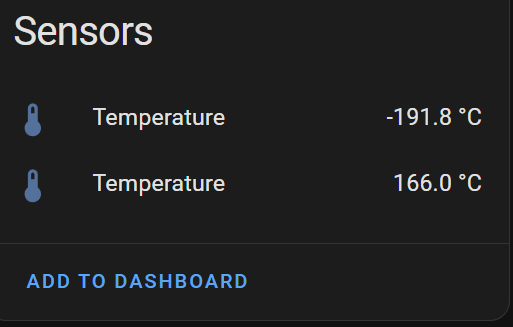
The next morning, when I checked Home Assistant, I was disappointed to see this:

Looking at the history for one of the measurements showed it worked all that day, before *stopping* around 22.40, with a final reading of about 27 degrees.
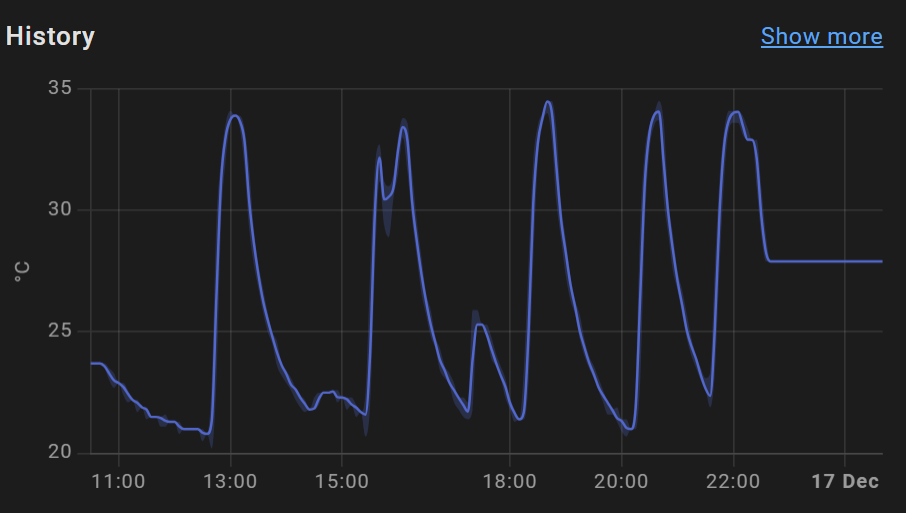
Two hours later, Home Assistant reported the device as unavailable.
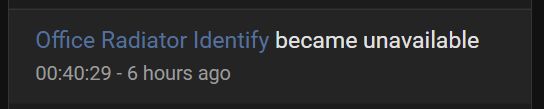
Two hours is significant as it’s a timeout value configured in the ZHA Integration. Mains powered devices as considered unavailable if they haven’t been heard from in 7200 seconds, which is 2 hours.

Pushing the boot button on the board and the readings start again.

What was wrong??
At this point, I didn’t have a clue. There were a few ideas:
- Loss of Zigbee connectivity or interference?
- Crash in my code (nRF52840 out of memory)?
- Some other behaviour I wasn’t aware of?
I wondered if maybe my sensor has actually connected via the Nordic Development kit running on my desk? When I powered that off, my sensor was disconnected.
Checking after the second night was a different story altogether.

During my battery research, I came across a piece of code that hinted at the problem. The nRF52840 handles sleep operations automatically e.g. when threads are idle, it will go to sleep. A comment in some sample code indicated that long sleeps could result in the chip going into SYSTEM OFF. That’s the deep sleep mode.
It would certainly explain why it went unavailable on one occasion and not on another. I have added a policy call, copied from the sample, that will prevent it from entering deep sleep.
I’ll keep an eye on this once I’ve deployed another sensor or two!
Battery Operation
My dive into battery operation took a few twists and turns and I’ve written several blog posts about it.
- Reducing power consumption in my nRF52840 Zigbee sensor with the help of a Nordic Semiconductors “Power Profiler II” kit
- Getting low power consumption on the XIAO nRF52840
- More successful adventures in reducing nRF52840 power consumption
The TLDR; is that I got my nRF62850 down to about 25µA. That would give a year’s operation on a coin battery, which is great!
Next, I need to figure out how to *read* the battery level and add report the value. I had a look and it requires the addition of a new cluster called Power Configuration. I think that’s another must have addition to make the sensor usable.
Added a reset button
The addition of a reset button was something I didn’t want initially, but I realised it was needed. Once added to a Zigbee network, being able to reset the sensor in situ is vital. I wouldn’t want to have to disconnect the sensor and hook it up to my PC to reset it. If there is a bug or problem with the sensor, performing a reset is handy.
I also want the reset button to function as a “swap” button. If the sensor is installed with the probes on the wrong pipes, it can be tricky to swap them. I’m going to add behaviour that holding down the button for 5 seconds will reverse the readings.
PCB Design
As part of the power reduction work, I had to make changes to the layout of my PCB. This was to facilitate the power to the voltage dividers and the addition of a reset button.
I also moved the battery terminal to the “top” and made the connector a smaller one. I also tinkered with the battery pad through holes. Aisler (who print the boards) struggled with the original design, so hopefully this is better.
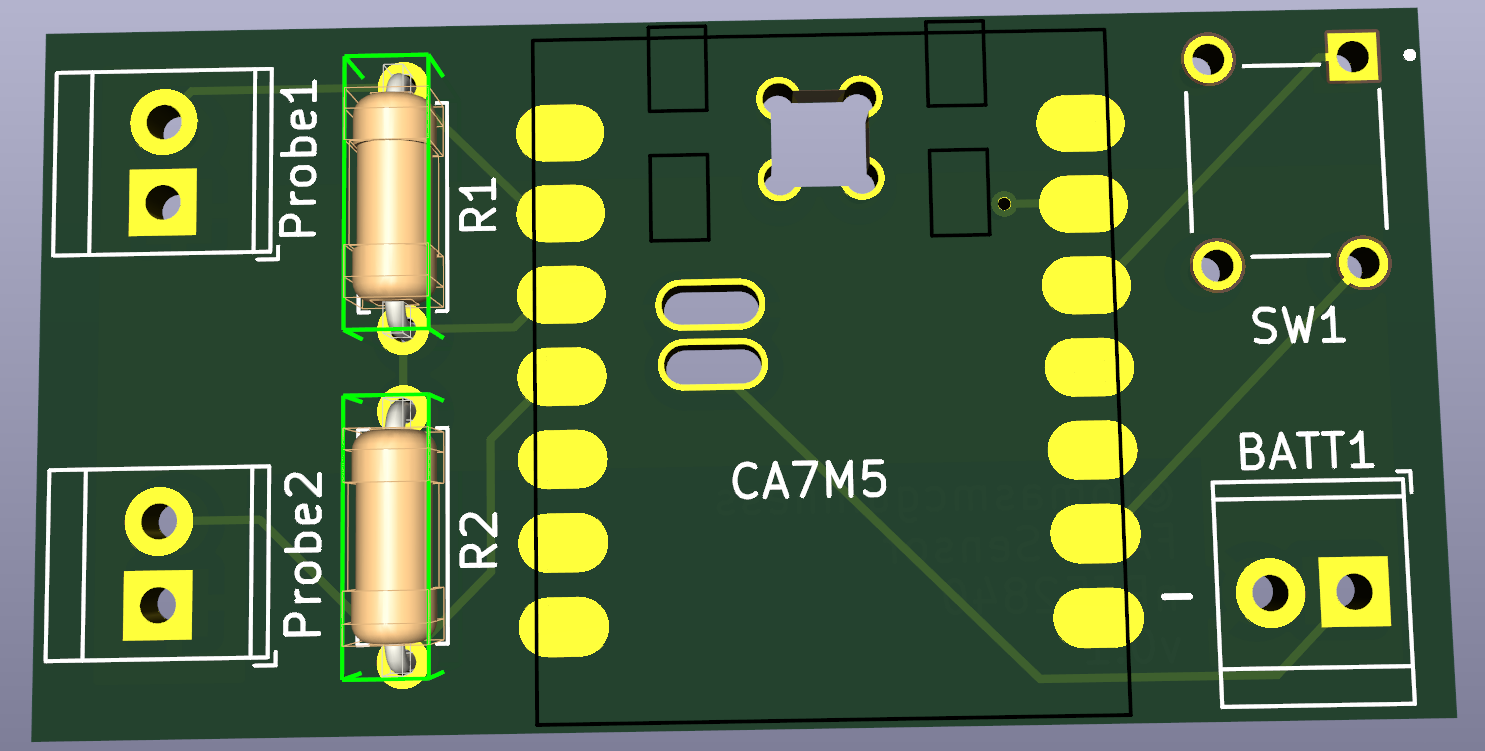
I’ve ordered some a short run of the boards and hopefully they’ll be here in before months’ end (Jan ’25)
Next Steps
Whilst I wait for the boards, I have two piece of code to write:
- The swap probes behavior
- Reading the battery level
Being on battery means the sensors can sit atop the radiator in a little box. No more USB cables on show and I can also hide the probes *in* the radiator!
I want to finish work on the Home Assistant Quirk to add better names, but that’s a nice to have.
I’ll also publish the code on Github at some point too.
Update 26th January 2025
Everything is now available on Github!
https://github.com/tomasmcguinness/zigbee-nrf-flow-and-return-temperature-sensor


Leave a reply to My nRF52840 logging rig is up and running! – @tomasmcguinness Cancel reply